'%20d='M0%208a8%208%200%200%201%208-8h24a8%208%200%200%201%208%208v24a8%208%200%200%201-8%208H8a8%208%200%200%201-8-8V8Z'/%3e%3cpath%20fill='%23fff'%20d='M32.576%206C12.293%206%208.776%2025.887%207.424%2034H9.1c.45-2.977%203.493-14.748%2010.899-20.287%200%200-5.633%206.976-6.572%2015.051%203.426-.652%2013.845-3.372%2016.056-12.927l-3.84-.61c1.352-1.351%204.909-5.17%206.931-9.226V6Z'/%3e%3cdefs%3e%3clinearGradient%20id='reapit-lettings__a'%20x1='20.702'%20x2='20.702'%20y1='.351'%20y2='31.228'%20gradientUnits='userSpaceOnUse'%3e%3cstop%20stop-color='%235573FD'/%3e%3cstop%20offset='.575'%20stop-color='%234E56EA'/%3e%3c/linearGradient%3e%3c/defs%3e%3c/svg%3e)
Bookmark Frequently Used Favourites within your Reapit Lettings Account
This article provides a comprehensive guide on bookmarking frequently visited sections within your Reapit Lettings account
1. Navigate to the appropriate section in your Reapit Lettings account.
2. Click Favourites located at the top left of your Reapit Lettings account, and
3. Click +Add Current Page.
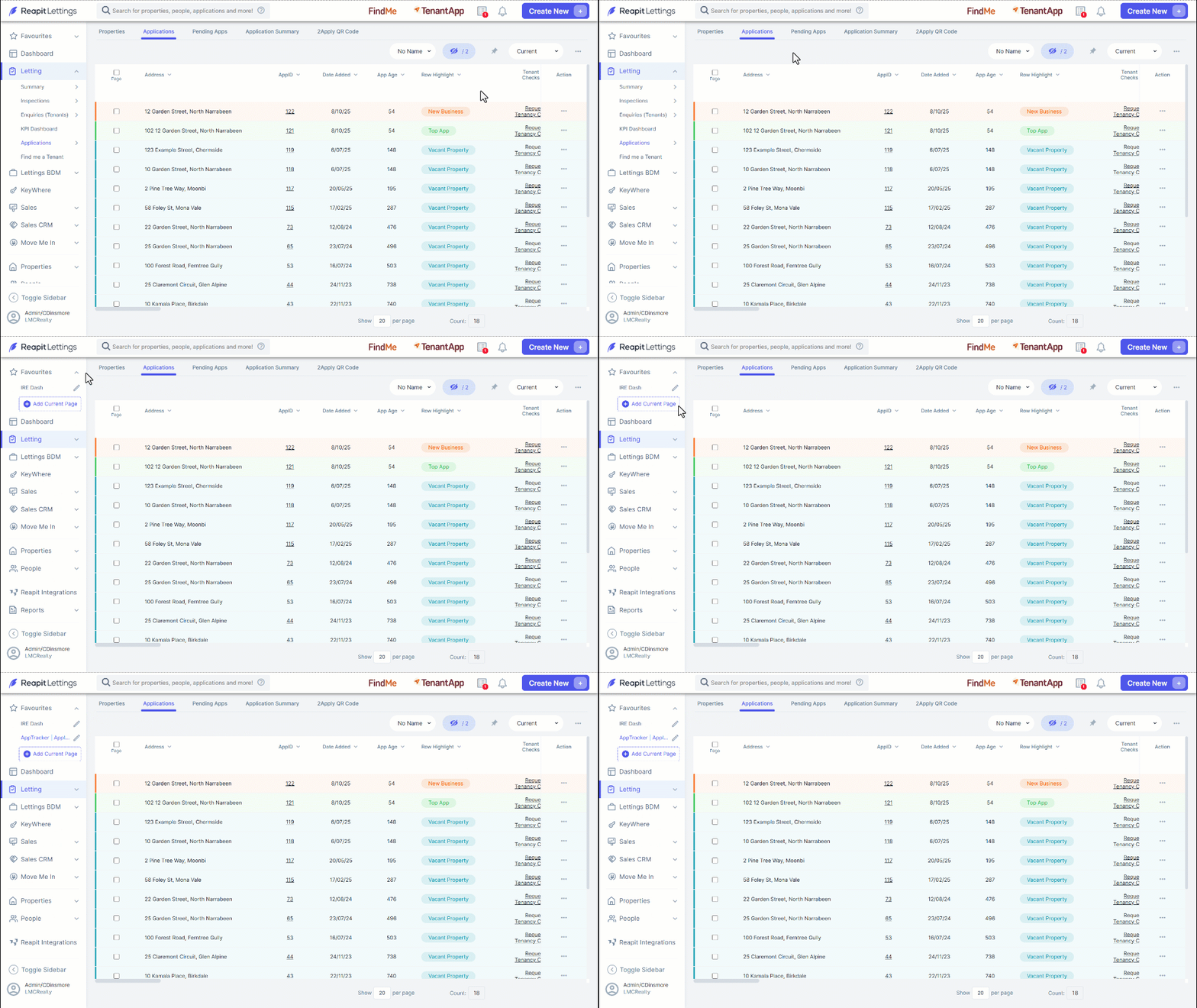
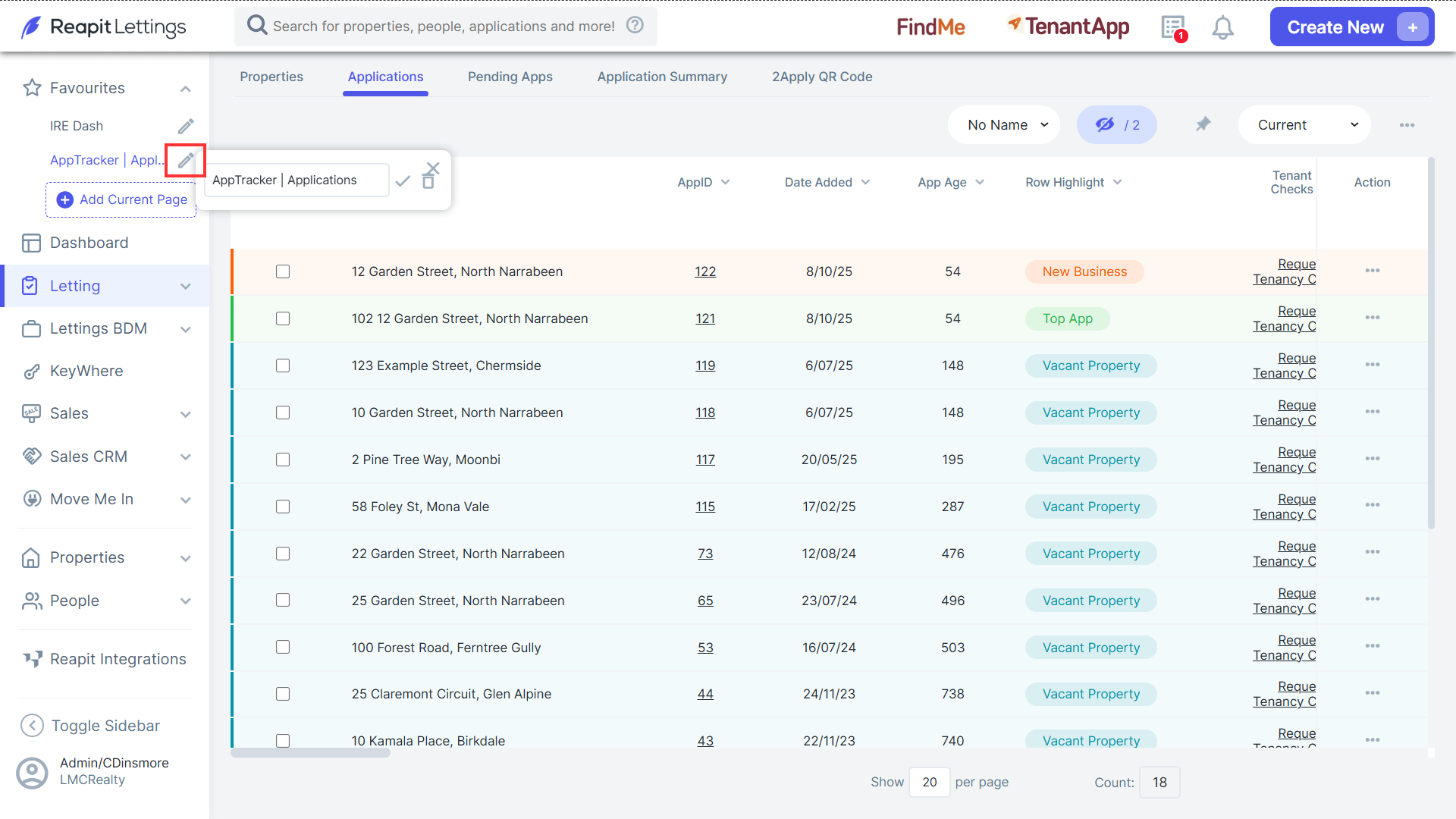
4. An automatically generated system name will be assigned to your Favourites. To personalise this name, click the pencil icon and enter your preferred name in the provided text field. After entering the name, confirm the change by clicking the tick symbol.