'%20d='M0%208a8%208%200%200%201%208-8h24a8%208%200%200%201%208%208v24a8%208%200%200%201-8%208H8a8%208%200%200%201-8-8V8Z'/%3e%3cpath%20fill='%23fff'%20d='M32.576%206C12.293%206%208.776%2025.887%207.424%2034H9.1c.45-2.977%203.493-14.748%2010.899-20.287%200%200-5.633%206.976-6.572%2015.051%203.426-.652%2013.845-3.372%2016.056-12.927l-3.84-.61c1.352-1.351%204.909-5.17%206.931-9.226V6Z'/%3e%3cdefs%3e%3clinearGradient%20id='reapit-lettings__a'%20x1='20.702'%20x2='20.702'%20y1='.351'%20y2='31.228'%20gradientUnits='userSpaceOnUse'%3e%3cstop%20stop-color='%235573FD'/%3e%3cstop%20offset='.575'%20stop-color='%234E56EA'/%3e%3c/linearGradient%3e%3c/defs%3e%3c/svg%3e)
2Apply QR Codes
This article will run through how to access the 2Apply QR Code, as well as download and preview in Reapit Lettings.
2Apply QR Codes
This article will run through how to access the 2Apply QR Code, as well as download and preview in Reapit Lettings.
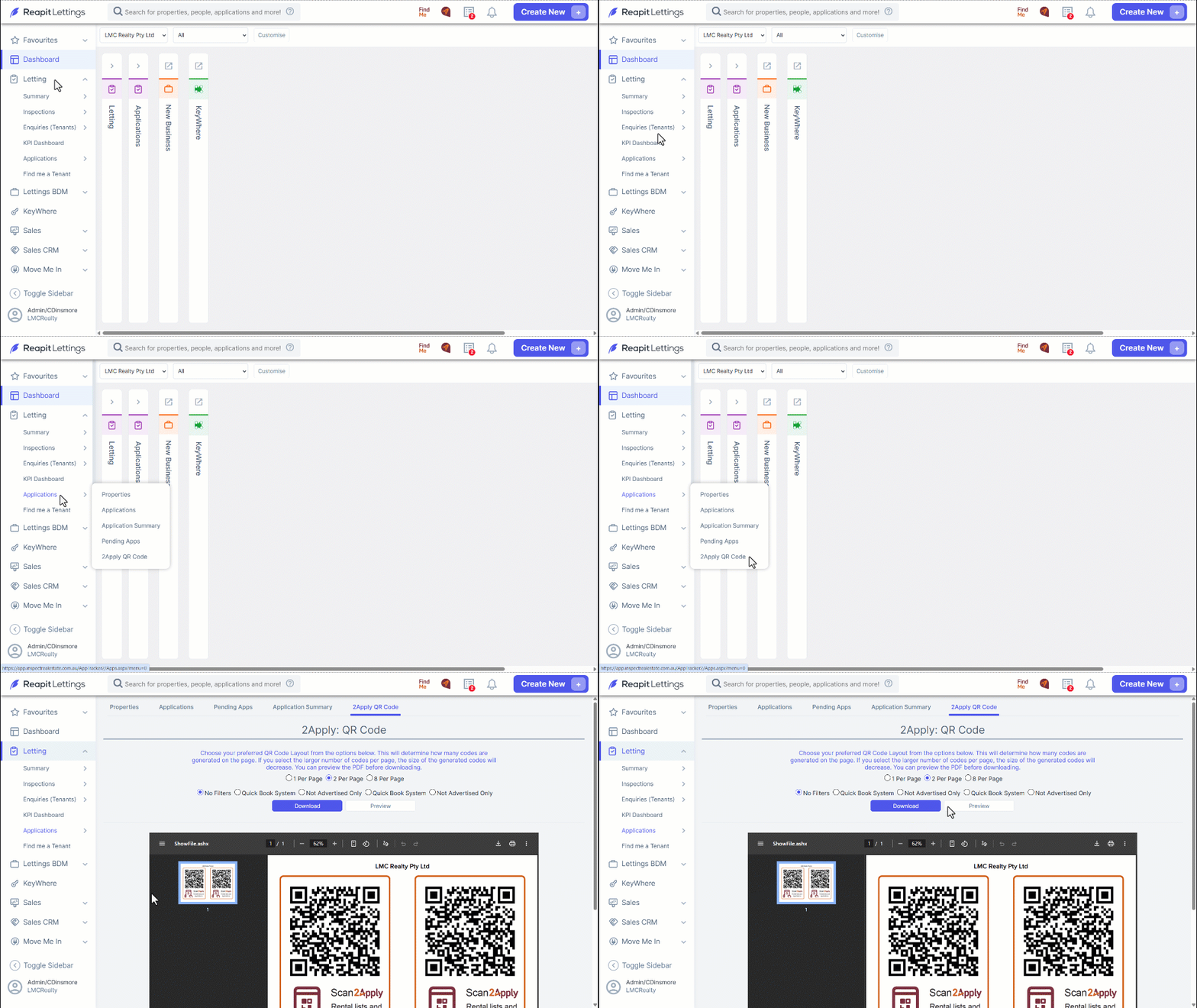
- Navigate to Letting.
- Click Applications.
- Click 2Apply QR Code.
- This will generate a QR code for your office. From here, you can download or preview.
- Once the code is scanned, it will redirect you to the agency's page for 2Apply, which has the facility for people to book inspections and apply for properties.