'%20d='M0%208a8%208%200%200%201%208-8h24a8%208%200%200%201%208%208v24a8%208%200%200%201-8%208H8a8%208%200%200%201-8-8V8Z'/%3e%3cpath%20fill='%23fff'%20d='M32.576%206C12.293%206%208.776%2025.887%207.424%2034H9.1c.45-2.977%203.493-14.748%2010.899-20.287%200%200-5.633%206.976-6.572%2015.051%203.426-.652%2013.845-3.372%2016.056-12.927l-3.84-.61c1.352-1.351%204.909-5.17%206.931-9.226V6Z'/%3e%3cdefs%3e%3clinearGradient%20id='reapit-lettings__a'%20x1='20.702'%20x2='20.702'%20y1='.351'%20y2='31.228'%20gradientUnits='userSpaceOnUse'%3e%3cstop%20stop-color='%235573FD'/%3e%3cstop%20offset='.575'%20stop-color='%234E56EA'/%3e%3c/linearGradient%3e%3c/defs%3e%3c/svg%3e)
How to Setup the Letting Boss Report
This article will run through how to set up the Letting Boss Report within your account in Reapit Lettings
How to Setup the Letting Boss Report
This article will run through how to set up the Letting Boss Report within your account in Reapit Lettings.
The Boss Report serves as a condensed representation of your Lettings inspection data. It offers the option to receive a static rendition of the report via email or to access the interactive version through online channels. To set up the Letting Boss Report, proceed with the steps below.
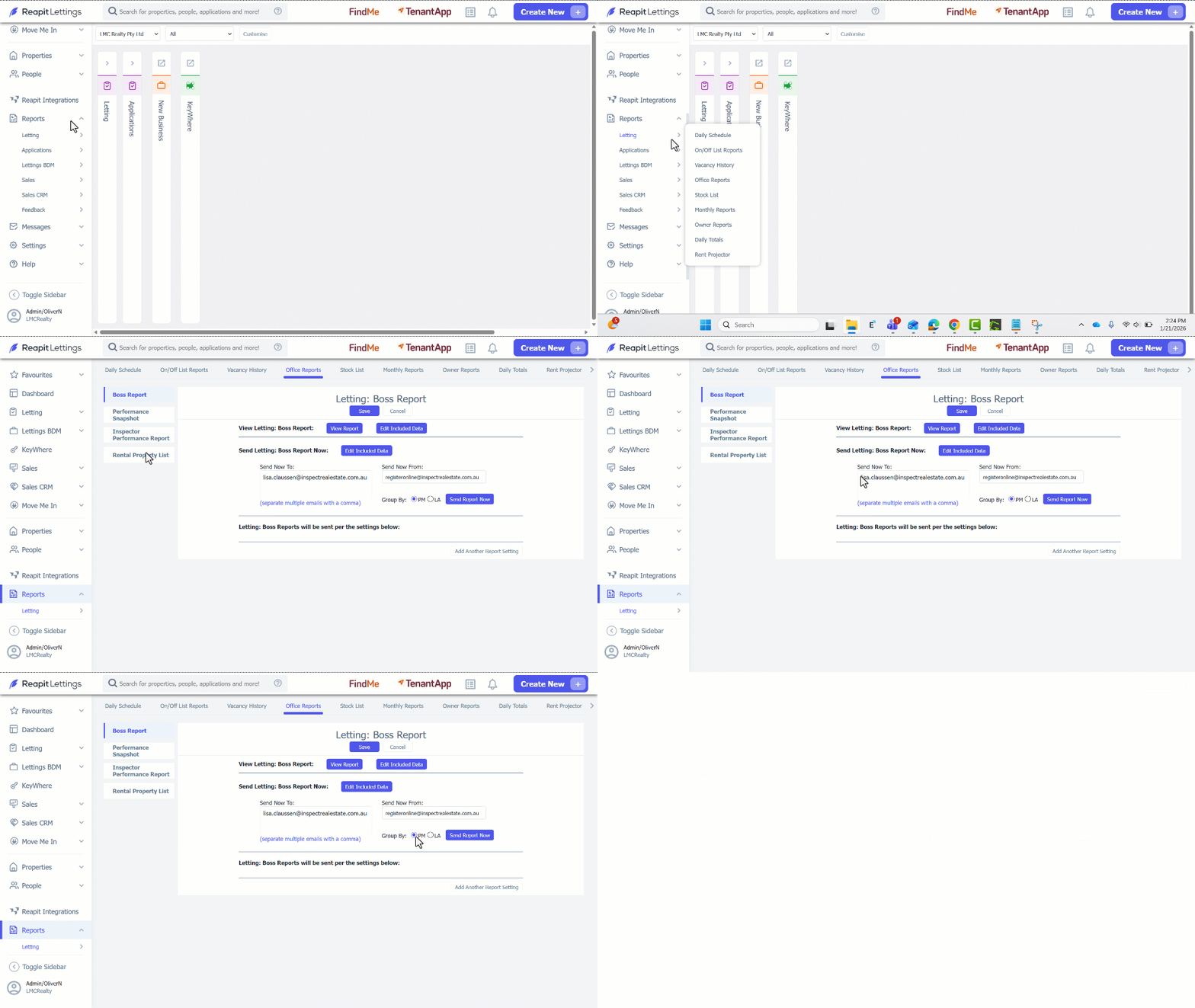
- Click on Reports.
- Click on Letting.
- Click on Office Reports.
- Navigate to Boss Report tab.
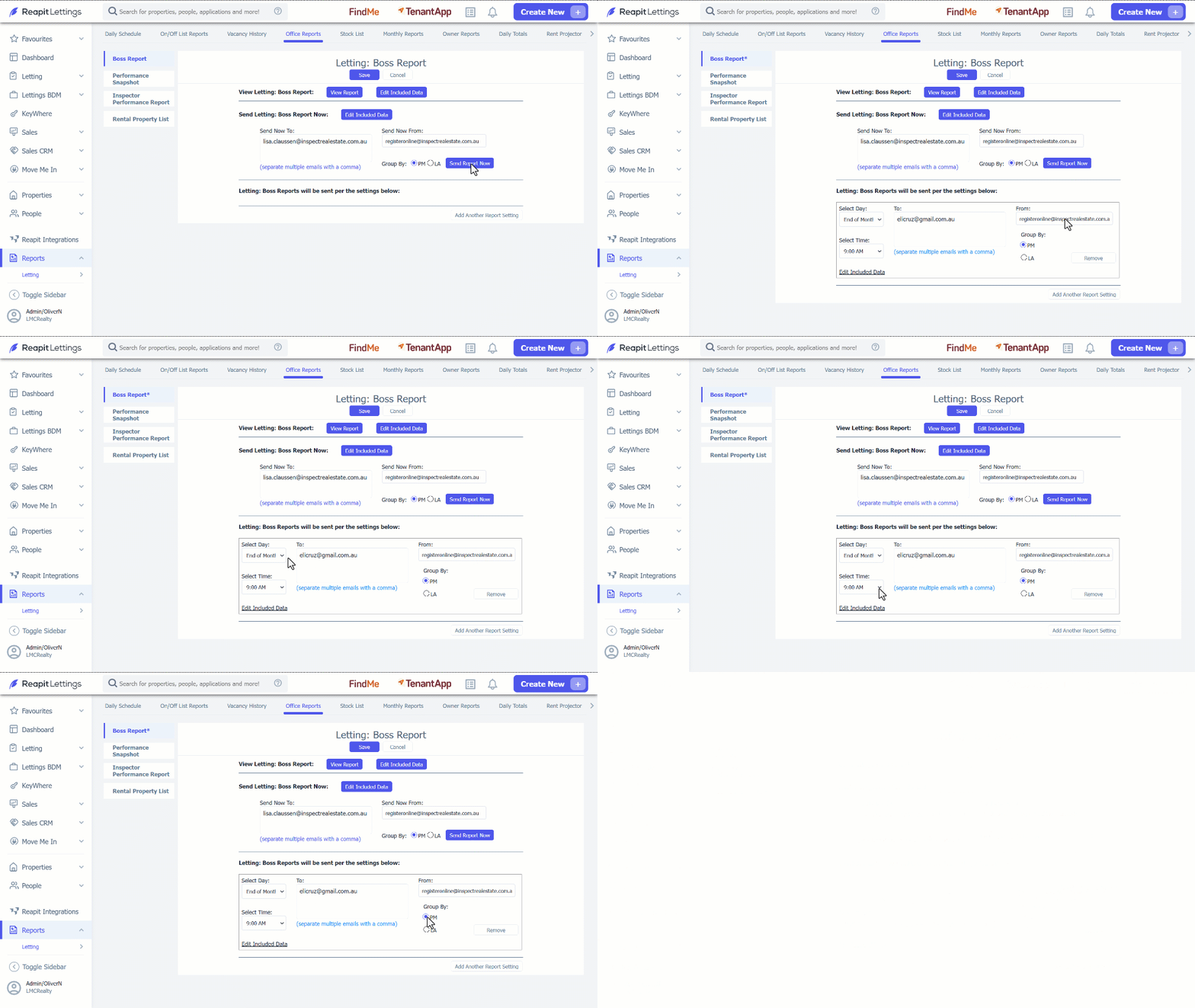
- To send the report manually, follow these steps:
- Input the recipient's email address in the Sent Now To section.
- Select the preferred data grouping method; by PM: Property Manager or by LA: Listing Agent.
- Click on Send Report Now
- To receive this report automatically, click on Add Another Report Setting. 7. Enter in the Email Address, Day and Time you would like the report to go to. 8. Determine the data grouping method, whether by PM: Property Manager or by LA: Listing Agent. 9. Click on Save.