'%20d='M0%208a8%208%200%200%201%208-8h24a8%208%200%200%201%208%208v24a8%208%200%200%201-8%208H8a8%208%200%200%201-8-8V8Z'/%3e%3cpath%20fill='%23fff'%20d='M32.576%206C12.293%206%208.776%2025.887%207.424%2034H9.1c.45-2.977%203.493-14.748%2010.899-20.287%200%200-5.633%206.976-6.572%2015.051%203.426-.652%2013.845-3.372%2016.056-12.927l-3.84-.61c1.352-1.351%204.909-5.17%206.931-9.226V6Z'/%3e%3cdefs%3e%3clinearGradient%20id='reapit-lettings__a'%20x1='20.702'%20x2='20.702'%20y1='.351'%20y2='31.228'%20gradientUnits='userSpaceOnUse'%3e%3cstop%20stop-color='%235573FD'/%3e%3cstop%20offset='.575'%20stop-color='%234E56EA'/%3e%3c/linearGradient%3e%3c/defs%3e%3c/svg%3e)
How to Enter in A New Sales Enquiry
This article will run through how to enter a new sales inquiry into your account in Reapit Lettings.
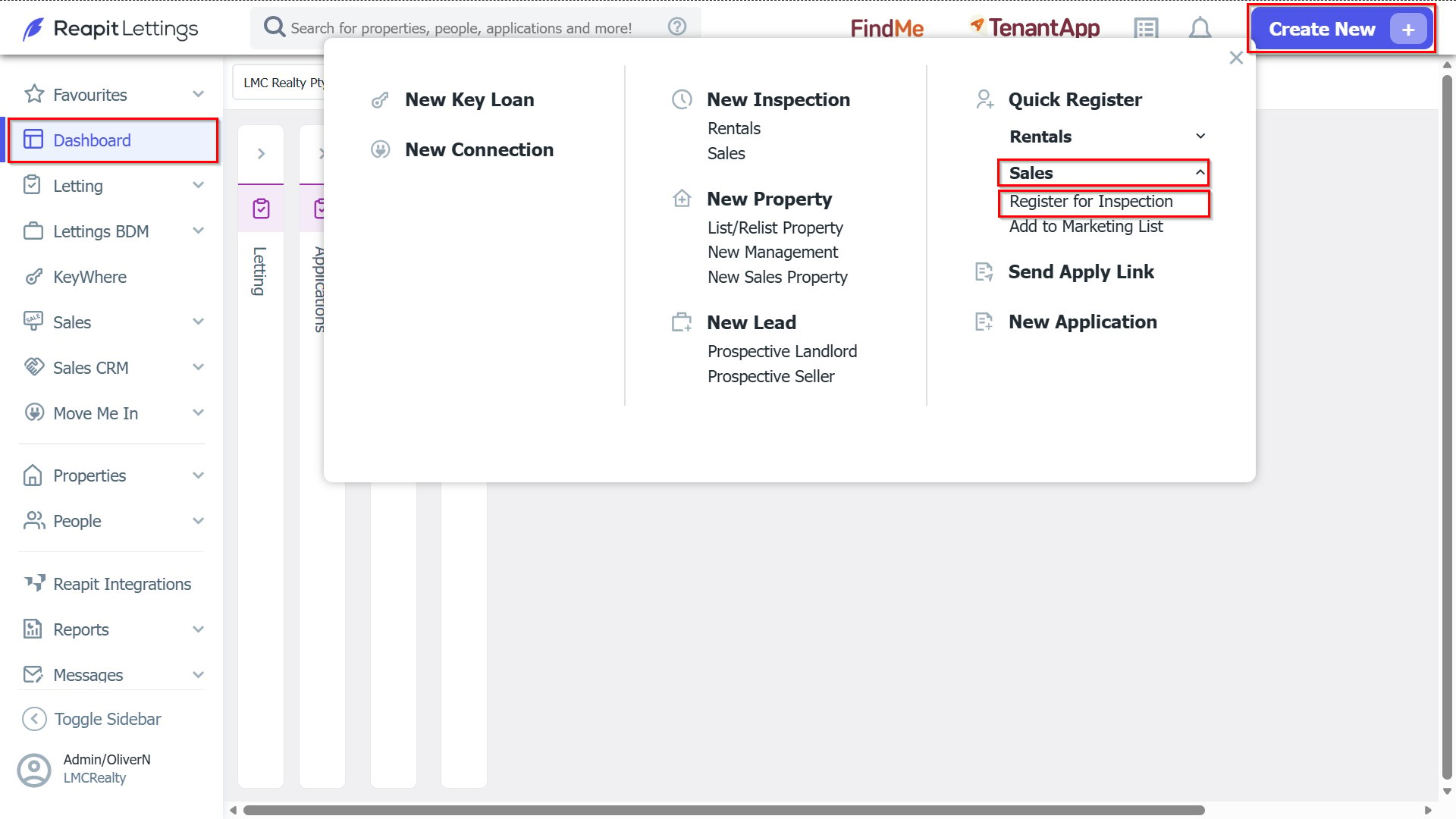
1. Navigate to Create New > Sales and select Register for Inspection.
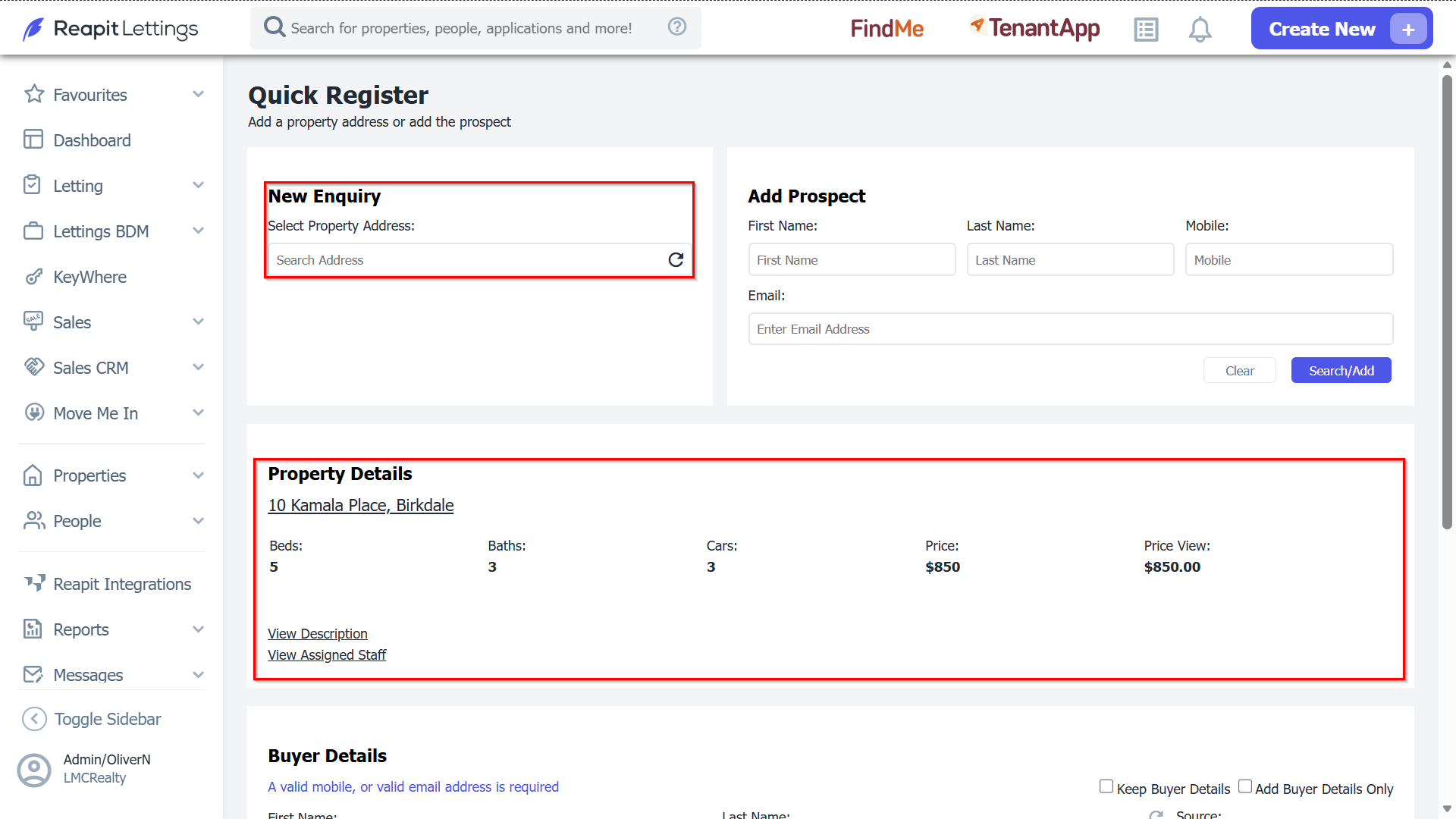
2. Begin typing the relevant address from your database. If the address is already stored, it will be displayed for you to select.
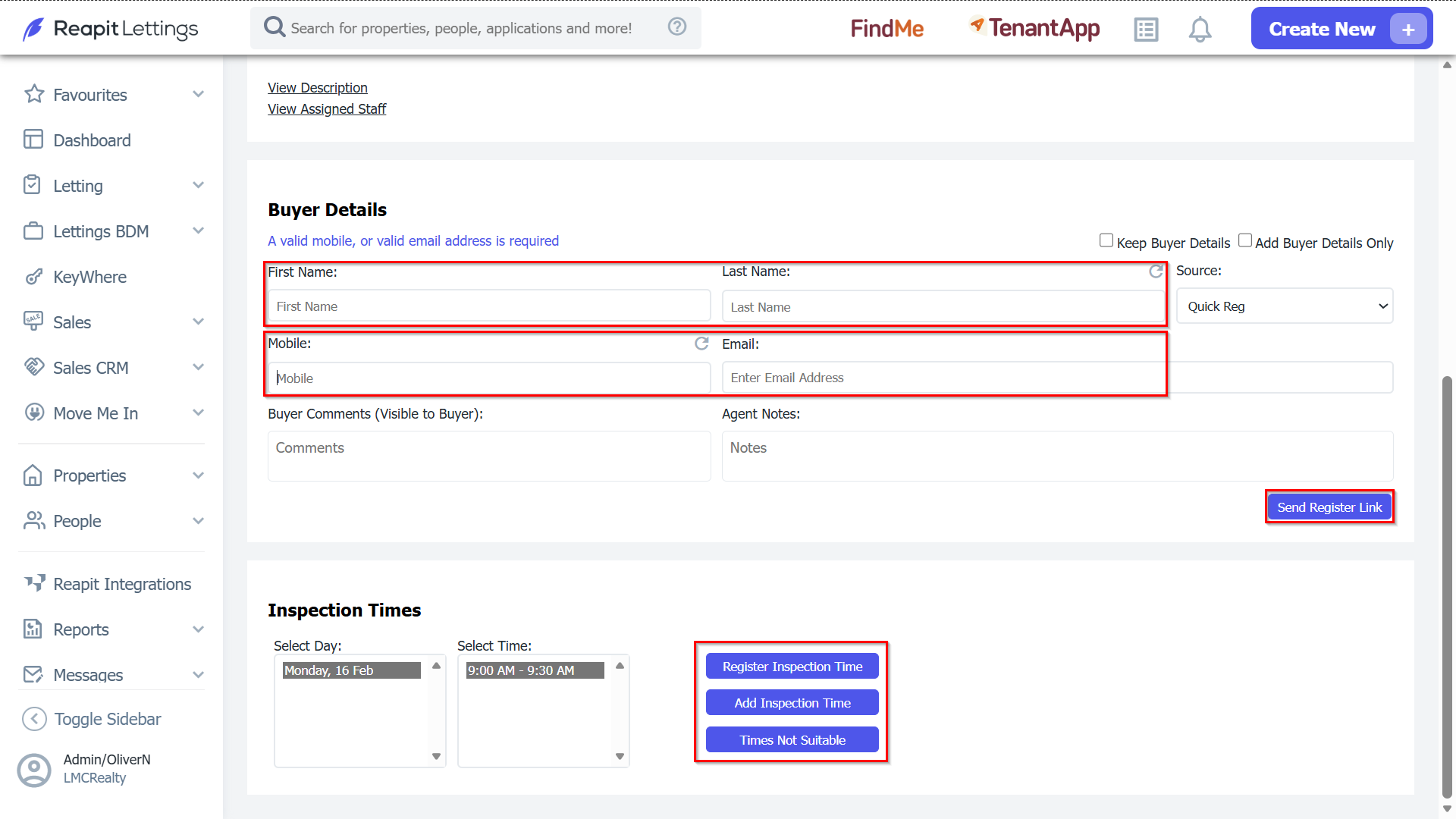
3. If there is time available to inspect the property, you’ll have the following options:
- Select a date and time, and click the ‘Register Inspection Time’ button. The buyer will receive a confirmation email/SMS confirming the inspection time.
- If none of the times suit, click the ‘Times Not Suitable’ button. A notification will be sent to the Listing Agent requesting additional time to be created.
- If you wish to send the person a list of inspection times and let them choose which inspection they would like to attend, click the ‘Send Register Link’ button. The buyer will receive an email/SMS advising them of the inspection times and will have to book into a time.