'%20d='M0%208a8%208%200%200%201%208-8h24a8%208%200%200%201%208%208v24a8%208%200%200%201-8%208H8a8%208%200%200%201-8-8V8Z'/%3e%3cpath%20fill='%23fff'%20d='M32.576%206C12.293%206%208.776%2025.887%207.424%2034H9.1c.45-2.977%203.493-14.748%2010.899-20.287%200%200-5.633%206.976-6.572%2015.051%203.426-.652%2013.845-3.372%2016.056-12.927l-3.84-.61c1.352-1.351%204.909-5.17%206.931-9.226V6Z'/%3e%3cdefs%3e%3clinearGradient%20id='reapit-lettings__a'%20x1='20.702'%20x2='20.702'%20y1='.351'%20y2='31.228'%20gradientUnits='userSpaceOnUse'%3e%3cstop%20stop-color='%235573FD'/%3e%3cstop%20offset='.575'%20stop-color='%234E56EA'/%3e%3c/linearGradient%3e%3c/defs%3e%3c/svg%3e)
How to Add a New Team Member
This article will run through how to add a new BDM team member in Reapit Lettings
How to Add a New BDM Team Member
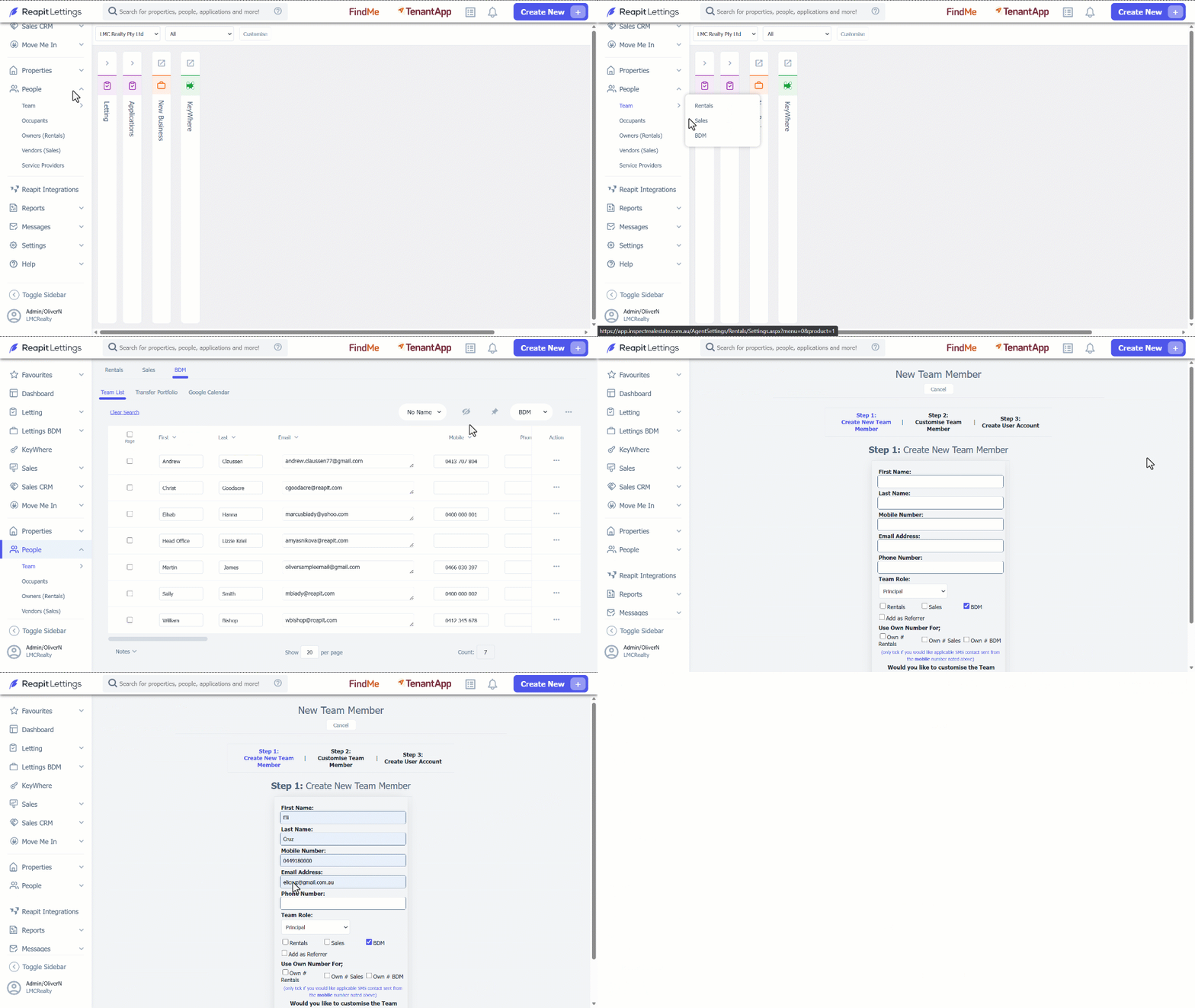
1. Click on People.
2. Click on Team.
3. Click on BDM.
4. Navigate to 3 dots action icon.
5. Click on New Team Member/ User.
6. Complete all the information for the new team member. It is important to ensure contact details are in place. By default, the BDM box will be ticked however Rentals, or Sales can be added at this stage.
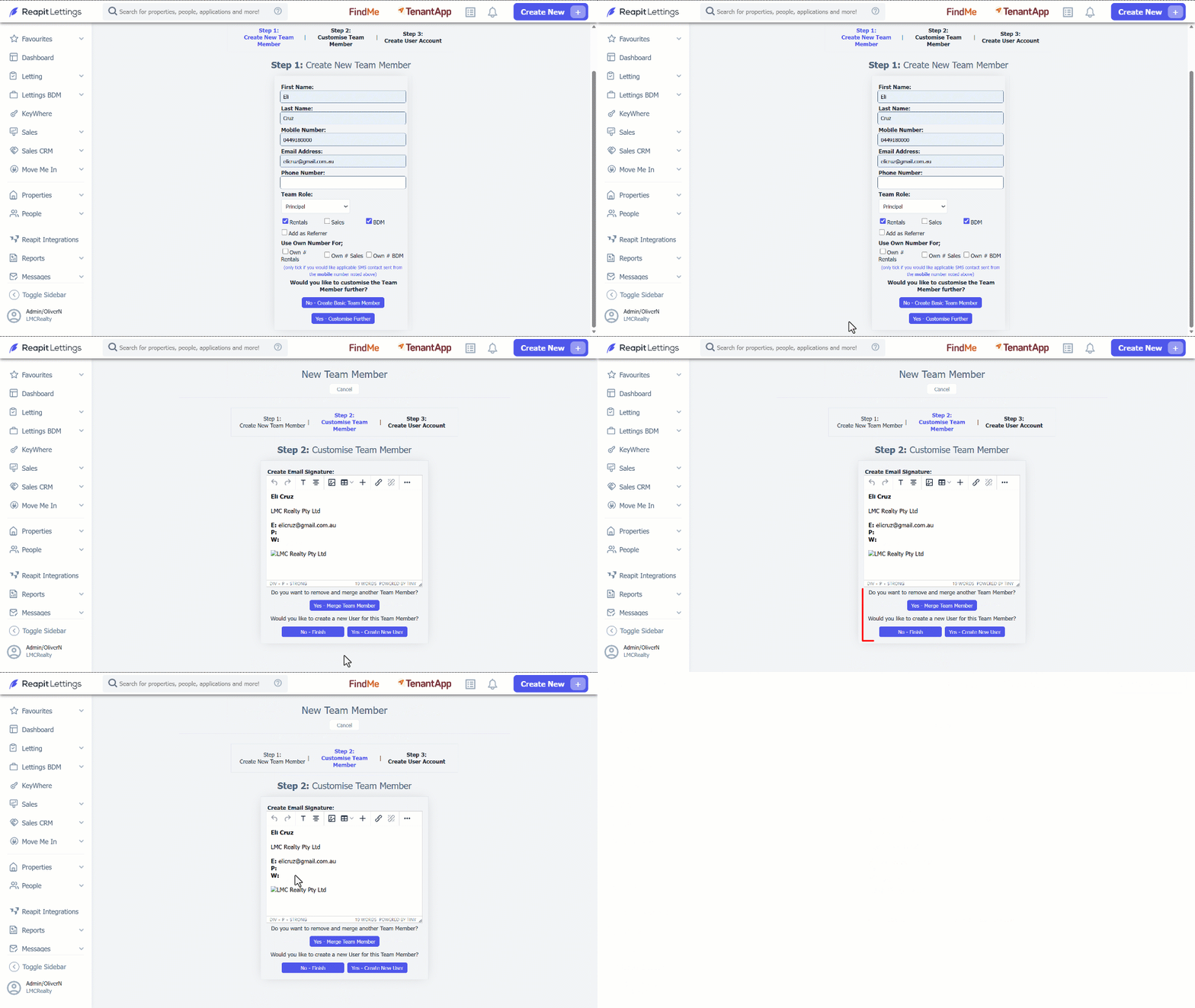
7. After completing all the information, there is an option to customise the team member further.
| No - Create Basic Team Member | This will complete the team membership profile without any further editing. |
| Yes - Customise Further | This will give the option of editing this team member's email signature. |
8. By choosing Yes - Customise Further, you will proceed to Step 2 Customise Team Member. This section also allows the profile to be merged with another team member's and manage the email signature. This is useful for combining duplicated accounts.
9. Once all information has been completed for the New Team Member, click on No - Finish or Yes - Create New User.
Note: To complete the Login Username section correctly, the User must already exist in the Users Page. To associate a User with a Team Member, ensure the User Name reflects exactly how the Username appears within Manage Users tab.