'%20d='M0%208a8%208%200%200%201%208-8h24a8%208%200%200%201%208%208v24a8%208%200%200%201-8%208H8a8%208%200%200%201-8-8V8Z'/%3e%3cpath%20fill='%23fff'%20d='M32.576%206C12.293%206%208.776%2025.887%207.424%2034H9.1c.45-2.977%203.493-14.748%2010.899-20.287%200%200-5.633%206.976-6.572%2015.051%203.426-.652%2013.845-3.372%2016.056-12.927l-3.84-.61c1.352-1.351%204.909-5.17%206.931-9.226V6Z'/%3e%3cdefs%3e%3clinearGradient%20id='reapit-lettings__a'%20x1='20.702'%20x2='20.702'%20y1='.351'%20y2='31.228'%20gradientUnits='userSpaceOnUse'%3e%3cstop%20stop-color='%235573FD'/%3e%3cstop%20offset='.575'%20stop-color='%234E56EA'/%3e%3c/linearGradient%3e%3c/defs%3e%3c/svg%3e)
Key States
This article explains KeyWhere Key States.
Key States
This article explains KeyWhere Key States.
What are State Pills?
Note: States may also be referred to as Status.
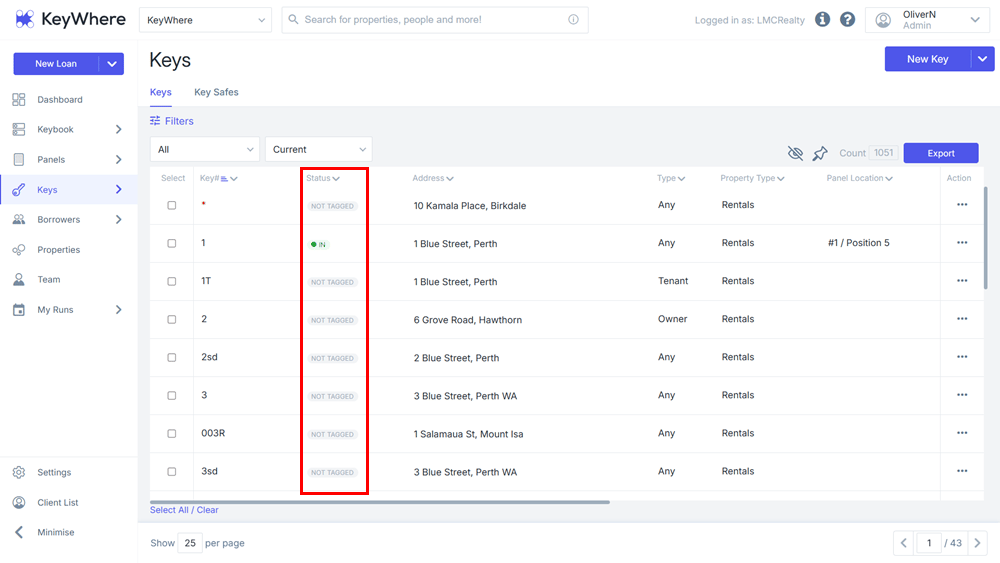
- State pills are pill-shaped indicators of a key's state, visible from the Keys page:
- As well as at the top of every key details page:
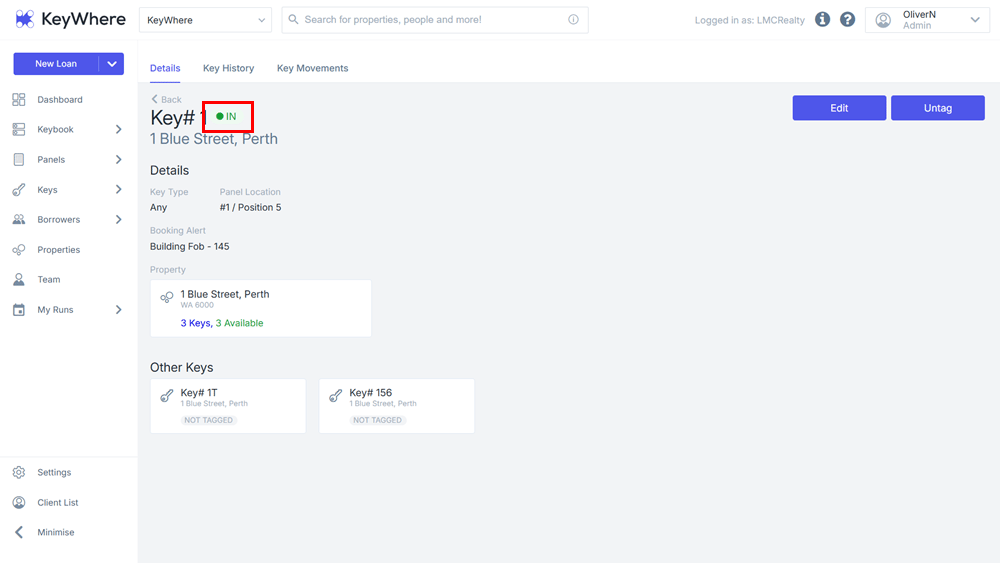
- State pills convey at-a-glance information about a key's status. Some states are specific to clients with or without panels, and some are universal. Below is a table of all possible states.
State Pill Meanings
| State Name | State Meaning | Visible to |
| no state | Key has no other associated states (it is not checked out and has no issues) | clients without panels |
| Not Tagged | Key has no active tag attached to it and does not have a designated position on a panel (either the key was untagged, or never assigned a panel position) | clients with panels |
| In | Key is sitting on its designated hook | clients with panels |
| Out | Key has been loaned out | both |
| Overdue | Key has been loaned out and is now overdue | both |
| Checked Out | Key has been checked out but not removed from its hook | clients with panels |
| Missing | Key has been removed from its hook without a loan, and is not present on another panel | clients with panels |
| Wrong Hook | Key is on the wrong hook | clients with panels |
| Faulty | Key has been designated faulty | both |
| Lost | Key has been designated lost | both |
| Inactive | Key has been designated inactive | both |
Changing States & Multiple States
Some states (faulty, lost, and inactive) can be changed directly in the Edit Key page. These states appear in addition to whatever primary state the key has. Faulty, lost, and inactive keys cannot be loaned out, but a key can be designated faulty, lost, or inactive while on loan.
State pills will change automatically when a key is loaned out & overdue, and can be reset by returning the key.
For panel users, keys can be marked as "off" by untagging the key, and "on" by re-assigning the key to a panel. Other states (wrong hook & missing) can only be changed by moving the keys on the panel.