'%20d='M0%208a8%208%200%200%201%208-8h24a8%208%200%200%201%208%208v24a8%208%200%200%201-8%208H8a8%208%200%200%201-8-8V8Z'/%3e%3cpath%20fill='%23fff'%20d='M32.576%206C12.293%206%208.776%2025.887%207.424%2034H9.1c.45-2.977%203.493-14.748%2010.899-20.287%200%200-5.633%206.976-6.572%2015.051%203.426-.652%2013.845-3.372%2016.056-12.927l-3.84-.61c1.352-1.351%204.909-5.17%206.931-9.226V6Z'/%3e%3cdefs%3e%3clinearGradient%20id='reapit-lettings__a'%20x1='20.702'%20x2='20.702'%20y1='.351'%20y2='31.228'%20gradientUnits='userSpaceOnUse'%3e%3cstop%20stop-color='%235573FD'/%3e%3cstop%20offset='.575'%20stop-color='%234E56EA'/%3e%3c/linearGradient%3e%3c/defs%3e%3c/svg%3e)
Appraisals - Setting Up Appraisal Availability
This article will run through how to set up your appraisal availability through your calendar and Ideal Week within your account in Reapit Lettings.
Appraisals - Setting Up Appraisal Availability
This article will run through how to set up your appraisal availability through your calendar and Ideal Week within your account in Reapit Lettings.
- Navigate to Lettings BDM.
- Click Appraisals.
- Click Calendar
A Calendar entry will set your availability for a specific date and time and that entry will not be recurring.
- Click the three dots.
- Click New Entry.
- Input an inspector from the selection drop down menu, choose a date, input a start and stop time from the designated fields.
- Click Save.
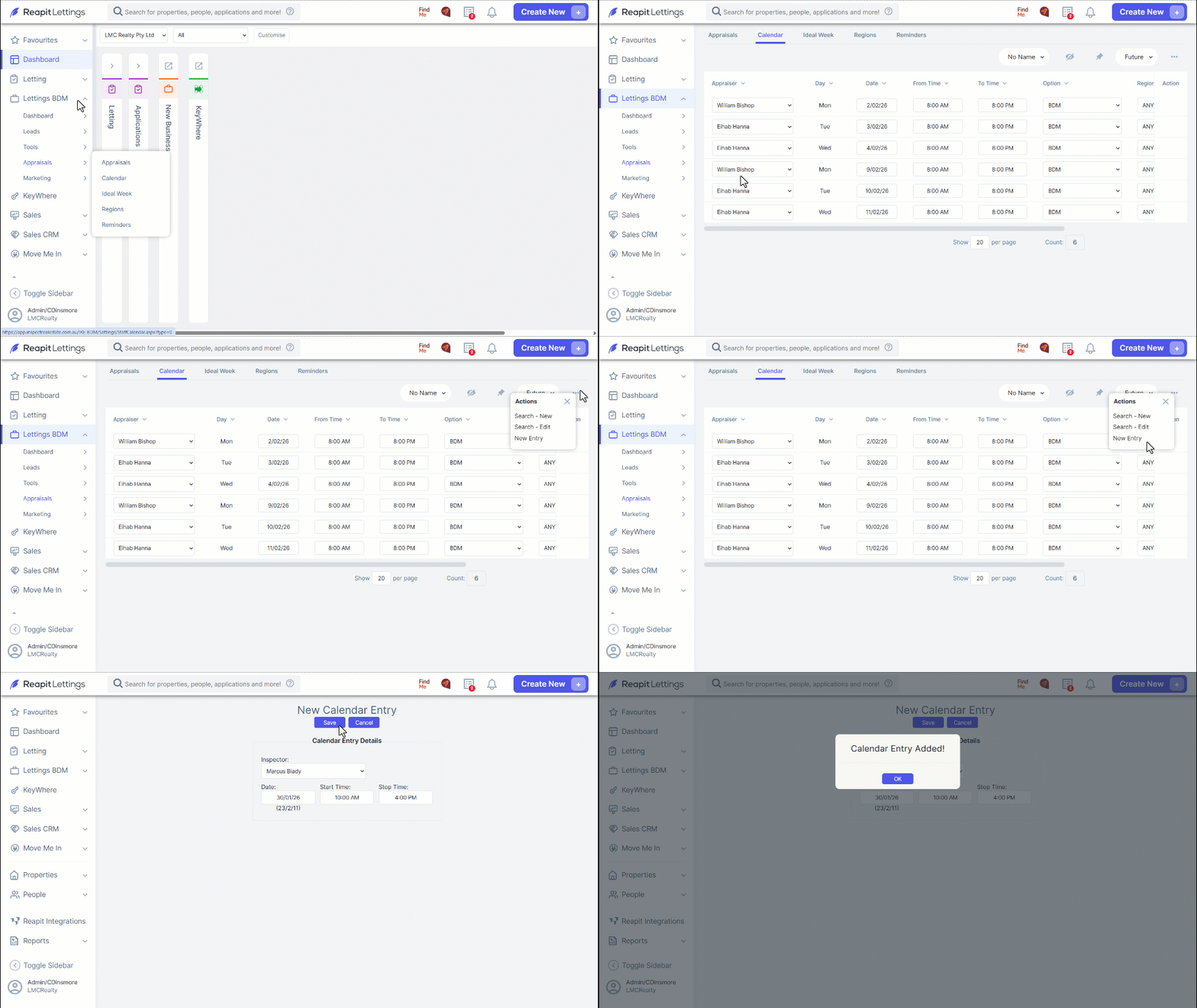
Note: Once redirected to the calendar tab your entry will be displayed as a line item as requested.
- To establish a recurring availability, please proceed to Lettings BDM.
- Click Appraisals
- Click Ideal Week. This process will schedule your availability on a weekly basis until you decide to modify or deactivate it.
- Select the team member from the drop-down menu and specify the number of days ahead of today that times will be offered based on the Ideal Week.
Note: You can also choose to copy form another Team Members Ideal Week by selecting their name and then selecting the Copy button.
- Scroll to the Ideal Week section, click the 3 Action Dots and select New Entry then input the details for your recurring available time.
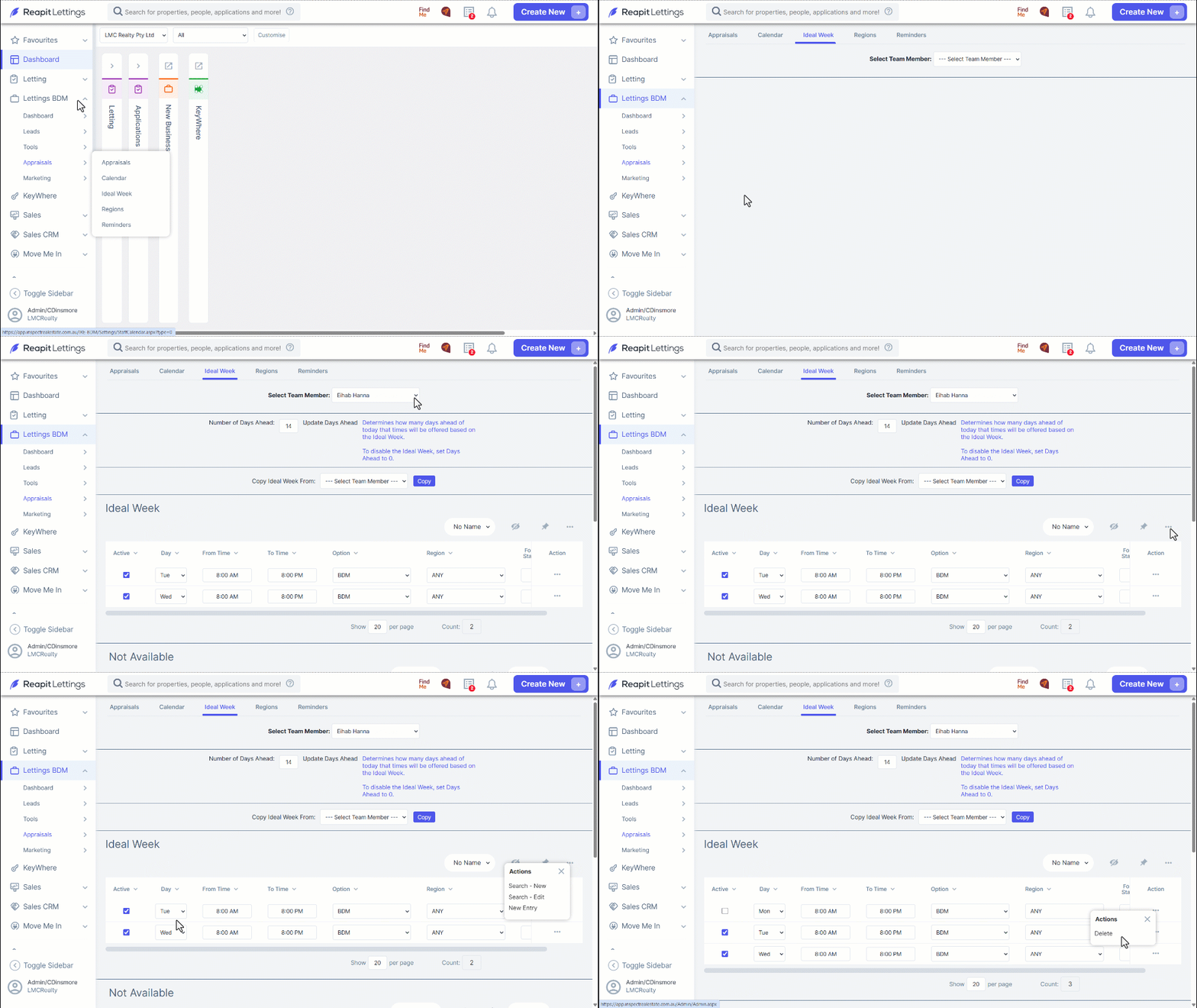
Note: Click the 3 Action Dots adjacent to the data you've inputted and select Delete if you no longer wish to display your reoccurring available time.
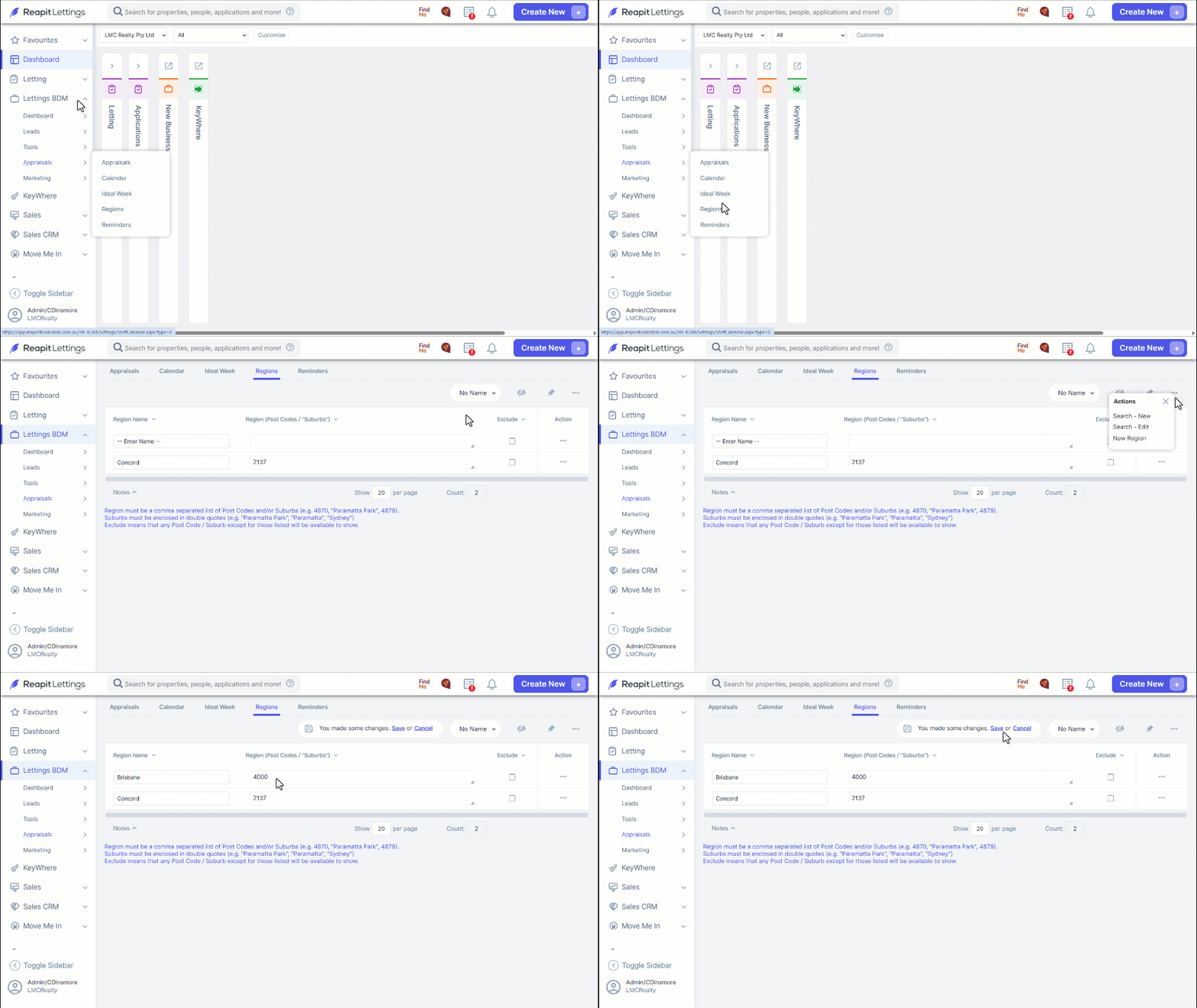
- By selecting Regions, this allows you to apply filters to properties in a particular area. Click on the three action dots to add new Region.
- Clicking the three action dots to the right of the region name rule will allow you to delete a region entry.