'%20d='M0%208a8%208%200%200%201%208-8h24a8%208%200%200%201%208%208v24a8%208%200%200%201-8%208H8a8%208%200%200%201-8-8V8Z'/%3e%3cpath%20fill='%23fff'%20d='M32.576%206C12.293%206%208.776%2025.887%207.424%2034H9.1c.45-2.977%203.493-14.748%2010.899-20.287%200%200-5.633%206.976-6.572%2015.051%203.426-.652%2013.845-3.372%2016.056-12.927l-3.84-.61c1.352-1.351%204.909-5.17%206.931-9.226V6Z'/%3e%3cdefs%3e%3clinearGradient%20id='reapit-lettings__a'%20x1='20.702'%20x2='20.702'%20y1='.351'%20y2='31.228'%20gradientUnits='userSpaceOnUse'%3e%3cstop%20stop-color='%235573FD'/%3e%3cstop%20offset='.575'%20stop-color='%234E56EA'/%3e%3c/linearGradient%3e%3c/defs%3e%3c/svg%3e)
Delay Time Event Editor
This article explains how setup and apply Delay Times within Reapit Lettings. The processes in this article include: How to Add a New Delay Time How to Set a Delay Time
This article explains how setup and apply Delay Times within Reapit Lettings.
The processes in this article include:
- How to Add a New Delay Time
- How to Set a Delay Time
How to add a New Delay Time
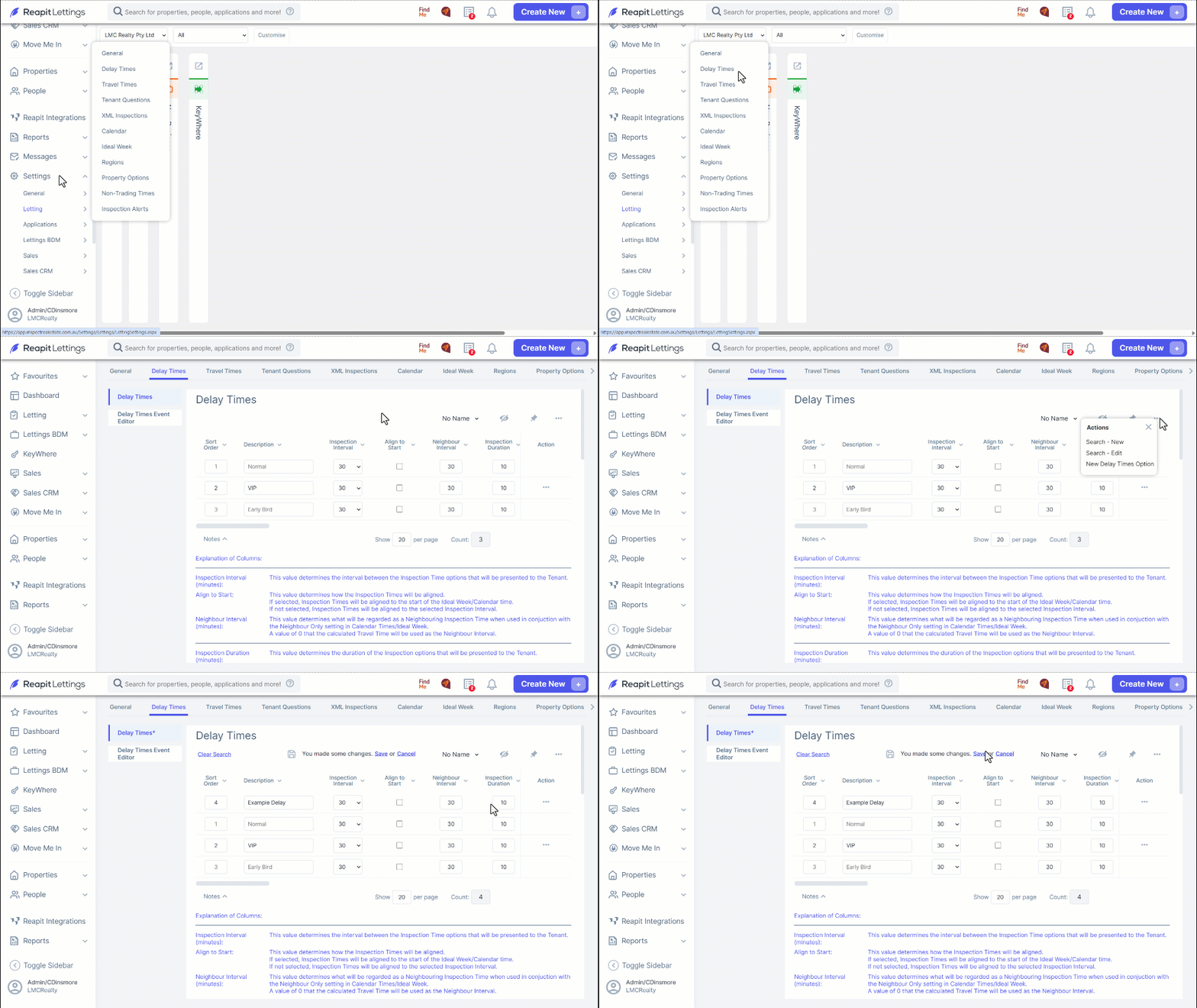
Click on Settings.
Click on Letting.
Click on Delay Times.
Set up the Delay Time by clicking on the 3**-dots** and selecting New Delay Time Option.
Enter a name for the Delay Time under Description.
Click on Save.
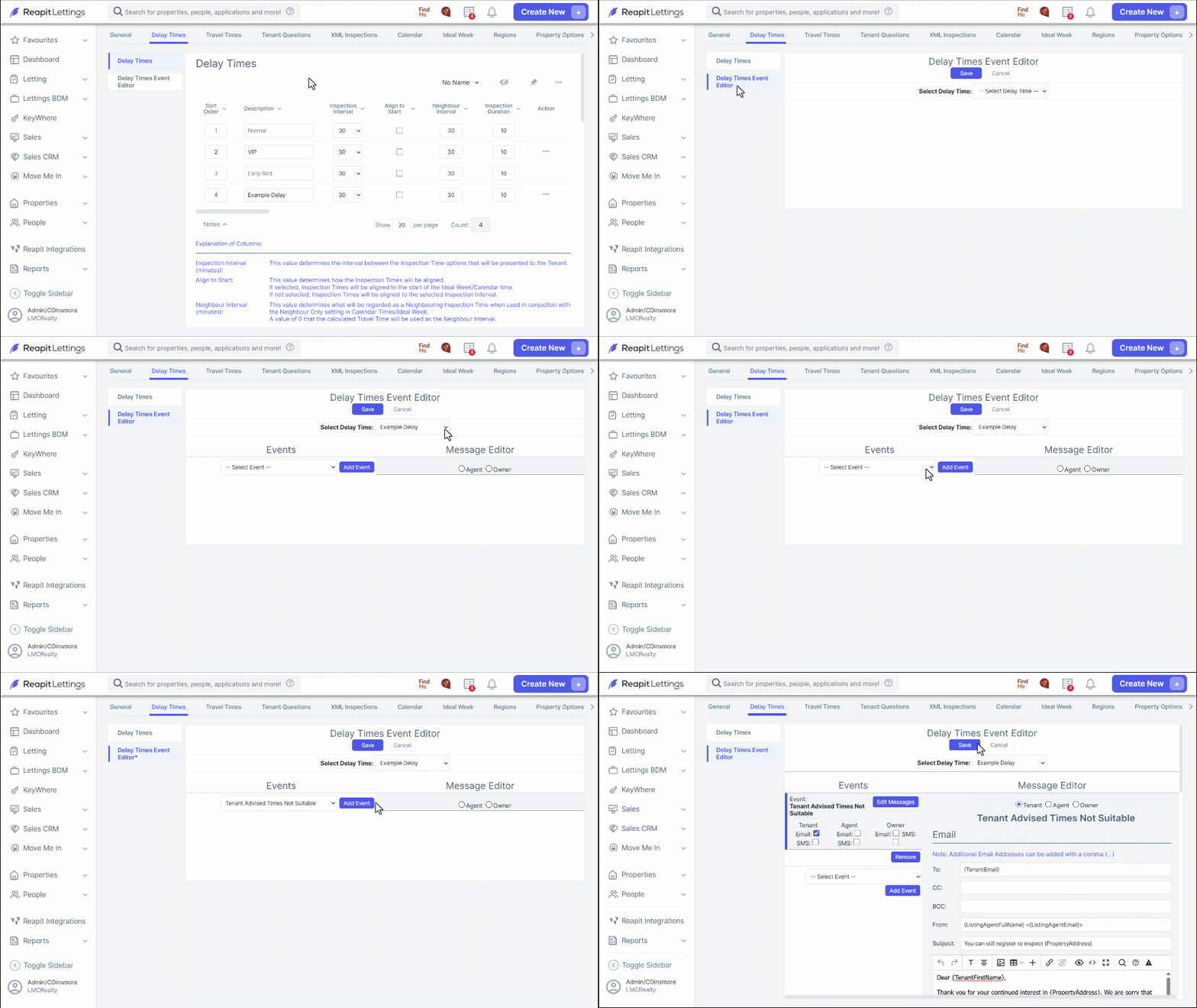
Select the Delay Times Event Editor tab.
Select the newly created Delay Time from the dropdown.
Choose the event you wish to edit.
Click on Add Event.
Edit you Email and/or SMS. Click on Save once completed.
How to set a Delay Time
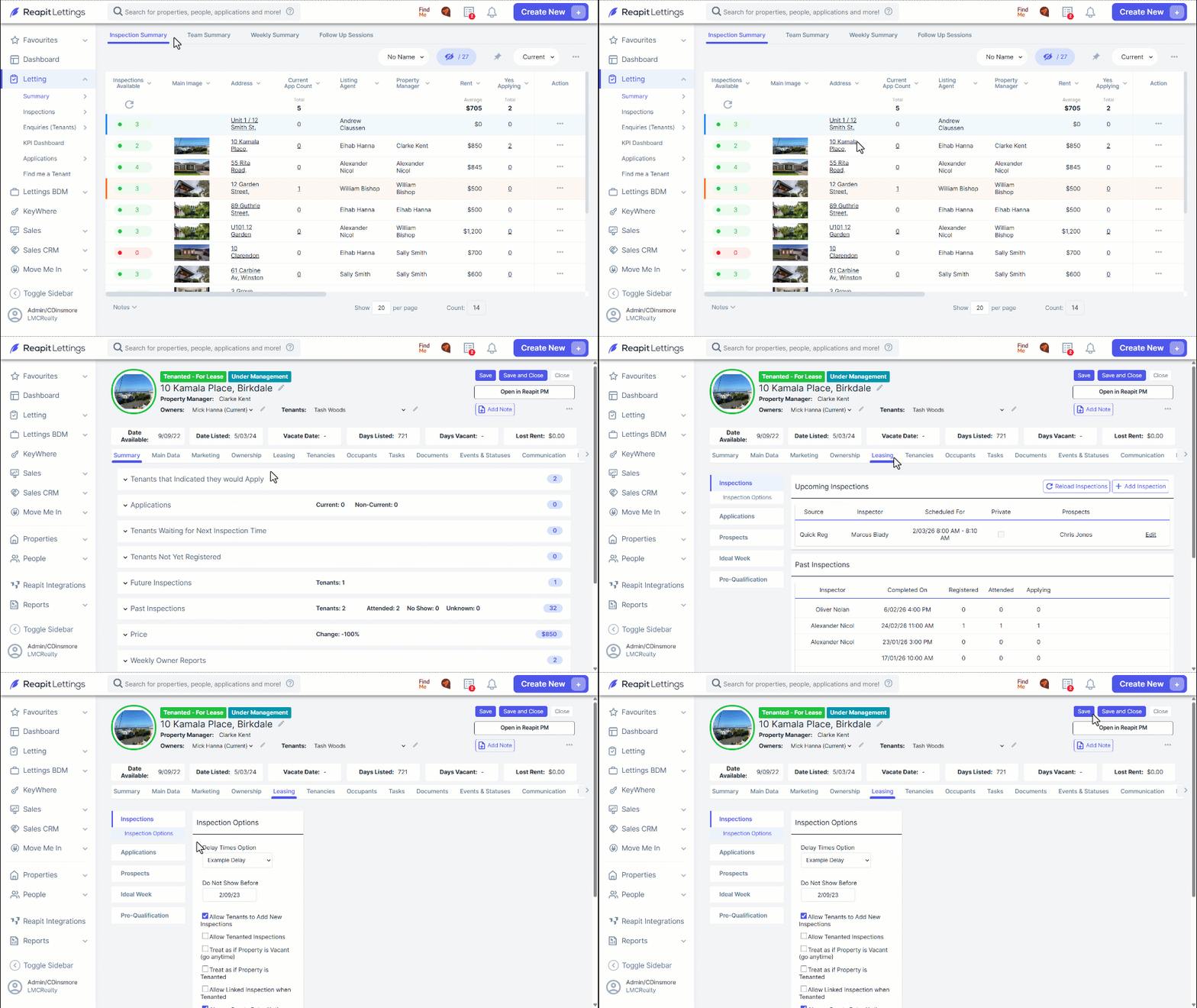
Select the property from the Inspection Summary page.
Select the Leasing tab then Inspection Options.
Select the Delay Time Option from the drop-down menu
Click on Save & Close.