'%20d='M0%208a8%208%200%200%201%208-8h24a8%208%200%200%201%208%208v24a8%208%200%200%201-8%208H8a8%208%200%200%201-8-8V8Z'/%3e%3cpath%20fill='%23fff'%20d='M32.576%206C12.293%206%208.776%2025.887%207.424%2034H9.1c.45-2.977%203.493-14.748%2010.899-20.287%200%200-5.633%206.976-6.572%2015.051%203.426-.652%2013.845-3.372%2016.056-12.927l-3.84-.61c1.352-1.351%204.909-5.17%206.931-9.226V6Z'/%3e%3cdefs%3e%3clinearGradient%20id='reapit-lettings__a'%20x1='20.702'%20x2='20.702'%20y1='.351'%20y2='31.228'%20gradientUnits='userSpaceOnUse'%3e%3cstop%20stop-color='%235573FD'/%3e%3cstop%20offset='.575'%20stop-color='%234E56EA'/%3e%3c/linearGradient%3e%3c/defs%3e%3c/svg%3e)
How to Enable Onsite Owner Reporting
This article will run through how to enable onsite owner reporting which will allow inspectors the ability to email owners a report of the relevant activity in Reapit Lettings
How to Enable Onsite Owner Reporting
This article will run through how to enable onsite owner reporting which will allow inspectors the ability to email owners a report of the relevant activity in Reapit Lettings.
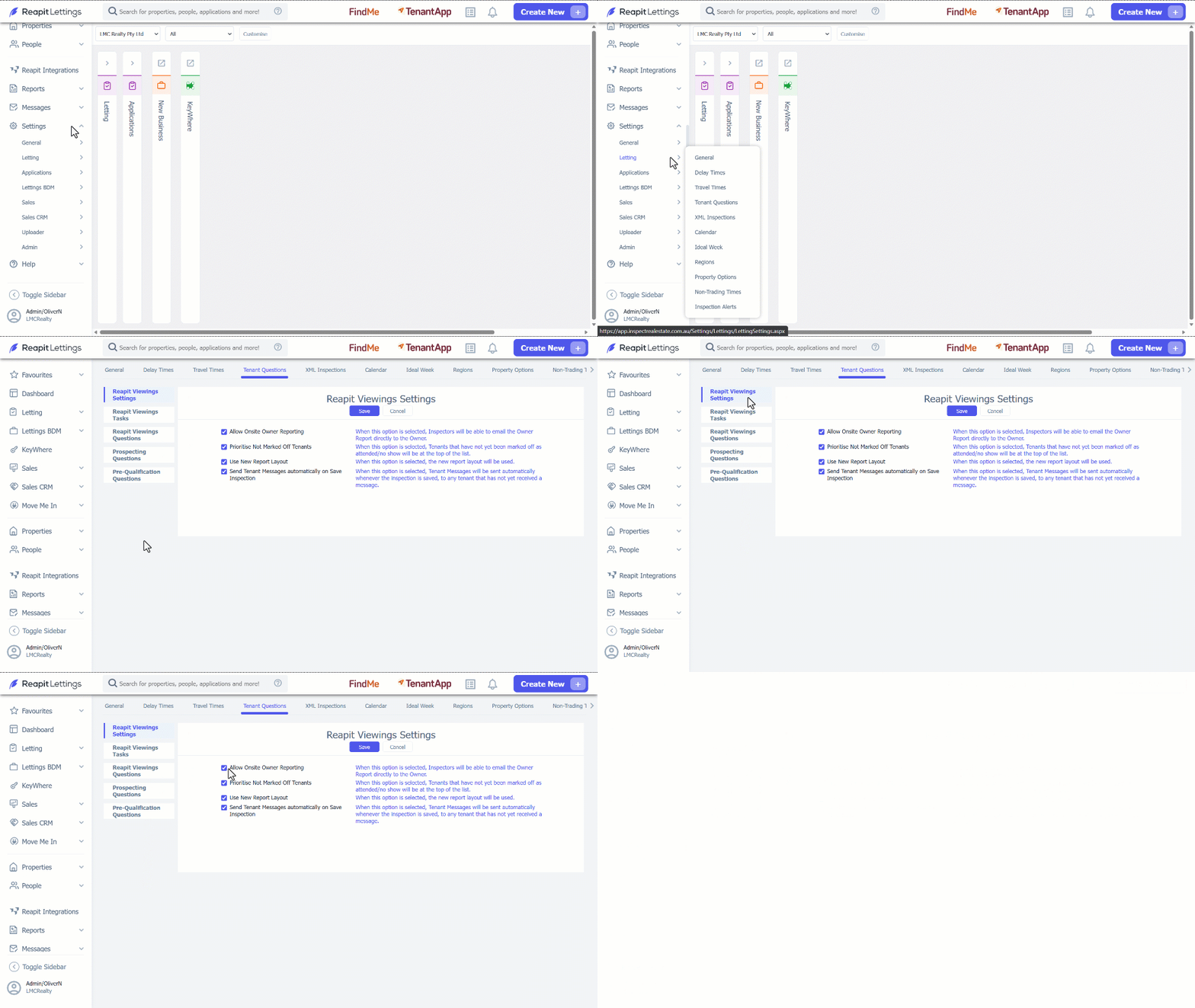
- Click on Settings. 2. Click on Letting. 3. Select Tenant Question. 4. Navigate to Reapit Viewings Settings. 5. Ensure Allow Onsite Owner Reporting is selected. 6. Click on Save.
Note: The owner notification messages need to be enabled. To do that, proceed on the following steps below.
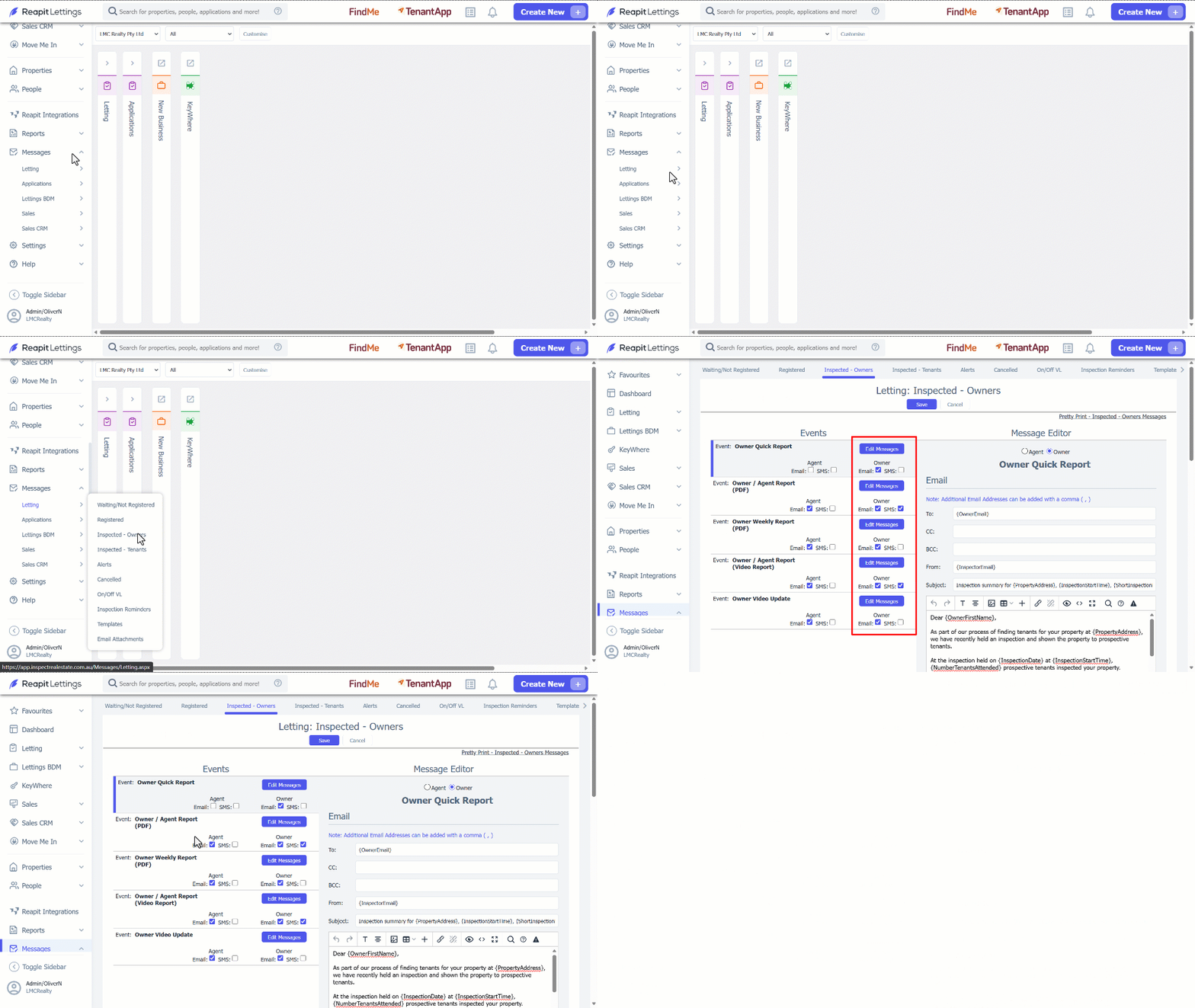
- Click on Messages. 2. Click on Letting. 3. Select Inspected - Owners. 4. Tick the checkbox under Owner section. 5. Click on Save.