'%20d='M0%208a8%208%200%200%201%208-8h24a8%208%200%200%201%208%208v24a8%208%200%200%201-8%208H8a8%208%200%200%201-8-8V8Z'/%3e%3cpath%20fill='%23fff'%20d='M32.576%206C12.293%206%208.776%2025.887%207.424%2034H9.1c.45-2.977%203.493-14.748%2010.899-20.287%200%200-5.633%206.976-6.572%2015.051%203.426-.652%2013.845-3.372%2016.056-12.927l-3.84-.61c1.352-1.351%204.909-5.17%206.931-9.226V6Z'/%3e%3cdefs%3e%3clinearGradient%20id='reapit-lettings__a'%20x1='20.702'%20x2='20.702'%20y1='.351'%20y2='31.228'%20gradientUnits='userSpaceOnUse'%3e%3cstop%20stop-color='%235573FD'/%3e%3cstop%20offset='.575'%20stop-color='%234E56EA'/%3e%3c/linearGradient%3e%3c/defs%3e%3c/svg%3e)
How to Setup the Self-Selected Categories
This article will run through how to set up the self-selected categories in Lettings BDM within Reapit Lettings
When creating a link in Link Builder, you can select to have a category drop down where leads can self-select a category which best suits their situation.
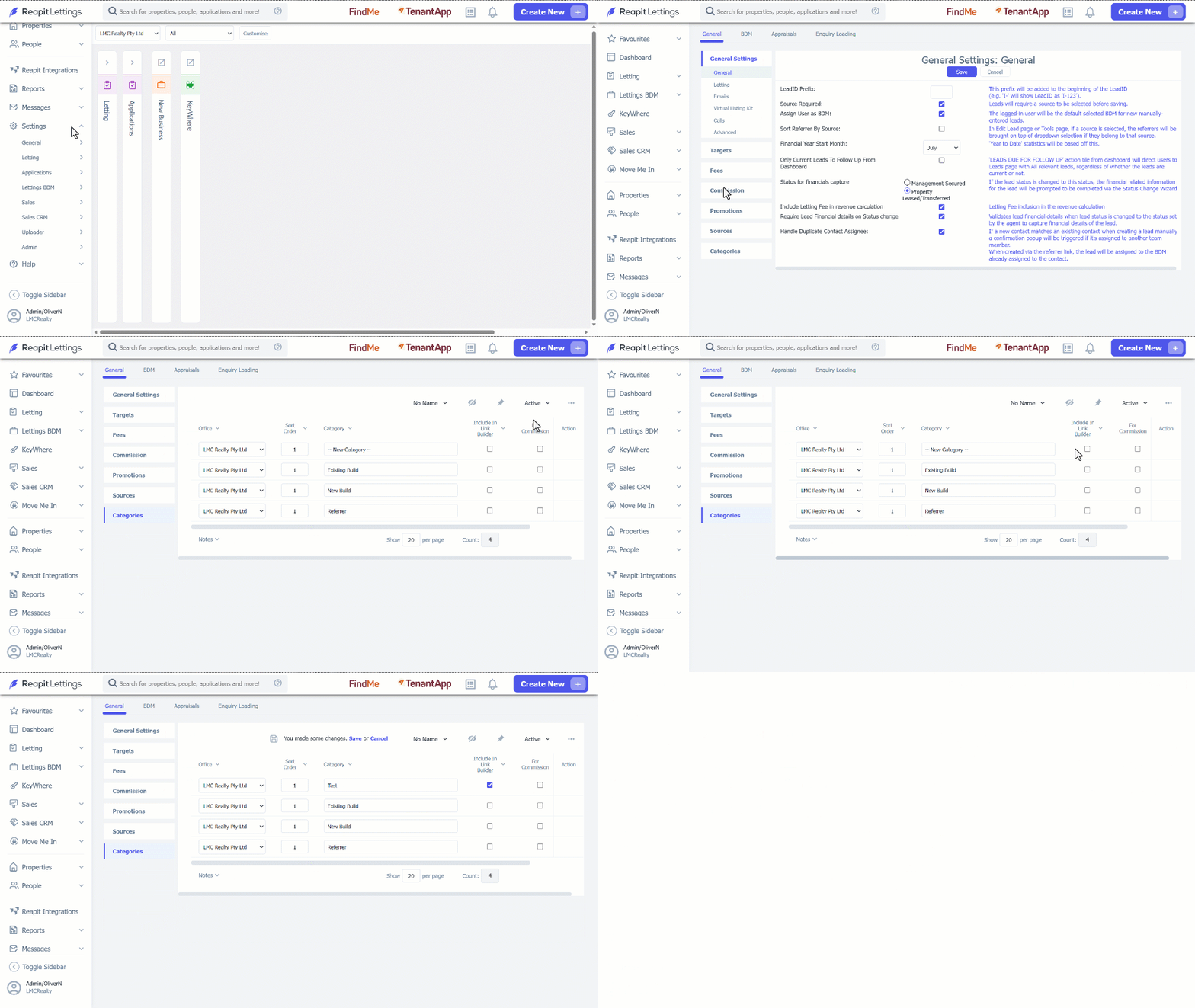
1. Click on Settings.
2. Click on Lettings BDM.
3. Select General.
4. Navigate to Categories.
5. Create the categories you wish to utilize by navigating to the 3 dots action icon.
6. Select New Category.
7. Enter the category name under the Category column.
8. Click the Include in Link Builder checkbox.
9. Click on Save.
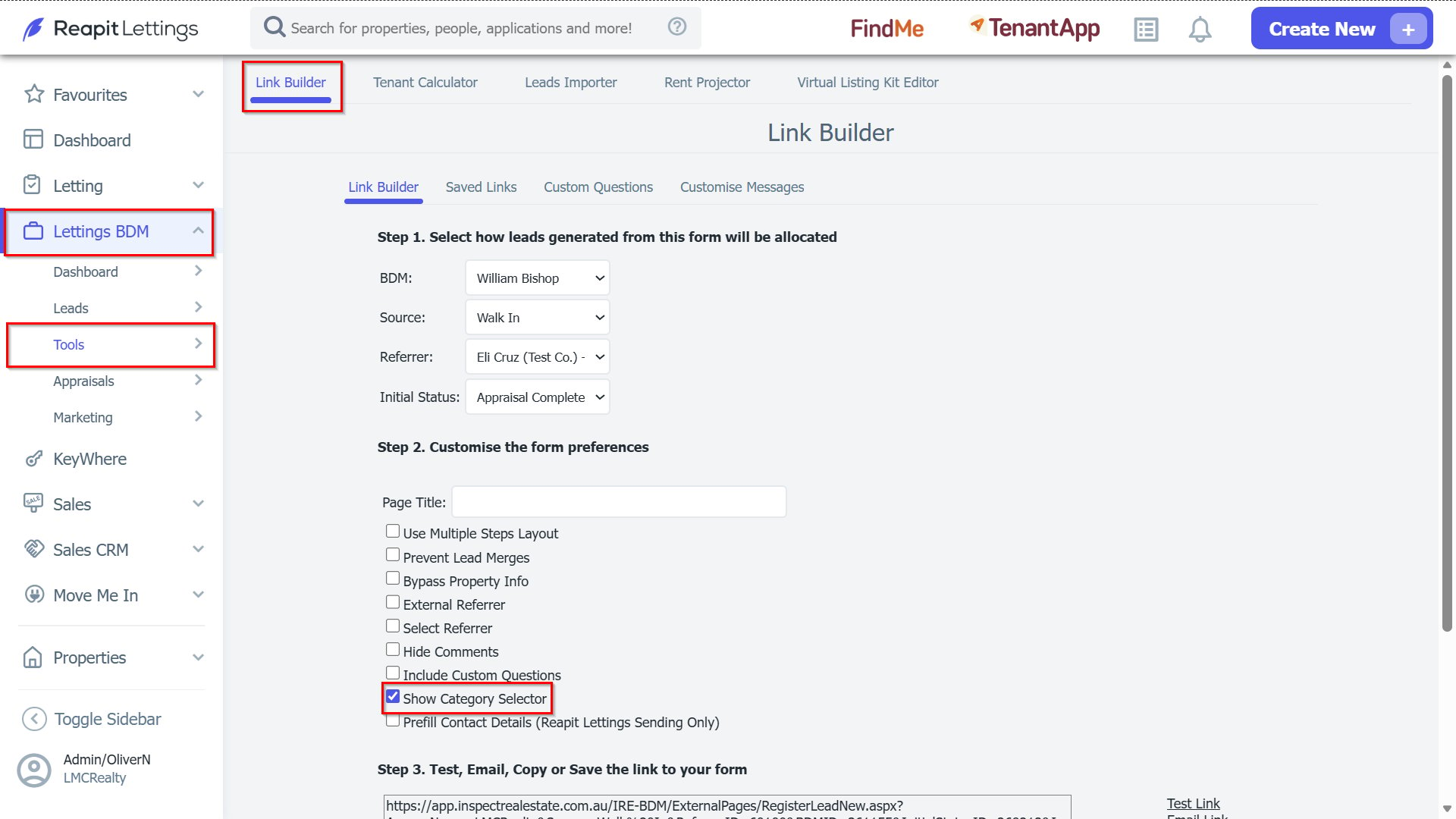
10. When creating your link in Link Builder - under Lettings BDM > Tools > Link Builder, select the specifics you wish to include eg. who the BDM will be, the source or Initial Status you want them to load in as. Once all of the details have been entered ensure you tick on the Show Category Selector box.
Note:
- You can then use this link anywhere you please and it will appear as below - including the selection drop down for your created categories.
- This feature can also be setup to start a campaign for this lead based off of the category they select.