'%20d='M0%208a8%208%200%200%201%208-8h24a8%208%200%200%201%208%208v24a8%208%200%200%201-8%208H8a8%208%200%200%201-8-8V8Z'/%3e%3cpath%20fill='%23fff'%20d='M32.576%206C12.293%206%208.776%2025.887%207.424%2034H9.1c.45-2.977%203.493-14.748%2010.899-20.287%200%200-5.633%206.976-6.572%2015.051%203.426-.652%2013.845-3.372%2016.056-12.927l-3.84-.61c1.352-1.351%204.909-5.17%206.931-9.226V6Z'/%3e%3cdefs%3e%3clinearGradient%20id='reapit-lettings__a'%20x1='20.702'%20x2='20.702'%20y1='.351'%20y2='31.228'%20gradientUnits='userSpaceOnUse'%3e%3cstop%20stop-color='%235573FD'/%3e%3cstop%20offset='.575'%20stop-color='%234E56EA'/%3e%3c/linearGradient%3e%3c/defs%3e%3c/svg%3e)
Key Barcodes & Quickcodes
This article covers Barcode generation in KeyWhere. The processes in this article include: How to Generate Key/Property Barcodes How to Generate Quickcodes.
This article covers Barcode generation in KeyWhere.
The processes in this article include:
- How to Generate Key/Property Barcodes
- How to Generate Quickcodes.
How to Generate Key Barcodes
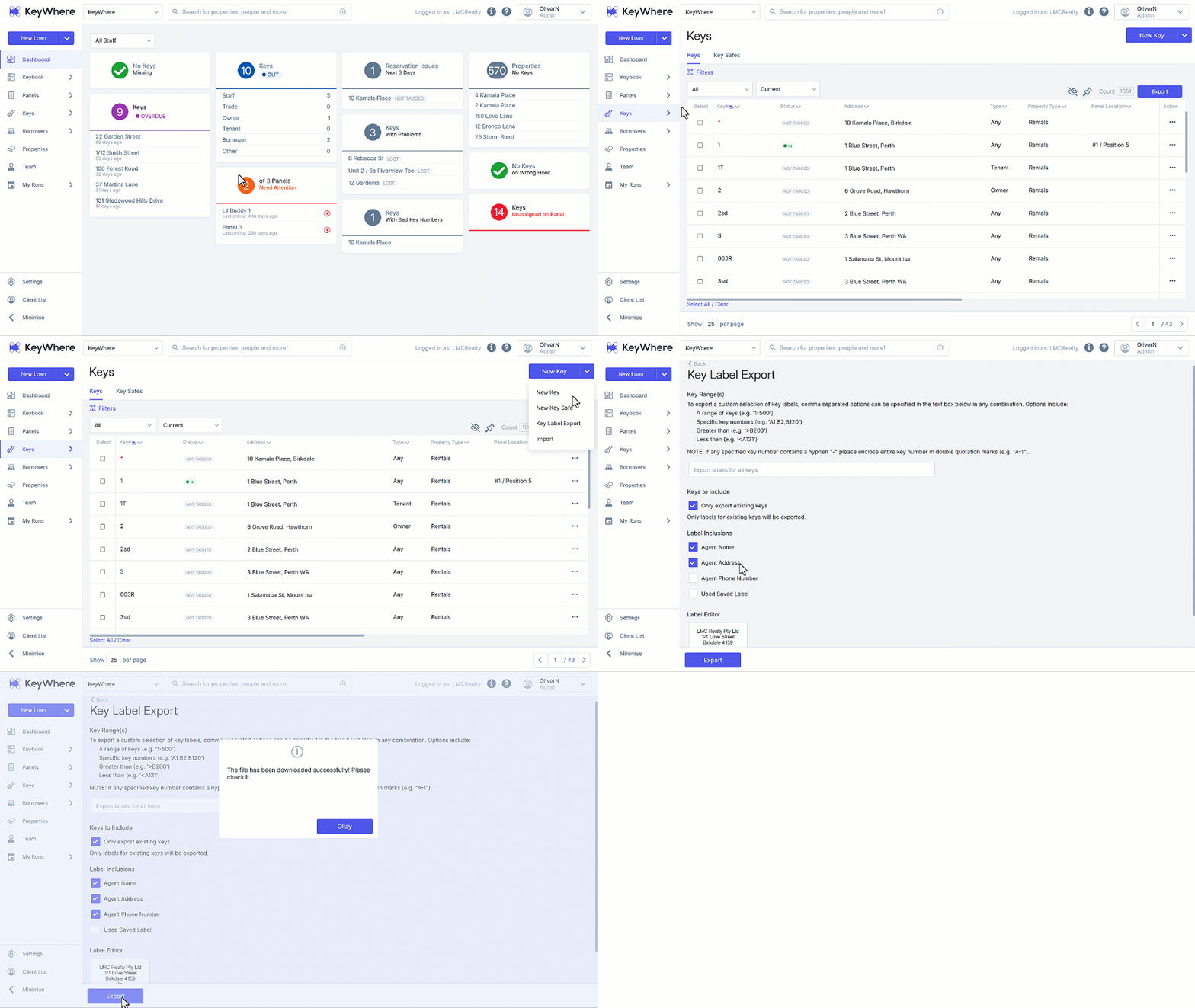
- Click on Keys.
- Navigate to the New Key button and click on the down arrow.
- Select Key Label Export
- Leve the Key Range(s) field blank to general barcodes for all keys, alternatively, Enter either the specific key number or range of keys either with a comma or hyphen.
- Select the Keys to Include and Label Inclusions as required.
- Check the Label Editor preview is correct – this will print on the reverse side of the barcode.
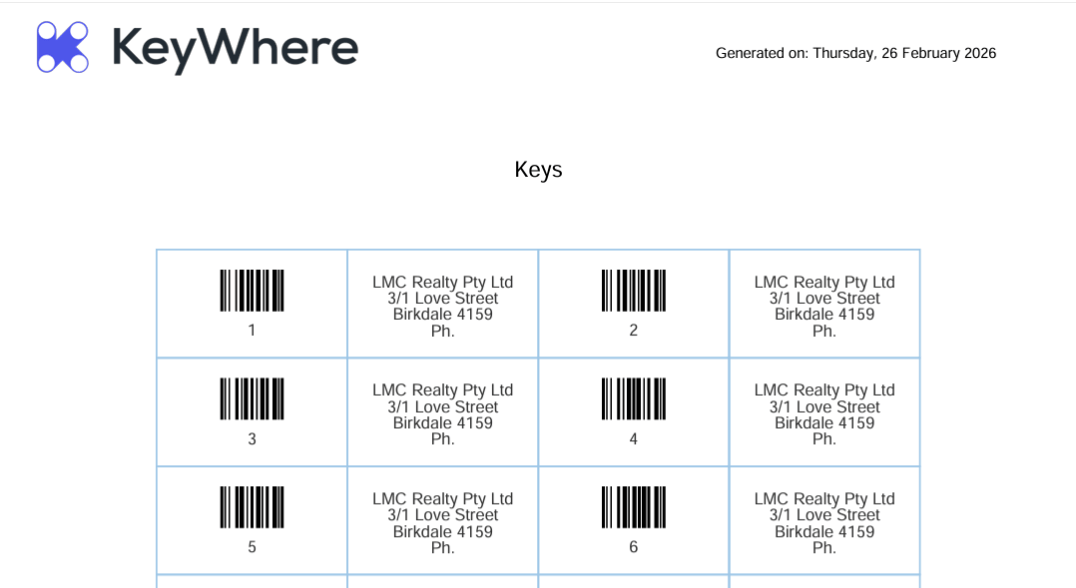
- Click on Export to generate the PDF for printing.
How to Generate Quickcodes
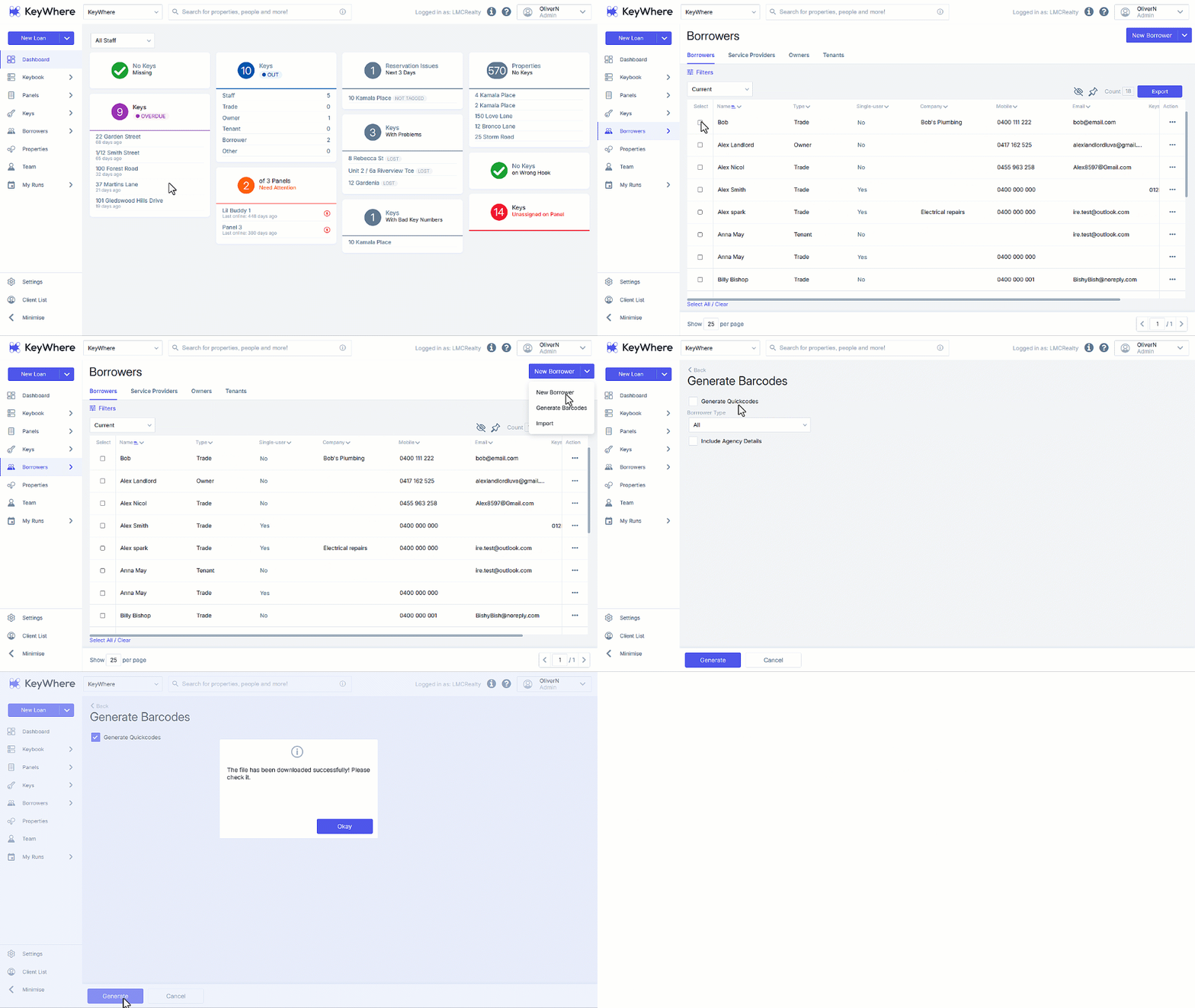
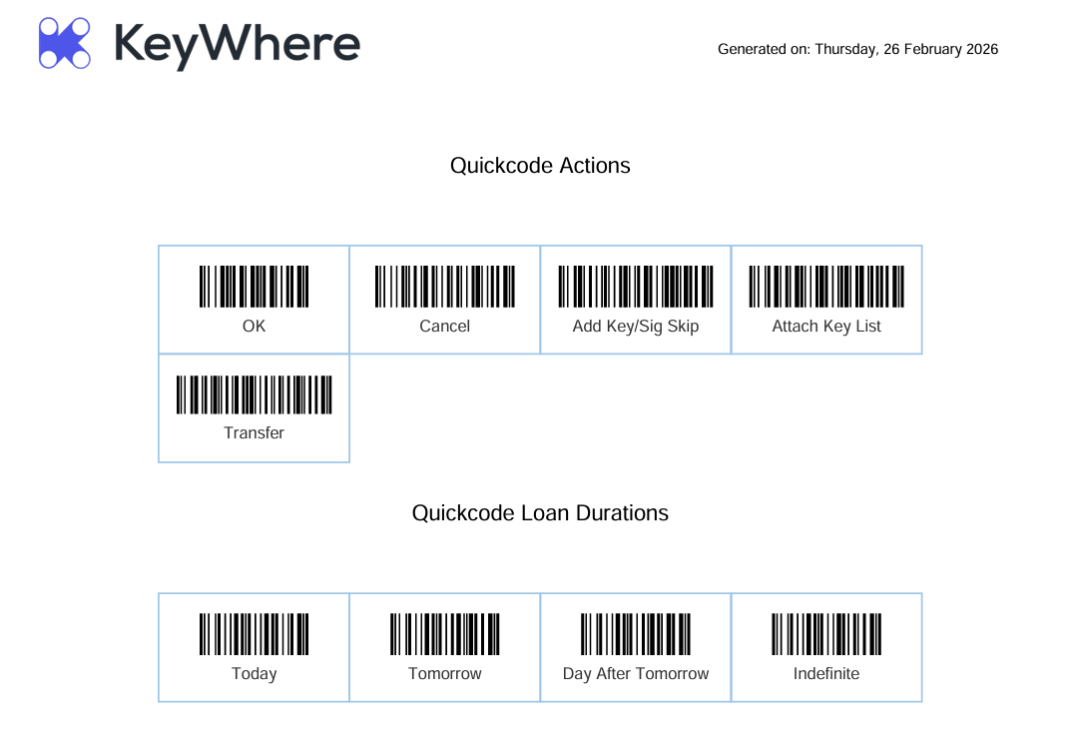
Quickcodes allow you to generate barcodes for specific actions or borrowers. This allows the user to complete all actions via the scanner.
e.g. Loan > 8 Sunshine St > XYZ Plumbing Services > Due back Tomorrow all with a scanner.
- Click on Borrowers.
- Navigate to the New Borrower button and click on the down arrow.
- Select Generate Barcodes.
- Tick Generate Quickcodes
- Click on Generate to generate the PDF for printing.