'%20d='M0%208a8%208%200%200%201%208-8h24a8%208%200%200%201%208%208v24a8%208%200%200%201-8%208H8a8%208%200%200%201-8-8V8Z'/%3e%3cpath%20fill='%23fff'%20d='M32.576%206C12.293%206%208.776%2025.887%207.424%2034H9.1c.45-2.977%203.493-14.748%2010.899-20.287%200%200-5.633%206.976-6.572%2015.051%203.426-.652%2013.845-3.372%2016.056-12.927l-3.84-.61c1.352-1.351%204.909-5.17%206.931-9.226V6Z'/%3e%3cdefs%3e%3clinearGradient%20id='reapit-lettings__a'%20x1='20.702'%20x2='20.702'%20y1='.351'%20y2='31.228'%20gradientUnits='userSpaceOnUse'%3e%3cstop%20stop-color='%235573FD'/%3e%3cstop%20offset='.575'%20stop-color='%234E56EA'/%3e%3c/linearGradient%3e%3c/defs%3e%3c/svg%3e)
Trading Reference Australia (TRA) Integration
This article will run through enabling the TRA integration in Reapit Lettings.
This article will run through enabling the TRA integration.
Note: To complete the integration, you will need your TRA Agent ID. To obtain your TRA Agent ID, please contact TRAat info@tradingreference.com or 02 9363 9244.
TRA website - https://tradingreference.com/
TRA tenant app (tApp) - https://t-app.com.au/
- Navigate to Settings.
- Click Applications.
- Click Application Integration.
- Click TRA from the integration list.
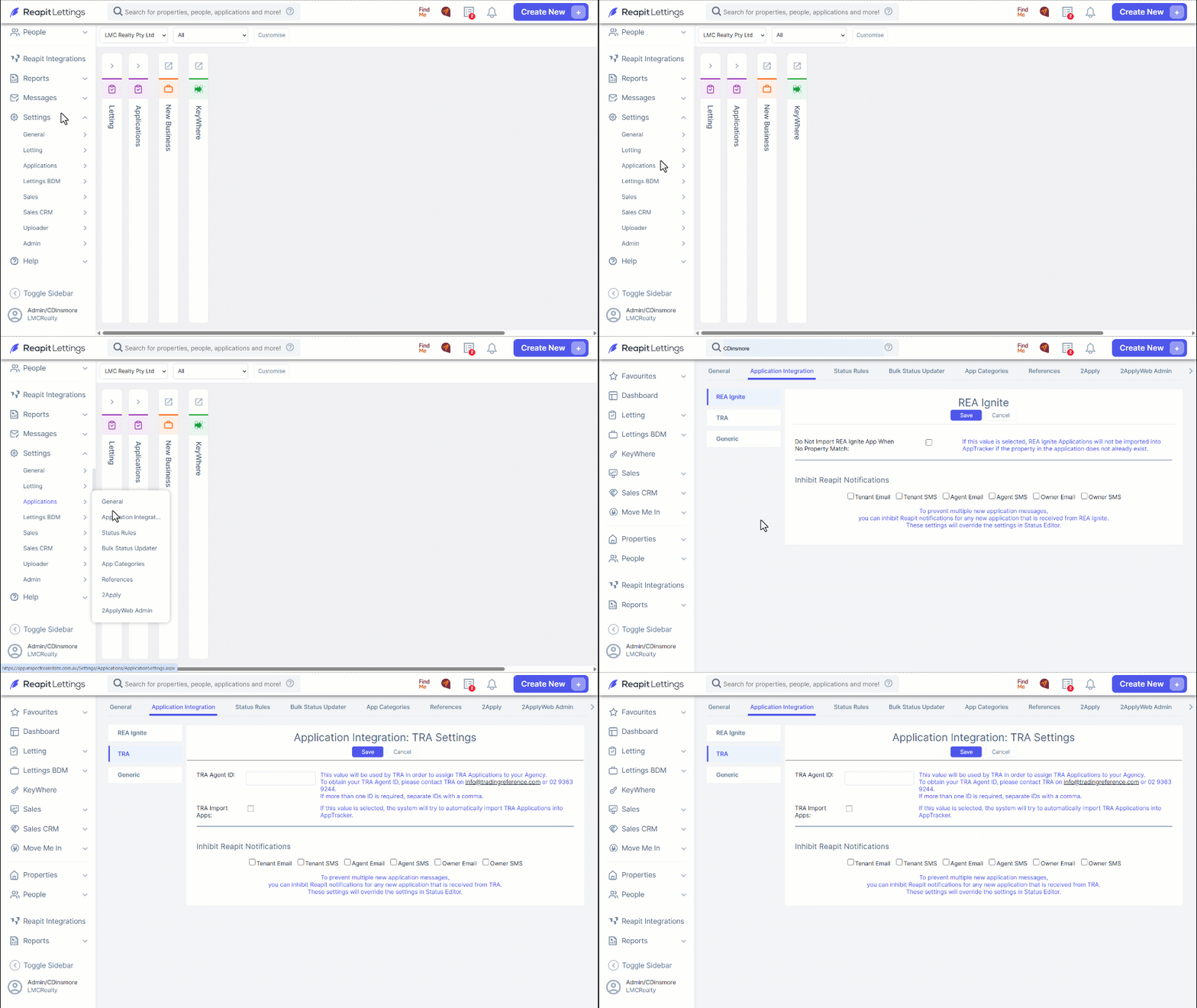
3. Enter your TRA Agent ID. If you don't have one, you will need to reach out to TRA to obtain the ID. Tick the box for TRA Import Apps if you wish for the integration to import applications into AppTracker.
4. Choose to inhibit any Reapt Lettings notifications.
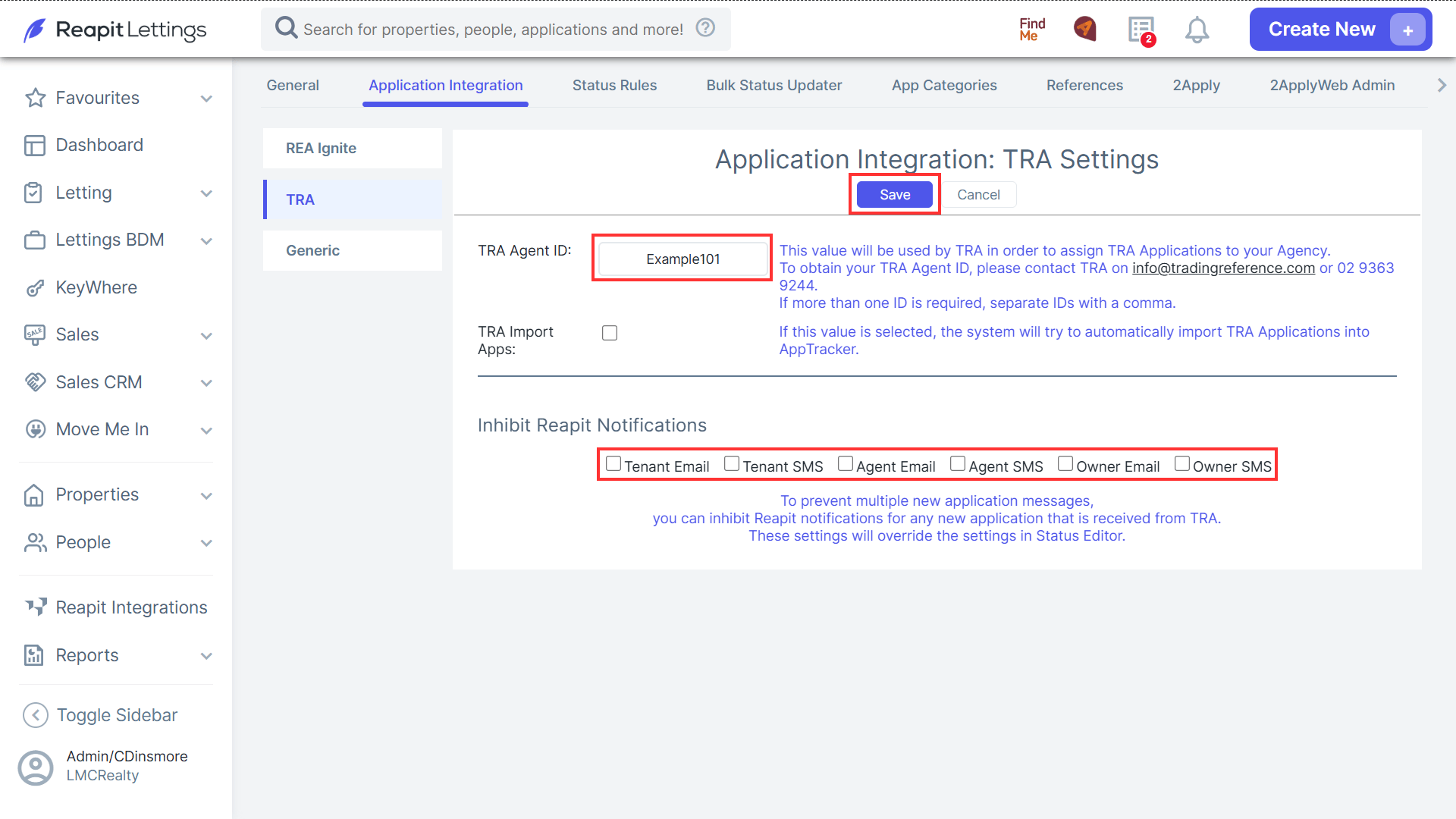
Note: Inhibiting Reapt Lettings notifications from the TRA integration will override settings you might have in place in the Status Editor.
5. Click Save to complete the integration.