'%20d='M0%208a8%208%200%200%201%208-8h24a8%208%200%200%201%208%208v24a8%208%200%200%201-8%208H8a8%208%200%200%201-8-8V8Z'/%3e%3cpath%20fill='%23fff'%20d='M32.576%206C12.293%206%208.776%2025.887%207.424%2034H9.1c.45-2.977%203.493-14.748%2010.899-20.287%200%200-5.633%206.976-6.572%2015.051%203.426-.652%2013.845-3.372%2016.056-12.927l-3.84-.61c1.352-1.351%204.909-5.17%206.931-9.226V6Z'/%3e%3cdefs%3e%3clinearGradient%20id='reapit-lettings__a'%20x1='20.702'%20x2='20.702'%20y1='.351'%20y2='31.228'%20gradientUnits='userSpaceOnUse'%3e%3cstop%20stop-color='%235573FD'/%3e%3cstop%20offset='.575'%20stop-color='%234E56EA'/%3e%3c/linearGradient%3e%3c/defs%3e%3c/svg%3e)
How To Create and Edit an Owner
This article will run through how to create and edit an owner
How To Create and Edit an Owner
This article will run through how to create and edit an owner in Reapit Lettings.
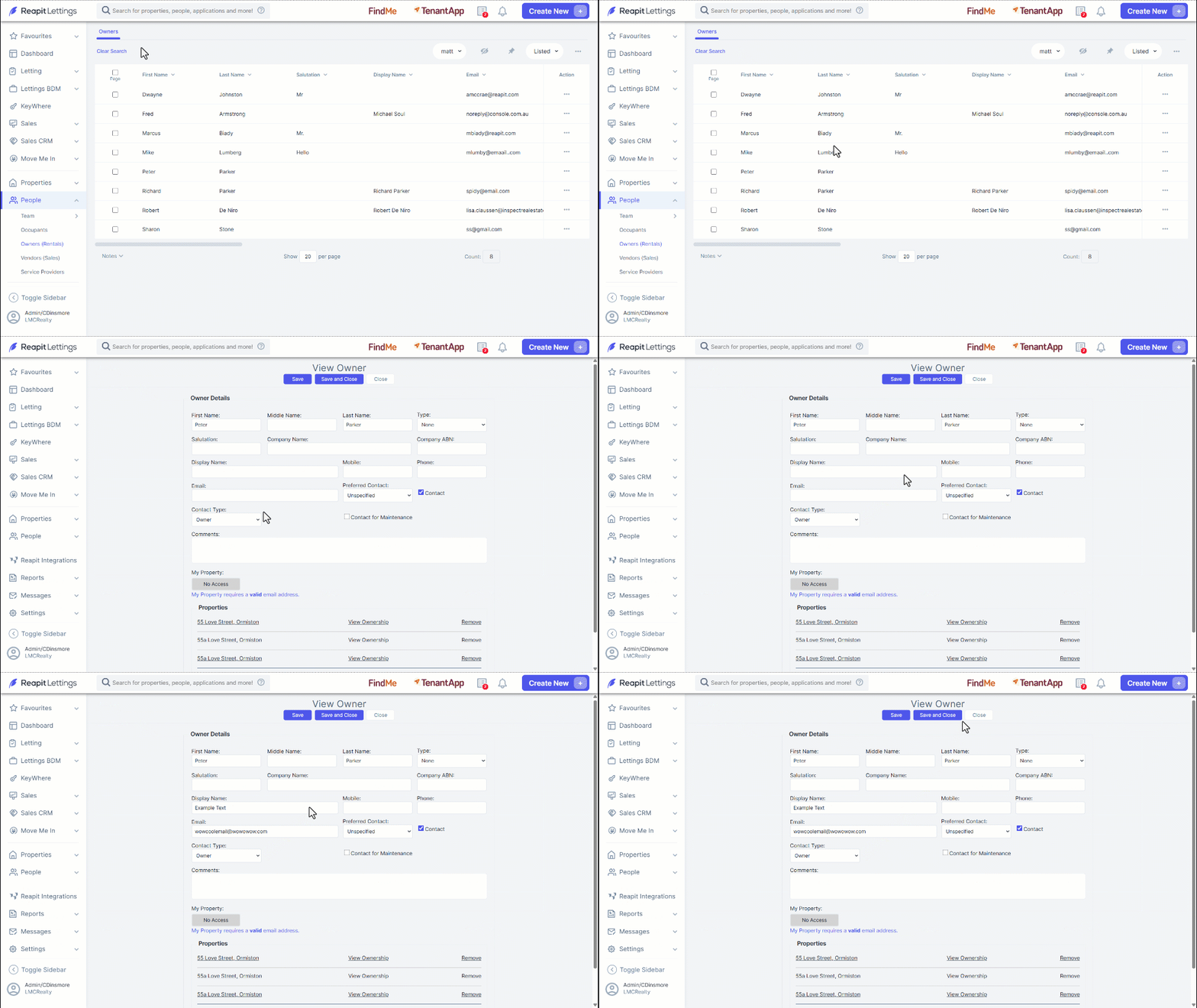
- Navigate to People.
- Click Owners (Rentals).
- Click the three dots.
- Click New Owner.
- Enter the owner's details. For the Contact type, select Owner.
- To assign properties, enter the address and click Add.
- Click Save.
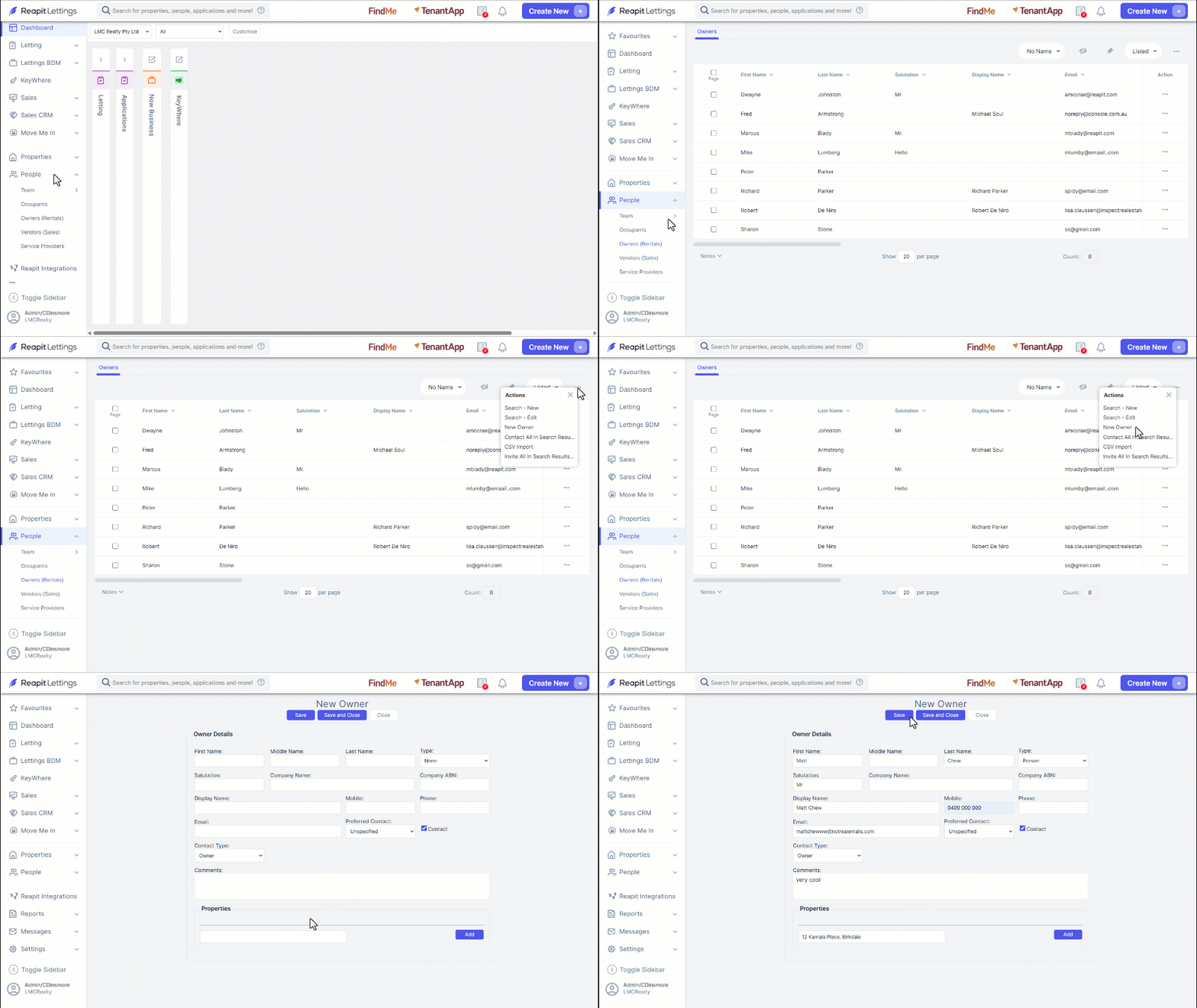
- To Edit - Within the owner’s page, select the owner, and this will open the ‘View Owner’ screen.
- You can then update the owner details, contact details, or assigned properties.
- Click Save or Save and Close to apply the changes.