'%20d='M0%208a8%208%200%200%201%208-8h24a8%208%200%200%201%208%208v24a8%208%200%200%201-8%208H8a8%208%200%200%201-8-8V8Z'/%3e%3cpath%20fill='%23fff'%20d='M32.576%206C12.293%206%208.776%2025.887%207.424%2034H9.1c.45-2.977%203.493-14.748%2010.899-20.287%200%200-5.633%206.976-6.572%2015.051%203.426-.652%2013.845-3.372%2016.056-12.927l-3.84-.61c1.352-1.351%204.909-5.17%206.931-9.226V6Z'/%3e%3cdefs%3e%3clinearGradient%20id='reapit-lettings__a'%20x1='20.702'%20x2='20.702'%20y1='.351'%20y2='31.228'%20gradientUnits='userSpaceOnUse'%3e%3cstop%20stop-color='%235573FD'/%3e%3cstop%20offset='.575'%20stop-color='%234E56EA'/%3e%3c/linearGradient%3e%3c/defs%3e%3c/svg%3e)
What Are Calendar Regions
This article explains what calendar regions is.
What is a calendar region?
When you create an available time for people to book inspections, you can filter this time so it only applies to properties in the particular area. To do this, you assign an available time to a region. If the region is set to any, then that calendar time will apply to any property currently on your vacancy list.
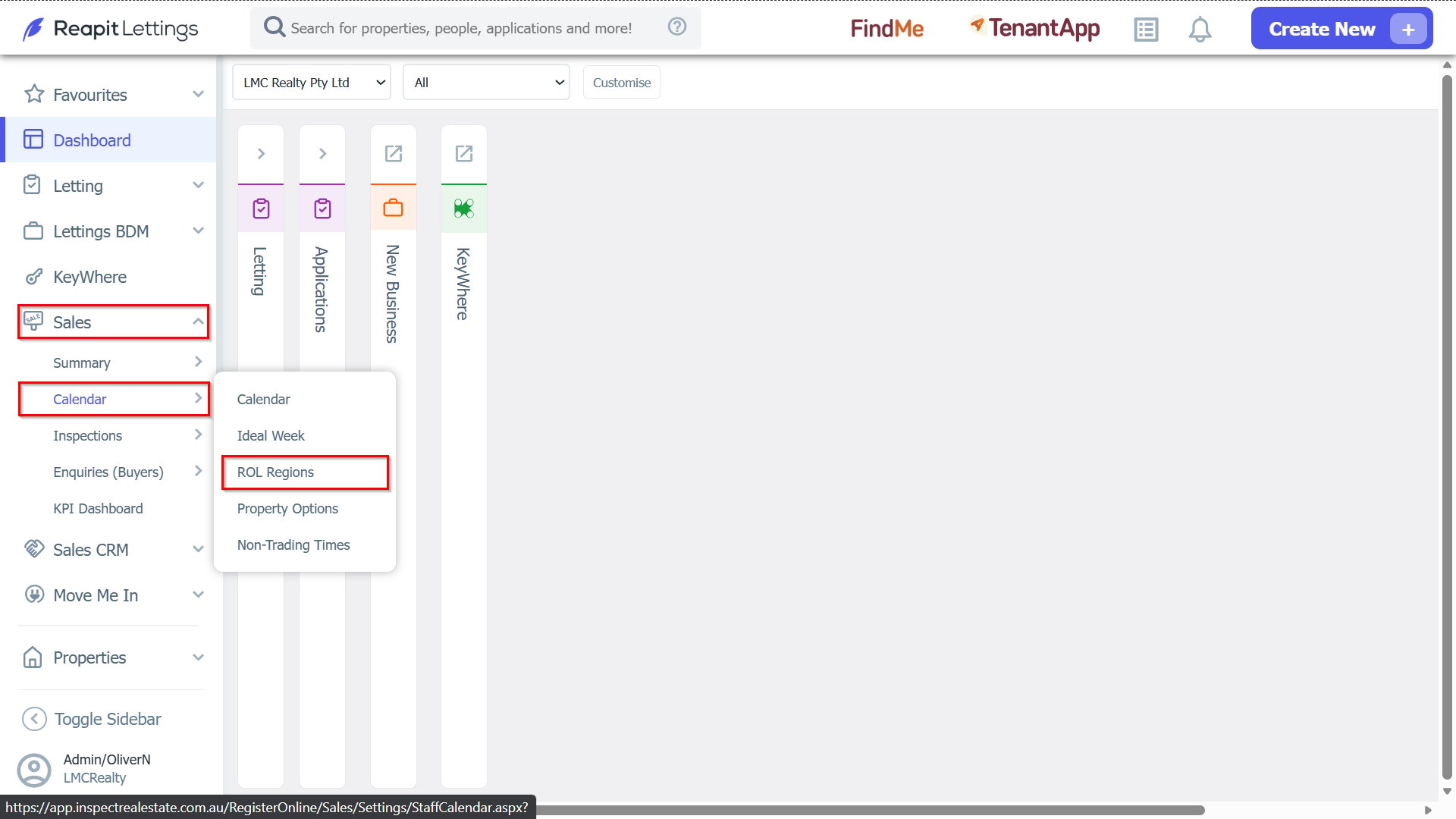
1. To navigate to the ROL Regions, click Sales > Calendar > ROL Regions.
2. When setting up a region, you need to give that region a name and tell the system which postcode it includes or excludes.
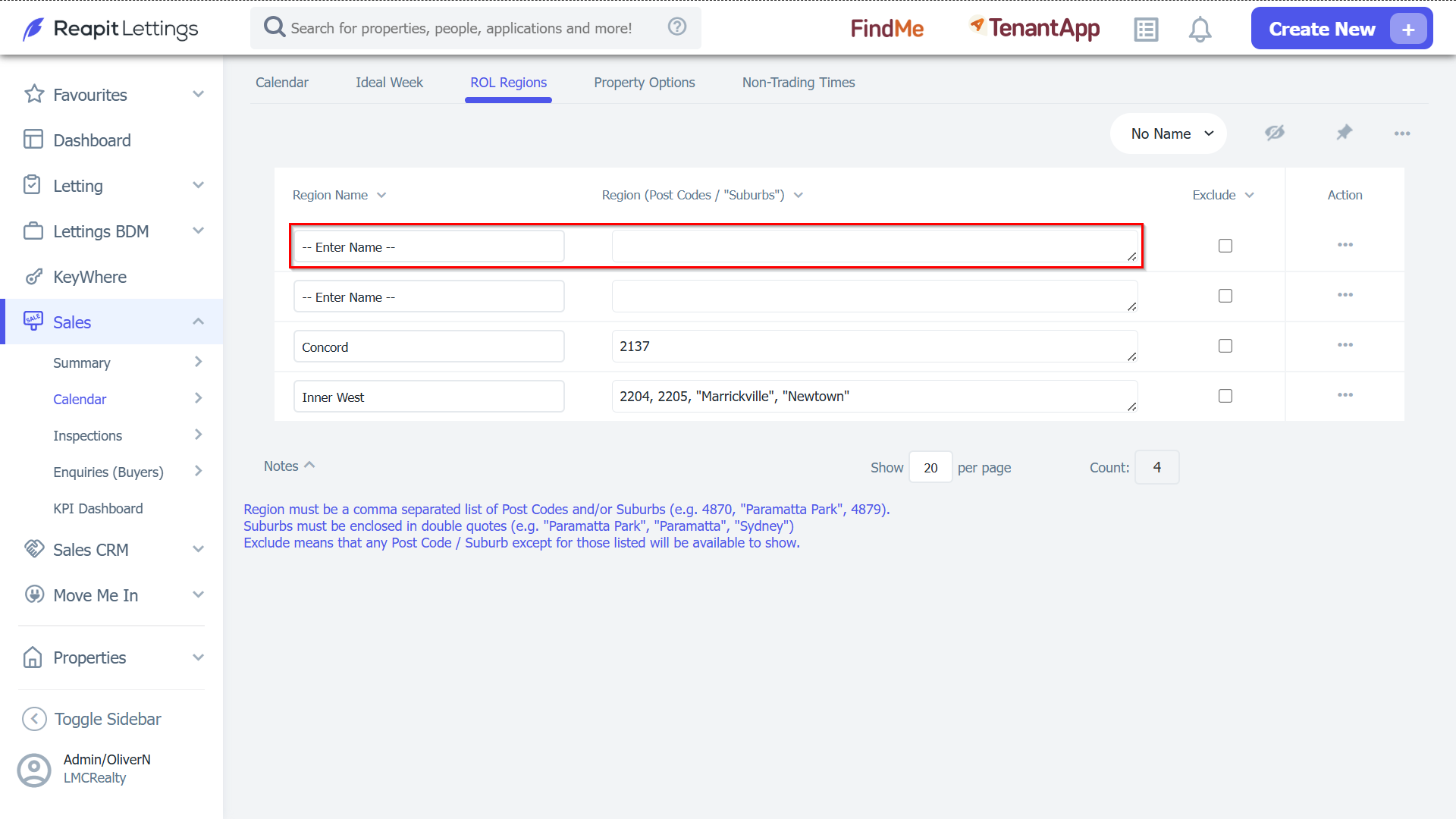
3. Once you have set up a region, you can assign a calendar time.
4. If I assign the region to 'Inner West' as an example, that calendar time will only apply to properties that have that postcode.