'%20d='M0%208a8%208%200%200%201%208-8h24a8%208%200%200%201%208%208v24a8%208%200%200%201-8%208H8a8%208%200%200%201-8-8V8Z'/%3e%3cpath%20fill='%23fff'%20d='M32.576%206C12.293%206%208.776%2025.887%207.424%2034H9.1c.45-2.977%203.493-14.748%2010.899-20.287%200%200-5.633%206.976-6.572%2015.051%203.426-.652%2013.845-3.372%2016.056-12.927l-3.84-.61c1.352-1.351%204.909-5.17%206.931-9.226V6Z'/%3e%3cdefs%3e%3clinearGradient%20id='reapit-lettings__a'%20x1='20.702'%20x2='20.702'%20y1='.351'%20y2='31.228'%20gradientUnits='userSpaceOnUse'%3e%3cstop%20stop-color='%235573FD'/%3e%3cstop%20offset='.575'%20stop-color='%234E56EA'/%3e%3c/linearGradient%3e%3c/defs%3e%3c/svg%3e)
2Apply - Find Me a Tenant
This article will run through how to invite suitable 2Apply applicants to apply for properties within your management in Reapit Lettings.
2Apply - Find Me a Tenant
This article will run through how to invite suitable 2Apply applicants to apply for properties within your management in Reapit Lettings.
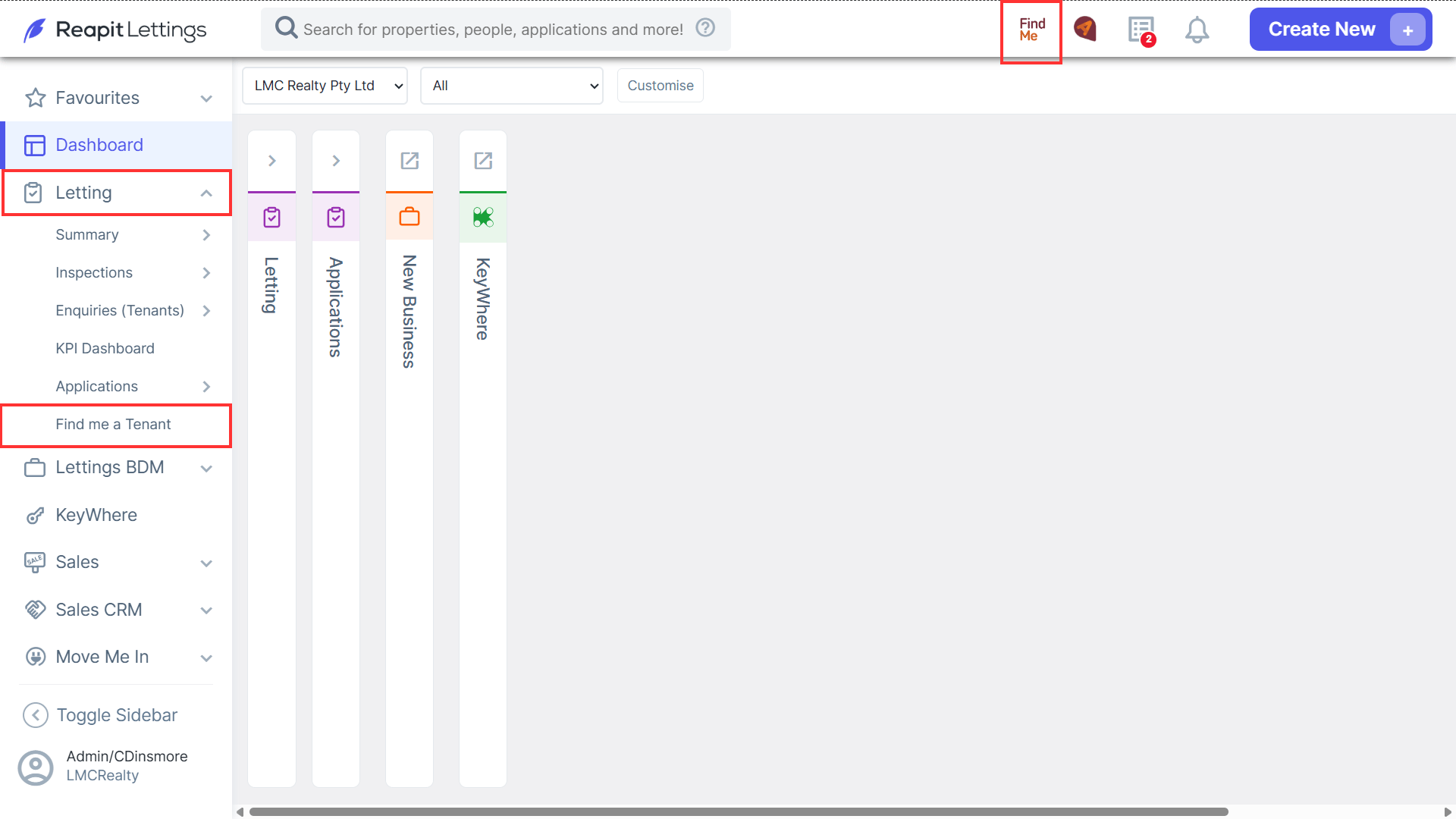
- To access FindMe, navigate to Letting and click Find Me a Tenant from the side menu, or click on FindMe located on the Reapit Lettings Ribbon at the top of the screen.
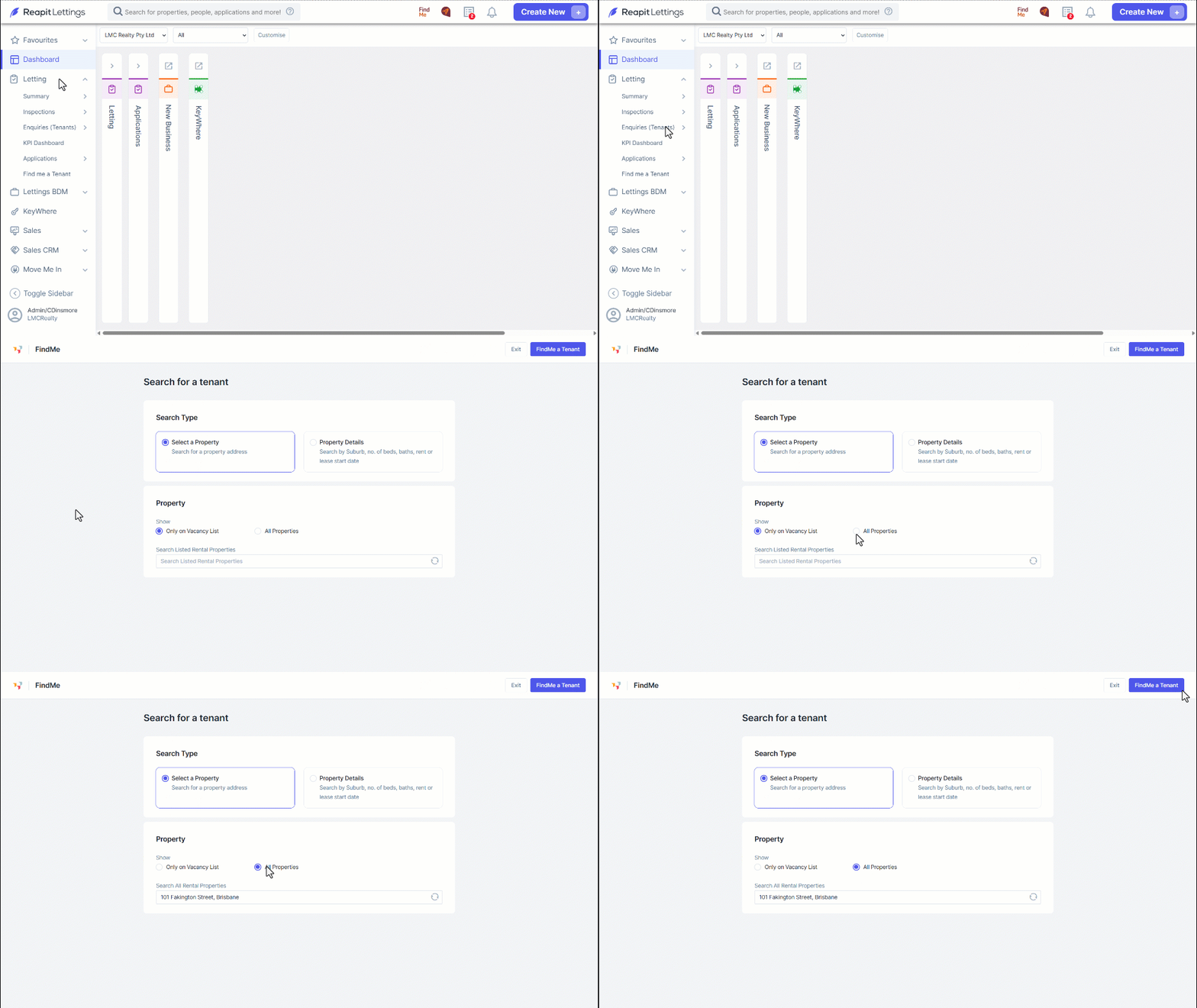
- Click either Only on Vacancy List or All Properties.
- Enter the property address.
- Click FindMe a Tenant.
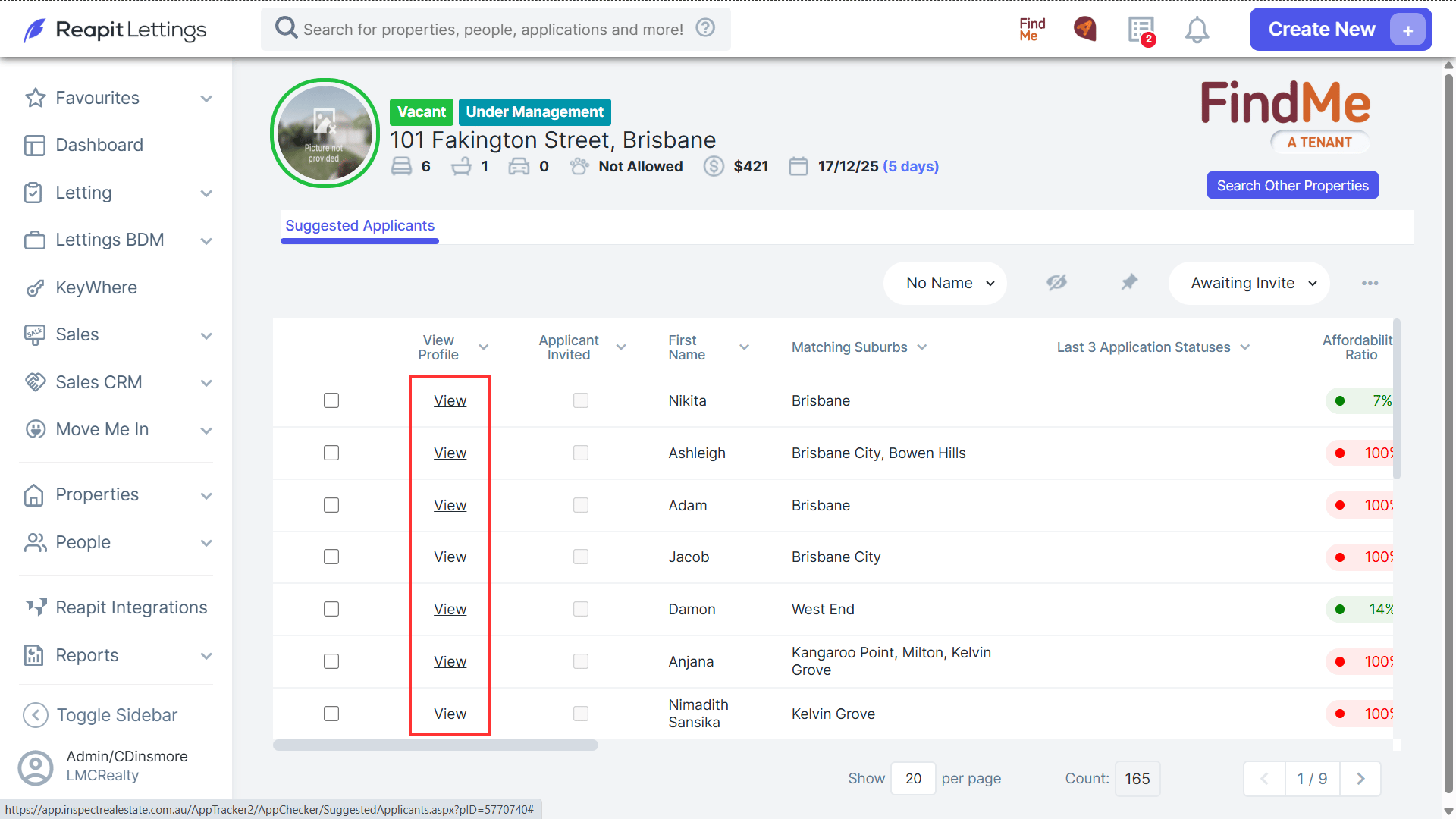
Note: The Suggested Applicants section comprises individuals who have shared their 2Apply account with agencies, and these applicants will meet the criteria set for the chosen property. Additionally, the Prospecting screen will showcase potential clients who have interacted with your agency in the past if the property details match their search preferences.
- Click View to thoroughly examine the profiles of applicants.
Note: Within the profile, you can click Close or Send Invite.
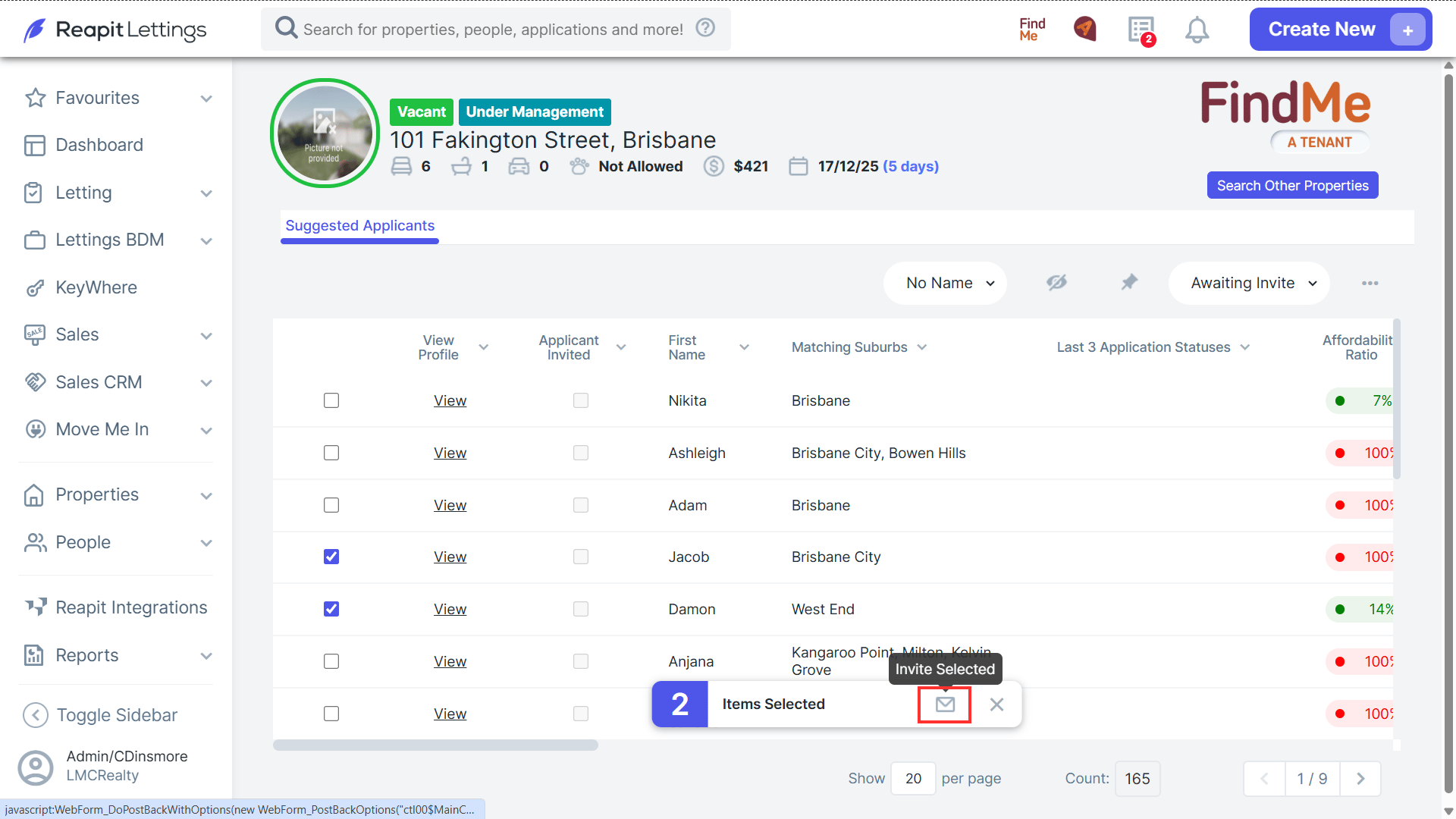
- To invite the desired applicant(s), select the checkbox next to their name and then click the envelope icon, which will send the invitation(s) to them.