'%20d='M0%208a8%208%200%200%201%208-8h24a8%208%200%200%201%208%208v24a8%208%200%200%201-8%208H8a8%208%200%200%201-8-8V8Z'/%3e%3cpath%20fill='%23fff'%20d='M32.576%206C12.293%206%208.776%2025.887%207.424%2034H9.1c.45-2.977%203.493-14.748%2010.899-20.287%200%200-5.633%206.976-6.572%2015.051%203.426-.652%2013.845-3.372%2016.056-12.927l-3.84-.61c1.352-1.351%204.909-5.17%206.931-9.226V6Z'/%3e%3cdefs%3e%3clinearGradient%20id='reapit-lettings__a'%20x1='20.702'%20x2='20.702'%20y1='.351'%20y2='31.228'%20gradientUnits='userSpaceOnUse'%3e%3cstop%20stop-color='%235573FD'/%3e%3cstop%20offset='.575'%20stop-color='%234E56EA'/%3e%3c/linearGradient%3e%3c/defs%3e%3c/svg%3e)
How to Reassign an Unresponsive RFID Key Tag
This article will run through how to reassign an unresponsive RFID key tag within your account in KeyWhere.
How to Reassign an Unresponsive RFID Key Tag
This article will run through how to reassign an unresponsive RFID key tag within your account in KeyWhere.
- From the Dashboard, either search for the property address or key number in the designated search bar.
- Within the Key Details section, click Untag.
- The key will be marked as Not Tagged.
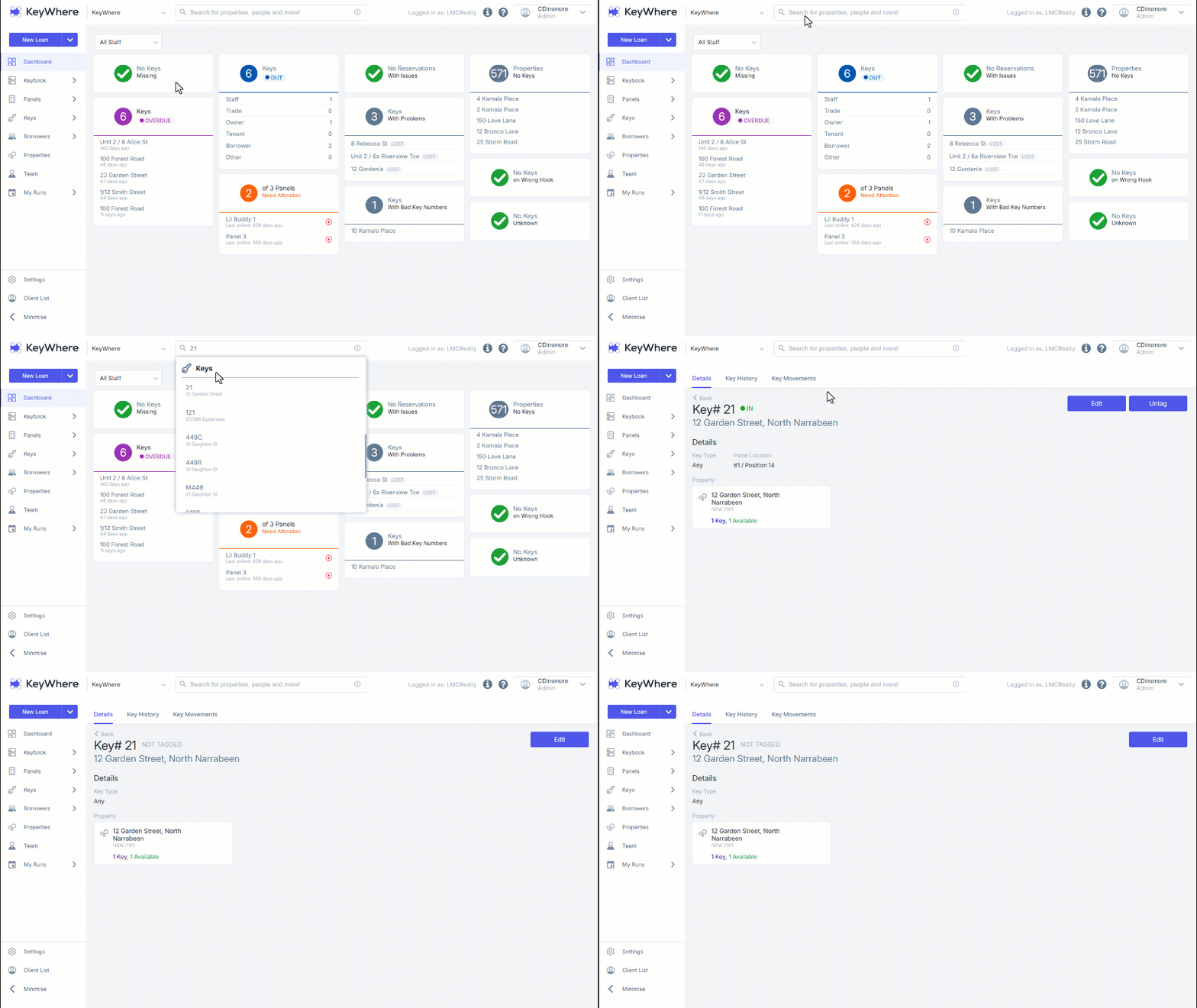
Note: Once this set has been completed, ensure you remove the key from the unresponsive RFID tag and attach a new tag.
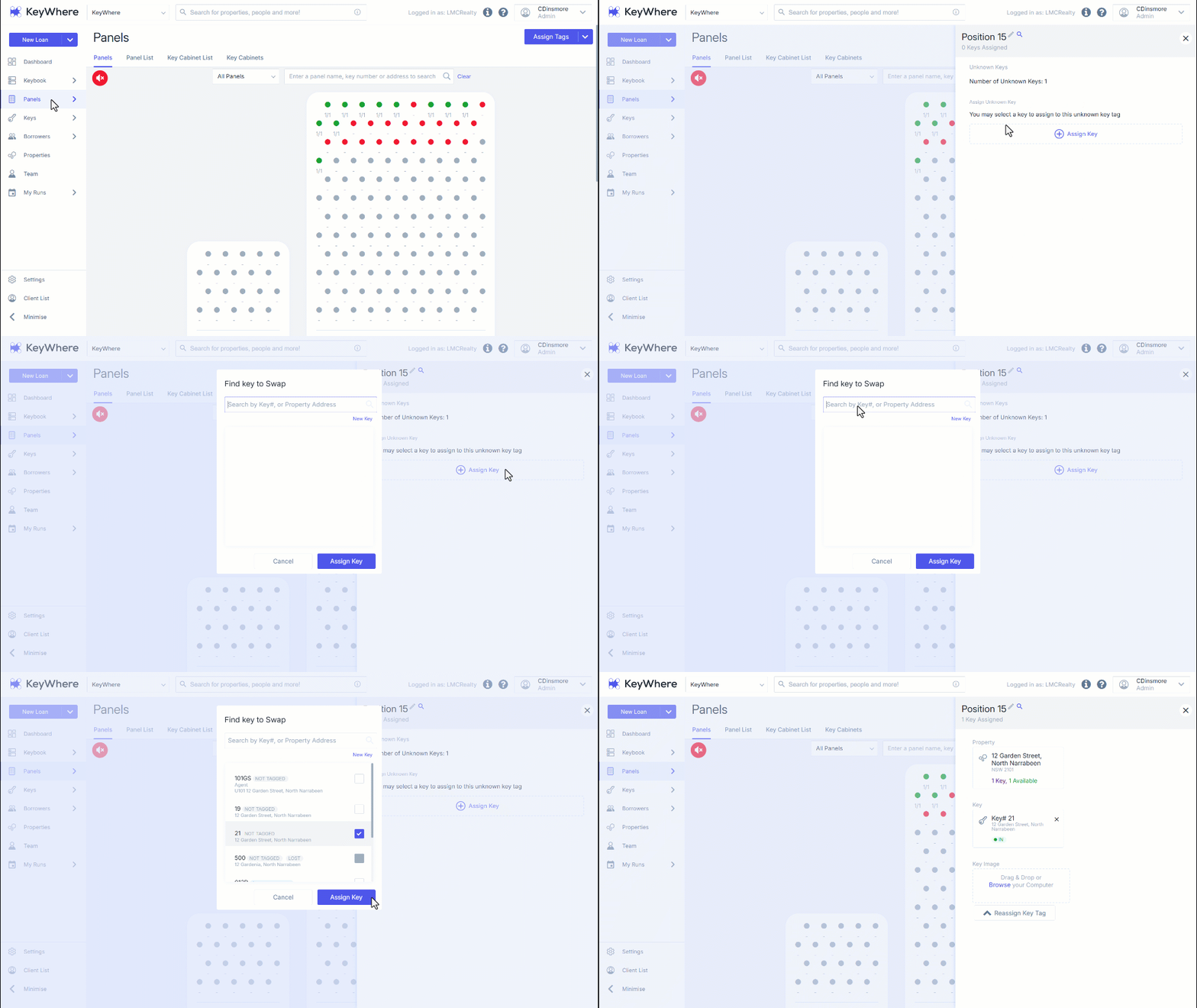
- Navigate to Panels.
- Navigate to the new position to assign the key.
- Click Assign Key.
- Enter either the key number or property address, select the checkbox adjacent.
- Click Assign Key.
- After completing this action, your panel position should display a stable green colour, indicating that the key has been successfully assigned.
Note: For troubleshooting assistance or to obtain a new RFID tag if you experience issues, please contact support.