'%20d='M0%208a8%208%200%200%201%208-8h24a8%208%200%200%201%208%208v24a8%208%200%200%201-8%208H8a8%208%200%200%201-8-8V8Z'/%3e%3cpath%20fill='%23fff'%20d='M32.576%206C12.293%206%208.776%2025.887%207.424%2034H9.1c.45-2.977%203.493-14.748%2010.899-20.287%200%200-5.633%206.976-6.572%2015.051%203.426-.652%2013.845-3.372%2016.056-12.927l-3.84-.61c1.352-1.351%204.909-5.17%206.931-9.226V6Z'/%3e%3cdefs%3e%3clinearGradient%20id='reapit-lettings__a'%20x1='20.702'%20x2='20.702'%20y1='.351'%20y2='31.228'%20gradientUnits='userSpaceOnUse'%3e%3cstop%20stop-color='%235573FD'/%3e%3cstop%20offset='.575'%20stop-color='%234E56EA'/%3e%3c/linearGradient%3e%3c/defs%3e%3c/svg%3e)
Adding New Referrers
This article will run through how to add new referrers within your account in Reapit Lettings
Adding New Referrers
This article will run through how to add new referrers within your account in Reapit Lettings.
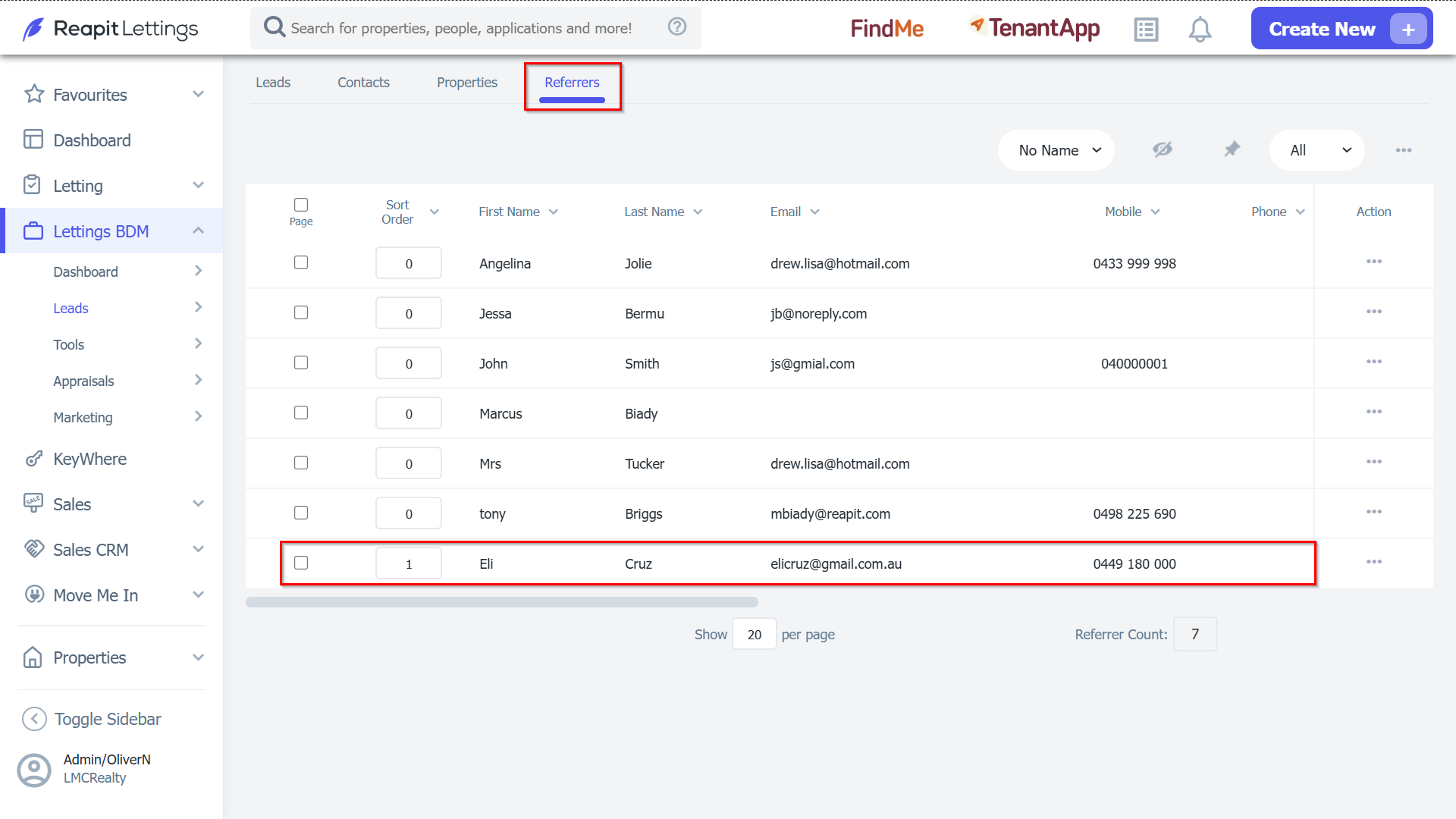
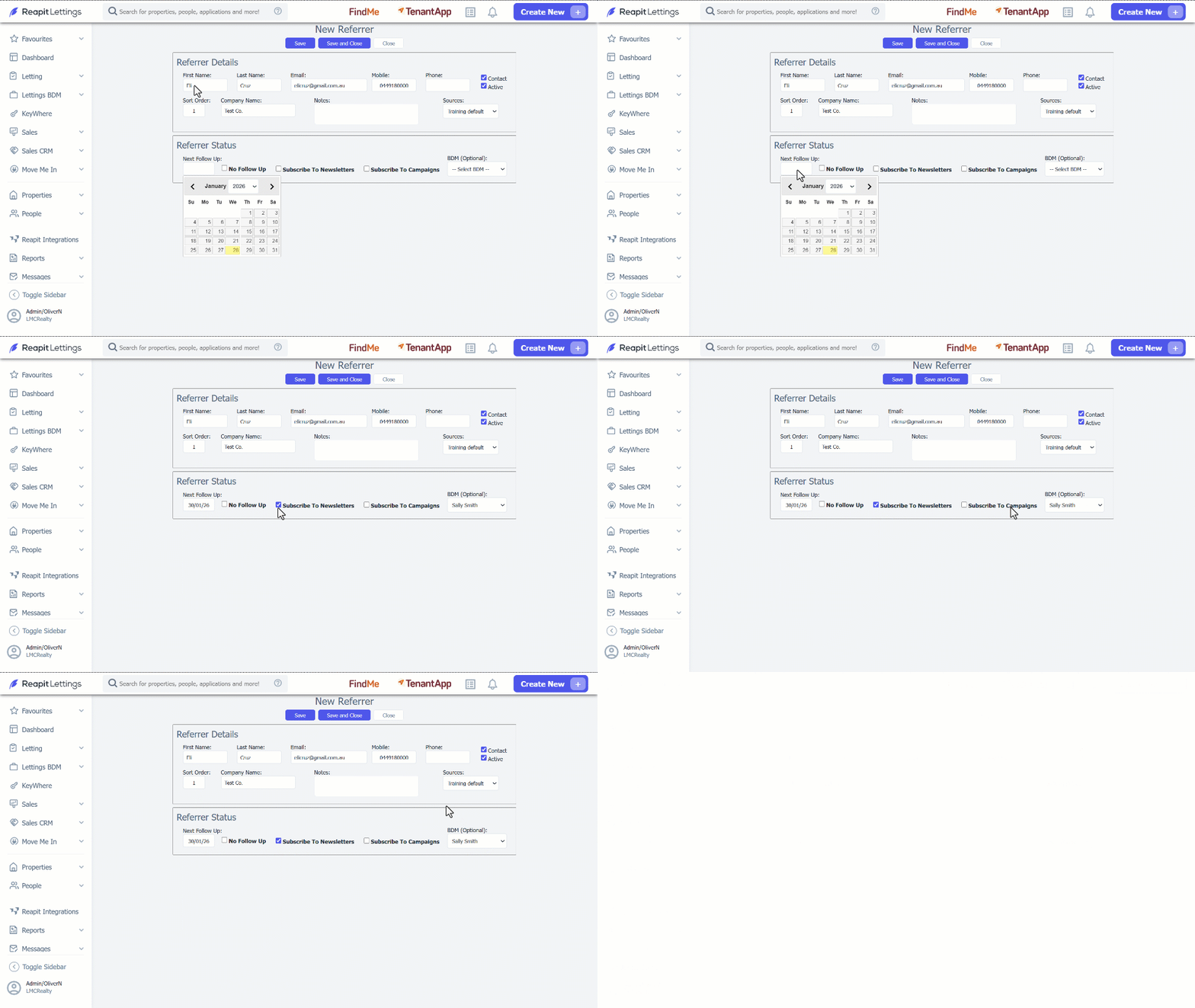
- Click on Lettings BDM. 2. Click on Leads. 3. Select Referrers. 4. Navigate to the 3 Action Dots and select New Referrer. 5. Input the referrer details, select the source from the Source selection dropdown.
6. Click the Next Follow Up text box for the calendar to pop and choose a date. 7. Select the relevant checkboxes to the right and choose a BDM from the selection dropdown if desired. 8. Click Save and Close.
Note: Your new referrer will be stored within the Referrers grid.