'%20d='M0%208a8%208%200%200%201%208-8h24a8%208%200%200%201%208%208v24a8%208%200%200%201-8%208H8a8%208%200%200%201-8-8V8Z'/%3e%3cpath%20fill='%23fff'%20d='M32.576%206C12.293%206%208.776%2025.887%207.424%2034H9.1c.45-2.977%203.493-14.748%2010.899-20.287%200%200-5.633%206.976-6.572%2015.051%203.426-.652%2013.845-3.372%2016.056-12.927l-3.84-.61c1.352-1.351%204.909-5.17%206.931-9.226V6Z'/%3e%3cdefs%3e%3clinearGradient%20id='reapit-lettings__a'%20x1='20.702'%20x2='20.702'%20y1='.351'%20y2='31.228'%20gradientUnits='userSpaceOnUse'%3e%3cstop%20stop-color='%235573FD'/%3e%3cstop%20offset='.575'%20stop-color='%234E56EA'/%3e%3c/linearGradient%3e%3c/defs%3e%3c/svg%3e)
BDM Appraisal Feedback Email and SMS
This article will run through the process once an appraisal has been conducted and feedback is required
BDM Appraisal Feedback Email and SMS
This article will run through the process once an appraisal has been conducted and feedback is required in Reapit Lettings.
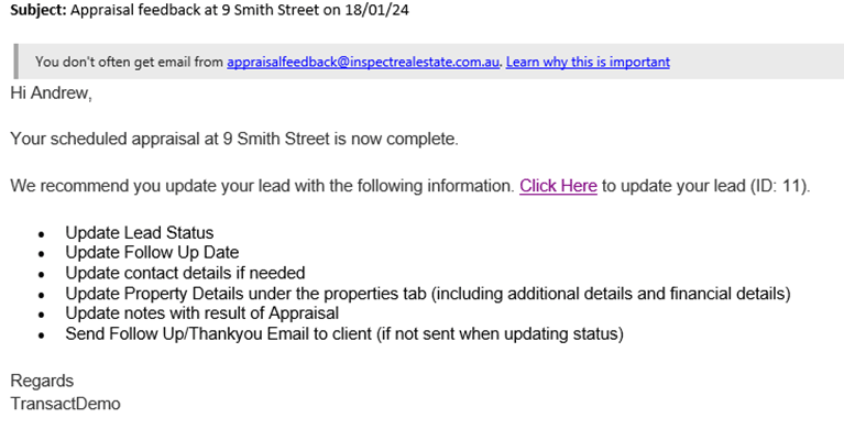
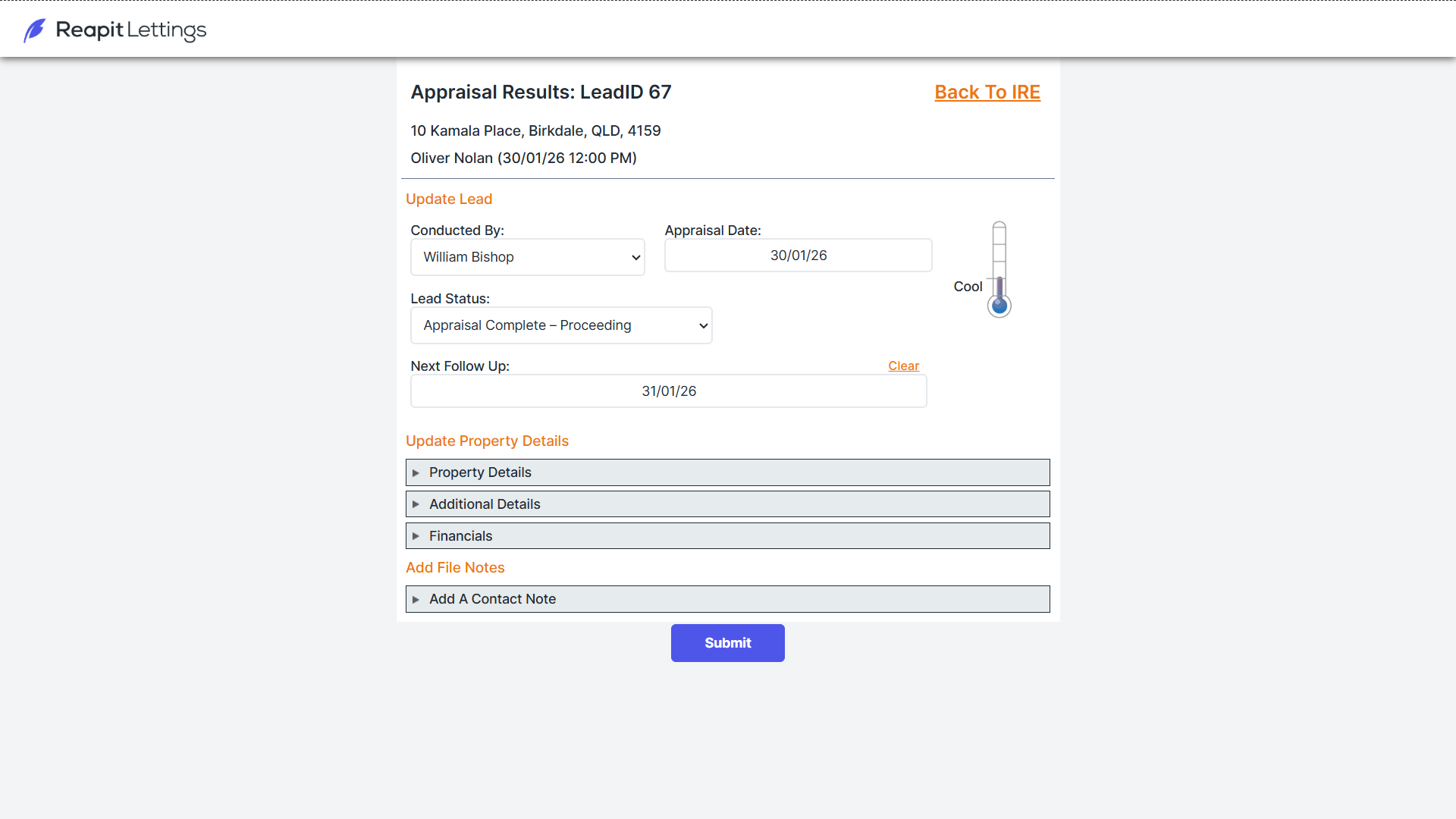
Once an appraisal has been conducted and added into Lettings BDM an email will be sent to that BDM as an auto response to complete the appraisal feedback (as long as this has been ticked on in your messages). Example of email below for reference.
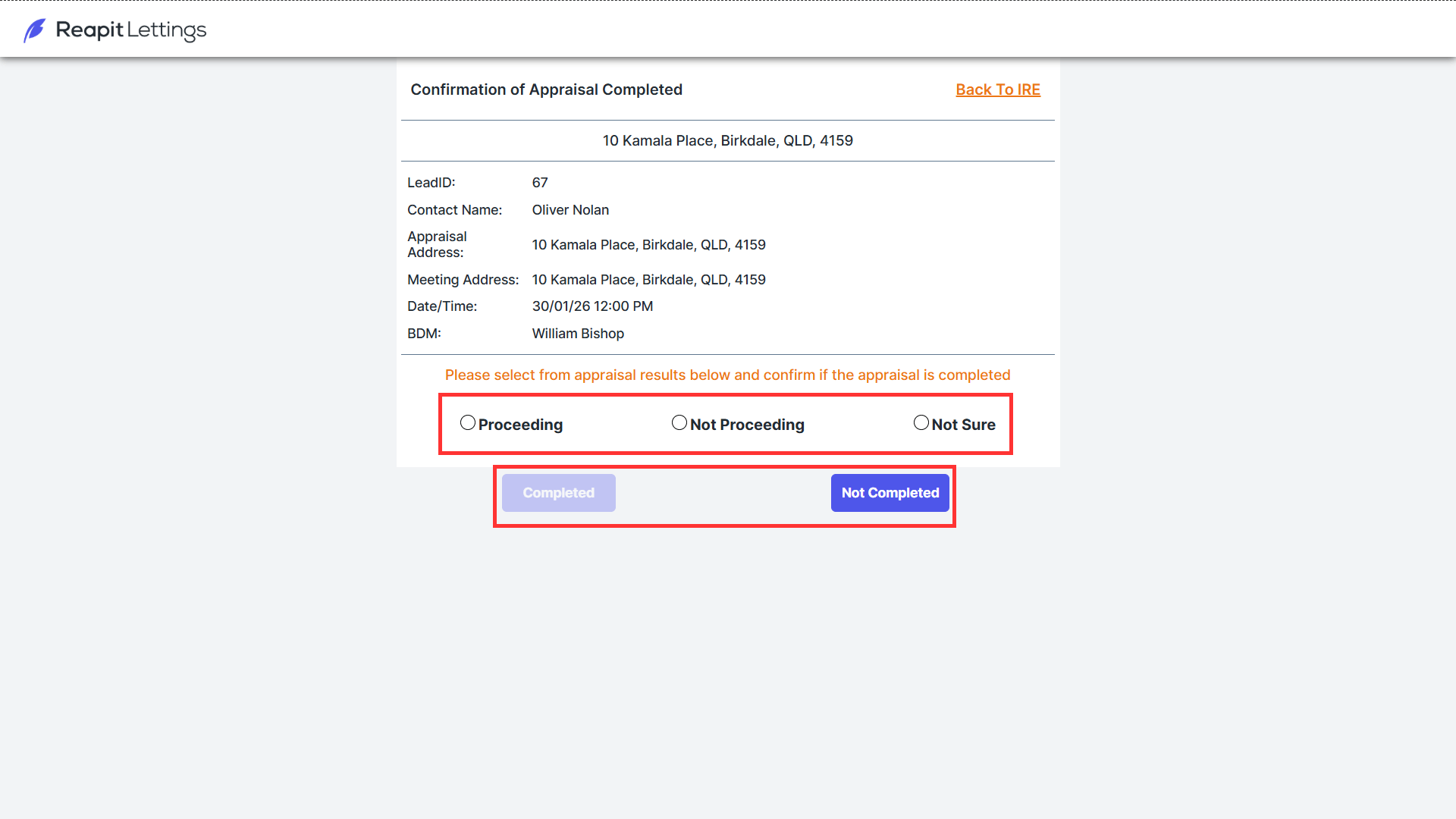
- Open the appraisal feedback webform and complete the fields which will update the Property tab within that lead, choose if you have completed or not completed.
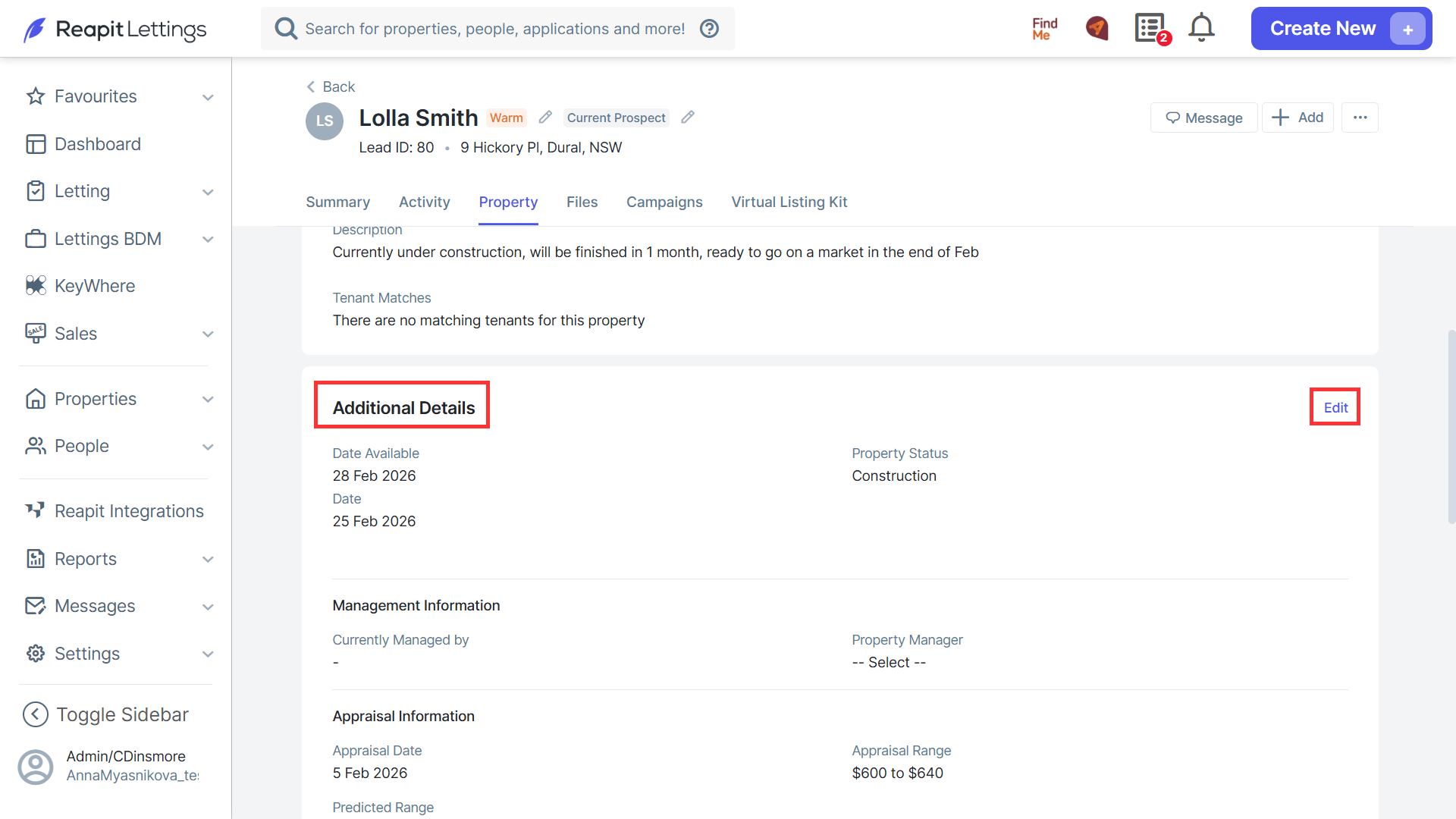
- Fill out the details of the appraisal within the Lead in the Property Tab.
- Click Submit.
- Navigate to Lettings BDM > Appraisals > Appraisals you will see if the lead status is complete.