'%20d='M0%208a8%208%200%200%201%208-8h24a8%208%200%200%201%208%208v24a8%208%200%200%201-8%208H8a8%208%200%200%201-8-8V8Z'/%3e%3cpath%20fill='%23fff'%20d='M32.576%206C12.293%206%208.776%2025.887%207.424%2034H9.1c.45-2.977%203.493-14.748%2010.899-20.287%200%200-5.633%206.976-6.572%2015.051%203.426-.652%2013.845-3.372%2016.056-12.927l-3.84-.61c1.352-1.351%204.909-5.17%206.931-9.226V6Z'/%3e%3cdefs%3e%3clinearGradient%20id='reapit-lettings__a'%20x1='20.702'%20x2='20.702'%20y1='.351'%20y2='31.228'%20gradientUnits='userSpaceOnUse'%3e%3cstop%20stop-color='%235573FD'/%3e%3cstop%20offset='.575'%20stop-color='%234E56EA'/%3e%3c/linearGradient%3e%3c/defs%3e%3c/svg%3e)
Sending a Message within Reapit Viewings
This article will run through the processes of sending a message within Reapit Viewings. The process in this article will include: How To Contact Registered Tenant In Reapit Viewings How To Send Follow Up Messages To Tenants In Reapit Viewings How To Send Running Late Message In Reapit Viewings
Sending a Message within Reapit Viewings
This article will run through the processes of sending a message within Reapit Viewings.
The process in this article will include:
- How To Contact Registered Tenant In Reapit Viewings
- How To Send Follow Up Messages To Tenants In Reapit Viewings
- How To Send Running Late Message In Reapit Viewings
How To Contact Registered Tenant In Reapit Viewings
- Select My Run.
- Open the inspection by clicking the property address.
- Navigate to Tenants tab.
- Locate the Registered tenants and click the mobile number.
- Select SMS. Alternatively, you also have a Call action button if you would like to perform a call.
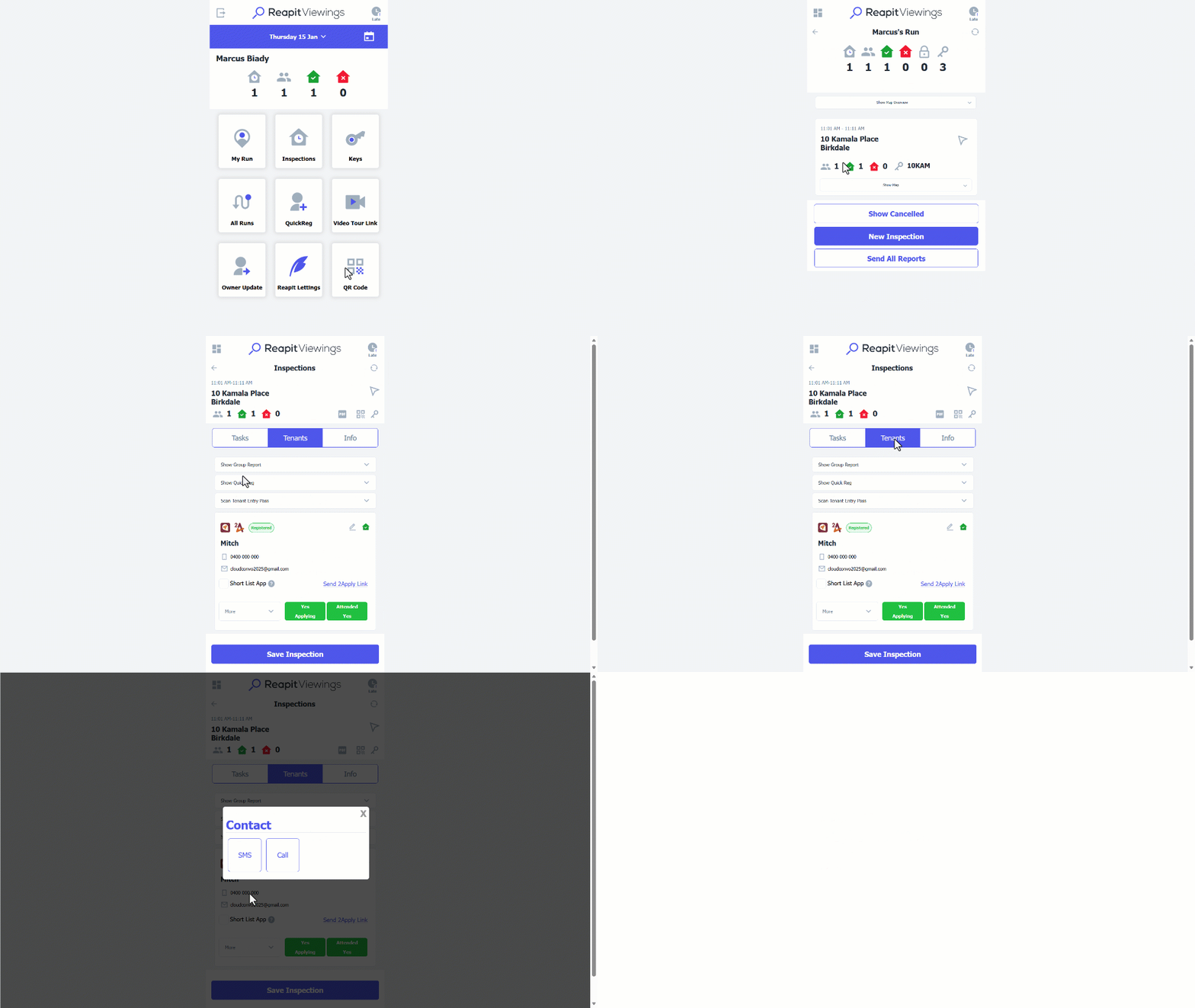
Note: SMS will be charged to your office account, whereas calls will be charged to your mobile.
How To Send Follow Up Messages To Tenants In Reapit Viewings
- Select My Run.
- Open the inspection by clicking the property address.
- Navigate to PDF icon.
- Select Tenant Messages.
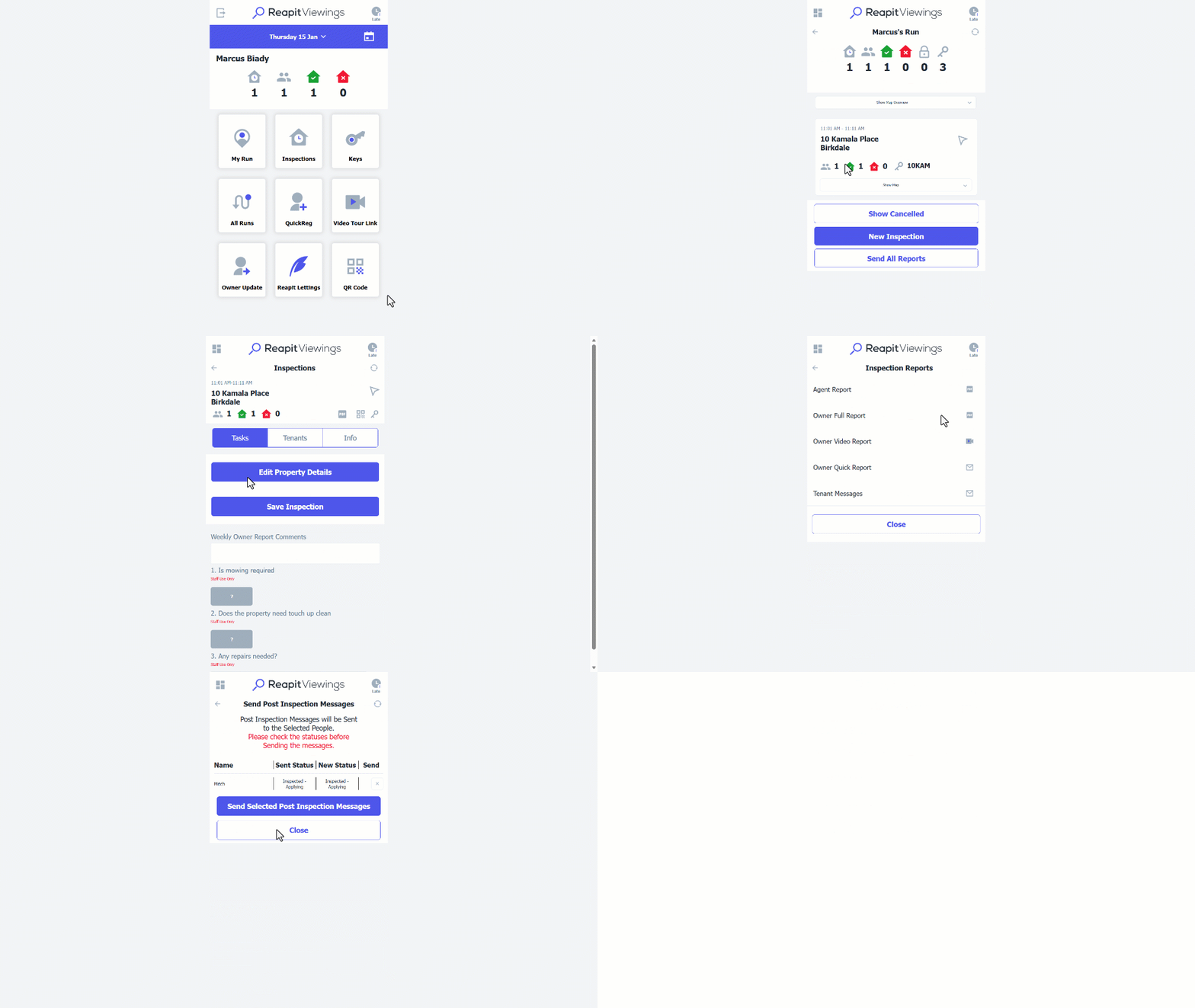
Note: Tenants will receive messages based on their status (Un-tick to stop a message being sent). The messages sent will be based on your Event Editor settings for “Inspected – Tenants” events.
How To Send Running Late Message In Reapit Viewings
Please note that you'll need to have the inspectors run open, if you're not signed in as the inspector or the late button isn't showing the inspection, you'll need to click on All Runs from the main dashboard and then open against the team member assigned to the inspection.
- Navigate to the Late icon at the top right-hand corner.
- Select and adjust the running late time, or the inspection it applies to by clicking the drop downs. You can also adjust the content of the message sent.
- Click on Send Message.
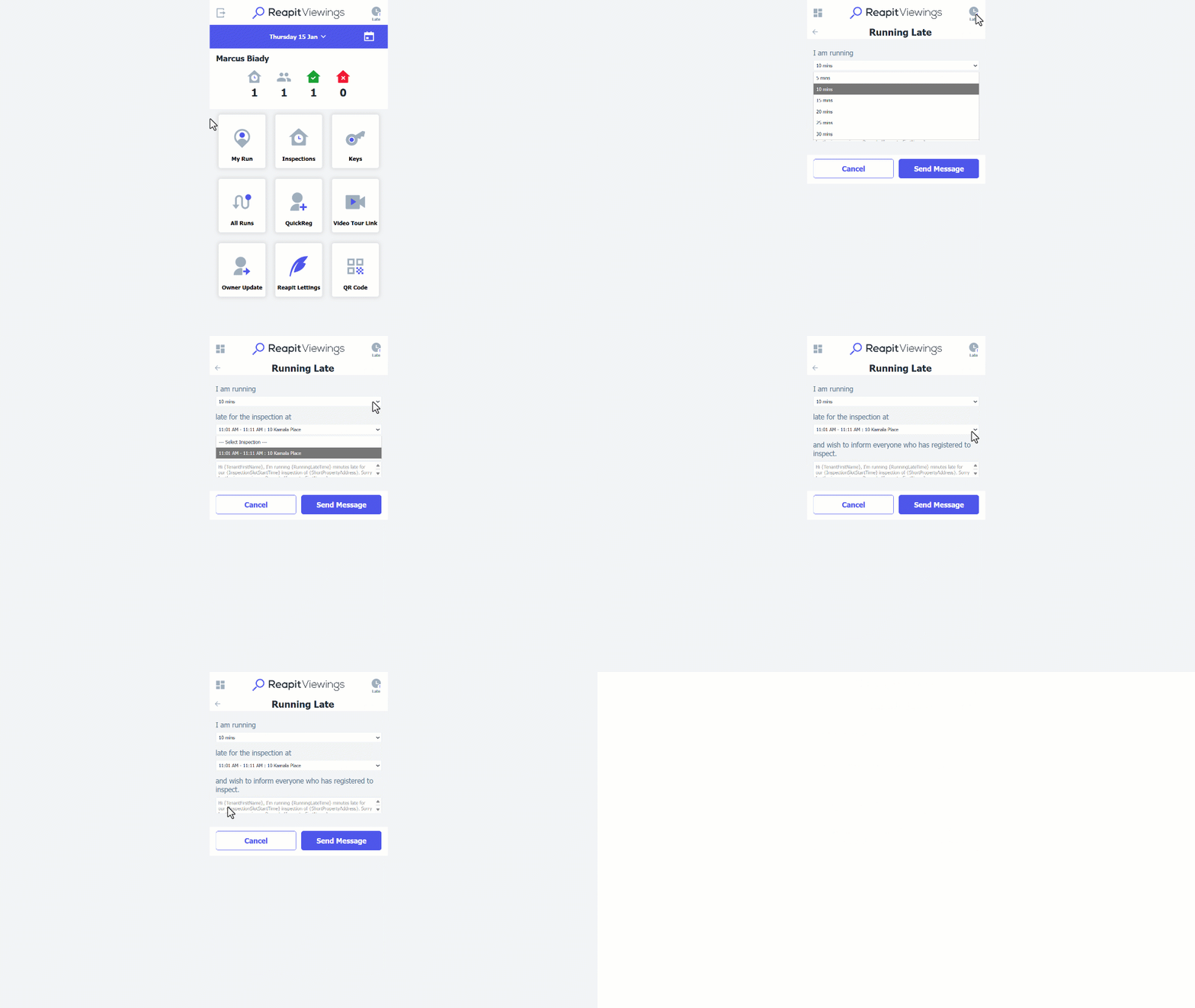
Note: The system will then send out an SMS notification to all registered tenants for that inspection, letting them know you are running late.