'%20d='M0%208a8%208%200%200%201%208-8h24a8%208%200%200%201%208%208v24a8%208%200%200%201-8%208H8a8%208%200%200%201-8-8V8Z'/%3e%3cpath%20fill='%23fff'%20d='M8.375%2013v14L20.5%2034l12.124-7v-7.737l-1.687-.975-2.806-1.62-1.082-.624v4.83l-.002%204.83H13.95V16.07l3.275-1.89%202.192-1.265%201.082-.625%203.275%201.877%202.192%201.256%201.083.62V9.782L20.5%206%208.376%2013Z'/%3e%3cdefs%3e%3clinearGradient%20id='reapit-pm__a'%20x1='20.702'%20x2='20.702'%20y1='.351'%20y2='31.228'%20gradientUnits='userSpaceOnUse'%3e%3cstop%20stop-color='%235573FD'/%3e%3cstop%20offset='.575'%20stop-color='%234E56EA'/%3e%3c/linearGradient%3e%3c/defs%3e%3c/svg%3e)
Withholding Funds from an Owner in Cloud
Sometimes funds are withheld from an Owner to pay an invoice not yet received. The processes in this article include: Adding a Withhold Editing or Deleting Withholds
Withholding Owner Funds
Funds can be withheld from an owner payment within Reapit PM should an ownership request, i.e. for payment of an upcoming invoice or future maintenance work.
The processes in this article include:
- Adding a Withhold
- Editing or Deleting Withholds
Adding a Withhold
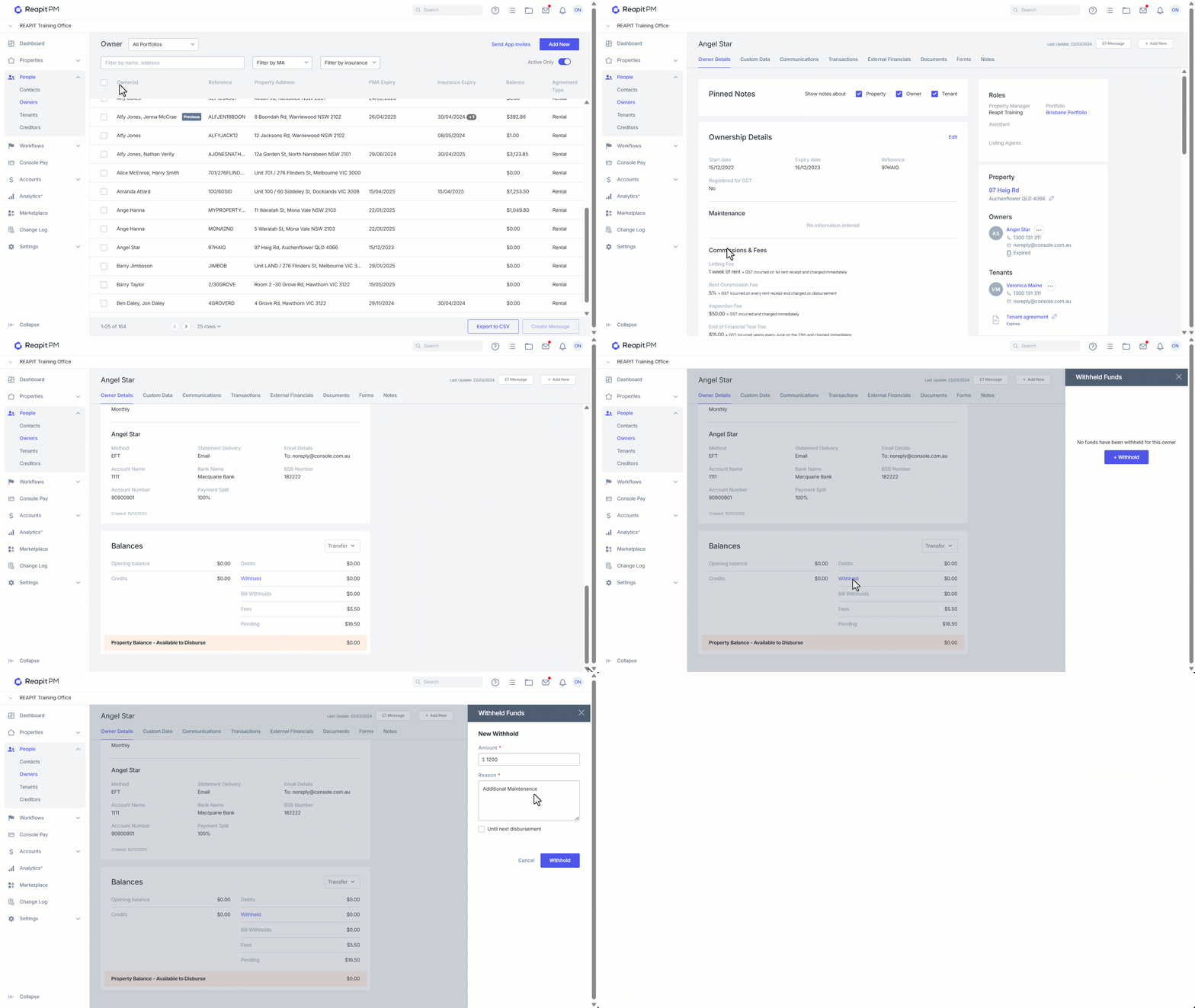
- Click on People.
- Click on Owners.
- Search and select the relevant Ownership.
- Scroll to Balances and click on Withheld.
- Click + Withhold.
- Add Amount, Reason and tick if it is to be held until next disbursement, leaving it black will hold it indefinitely.
- Click Withhold.
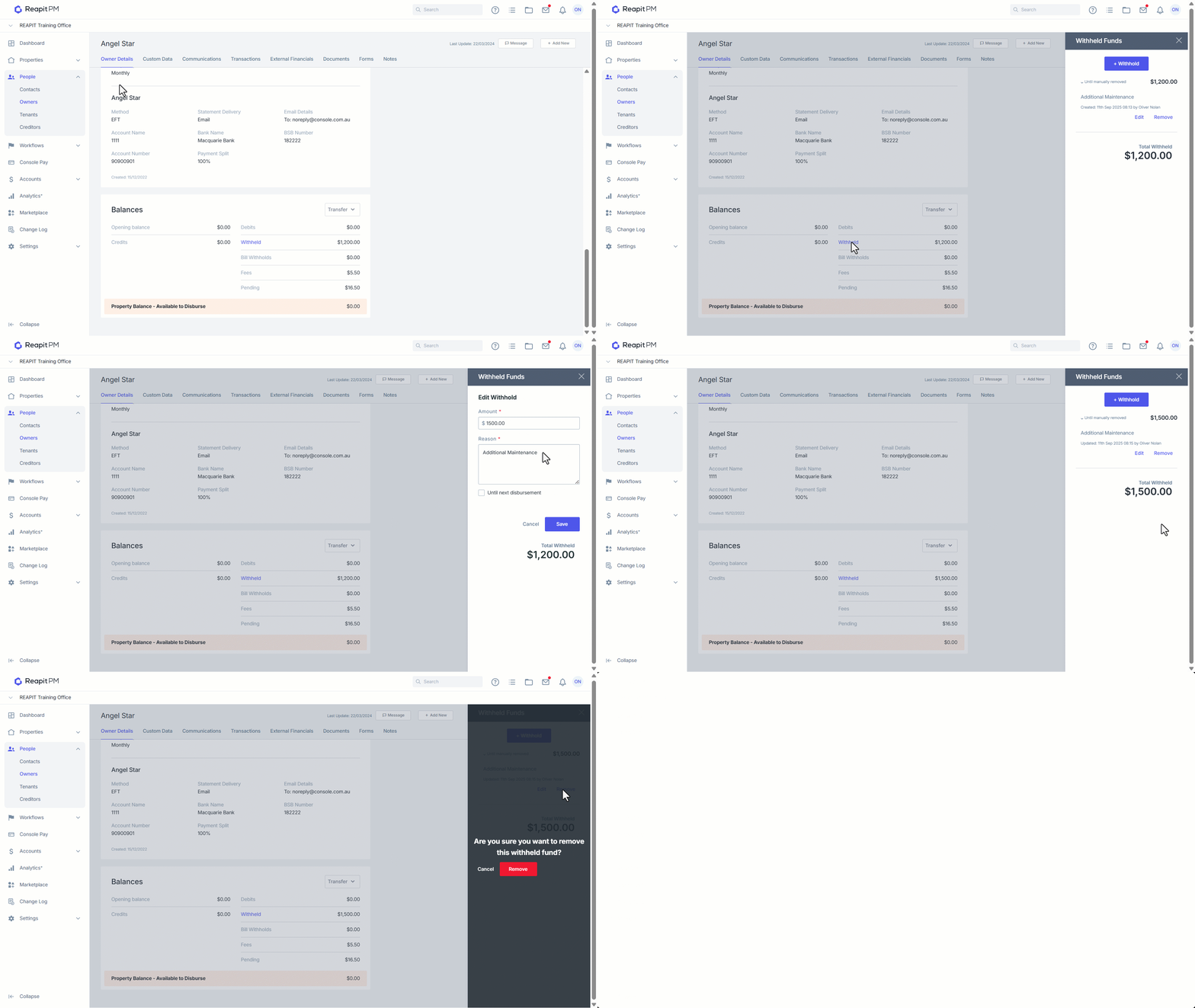
Editing or Deleting Withholds
- Navigate to the relevant Owner and against the Balances click on Withheld.
- Select the Dropdown.
- Click on Remove to delete, or
- Click on Edit to update amount, reason etc.
- Click Save.