'%20d='M0%208a8%208%200%200%201%208-8h24a8%208%200%200%201%208%208v24a8%208%200%200%201-8%208H8a8%208%200%200%201-8-8V8Z'/%3e%3cpath%20fill='%23fff'%20d='M8.375%2013v14L20.5%2034l12.124-7v-7.737l-1.687-.975-2.806-1.62-1.082-.624v4.83l-.002%204.83H13.95V16.07l3.275-1.89%202.192-1.265%201.082-.625%203.275%201.877%202.192%201.256%201.083.62V9.782L20.5%206%208.376%2013Z'/%3e%3cdefs%3e%3clinearGradient%20id='reapit-pm__a'%20x1='20.702'%20x2='20.702'%20y1='.351'%20y2='31.228'%20gradientUnits='userSpaceOnUse'%3e%3cstop%20stop-color='%235573FD'/%3e%3cstop%20offset='.575'%20stop-color='%234E56EA'/%3e%3c/linearGradient%3e%3c/defs%3e%3c/svg%3e)
How to Download the Payment History / Rent History
This article covers how to download a copy of the tenant's ledger or payment history in Reapit PM.
How to Download the Payment History / Rent Summary
This article covers how to download a copy of the payment history or rent summary in Reapit PM.
The processes in this article include:
- How to Download the Payment History
- How to Download the Rent Summary
How to Download the Tenant Payment History
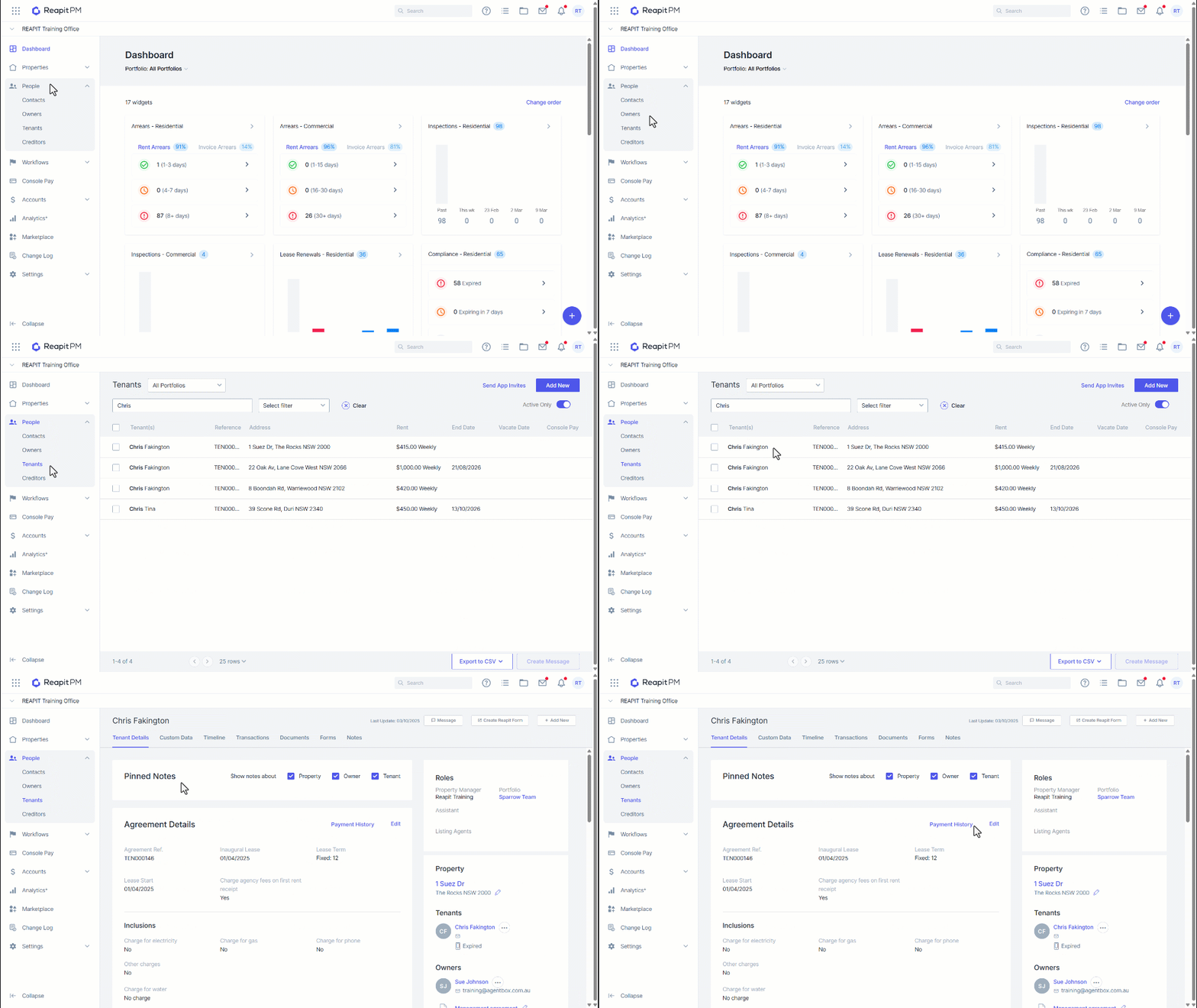
1. Navigate to People.
2. Click Tenants.
3. Search and select the Tenant.
4. Click Payment History.
5. A copy of the payment history will be downloaded as a PDF.
How to Download the Rent Summary
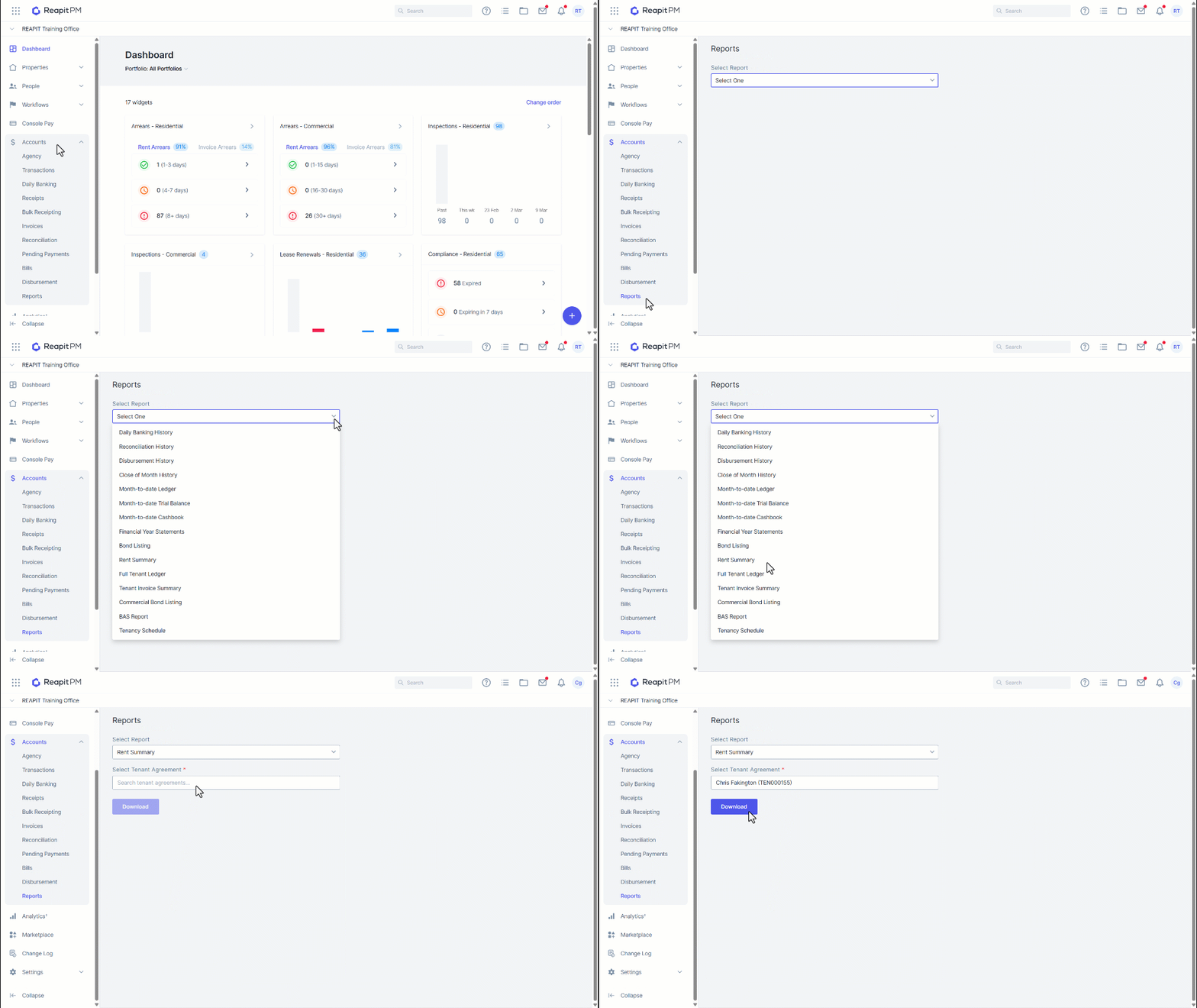
1. Navigate to Accounts.
2. Click Reports.
3. Click the drop-down and select Rent Summary.
4. Enter the Tenant name or Property address.
5. Click Download.
6. A copy of the tenant ledger will be downloaded as a PDF.