'%20d='M0%208a8%208%200%200%201%208-8h24a8%208%200%200%201%208%208v24a8%208%200%200%201-8%208H8a8%208%200%200%201-8-8V8Z'/%3e%3cpath%20fill='%23fff'%20d='M8.375%2013v14L20.5%2034l12.124-7v-7.737l-1.687-.975-2.806-1.62-1.082-.624v4.83l-.002%204.83H13.95V16.07l3.275-1.89%202.192-1.265%201.082-.625%203.275%201.877%202.192%201.256%201.083.62V9.782L20.5%206%208.376%2013Z'/%3e%3cdefs%3e%3clinearGradient%20id='reapit-pm__a'%20x1='20.702'%20x2='20.702'%20y1='.351'%20y2='31.228'%20gradientUnits='userSpaceOnUse'%3e%3cstop%20stop-color='%235573FD'/%3e%3cstop%20offset='.575'%20stop-color='%234E56EA'/%3e%3c/linearGradient%3e%3c/defs%3e%3c/svg%3e)
Console Pay for Existing Tenancies with Manual or Recurring invoices
This article demonstrates the process that must be followed to set up a tenancy that has recurring invoices who will be paying for rent and invoices with Console Pay in Reapit PM. The process in this article include: Console Pay Scenario - Existing Tenancies with Manual or Recurring Invoices
Overview
Console Pay for Existing Tenancies with Manual or Recurring invoices
Note: The feature mentioned in the article is not yet available to all users. If you don't see it as an option or if you're interested in enabling the 'Paid to Date +1' feature, please feel free to contact our support team for further assistance.
This article demonstrates the process that must be followed to set up a tenancy that has recurring invoices who will be paying for rent and invoices with Console Pay. The below process reflects accounts that have debits set to default to the tenants paid to date + 1.
It is essential that all direct debit changes are made in the morning prior to the 1pm AEST cutoff for direct debits and consider 3 business days of clearance.
Invoice creation requires the below calendar day notice to ensure that the scheduler will automatically prepopulate the required debit date for recurring invoices and rent to Paid to Date + 1:
Monthly Rent / Invoices: 16 or More days prior to due date
Fortnightly Rent / Invoices: 8 days prior to due date
Weekly Rent / Invoices: 4 days prior to due date
The process in this article include:
- Console Pay Scenario - Existing Tenancies with Manual or Recurring Invoices
For tenancies that already exist within Reapit PM with manual or recurring invoices set up, follow the below process to invite the tenant to Console Pay and setup recurring outgoings invoice debits and recurring rent debits
Invoice creation requires the below calendar day notice to ensure that the scheduler will automatically prepopulate the required debit date for recurring invoices and rent to Paid to Date + 1:
Monthly Rent / Invoices: 16 or More days prior to due date
Fortnightly Rent / Invoices: 8 days prior to due date
Weekly Rent / Invoices: 4 days prior to due date
Tenancies with manually raised future-dated invoices will need to delete or write off the invoices prior to proceeding with the below process.
For Tenancies with existing recurring navigate to the Tenancy Agreement > Edit and delete the existing recurring schedule.
N.B. Take note of existing outgoings dates and values to ensure that when setting up new schedules they are accurate.
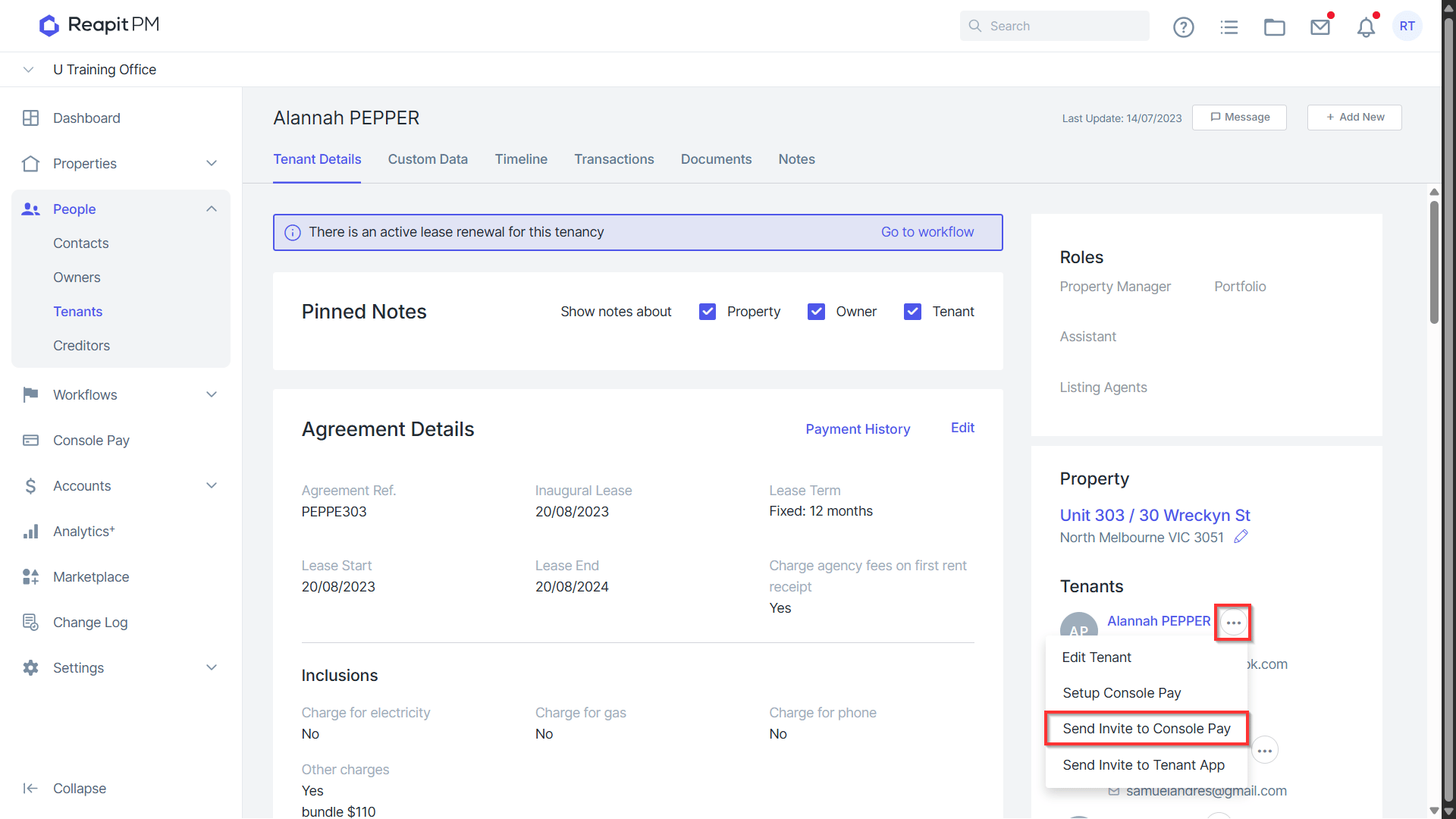
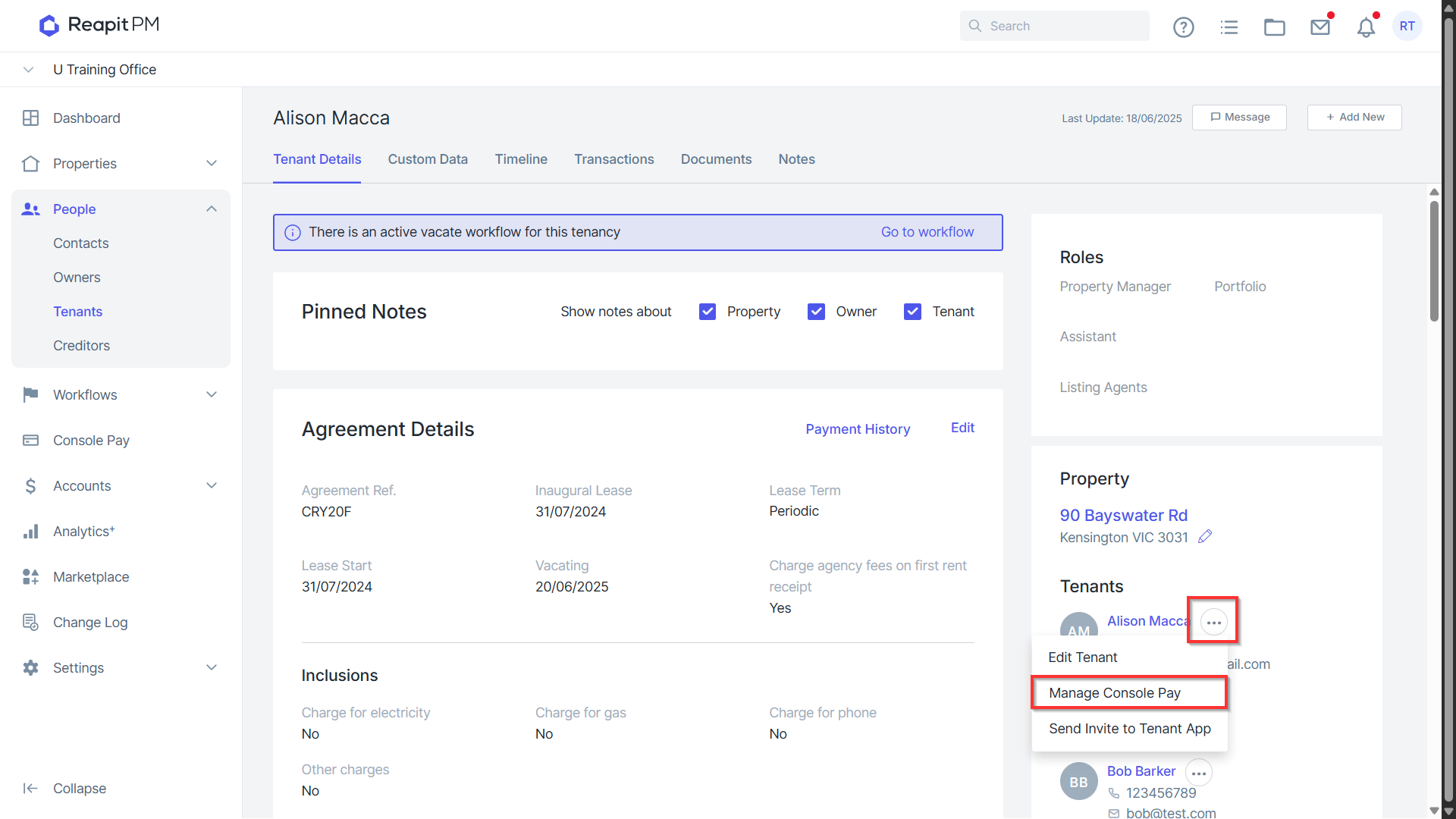
Within the tenancy agreement navigate to the Contact > 3 Dots > Send Invite to Console Pay
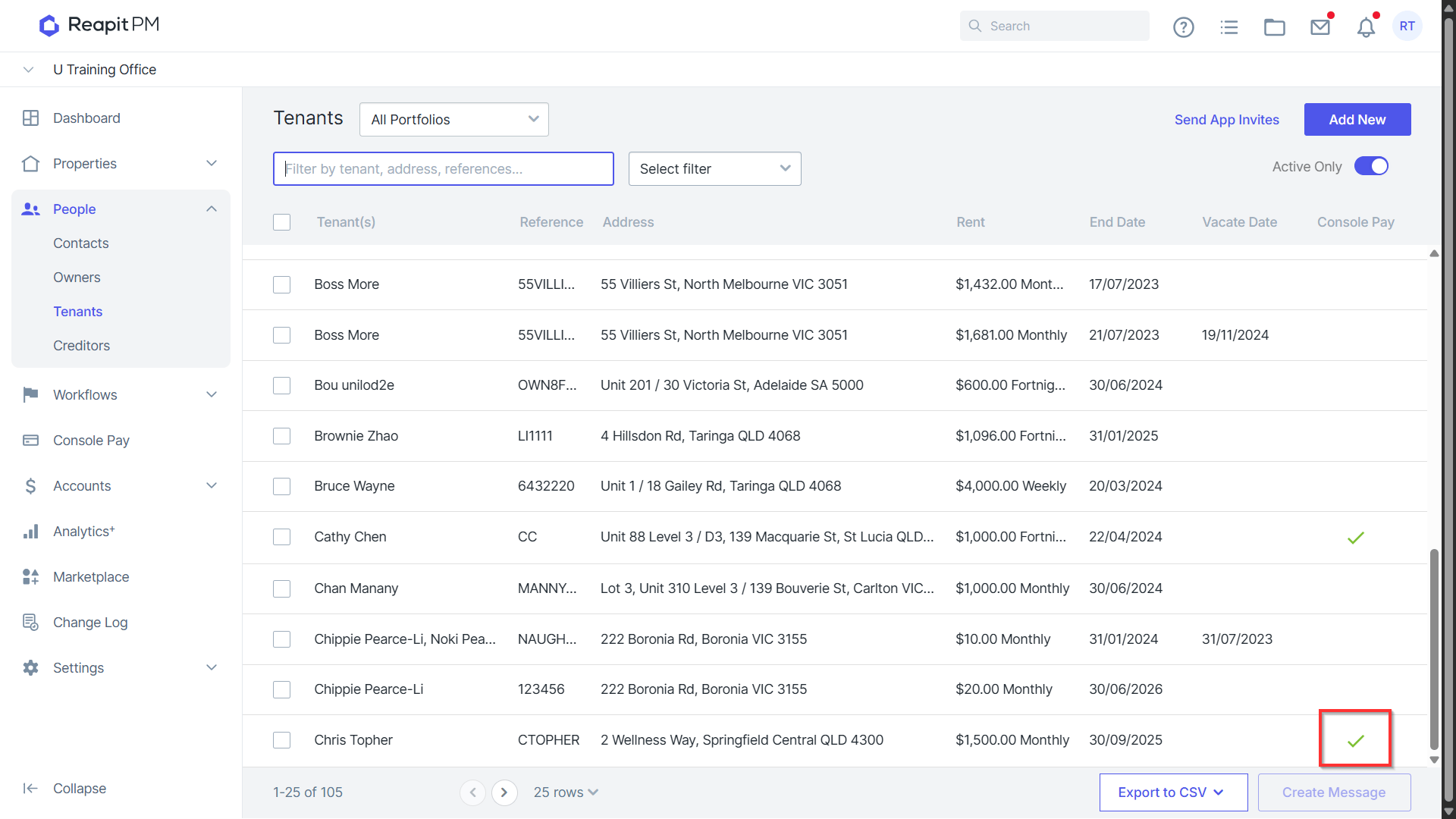
The tenant will receive an invite to the Console Pay platform and will be prompted to enter Direct Debit information. Once the tenant is active in Console Pay a green tick will appear next to the tenancy from within the tenant list and you can proceed to set up the recurring invoices and payment schedule.
Navigate to the Tenancy Agreement > Edit and then navigate to recurring Outgoings. Click to Create recurring invoices to tenant then confirm the frequency, invoice dates, paid to, and dissections. Click Save & View.
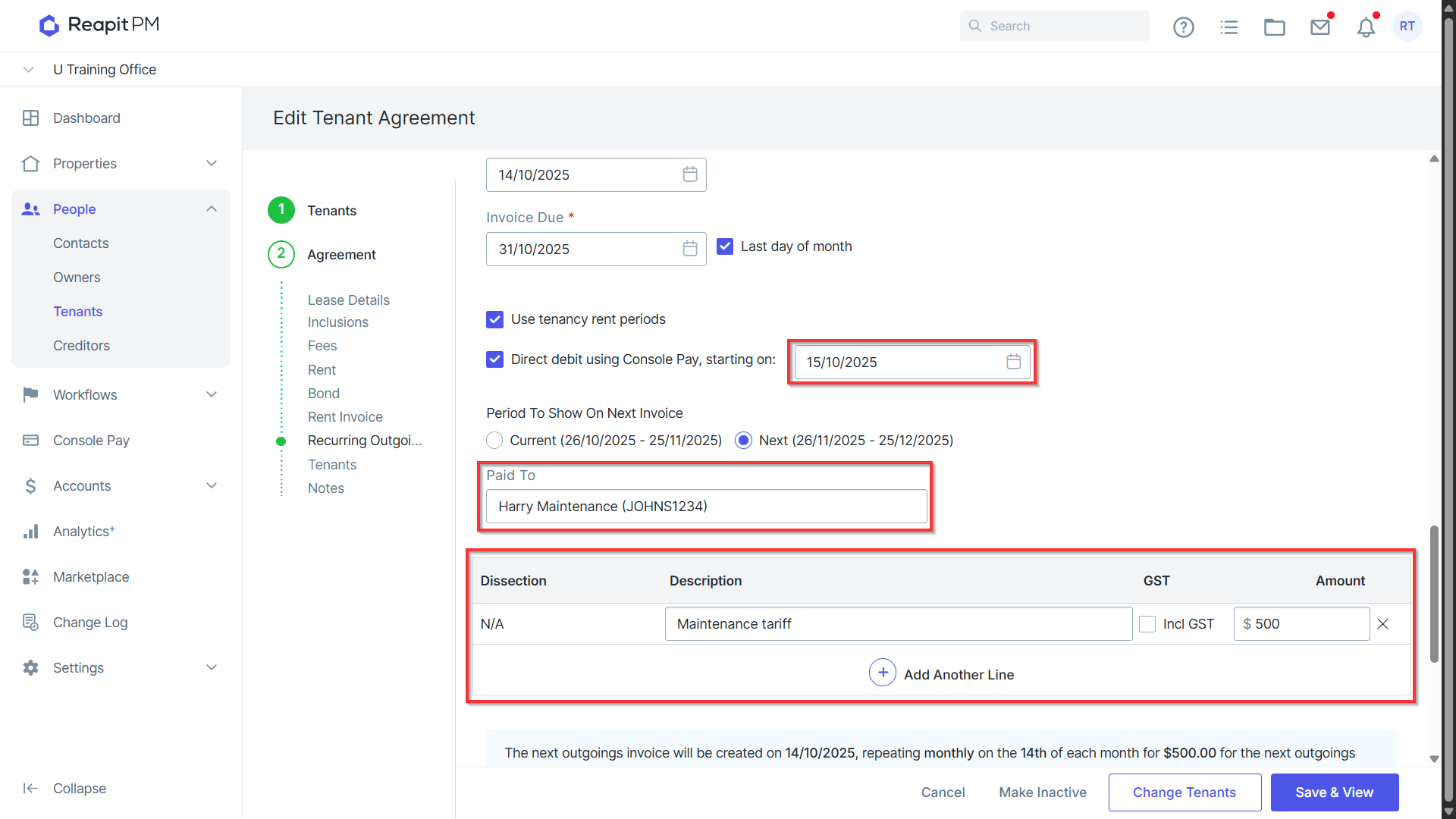
Debit dates will automatically default to paid to date + 1 provided minimum notice for trigger dates. If the required notice period for invoice creation is not met and the period for the invoice defaults to a future period not current, proceed with the set up and then follow steps 7 - 10 to raise an invoice for the current period and debit from the tenancy.
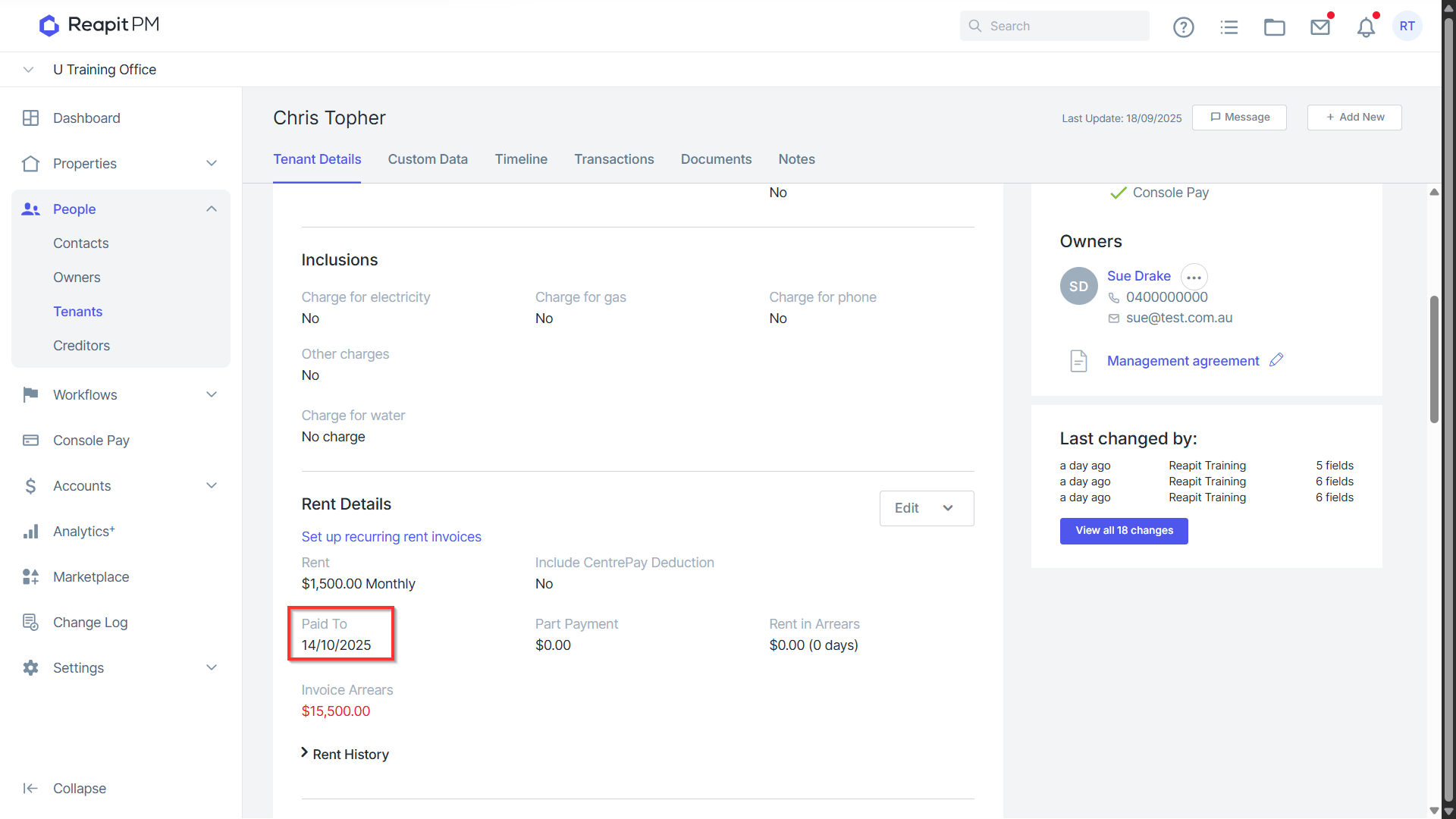
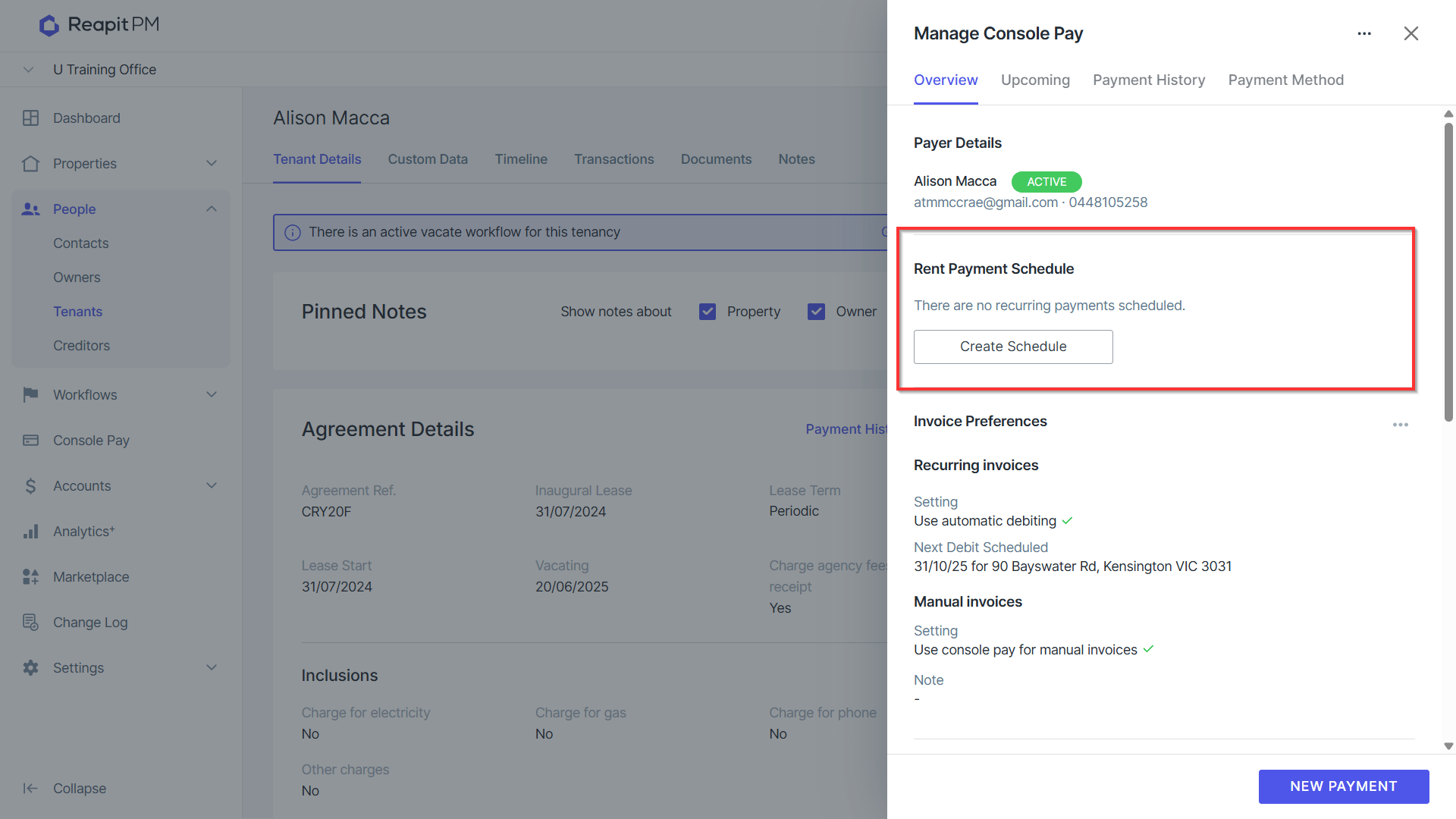
Then ensure the direct debit schedule aligns to the paid to date + 1 by navigating to the tenancy contact > 3 dots > manage console pay.
Click Create Schedule.
Due dates, frequency and rental amounts will automatically prepopulate allowing you to simply hit create.
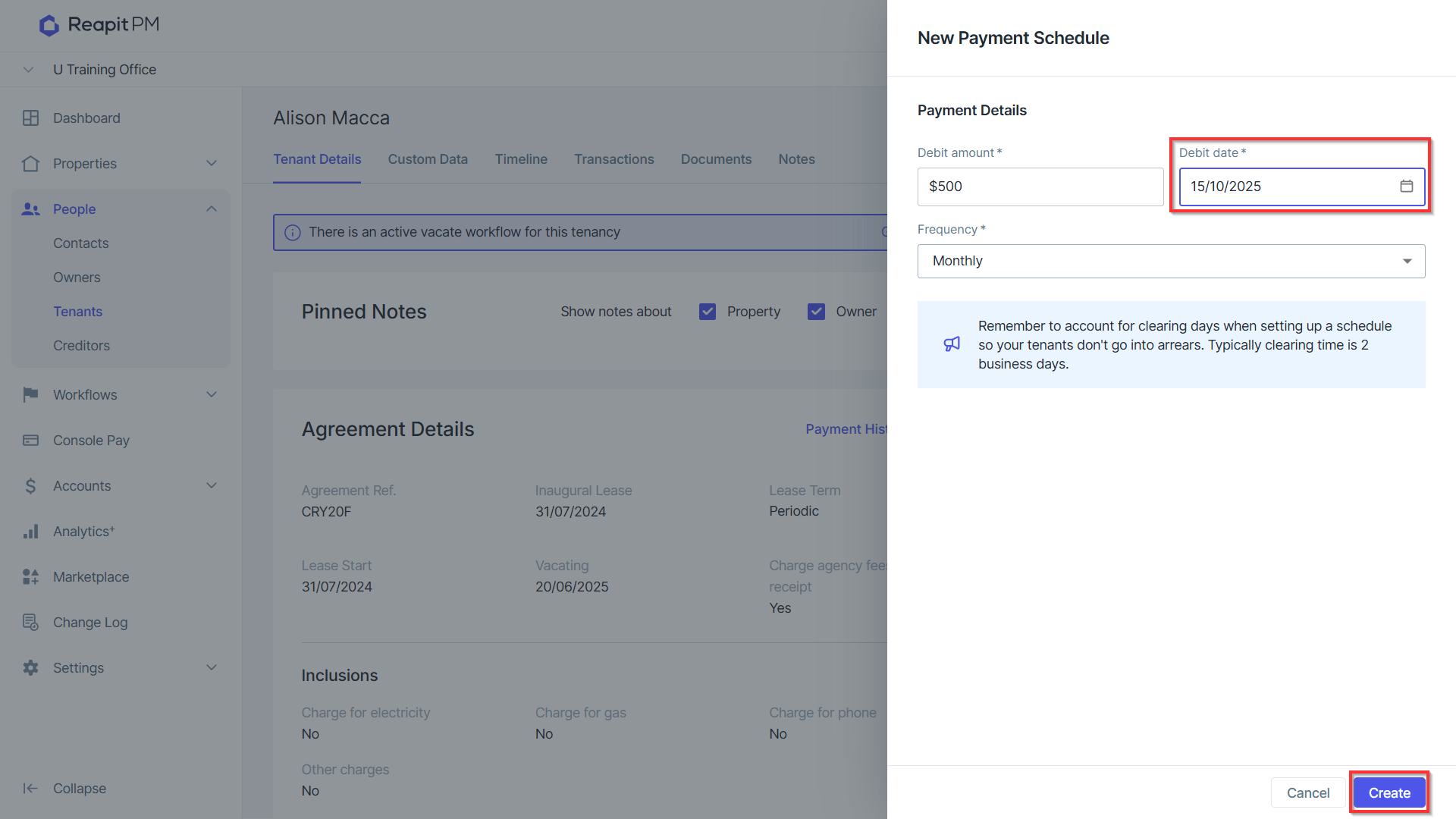
Multiple Debits scheduled on the same date, as above, will combine into single debits. These will appear as a Rent + Invoice Debit in the Upcoming Tab.
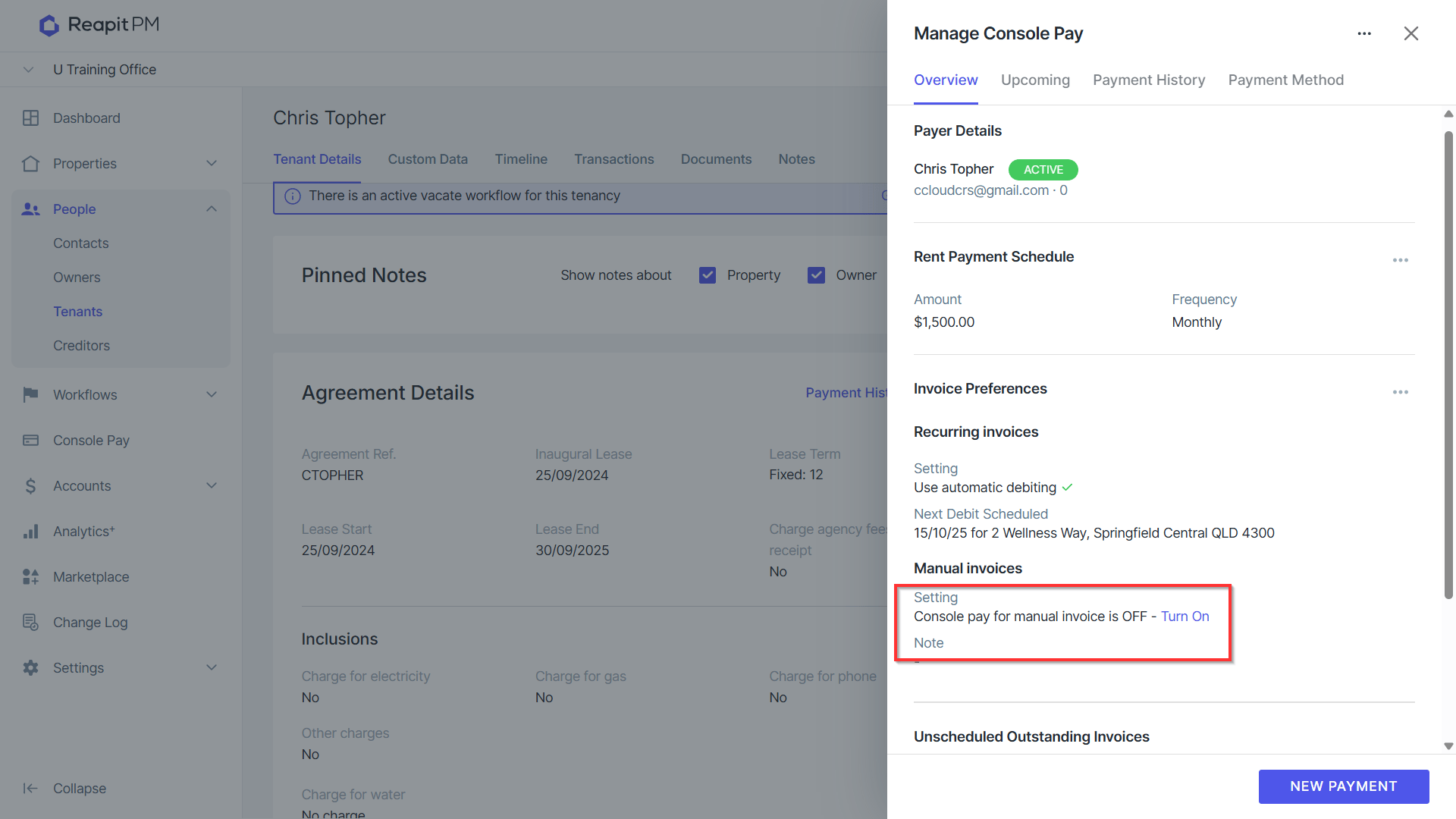
To set up an adhoc invoice for any shortfall it is recommended that you first set up the tenancy to allow for Manual Invoice debits by navigating to the 3 dots next to the tenancy contact > Manage Console Pay > Manual Invoices.
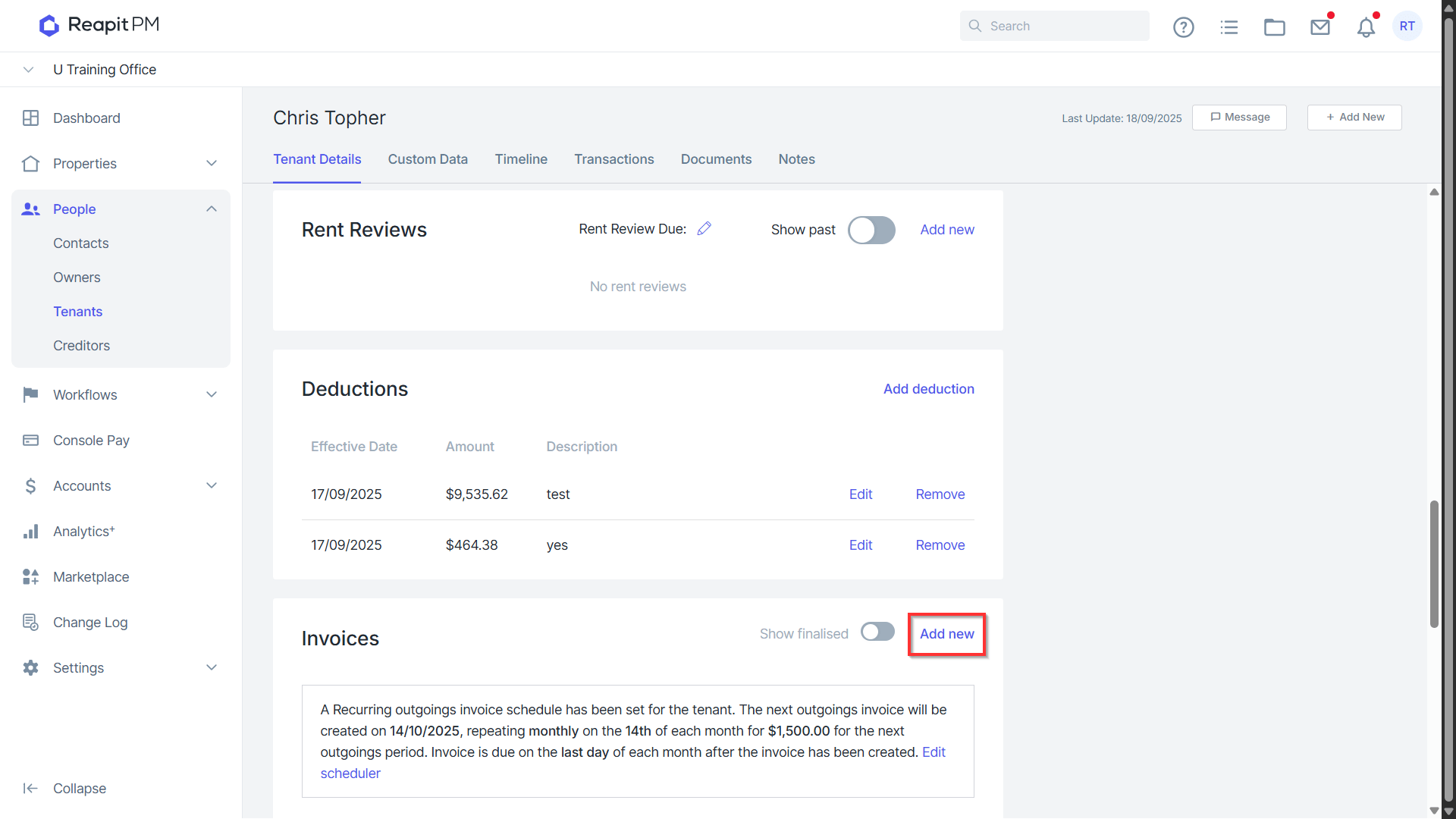
On the Tenancy Profile navigate to Invoices > Add New.
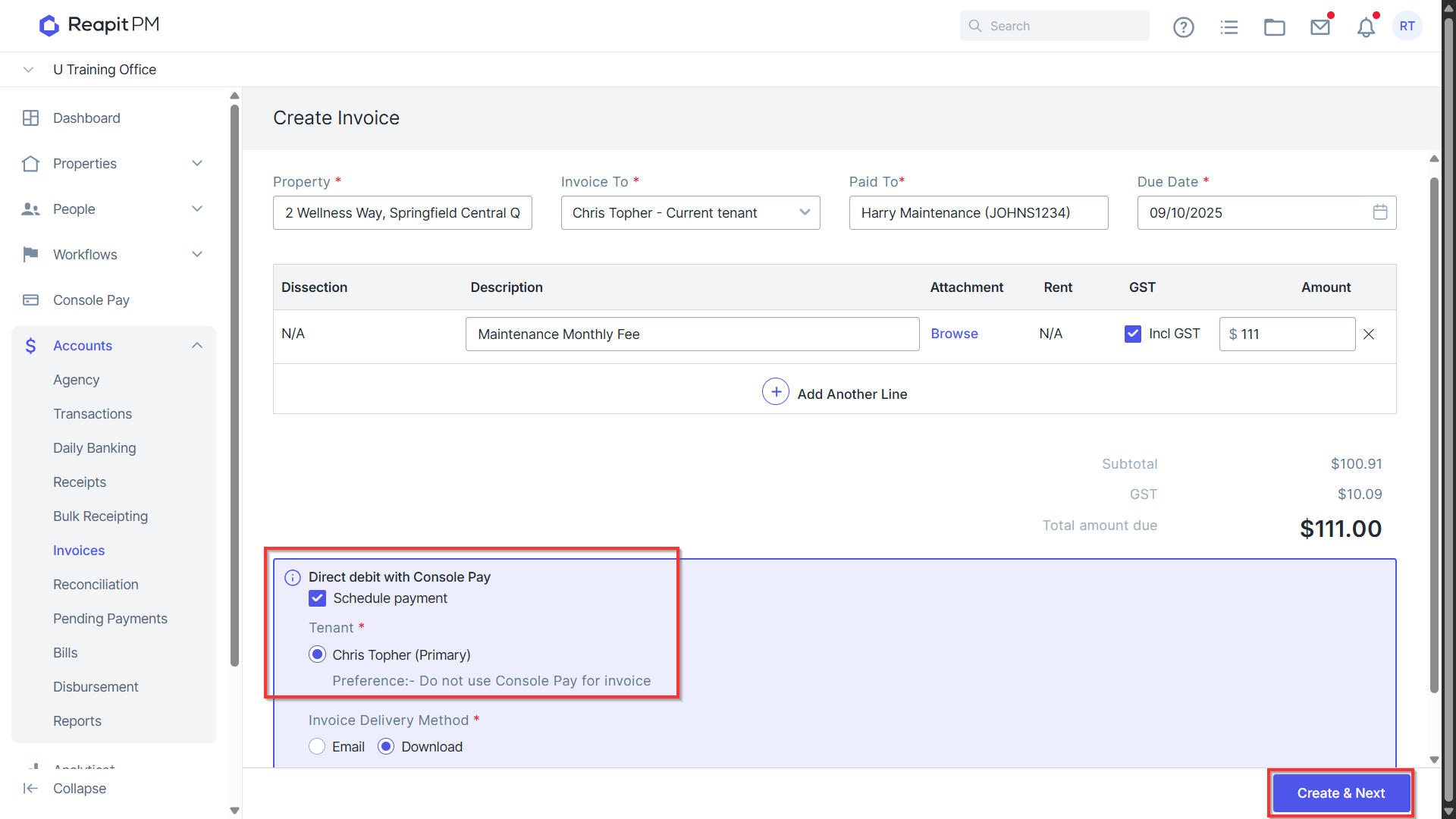
Enter the correct paid to, due date, description and amount. Ensure that Direct Debit with Console Pay is selected and hit Create & Next
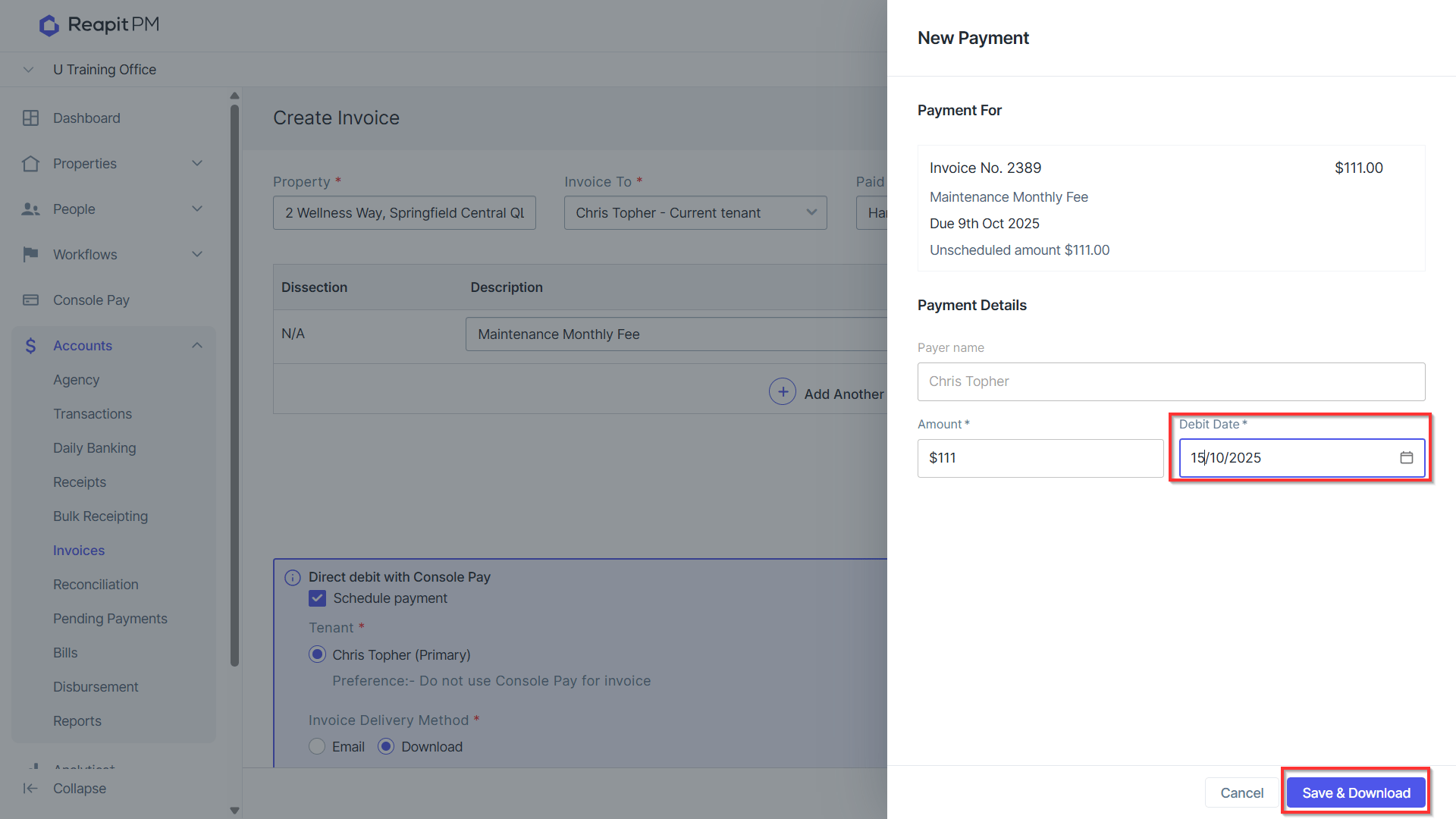
Enter or confirm the debit date and click Save or Save & Download. If this is for the current period, take note of the due dates and debit dates of the tenants rent cycle. You can manually update the debit date to align to paid to date + 1 as required.