'%20d='M0%208a8%208%200%200%201%208-8h24a8%208%200%200%201%208%208v24a8%208%200%200%201-8%208H8a8%208%200%200%201-8-8V8Z'/%3e%3cpath%20fill='%23fff'%20d='M8.375%2013v14L20.5%2034l12.124-7v-7.737l-1.687-.975-2.806-1.62-1.082-.624v4.83l-.002%204.83H13.95V16.07l3.275-1.89%202.192-1.265%201.082-.625%203.275%201.877%202.192%201.256%201.083.62V9.782L20.5%206%208.376%2013Z'/%3e%3cdefs%3e%3clinearGradient%20id='reapit-pm__a'%20x1='20.702'%20x2='20.702'%20y1='.351'%20y2='31.228'%20gradientUnits='userSpaceOnUse'%3e%3cstop%20stop-color='%235573FD'/%3e%3cstop%20offset='.575'%20stop-color='%234E56EA'/%3e%3c/linearGradient%3e%3c/defs%3e%3c/svg%3e)
End of Financial Year Fees
This article will take you through how to create an End of Financial Year Fee. The process in this article include: Create an EOFY Fee Apply EOFY Fee to Managements
Overview
End of Financial Year Fees
Should your Agency charge an End of Financial year fee, this can be set in Reapit PM to charge on a yearly schedule, charging the same date every year.
The process in this article include:
- Create an EOFY Fee
- Apply EOFY Fee to Managements
Create an EOFY Fee
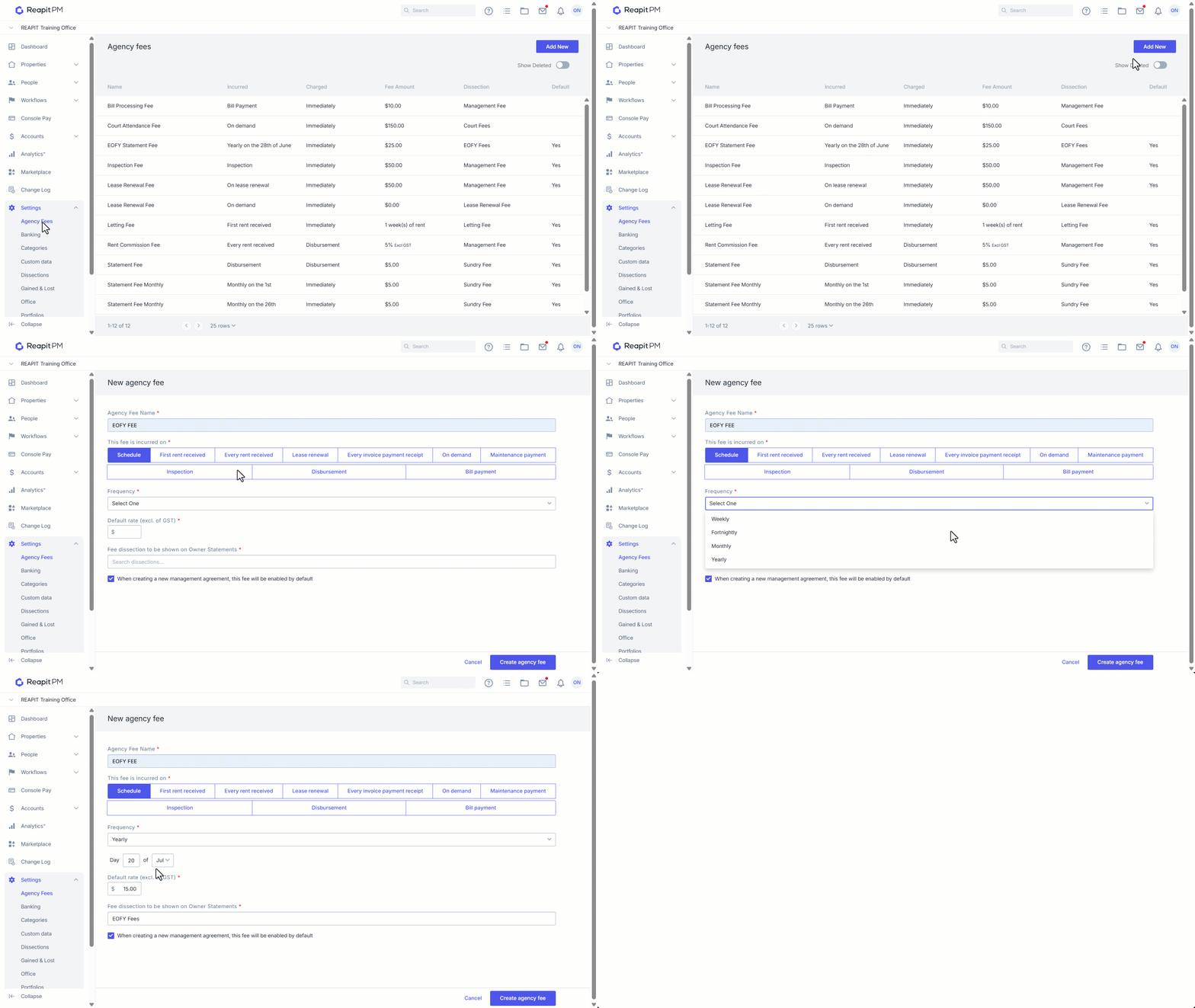
- Click on Settings.
- Click on Agency Fees.
- Click on Add New.
- Enter a Fee Name and select Schedule.
- Set Frequency to Yearly and then enter date and month to charge.
- Enter your Default Rate and select the Fee dissection to be shown on owner statements.
- Select if it should apply to new managements by default
- Click on Create agency fee.
Apply EOFY Fee to Managements
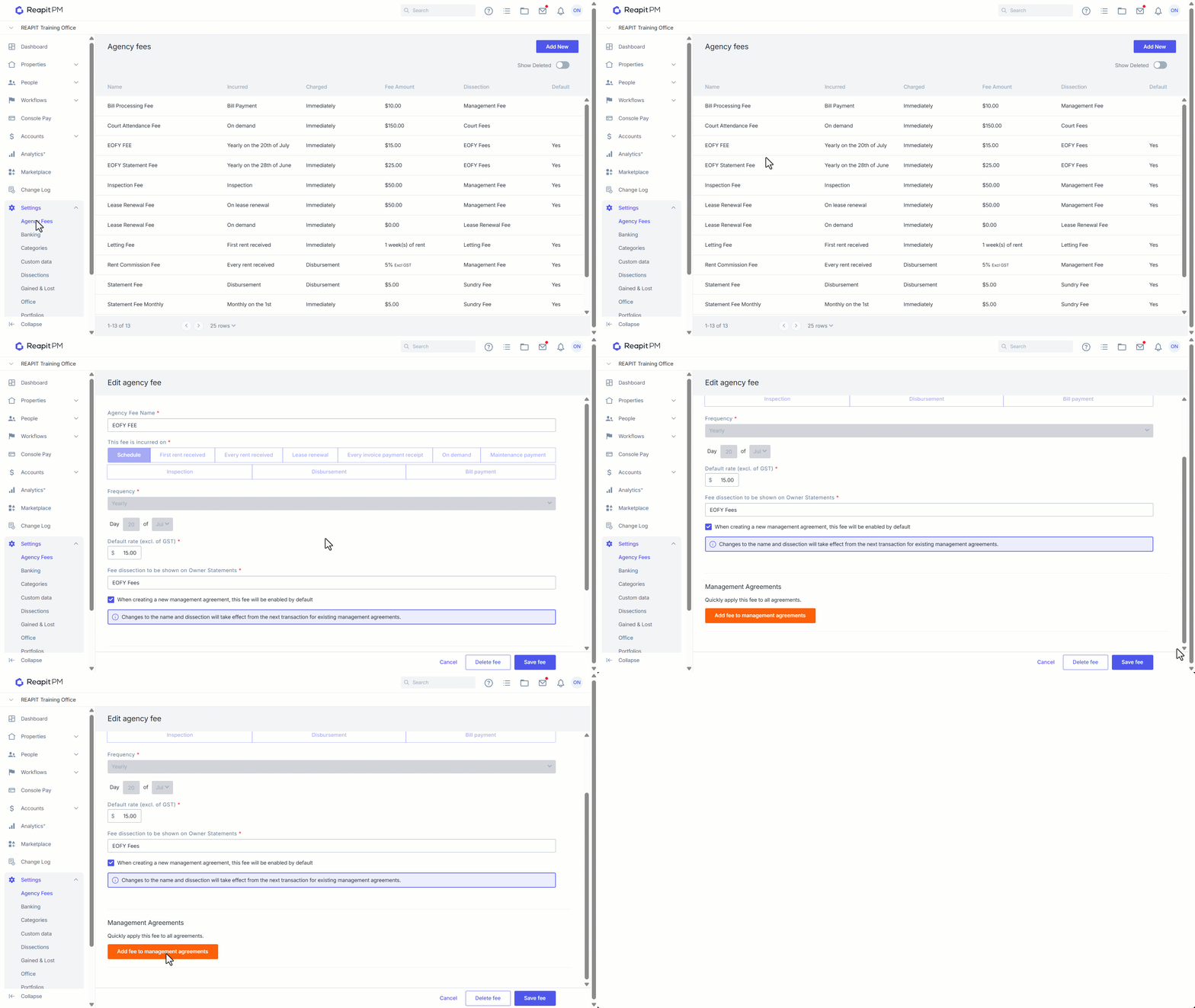
- Click on Settings.
- Click on Agency Fees.
- Select the fee.
- Click on Add fee to management agreements.
- Select whether to update the fee, if managements already have it, or keep it at the same rate.
- Click Add fee to all to confirm. A CSV of changes made will download for review.
- The fee has now applied to all Managements and can be updated against the individual agreement should an owner be exempt or have a different fee structure in place. The fee will default charge on the set date.