'%20d='M0%208a8%208%200%200%201%208-8h24a8%208%200%200%201%208%208v24a8%208%200%200%201-8%208H8a8%208%200%200%201-8-8V8Z'/%3e%3cpath%20fill='%23fff'%20d='M8.375%2013v14L20.5%2034l12.124-7v-7.737l-1.687-.975-2.806-1.62-1.082-.624v4.83l-.002%204.83H13.95V16.07l3.275-1.89%202.192-1.265%201.082-.625%203.275%201.877%202.192%201.256%201.083.62V9.782L20.5%206%208.376%2013Z'/%3e%3cdefs%3e%3clinearGradient%20id='reapit-pm__a'%20x1='20.702'%20x2='20.702'%20y1='.351'%20y2='31.228'%20gradientUnits='userSpaceOnUse'%3e%3cstop%20stop-color='%235573FD'/%3e%3cstop%20offset='.575'%20stop-color='%234E56EA'/%3e%3c/linearGradient%3e%3c/defs%3e%3c/svg%3e)
Setting up SMS - Inbound & Outbound
Reapit PM Inbound SMS can be set up for premium plan subscribers. Outbound SMS messaging is standard for all Reapit PM plans. This article will walk you through how to set up and configure Inbound and Outbound SMS for your business.
Overview
Setting up SMS - Inbound & Outbound
Reapit PM Inbound SMS can be set up for premium plan subscribers. Outbound SMS messaging is standard for all Reapit PM plans. This article will walk you through how to set up and configure Inbound and Outbound SMS for your business.
Setting up Outbound SMS
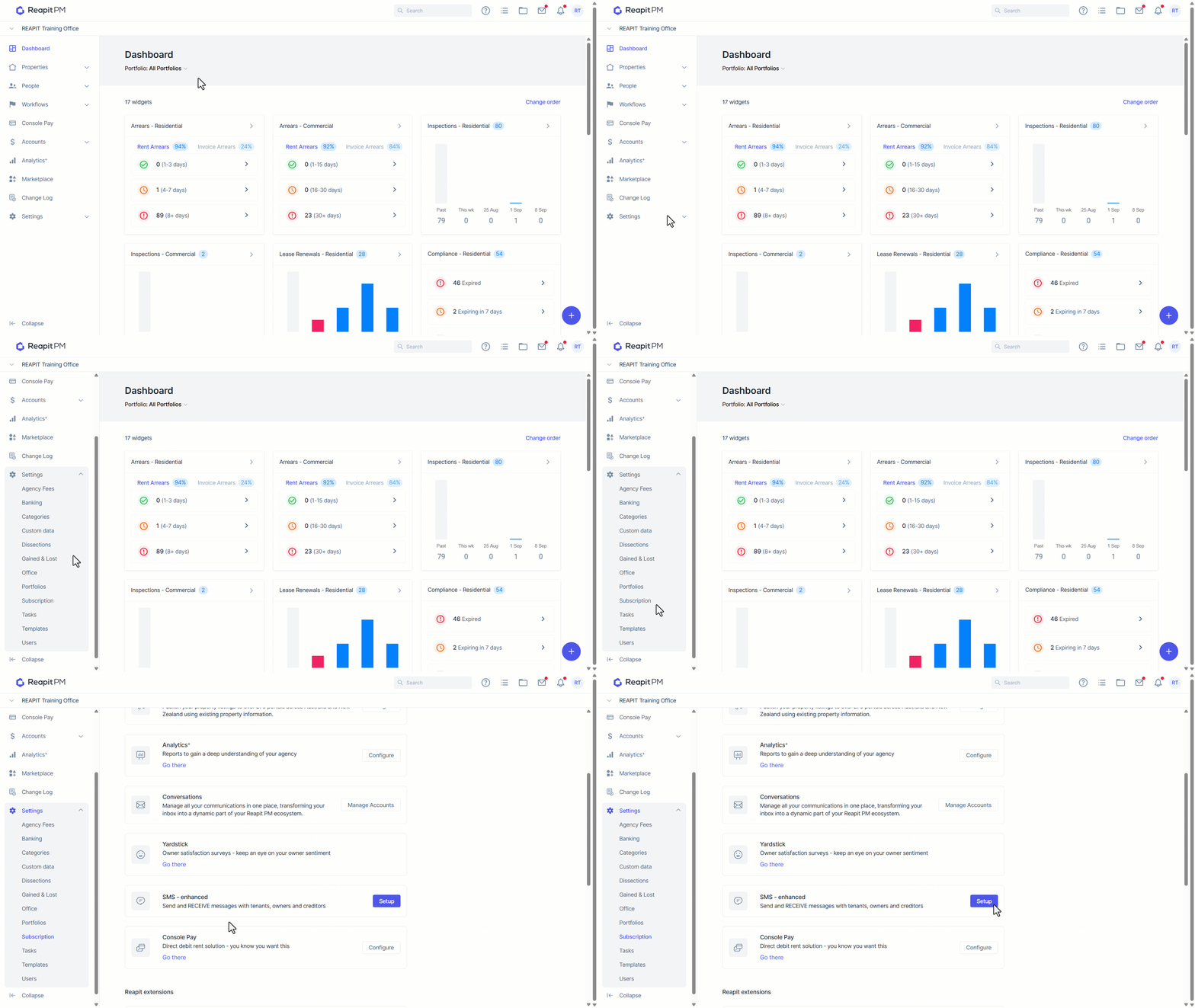
- Navigate to Settings > Subscription and click SMS - enhanced.
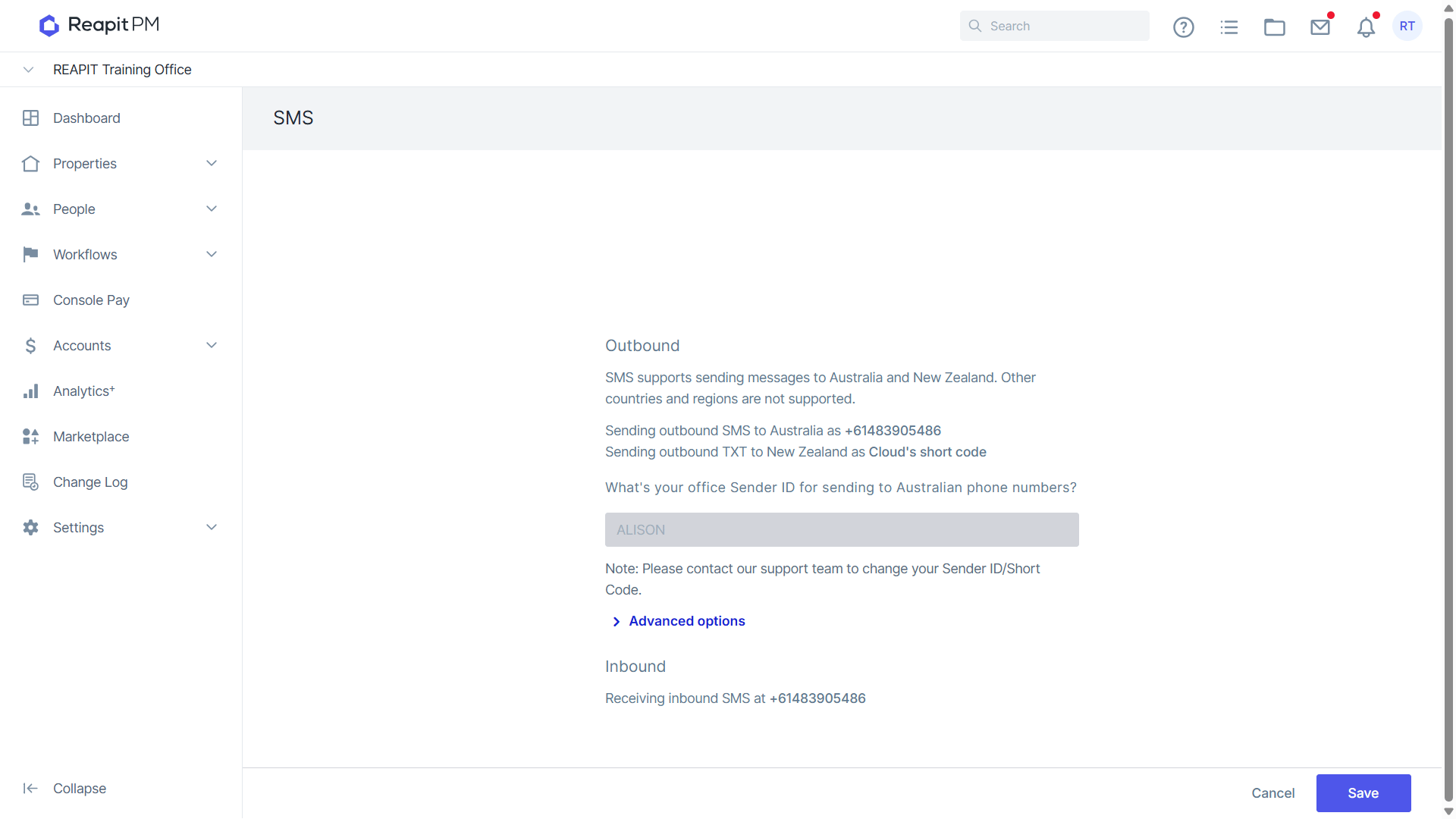
- Your SMS Sender ID must be registered with our SMS provider. If you are a new office, your onboarding team will assist you with this. If you wish to edit your existing Sender ID please contact our support team for assistance.
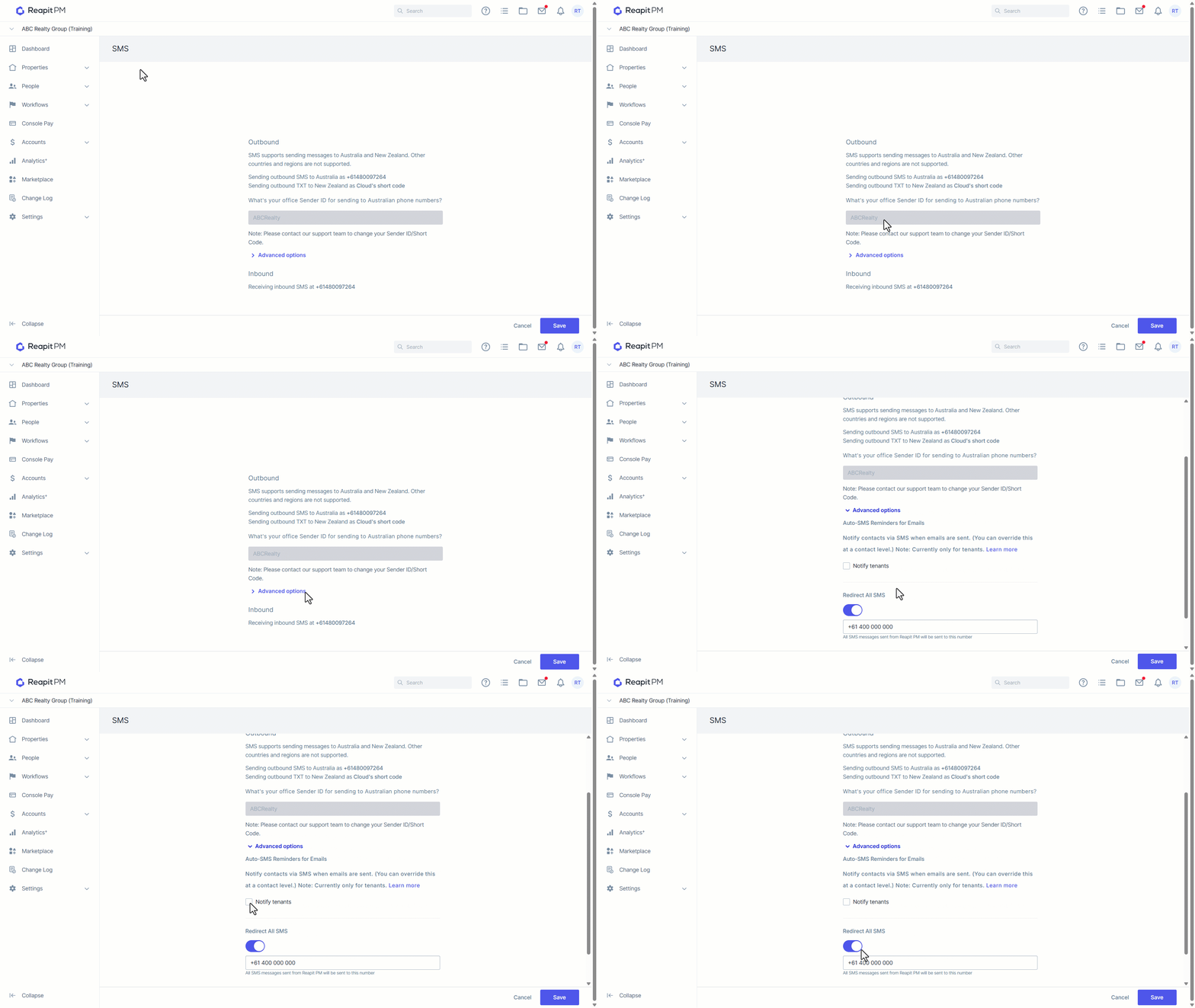
- From the Advanced Options drop-down, you can enable Notify tenants, which, when ticked, will automatically send an SMS when an email is sent to tenants. Additionally, you can set up Redirect all SMS, which redirects all outbound SMS messages to a nominated number.
Setting up Inbound SMS
- To set up Inbound SMS, click Set up under the Inbound heading.
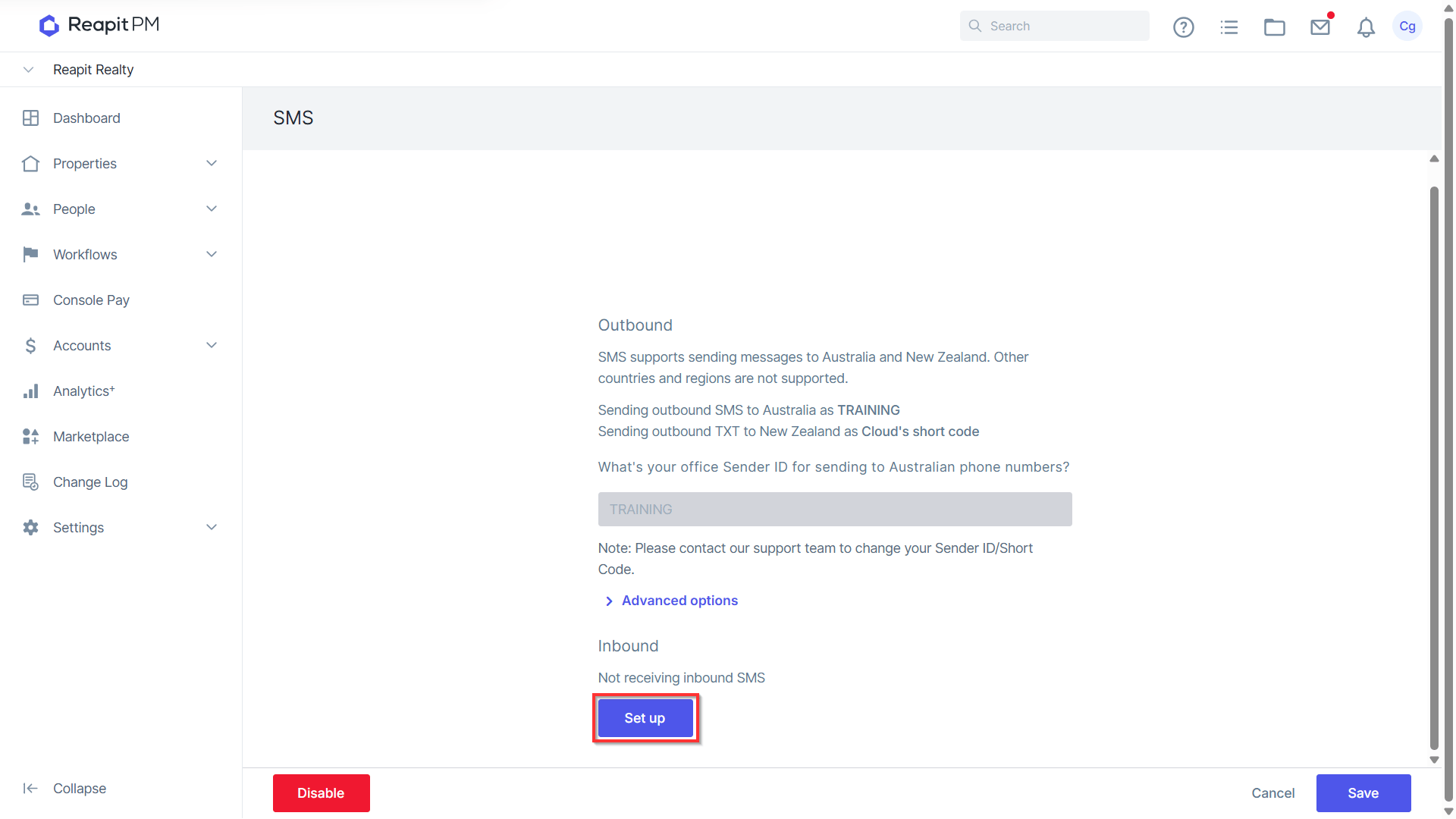
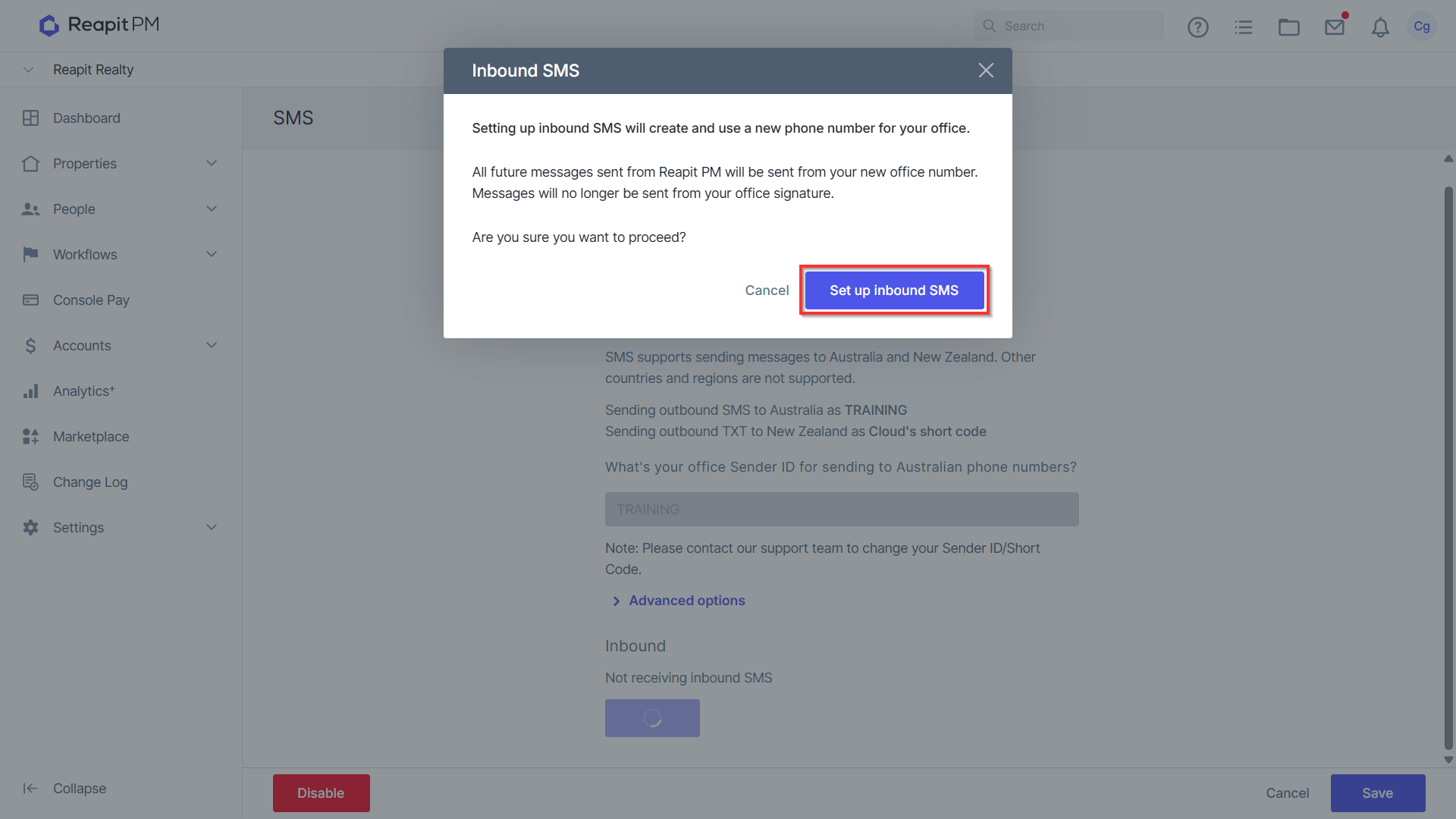
- Read the warning carefully and click Set up inbound SMS when ready to proceed.
- A phone number has now been assigned to your office and will now be used for outbound and inbound SMS messages.