'%20d='M0%208a8%208%200%200%201%208-8h24a8%208%200%200%201%208%208v24a8%208%200%200%201-8%208H8a8%208%200%200%201-8-8V8Z'/%3e%3cpath%20fill='%23fff'%20d='M8.375%2013v14L20.5%2034l12.124-7v-7.737l-1.687-.975-2.806-1.62-1.082-.624v4.83l-.002%204.83H13.95V16.07l3.275-1.89%202.192-1.265%201.082-.625%203.275%201.877%202.192%201.256%201.083.62V9.782L20.5%206%208.376%2013Z'/%3e%3cdefs%3e%3clinearGradient%20id='reapit-pm__a'%20x1='20.702'%20x2='20.702'%20y1='.351'%20y2='31.228'%20gradientUnits='userSpaceOnUse'%3e%3cstop%20stop-color='%235573FD'/%3e%3cstop%20offset='.575'%20stop-color='%234E56EA'/%3e%3c/linearGradient%3e%3c/defs%3e%3c/svg%3e)
Analytics+ Owner and Income Expense Report
This article will cover the Owner Statement reporting for income and expenditure analysis available through Analytics + in Reapit PM.
1. Navigate to Analytics.
2. Click Reports.
3. Click Owner.
4. Click Owner Statement.
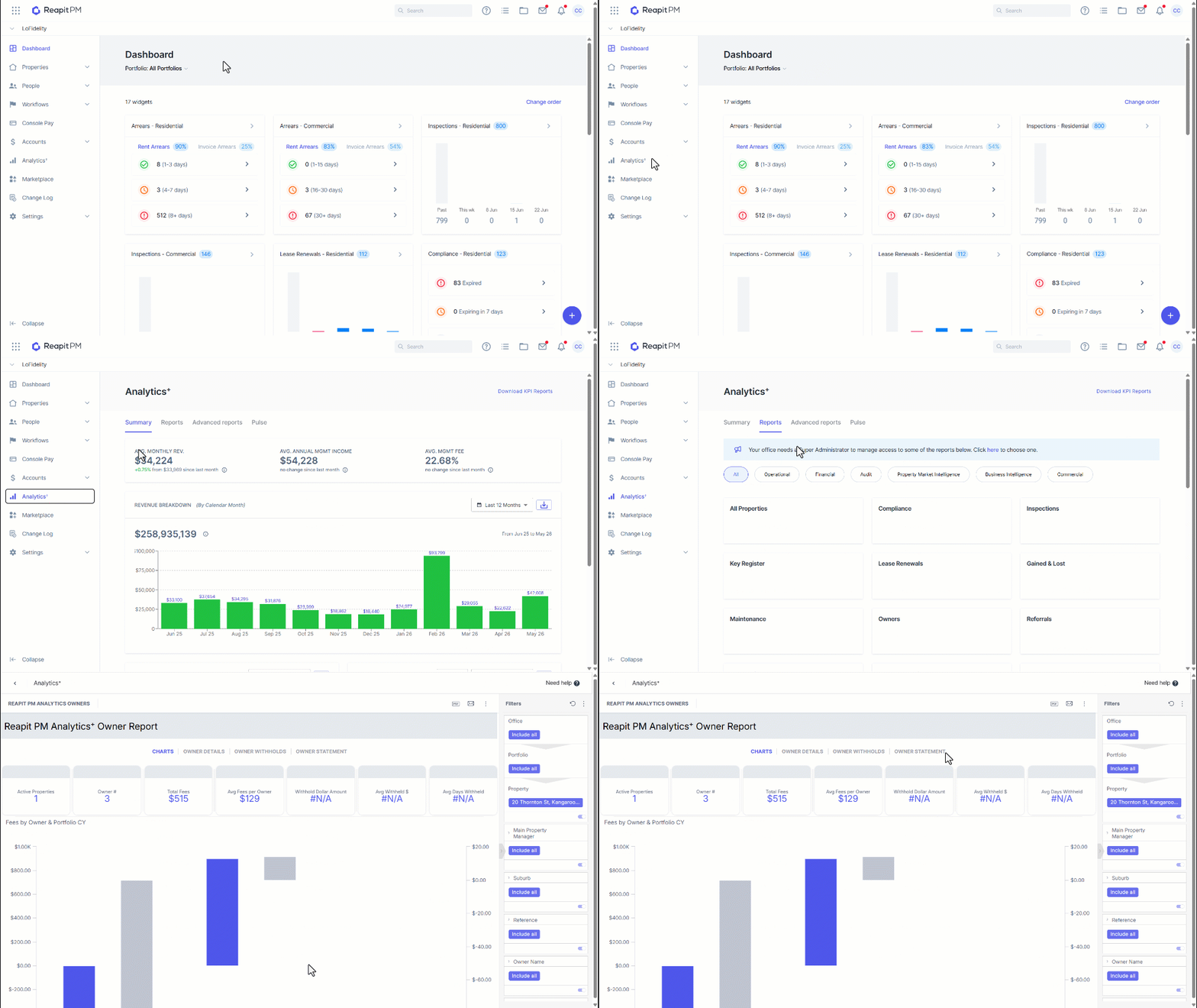
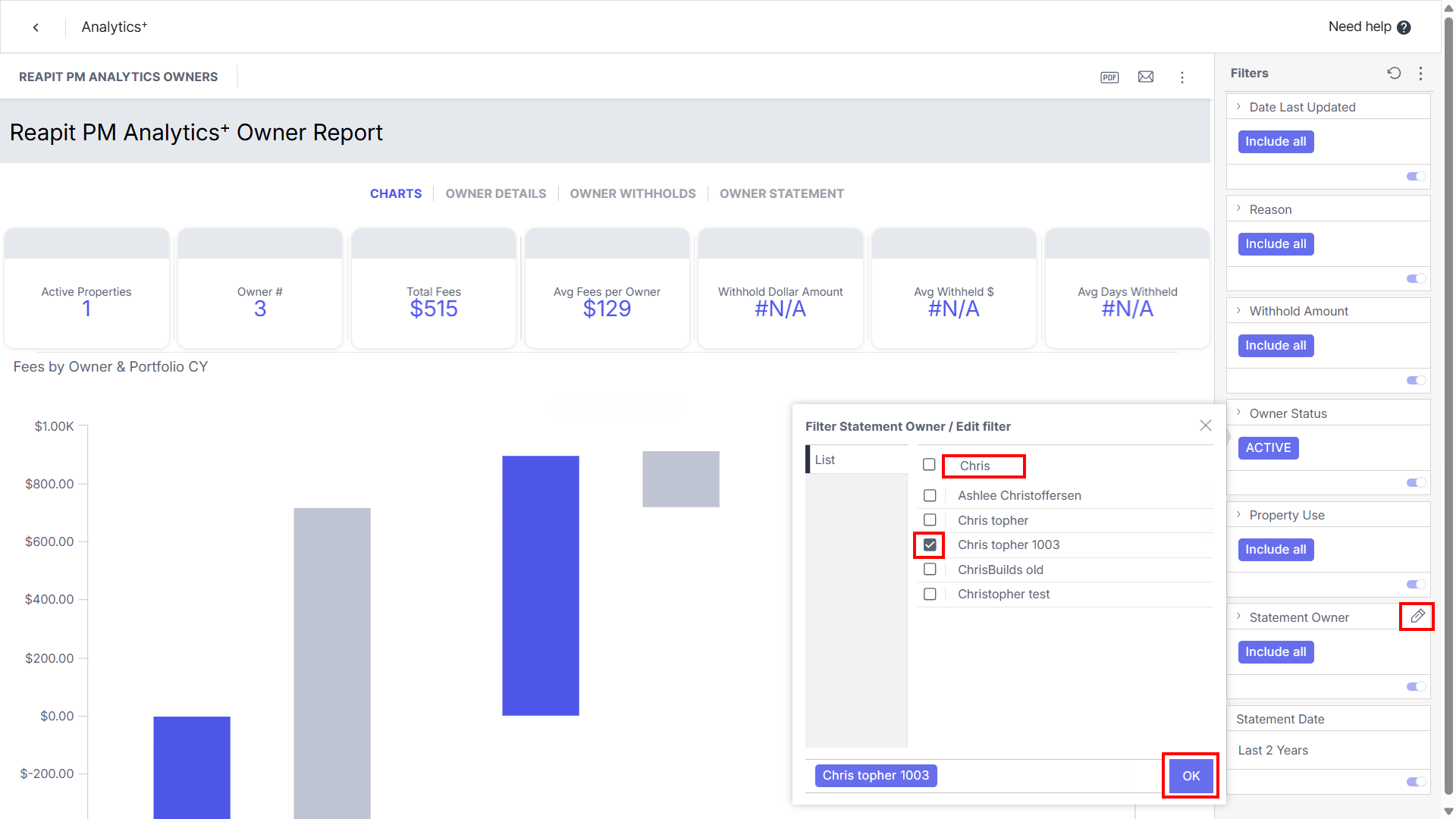
5. Using the filters on the right side, locate and click on the pencil for Statement Owner.
6. Search for the required Owner and click OK.
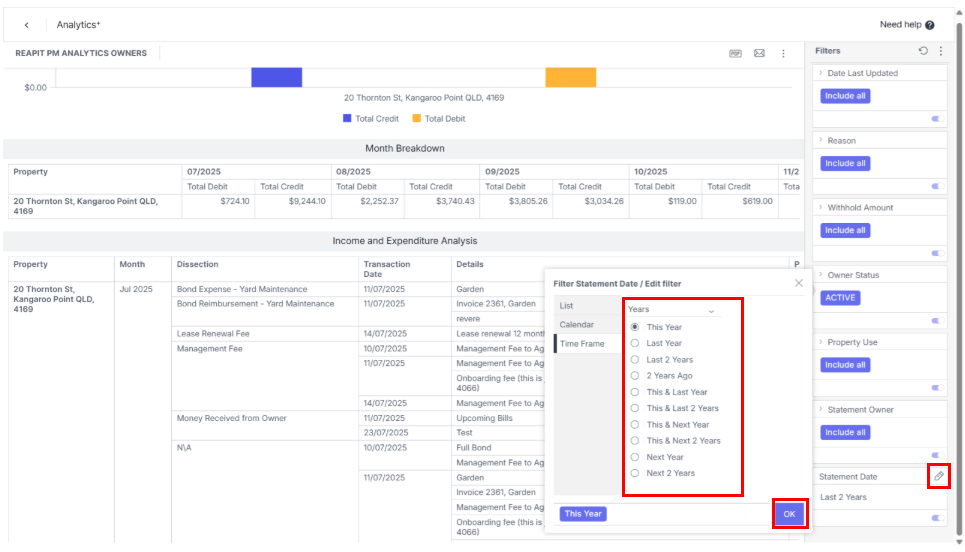
7. Click the Pencil for Statement Date.
8. Update the filter to the desired statement period. Click OK.
9. The bottom half of the report table will display the Month Breakdown based on the statement date selected, along with the Income and Expenditure analysis, providing a detailed breakdown.
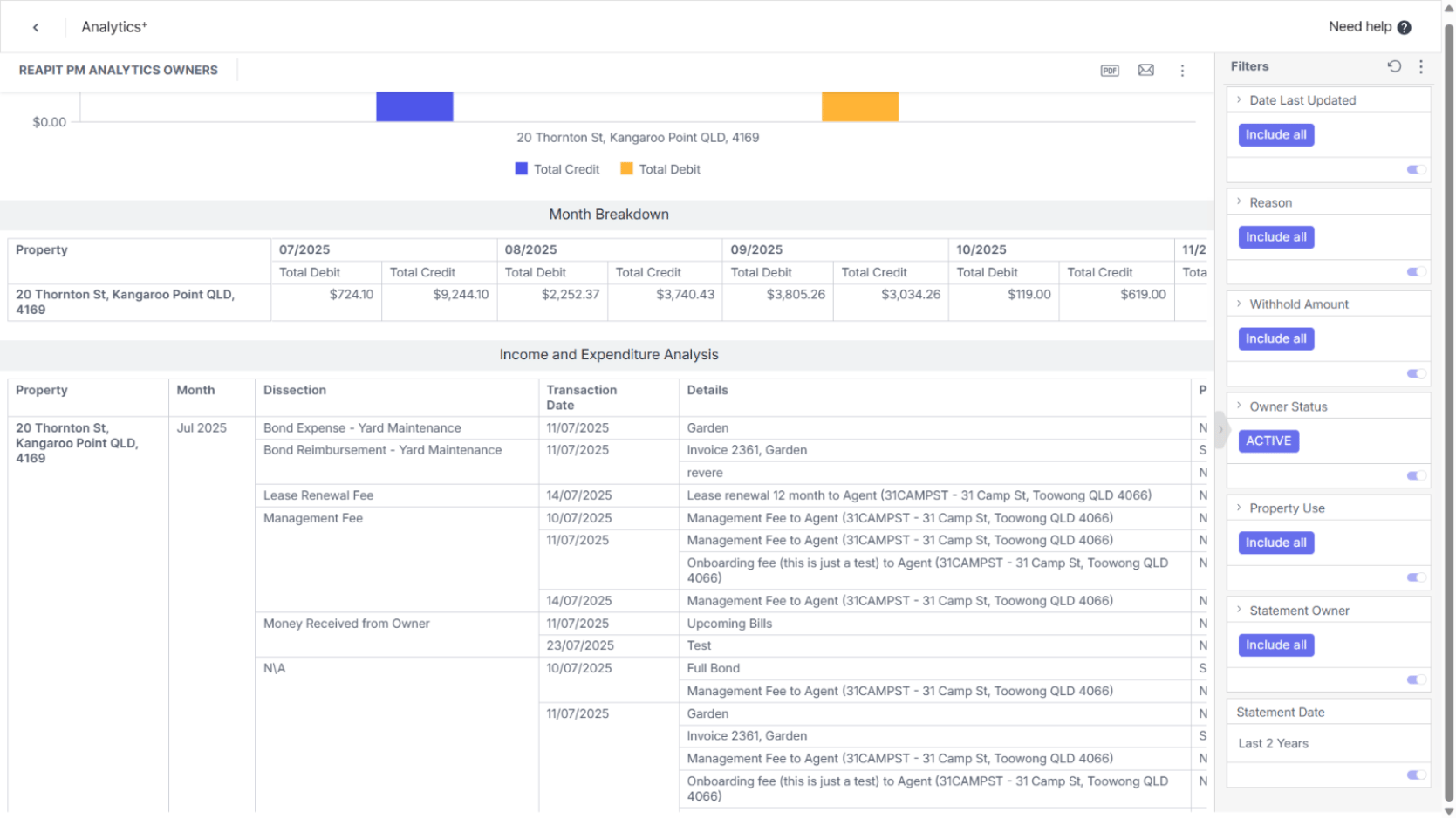
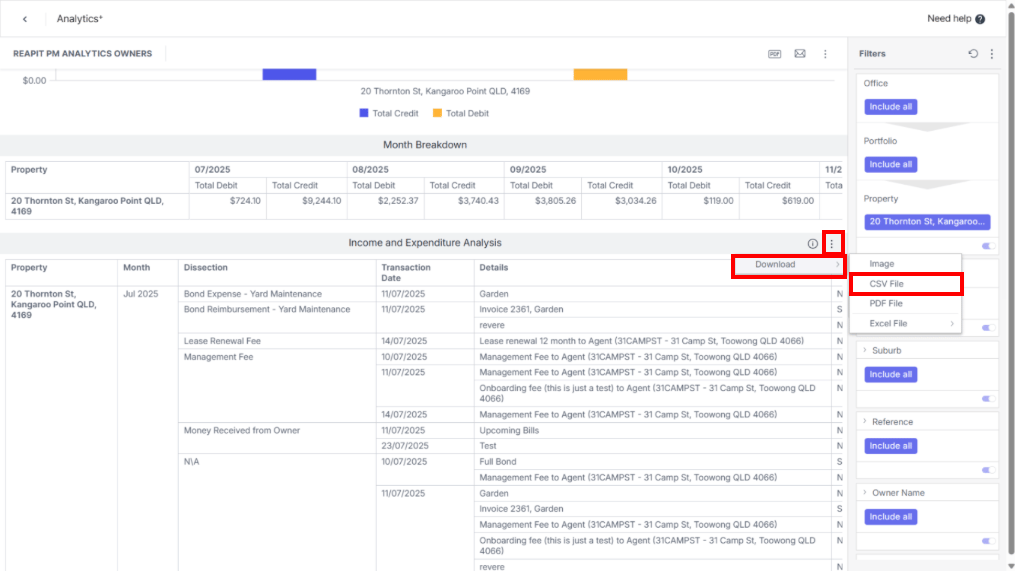
10. To export this data, place your cursor on the top right of the Income and Expenditure Analysis table and click the three dots.
11. Click Download and select CSV file.