'%20d='M0%208a8%208%200%200%201%208-8h24a8%208%200%200%201%208%208v24a8%208%200%200%201-8%208H8a8%208%200%200%201-8-8V8Z'/%3e%3cpath%20fill='%23fff'%20d='M8.375%2013v14L20.5%2034l12.124-7v-7.737l-1.687-.975-2.806-1.62-1.082-.624v4.83l-.002%204.83H13.95V16.07l3.275-1.89%202.192-1.265%201.082-.625%203.275%201.877%202.192%201.256%201.083.62V9.782L20.5%206%208.376%2013Z'/%3e%3cdefs%3e%3clinearGradient%20id='reapit-pm__a'%20x1='20.702'%20x2='20.702'%20y1='.351'%20y2='31.228'%20gradientUnits='userSpaceOnUse'%3e%3cstop%20stop-color='%235573FD'/%3e%3cstop%20offset='.575'%20stop-color='%234E56EA'/%3e%3c/linearGradient%3e%3c/defs%3e%3c/svg%3e)
Managing your User Profile
This article will walk you through how to update your user profile and change your username and password in Reapit PM.
Managing your Users Profile
Updating your User Profile
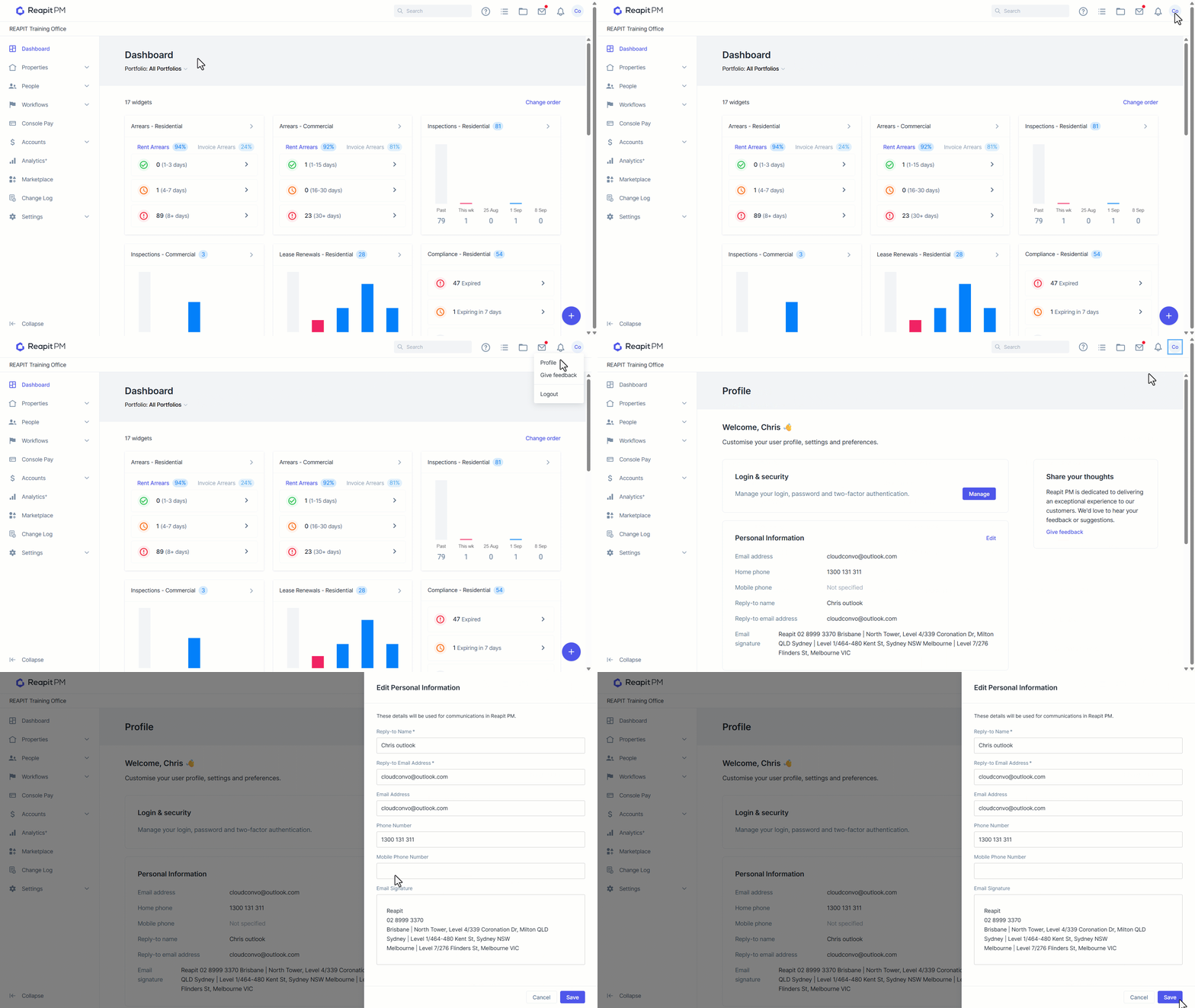
- From the Dashboard screen, navigate and click on your initials in the top right-hand corner.
- Click Profile.
- From the Communications area, press Edit.
- From this drawer, you can change your reply to name, reply to email address, email address, phone number, mobile number and email signature. Click Save.
Updating your Username and Password
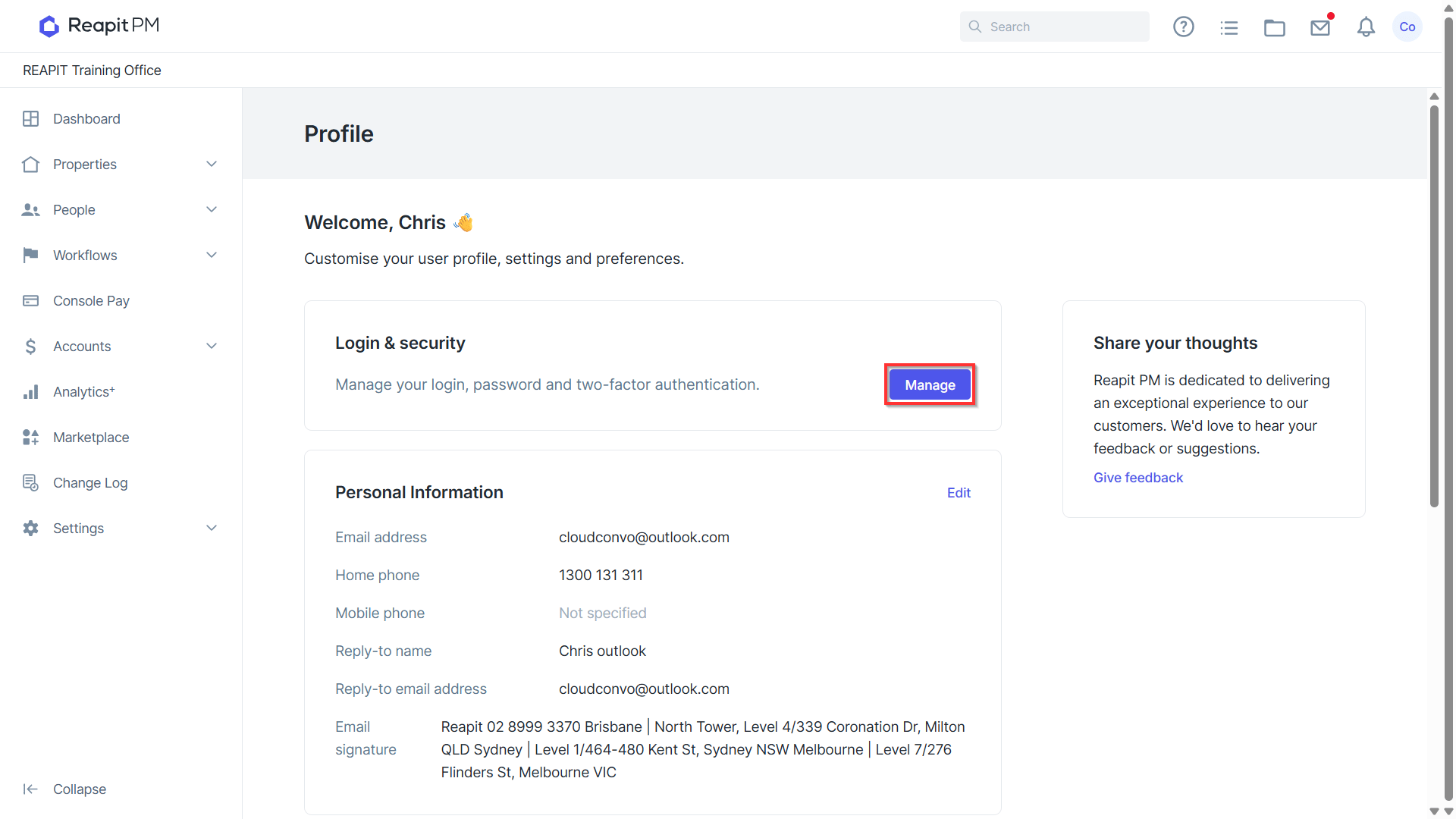
- From the Profile menu under Login & Security, select Manage.
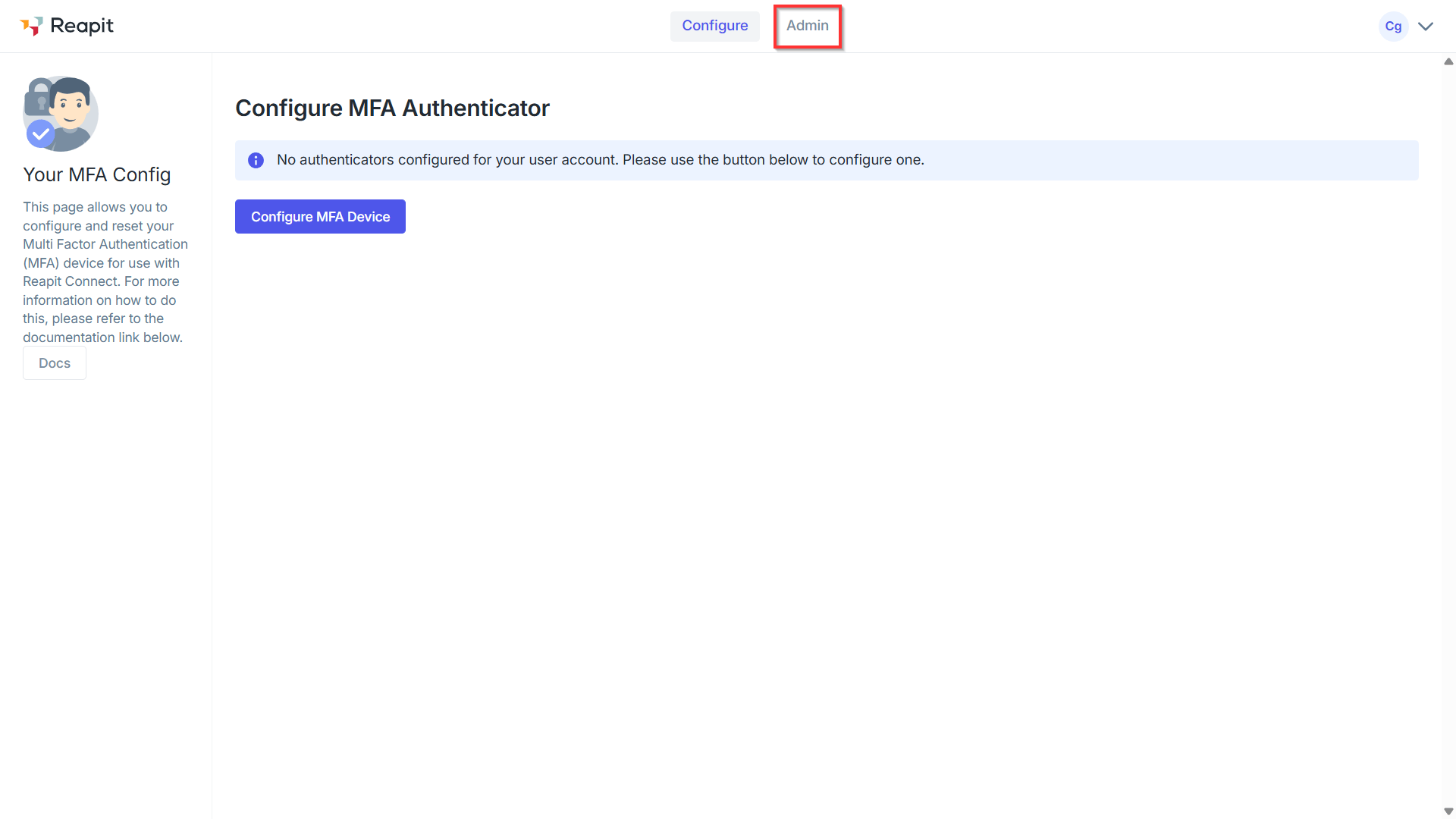
- From the Configure MFA Authenticator page, navigate to Admin.
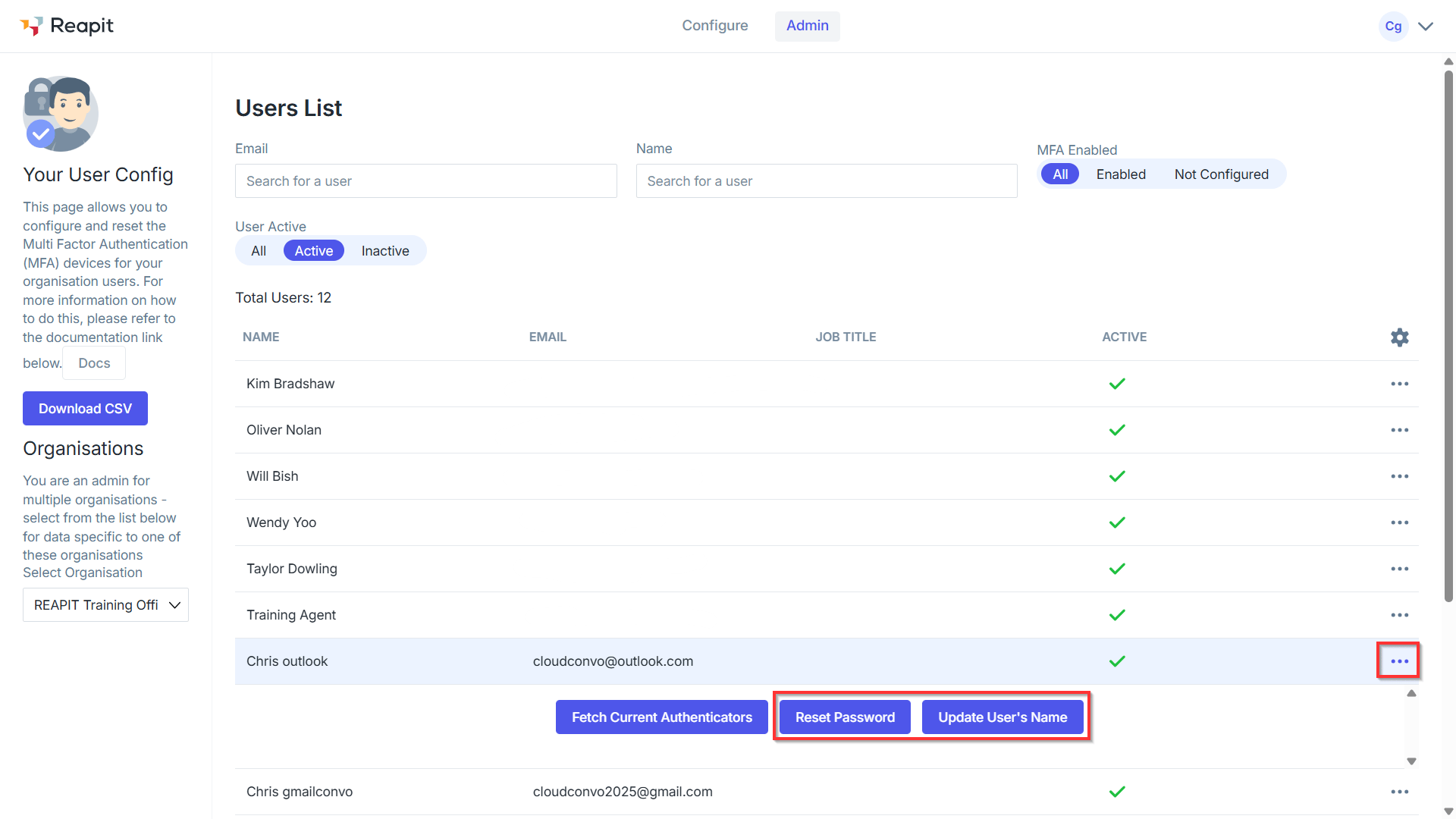
- Select the three action dots to the right of the user. You will have the option to Reset Password or Update User's Name.