'%20d='M0%208a8%208%200%200%201%208-8h24a8%208%200%200%201%208%208v24a8%208%200%200%201-8%208H8a8%208%200%200%201-8-8V8Z'/%3e%3cpath%20fill='%23fff'%20d='M8.375%2013v14L20.5%2034l12.124-7v-7.737l-1.687-.975-2.806-1.62-1.082-.624v4.83l-.002%204.83H13.95V16.07l3.275-1.89%202.192-1.265%201.082-.625%203.275%201.877%202.192%201.256%201.083.62V9.782L20.5%206%208.376%2013Z'/%3e%3cdefs%3e%3clinearGradient%20id='reapit-pm__a'%20x1='20.702'%20x2='20.702'%20y1='.351'%20y2='31.228'%20gradientUnits='userSpaceOnUse'%3e%3cstop%20stop-color='%235573FD'/%3e%3cstop%20offset='.575'%20stop-color='%234E56EA'/%3e%3c/linearGradient%3e%3c/defs%3e%3c/svg%3e)
Adding or removing a contact from a management agreement
This article will show you how to add and remove contacts from a management agreement in Reapit PM.
Overview
Adding or Removing a Contact from a Management Agreement
This article will show you how to add and remove contacts from a management agreement in Reapit PM.
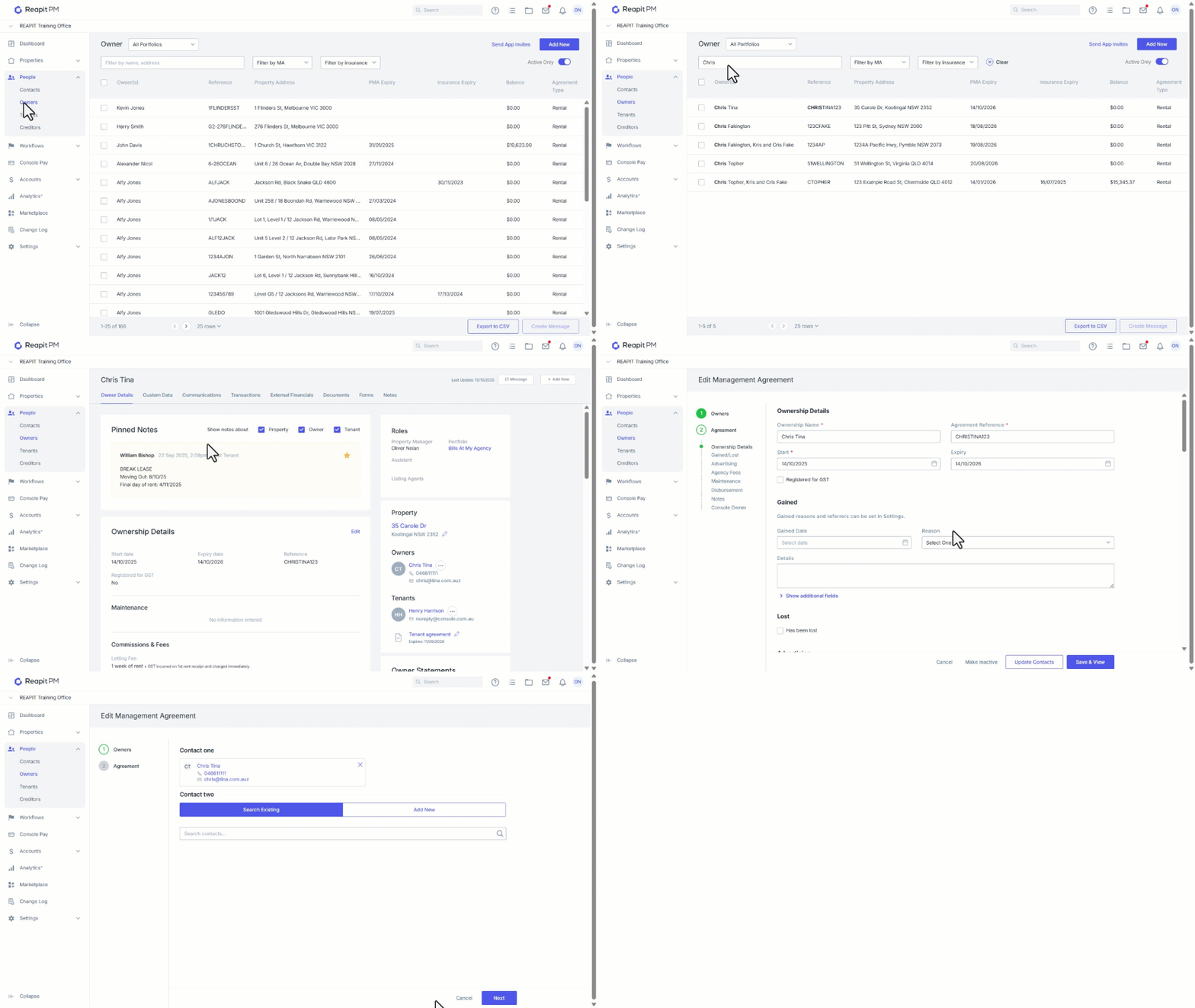
- Click on People.
- Click on Owners.
- Search and select the Management Agreement.
- Navigate to Ownership Details and click on Edit.
- Click on Update Contacts.
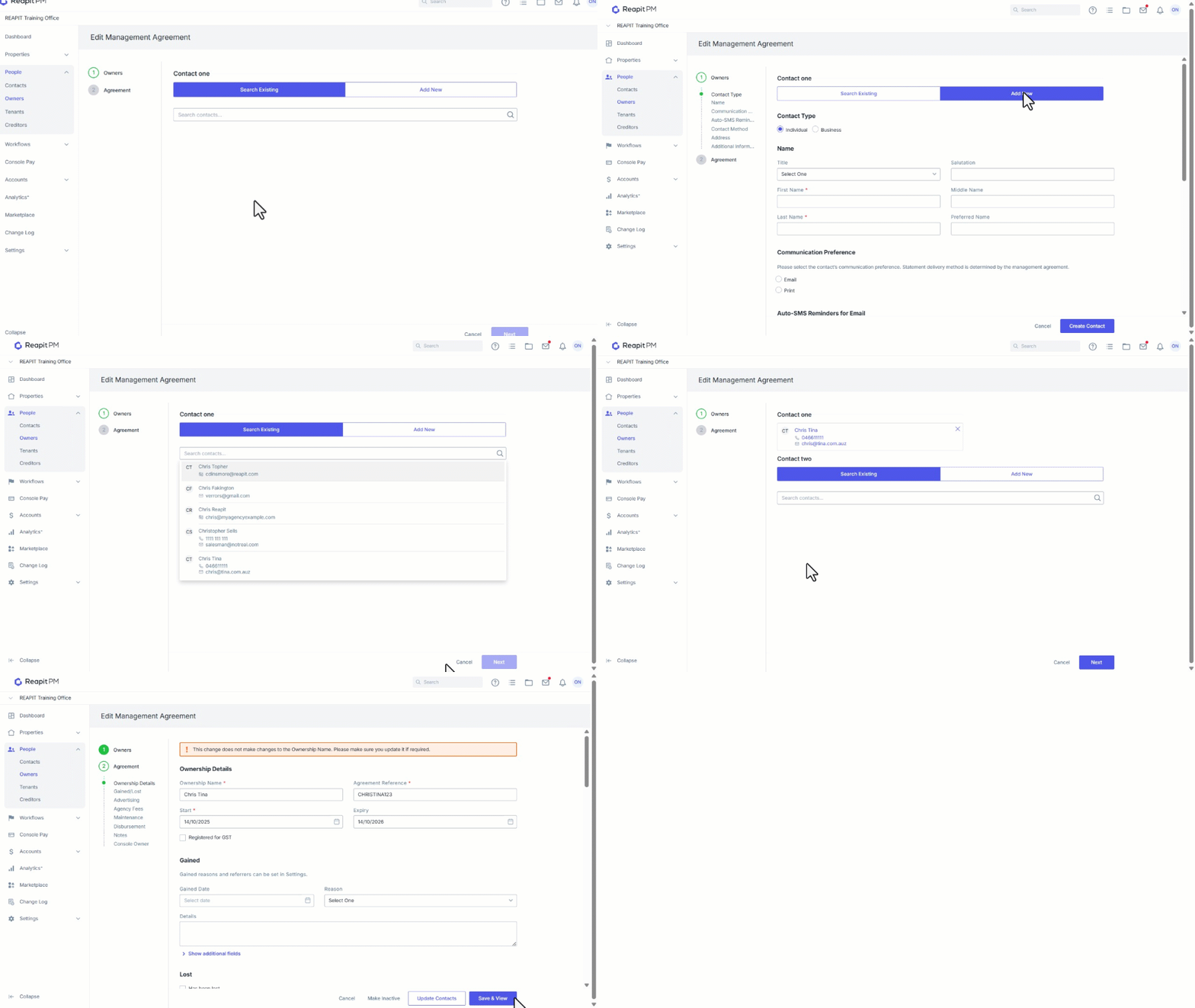
- Remove existing contacts by clicking the X.
- Select Add New to add a new contact and enter the new details. Click Create Contact.
- Select Search Existing to add an existing contact by selecting the existing contact file.
- Once contacts have been modified, click on Next.
- Verify and update, then click Save & View.
Note: If you have added a new contact you will need to fill in the payment details for that new contact and update the Ownership name if applicable. The payment split with multiple owners will need to be 100% between them before you can proceed.