'%20d='M0%208a8%208%200%200%201%208-8h24a8%208%200%200%201%208%208v24a8%208%200%200%201-8%208H8a8%208%200%200%201-8-8V8Z'/%3e%3cpath%20fill='%23fff'%20d='M8.375%2013v14L20.5%2034l12.124-7v-7.737l-1.687-.975-2.806-1.62-1.082-.624v4.83l-.002%204.83H13.95V16.07l3.275-1.89%202.192-1.265%201.082-.625%203.275%201.877%202.192%201.256%201.083.62V9.782L20.5%206%208.376%2013Z'/%3e%3cdefs%3e%3clinearGradient%20id='reapit-pm__a'%20x1='20.702'%20x2='20.702'%20y1='.351'%20y2='31.228'%20gradientUnits='userSpaceOnUse'%3e%3cstop%20stop-color='%235573FD'/%3e%3cstop%20offset='.575'%20stop-color='%234E56EA'/%3e%3c/linearGradient%3e%3c/defs%3e%3c/svg%3e)
Pay from Tenant Deposits/ Commercial Bond
This article is a guide to show how to pay from Tenant Deposits / Commercial Bond in Reapit PM.
Overview
Pay from Tenant Deposit / Commercial Bond
This article is a guide to show how to pay from Tenant Deposits / Commercial Bond in Reapit PM.
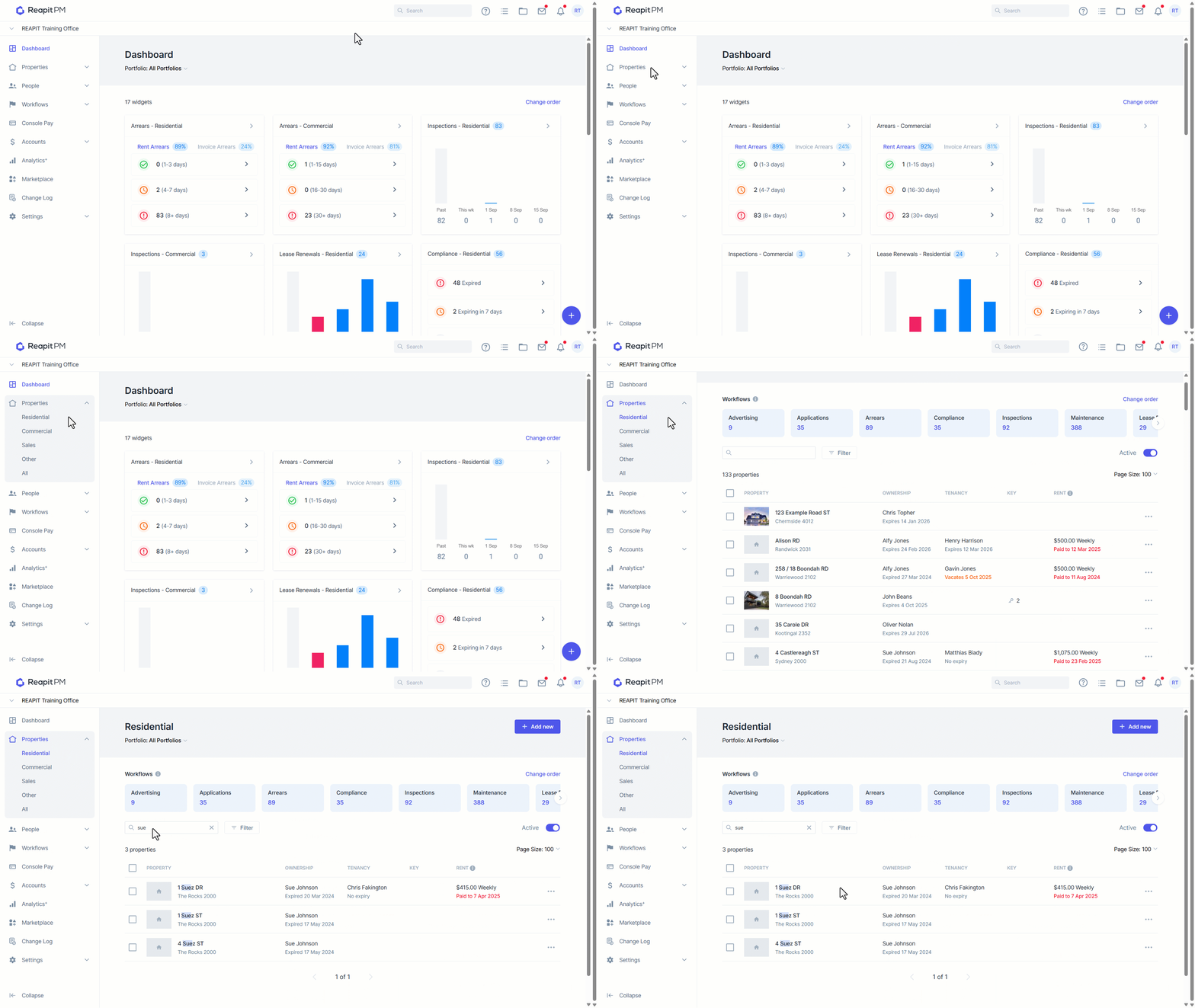
- Navigate to the drawer and select Property > Commercial or Property > Residential as applicable.
- Search or select your property.
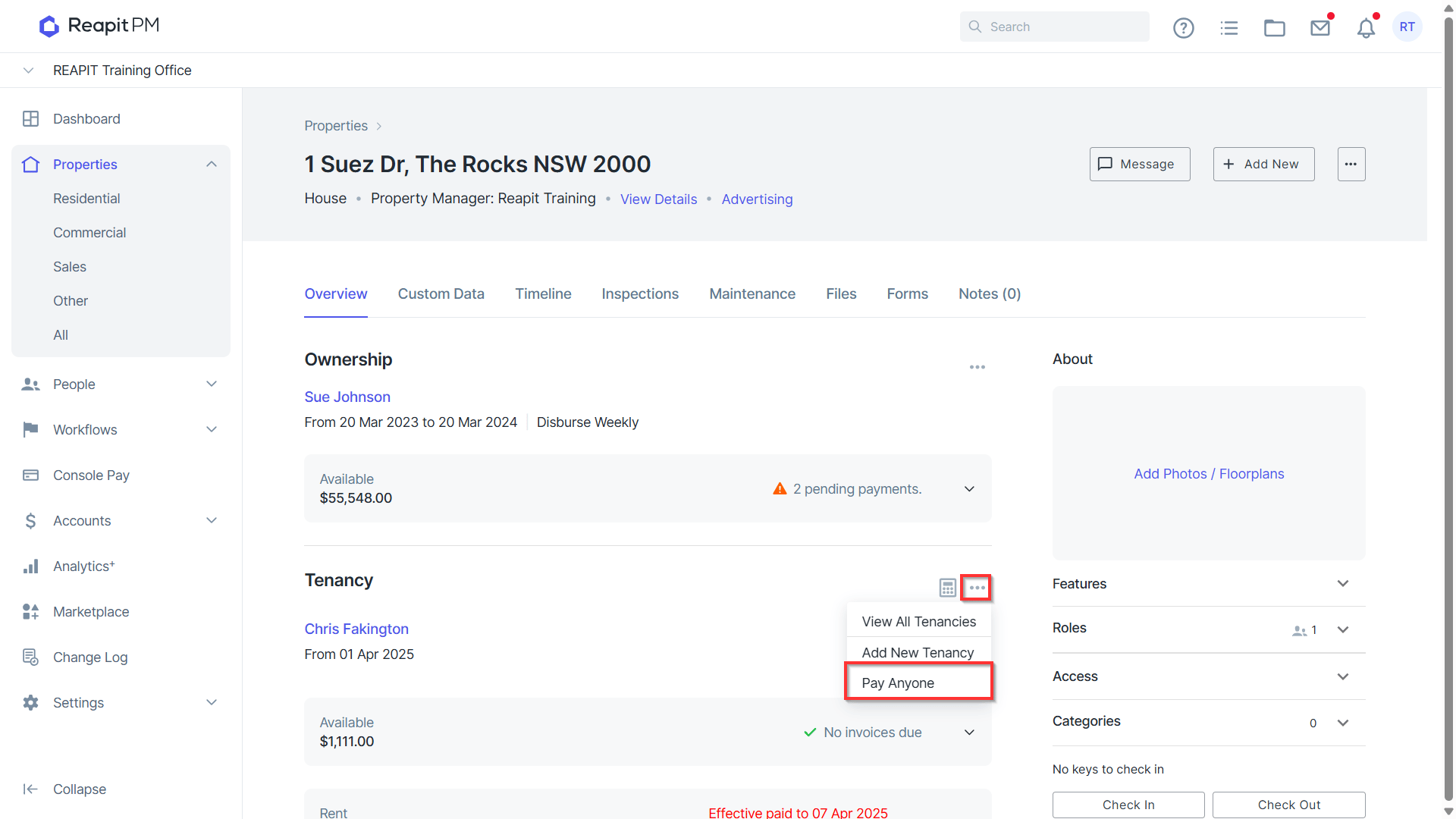
- On the relevant Property page, click on the ellipsis next to the Tenancy, select Pay Anyone, then enter details accordingly.
- The drawer will appear on the right. Select Commercial Bond or Tenant Deposit as applicable.
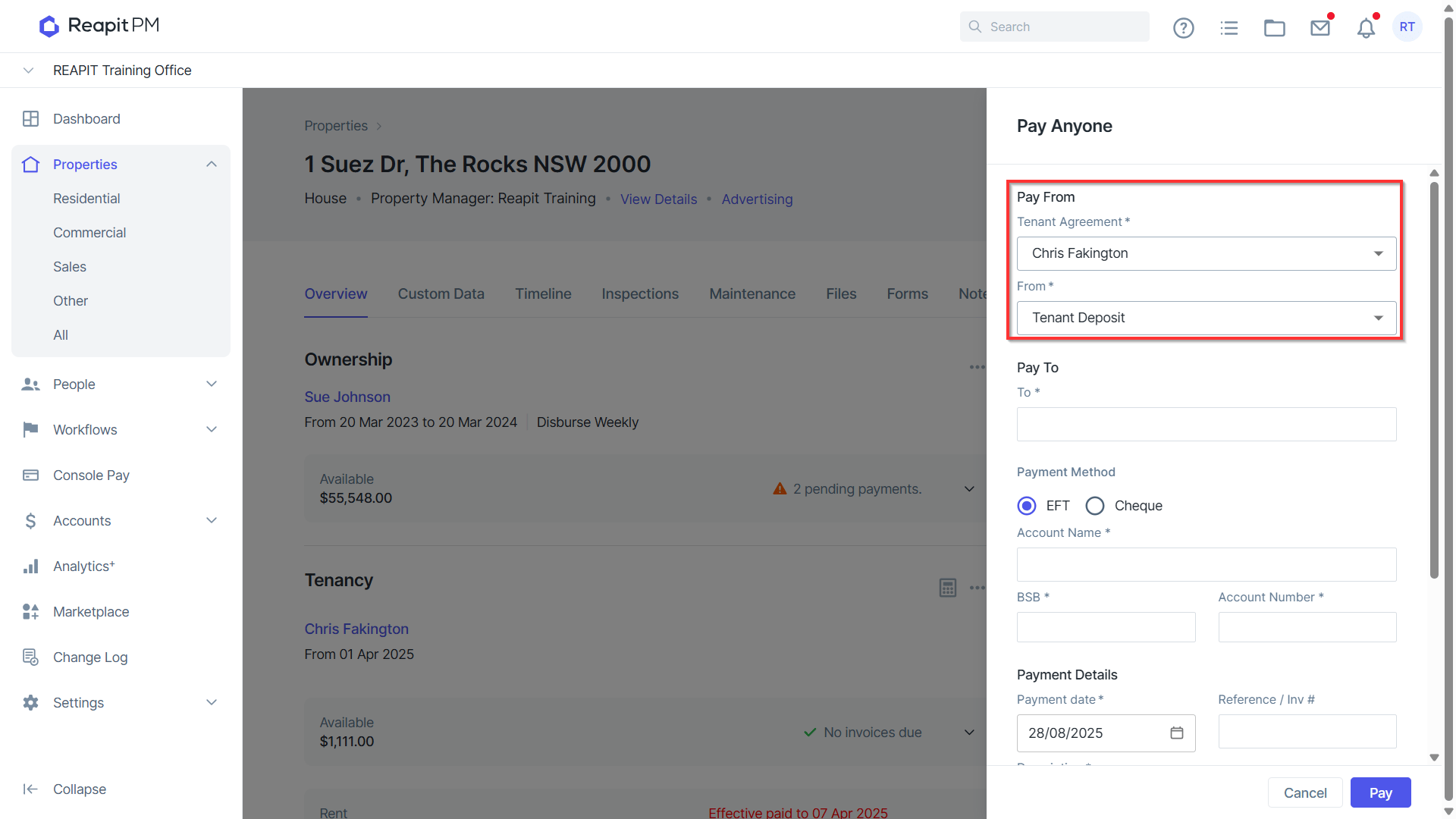
Note: Residential Properties will only be able to pay from Tenant Deposit and not Commercial Bond.
- Fill out the following relevant information. Pay to, Payment Method, Account Details and Payment Details. Click Pay.
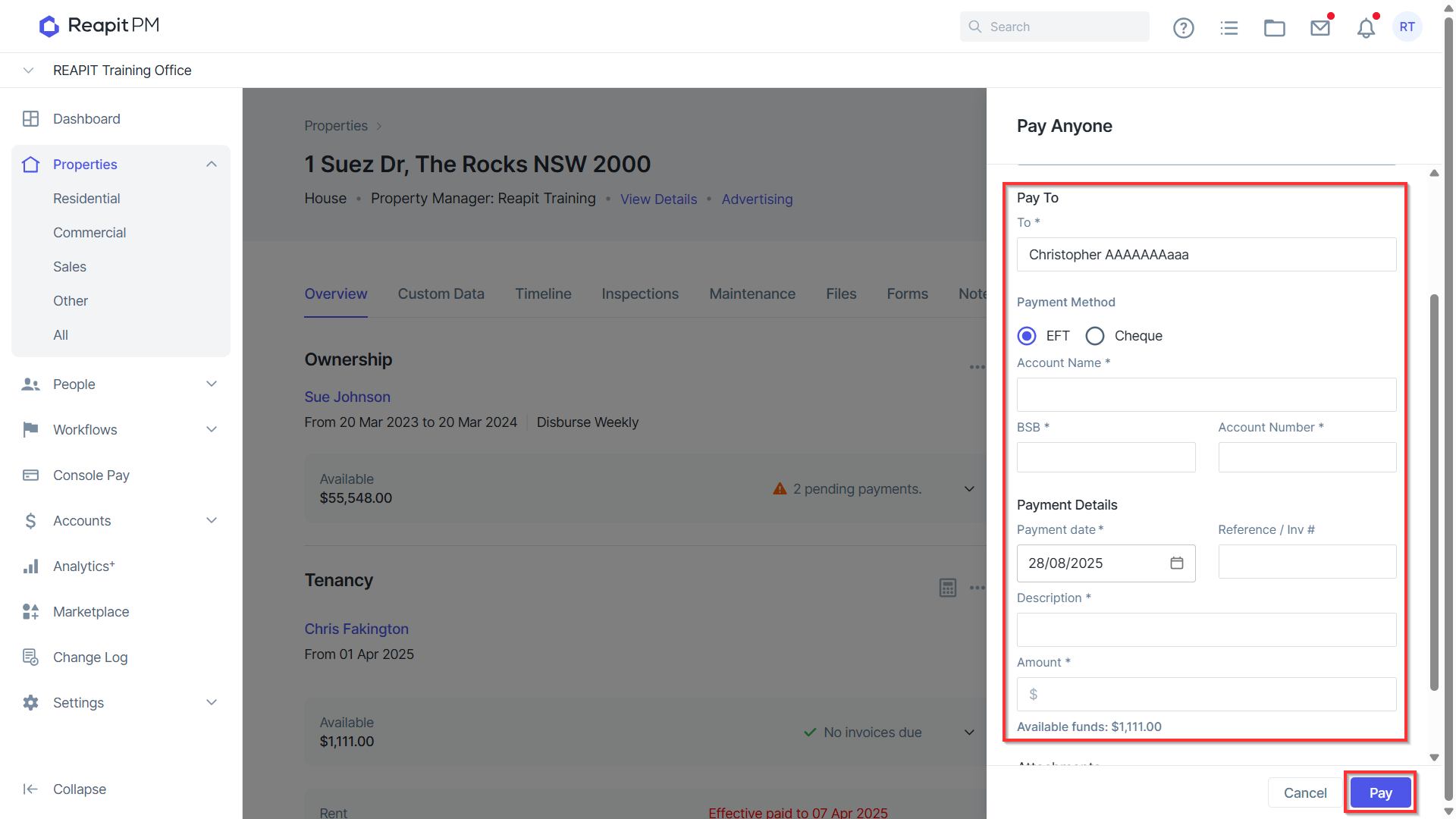
- Reapit PM will generate an EFT report with the transaction details for your record.
Please navigate to our Bills Knowledge Base article to see how to add and manage bills.https://help.console.com.au/s/article/Adding-and-Managing-Bills