'%20d='M0%208a8%208%200%200%201%208-8h24a8%208%200%200%201%208%208v24a8%208%200%200%201-8%208H8a8%208%200%200%201-8-8V8Z'/%3e%3cpath%20fill='%23fff'%20d='M8.375%2013v14L20.5%2034l12.124-7v-7.737l-1.687-.975-2.806-1.62-1.082-.624v4.83l-.002%204.83H13.95V16.07l3.275-1.89%202.192-1.265%201.082-.625%203.275%201.877%202.192%201.256%201.083.62V9.782L20.5%206%208.376%2013Z'/%3e%3cdefs%3e%3clinearGradient%20id='reapit-pm__a'%20x1='20.702'%20x2='20.702'%20y1='.351'%20y2='31.228'%20gradientUnits='userSpaceOnUse'%3e%3cstop%20stop-color='%235573FD'/%3e%3cstop%20offset='.575'%20stop-color='%234E56EA'/%3e%3c/linearGradient%3e%3c/defs%3e%3c/svg%3e)
Console Go - Route Mapping with Push Notifications
This article will cover how to enable location sharing and use route mapping and inspection push notifications through the Reapit PM app.
Enable Location Sharing
1. Within the Reapit PM app, navigate to the User Profile, and select Location Sharing.
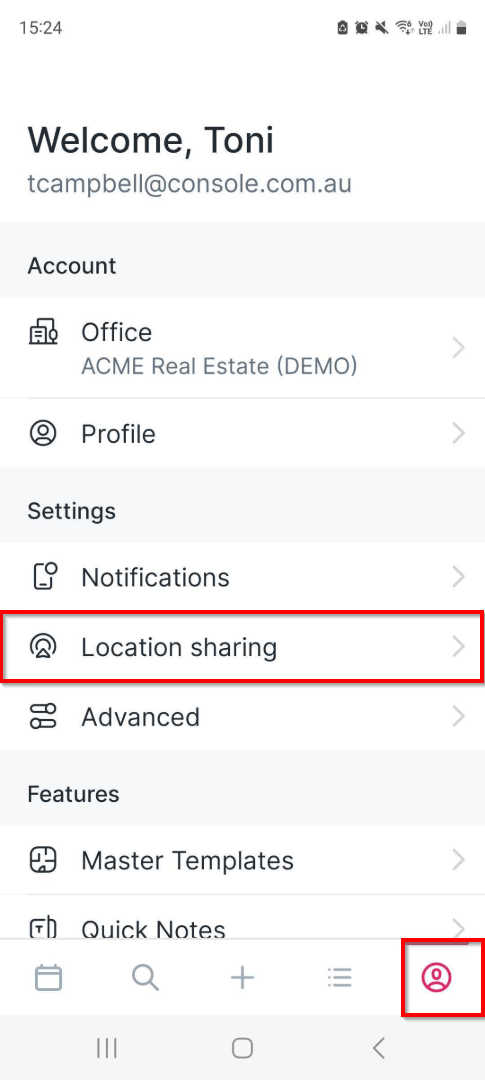
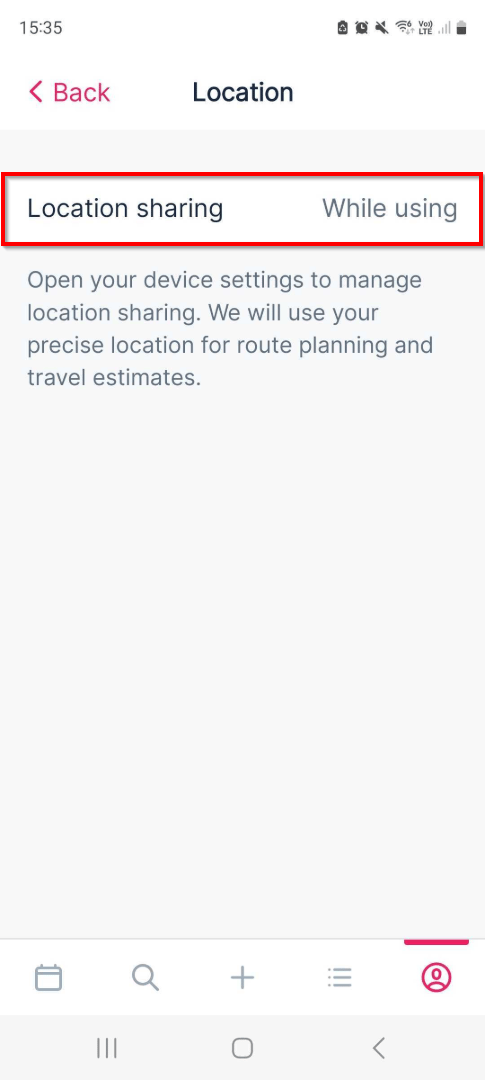
2. Confirm that location sharing is enabled to work with the app. You may need to go into your phone or tablet's device settings to ensure it's enabled to work with applications.
If you are unsure on how to do this, please see the links below for Apple iOS Location Settings or Android Location Settings.
Apple - Privacy and Location Services in iOS, iPadOS and WatchOS
Android - Manage your Android device's location settings
Enable Push Notifications
3. From the user profile, select Notifications.
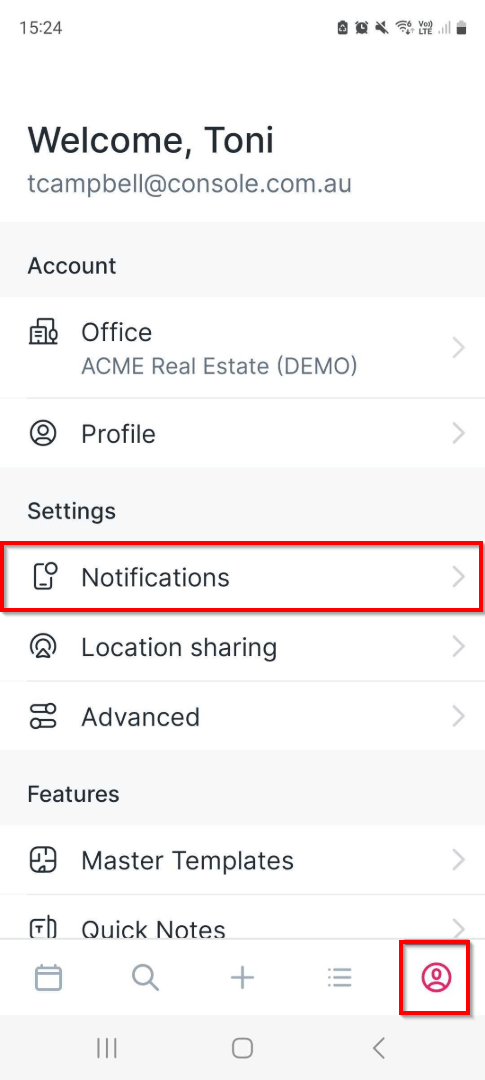
4. Make sure that Allow push notifications and the Scheduled today toggle options are set to enabled.
Receive Push Notifications
5. With the allow push notifications and scheduled today options enabled, you will receive notifications for inspections scheduled for the day.
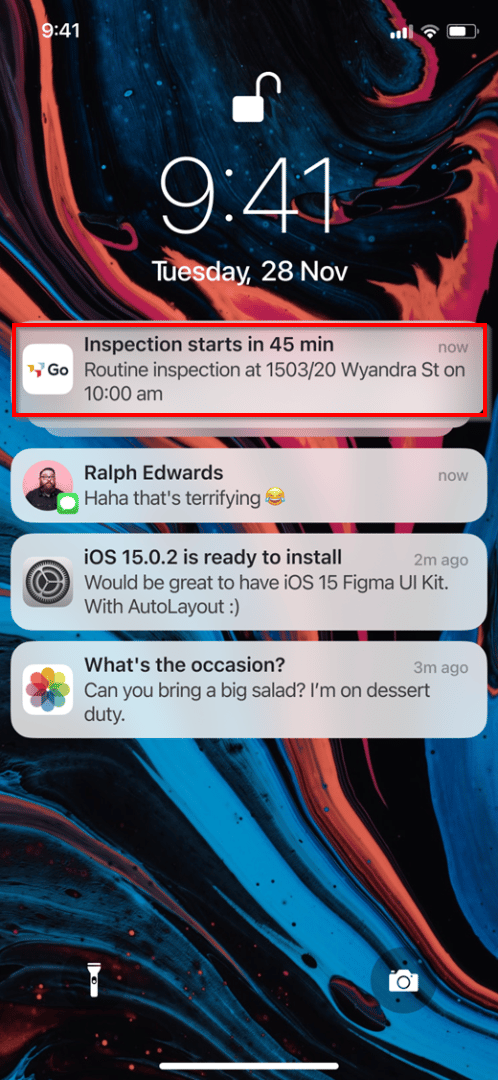
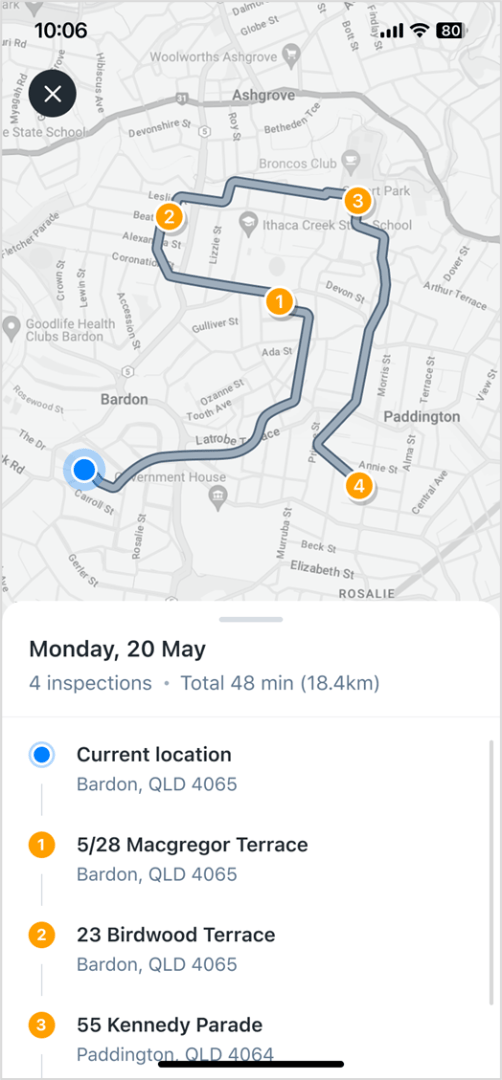
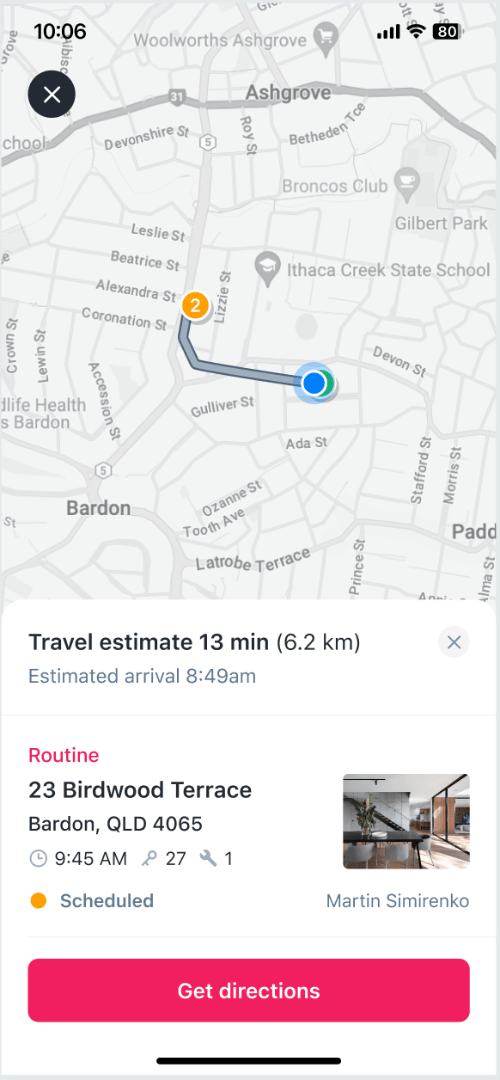
6. Tap on the notification to view the inspection through the day in map view. By tapping on the inspection, you will be provided with the directions and the ability to start direction tracking.
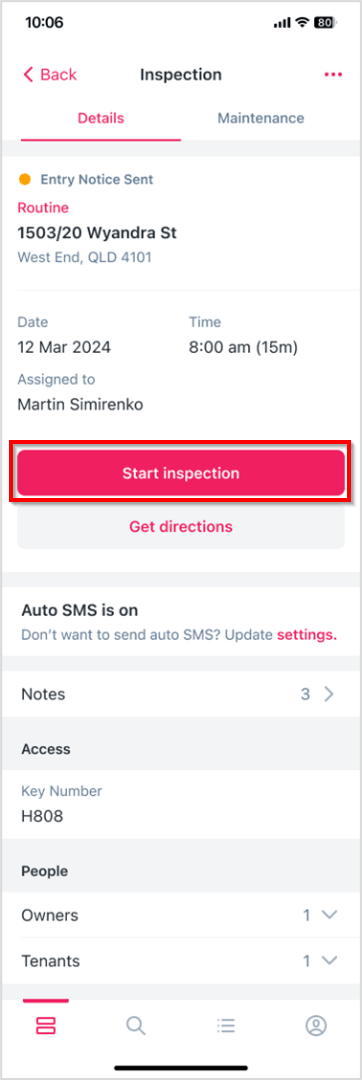
7. Upon arriving at your destination, you can switch back to the app and tap to Start inspection.
8. Once the inspection has been completed on the property, if it's a routine inspection, you will have the ability to continue with the directions to the next property.