'%20d='M0%208a8%208%200%200%201%208-8h24a8%208%200%200%201%208%208v24a8%208%200%200%201-8%208H8a8%208%200%200%201-8-8V8Z'/%3e%3cpath%20fill='%23fff'%20d='M8.375%2013v14L20.5%2034l12.124-7v-7.737l-1.687-.975-2.806-1.62-1.082-.624v4.83l-.002%204.83H13.95V16.07l3.275-1.89%202.192-1.265%201.082-.625%203.275%201.877%202.192%201.256%201.083.62V9.782L20.5%206%208.376%2013Z'/%3e%3cdefs%3e%3clinearGradient%20id='reapit-pm__a'%20x1='20.702'%20x2='20.702'%20y1='.351'%20y2='31.228'%20gradientUnits='userSpaceOnUse'%3e%3cstop%20stop-color='%235573FD'/%3e%3cstop%20offset='.575'%20stop-color='%234E56EA'/%3e%3c/linearGradient%3e%3c/defs%3e%3c/svg%3e)
Console Pay - How to Stop Duplicate Payments When Creating a New Payment Schedule
This article will guide you through creating a new payment schedule on the Tenant file and ensuring there are no duplicate payments.
Overview
Console Pay - How to Stop Duplicate Payments When Creating a New Payment Schedule
This article will guide you through creating a new payment schedule on the Tenant file and ensuring there are no duplicate payments.
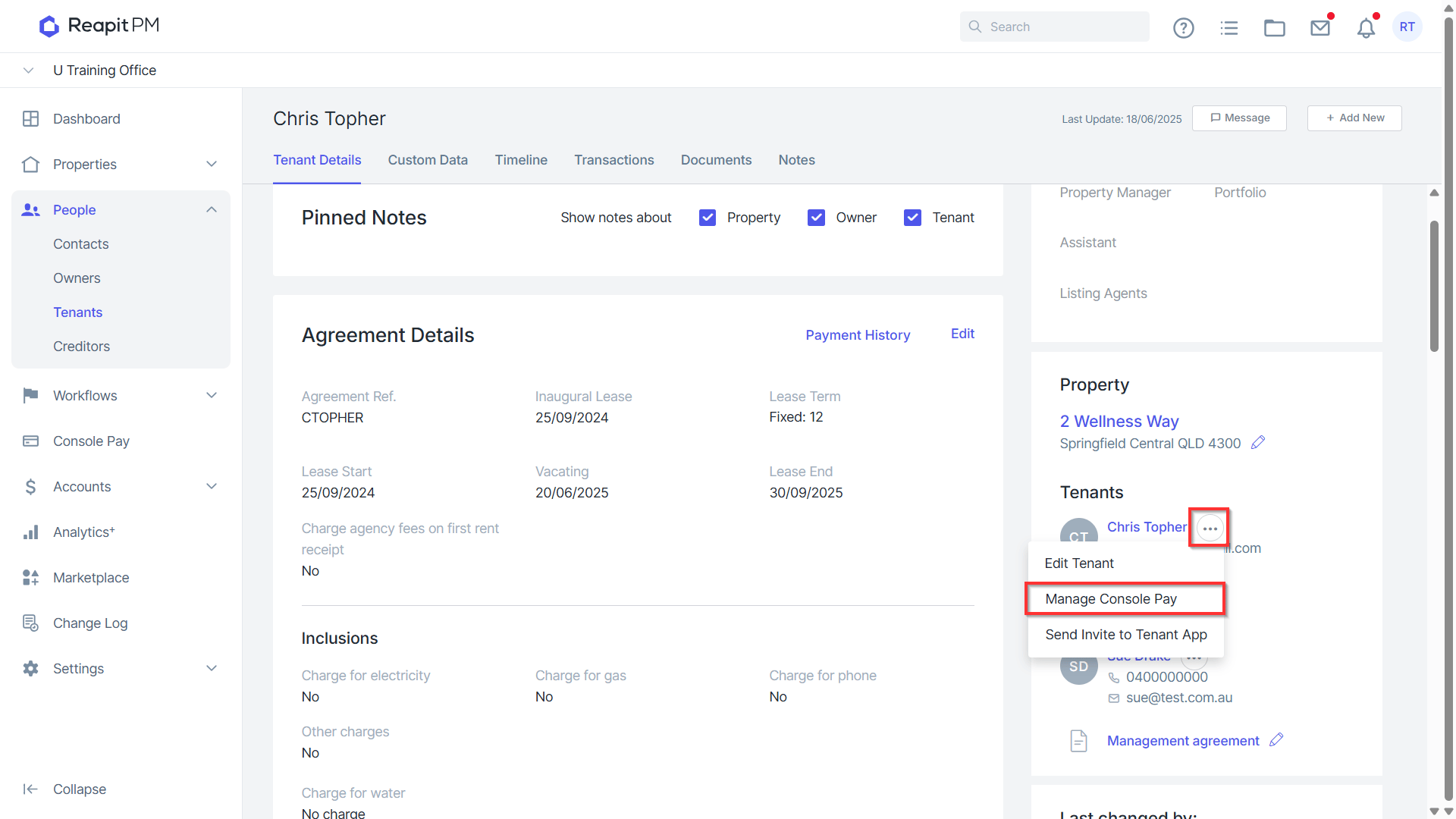
- From the Tenancy connected to Console Pay, navigate to the three dots and select Manage Console Pay.
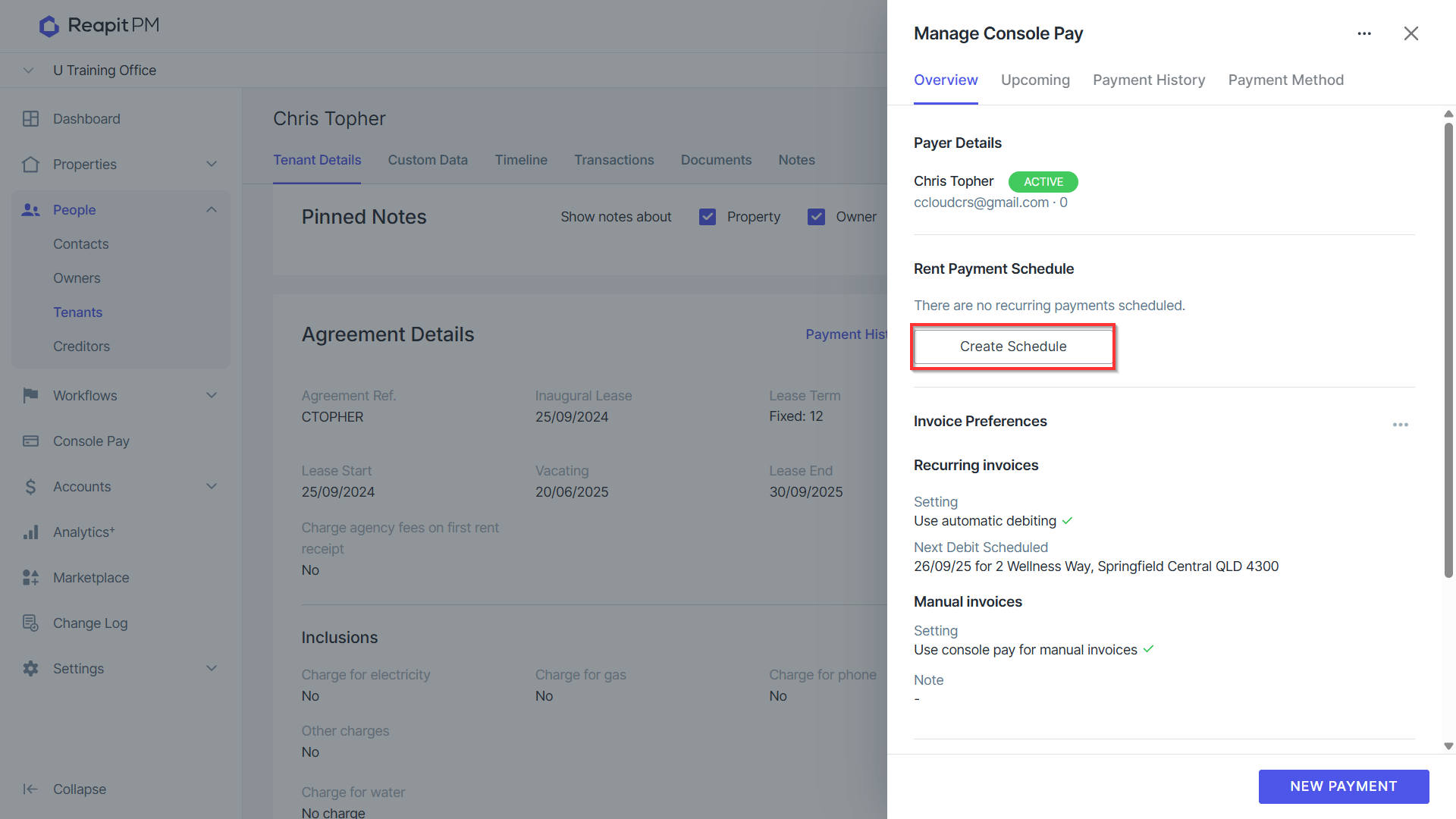
- Creating or updating a schedule will convert all previously scheduled payments, including single-instance payments, into manual payments.
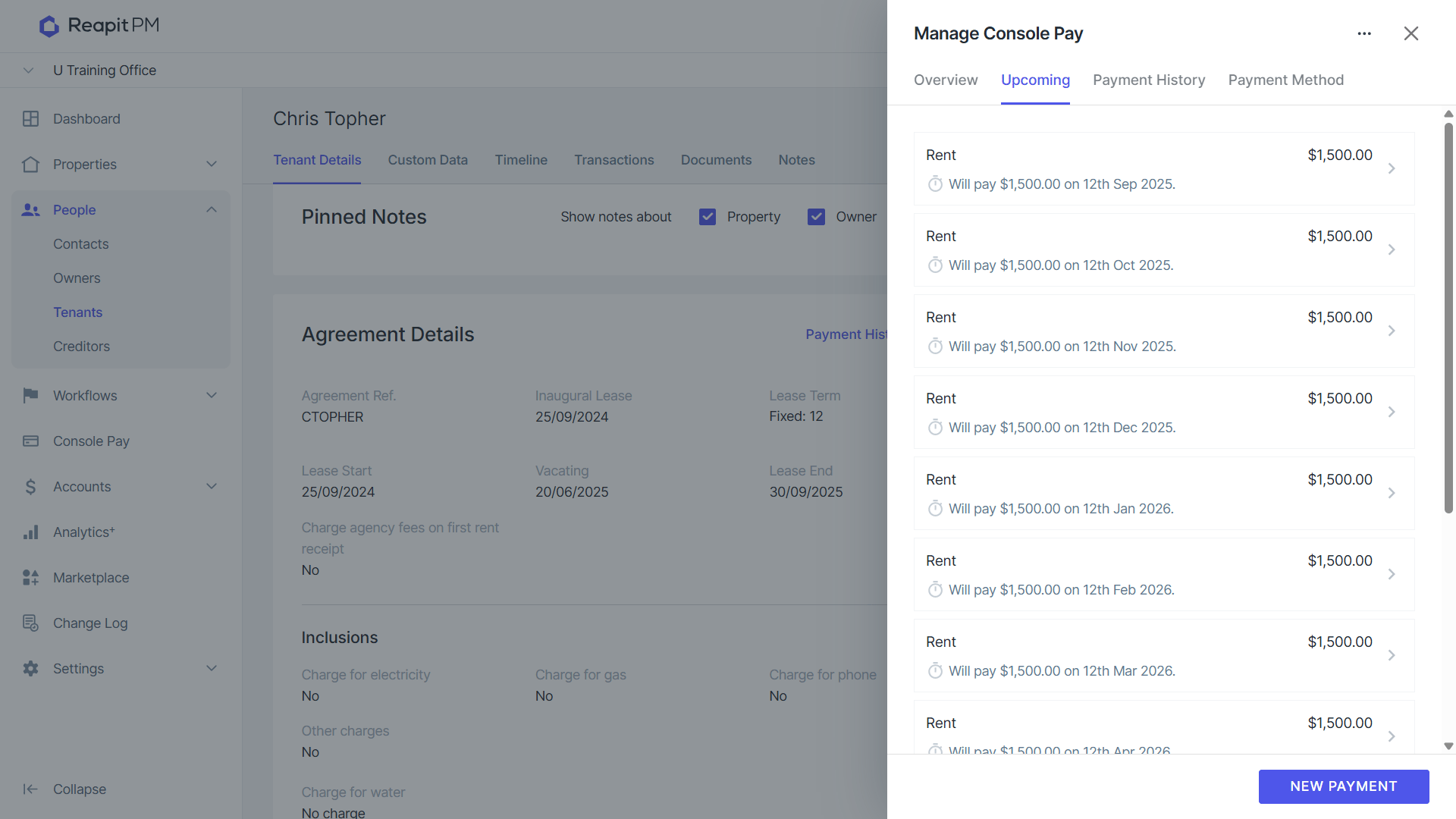
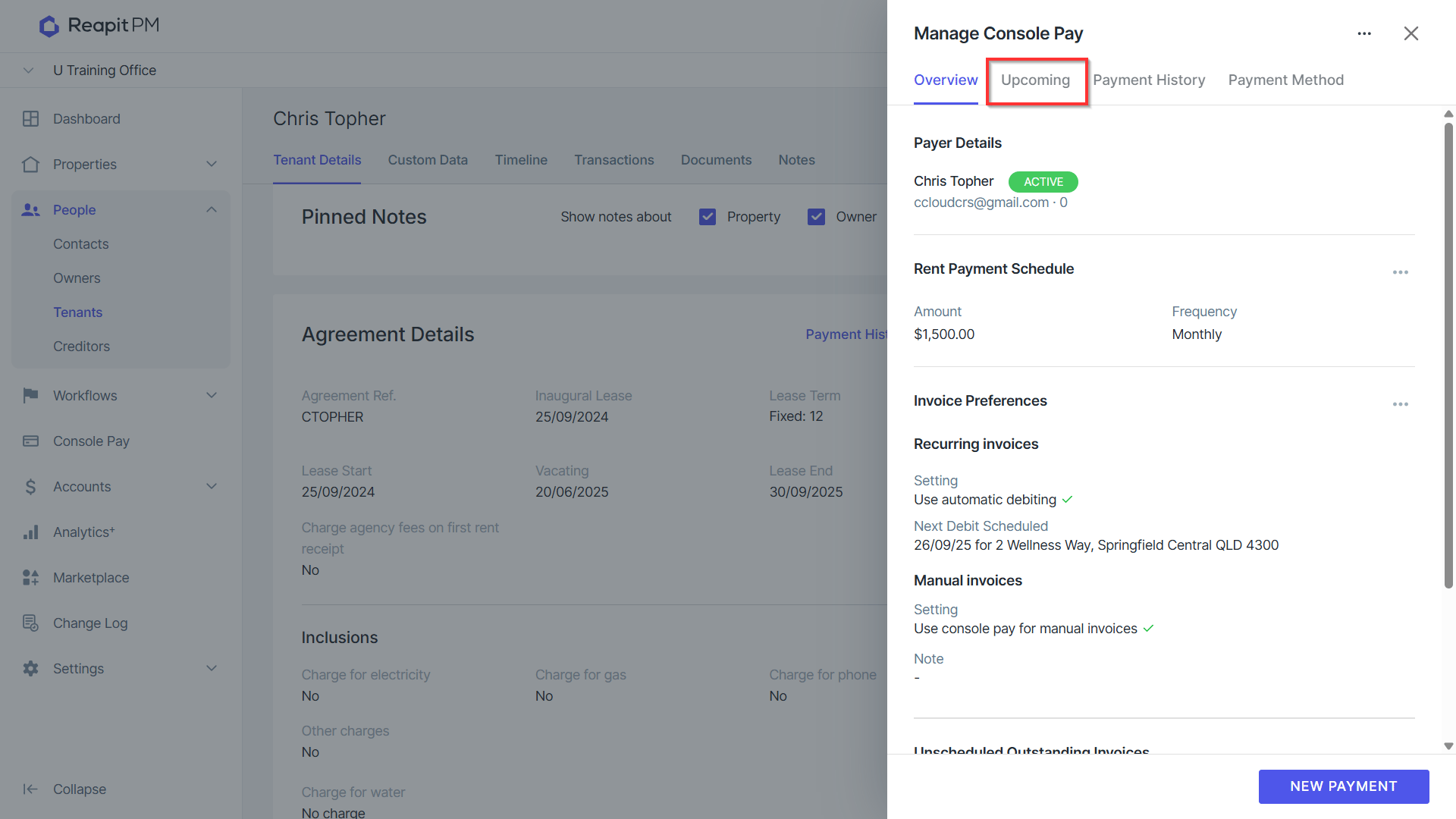
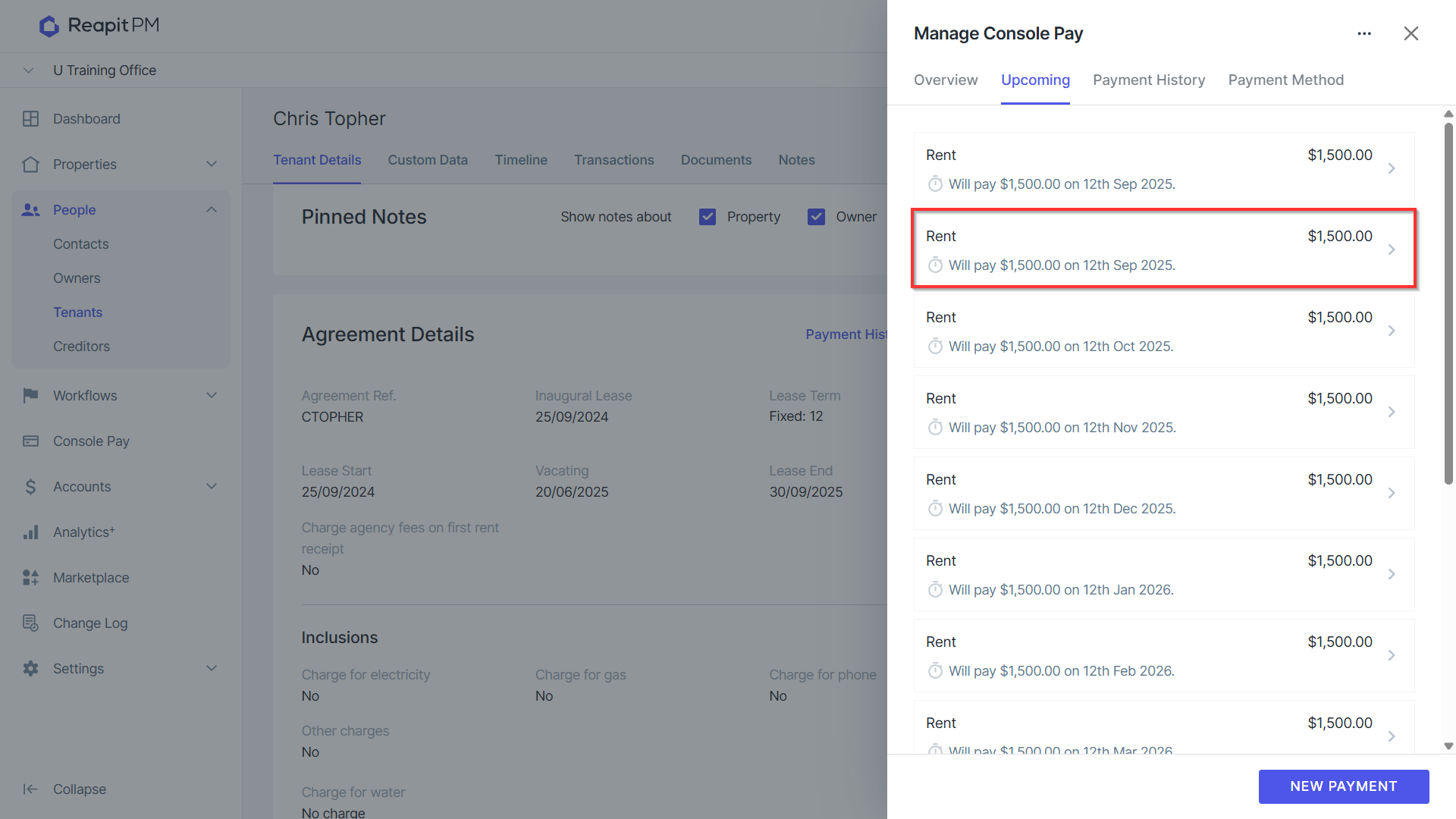
- After creating a new schedule, it is recommended to review the Upcoming Payments tab to ensure duplicate payments are avoided.
- If any payments in the upcoming list appear to be duplicates after the new schedule has been created, click on the payment to bring up the details.
- Click Delete to remove the duplicate payment.
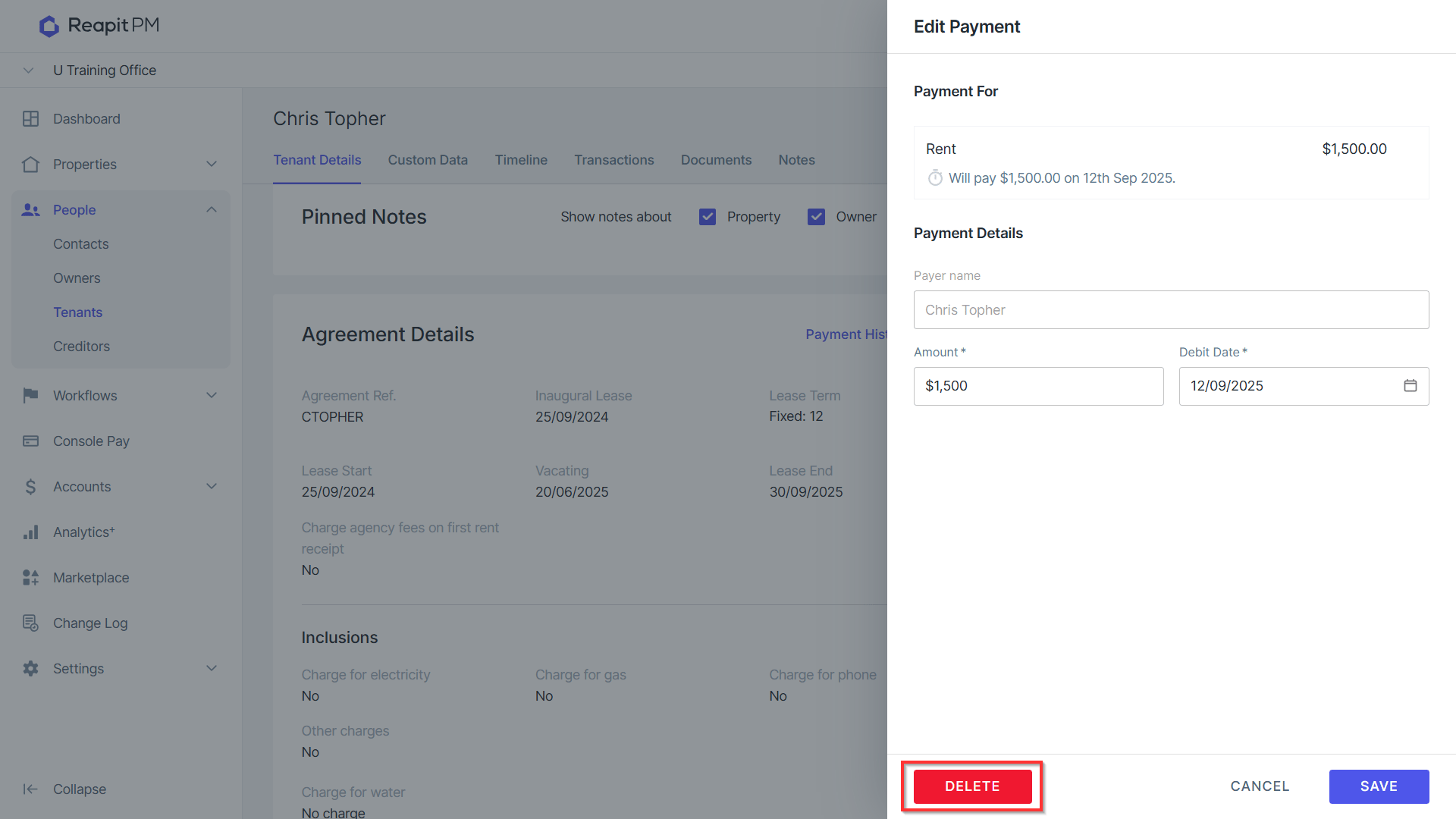
- The payment will be removed from the upcoming list. Ensure this is done with any other potential duplicate payments if they appear on the list.