'%20d='M0%208a8%208%200%200%201%208-8h24a8%208%200%200%201%208%208v24a8%208%200%200%201-8%208H8a8%208%200%200%201-8-8V8Z'/%3e%3cpath%20fill='%23fff'%20d='M8.375%2013v14L20.5%2034l12.124-7v-7.737l-1.687-.975-2.806-1.62-1.082-.624v4.83l-.002%204.83H13.95V16.07l3.275-1.89%202.192-1.265%201.082-.625%203.275%201.877%202.192%201.256%201.083.62V9.782L20.5%206%208.376%2013Z'/%3e%3cdefs%3e%3clinearGradient%20id='reapit-pm__a'%20x1='20.702'%20x2='20.702'%20y1='.351'%20y2='31.228'%20gradientUnits='userSpaceOnUse'%3e%3cstop%20stop-color='%235573FD'/%3e%3cstop%20offset='.575'%20stop-color='%234E56EA'/%3e%3c/linearGradient%3e%3c/defs%3e%3c/svg%3e)
Processing a Bond Refund in Reapit PM
Money received from the Bond Authority usually consists of rent arrears, amounts owed for cleaning or repairs, etc. The process in this article include: Processing a Bond Refund
Processing a Bond Refund in Reapit PM
The process below can be used for entering and processing a bond refund. Money received from the Bond Authority is treated as tenant funds, then distributed to rent, invoices or the tenant as required.
First ensure any Invoices or Bills are raised to reimburse relevant owners or creditors with the relevant dissection entered.
The process in this article include:
- Processing a Bond Refund
Note: It is recommended that the funds are first receipted to the Tenant Deposit.
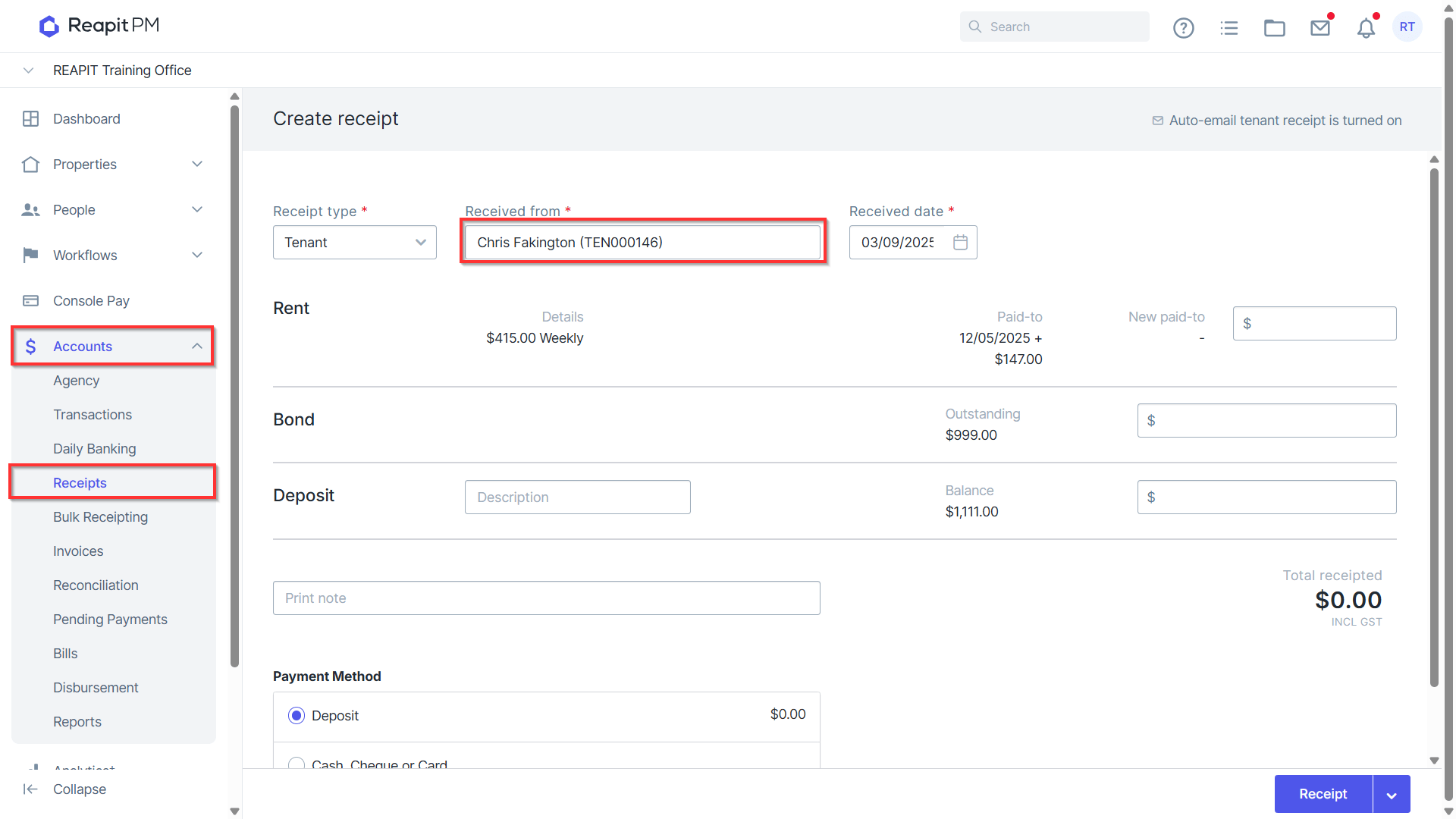
- Navigate to Accounts > Receipts.
- Search the Tenancy for which the refund will be processed.
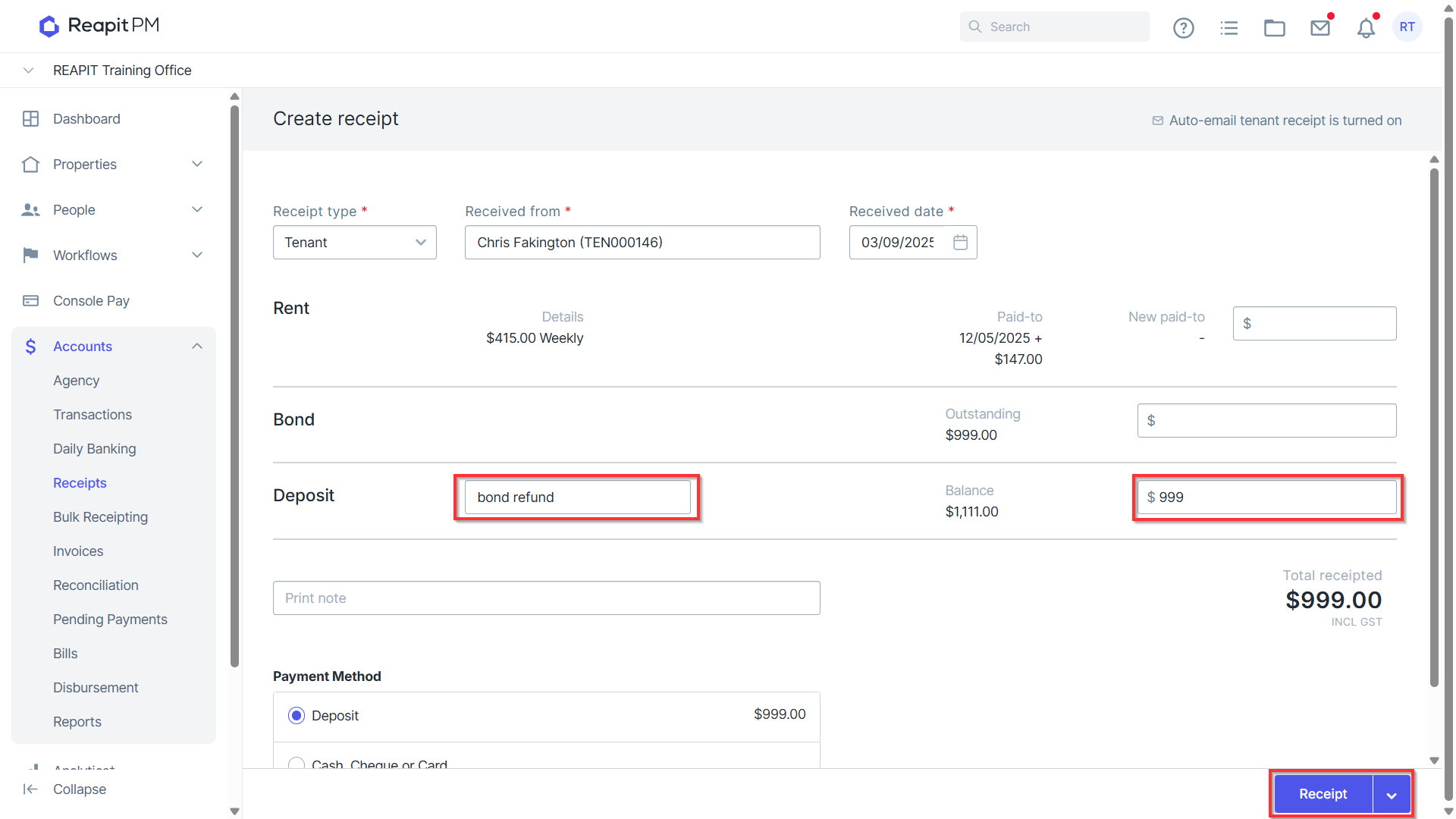
Enter the amount received under the Tenant Deposit with description ‘Bond Refund’. This will then appear on relevant tenant reports, ledgers and transaction records as a Bond Refund deposit.
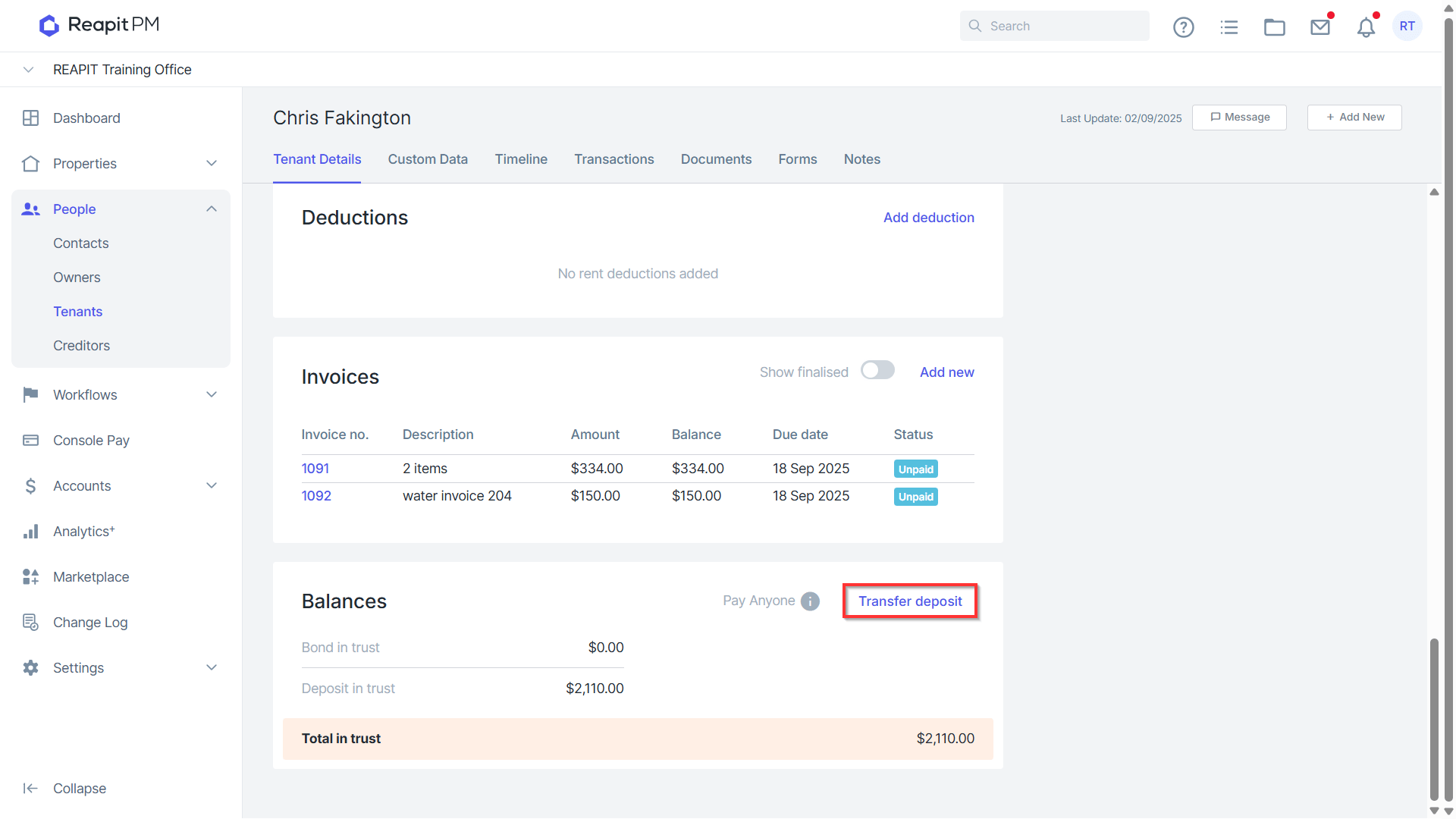
To allocate the Bond Refund to Invoices and Rent, navigate to the relevant Tenancy > scroll down to balances > Transfer Deposit.
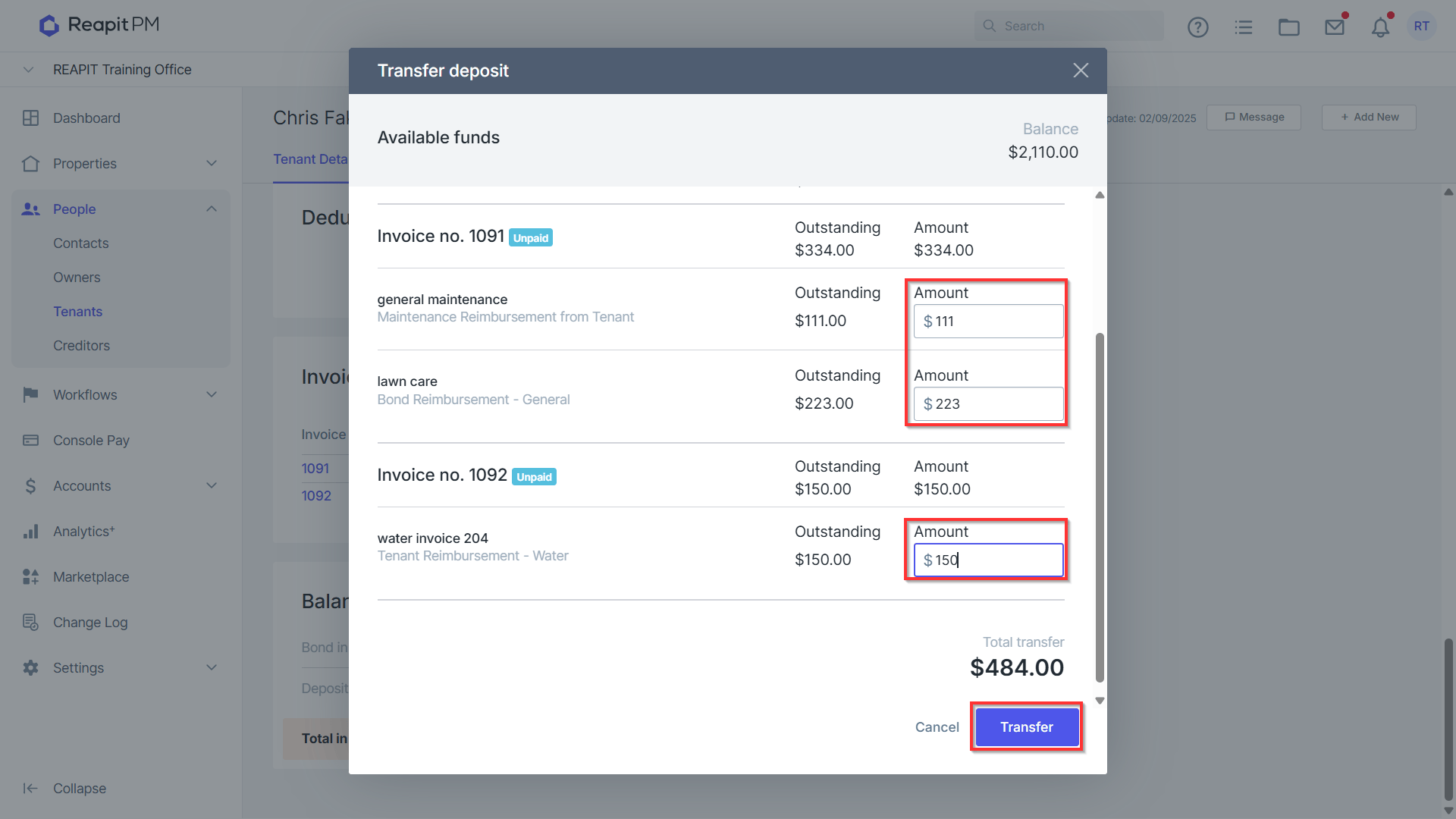
- Select to Allocate as appropriate and then Transfer.
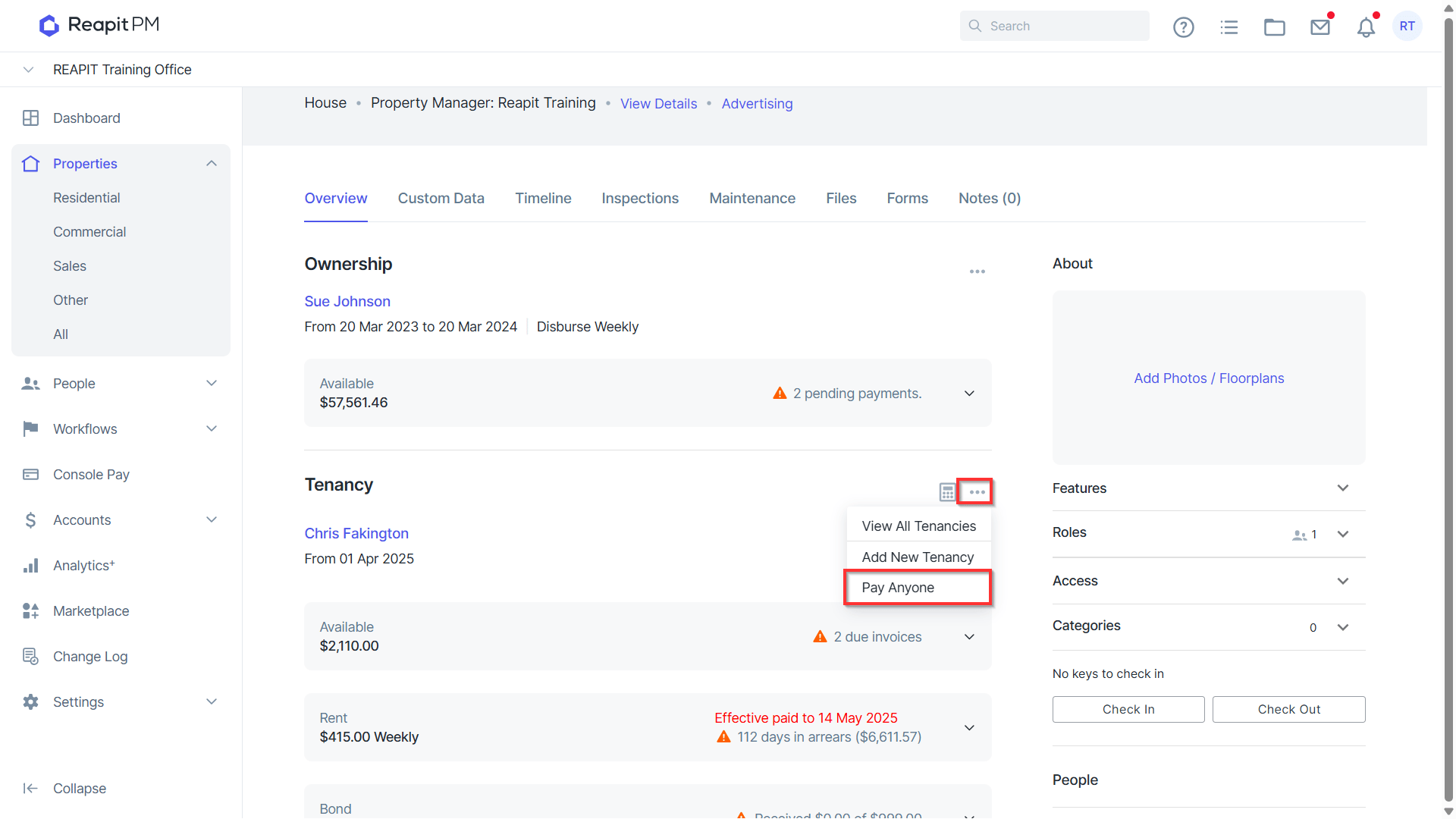
To refund to the tenant, navigate to the Property > Tenancy and select from the three dots Pay Anyone.
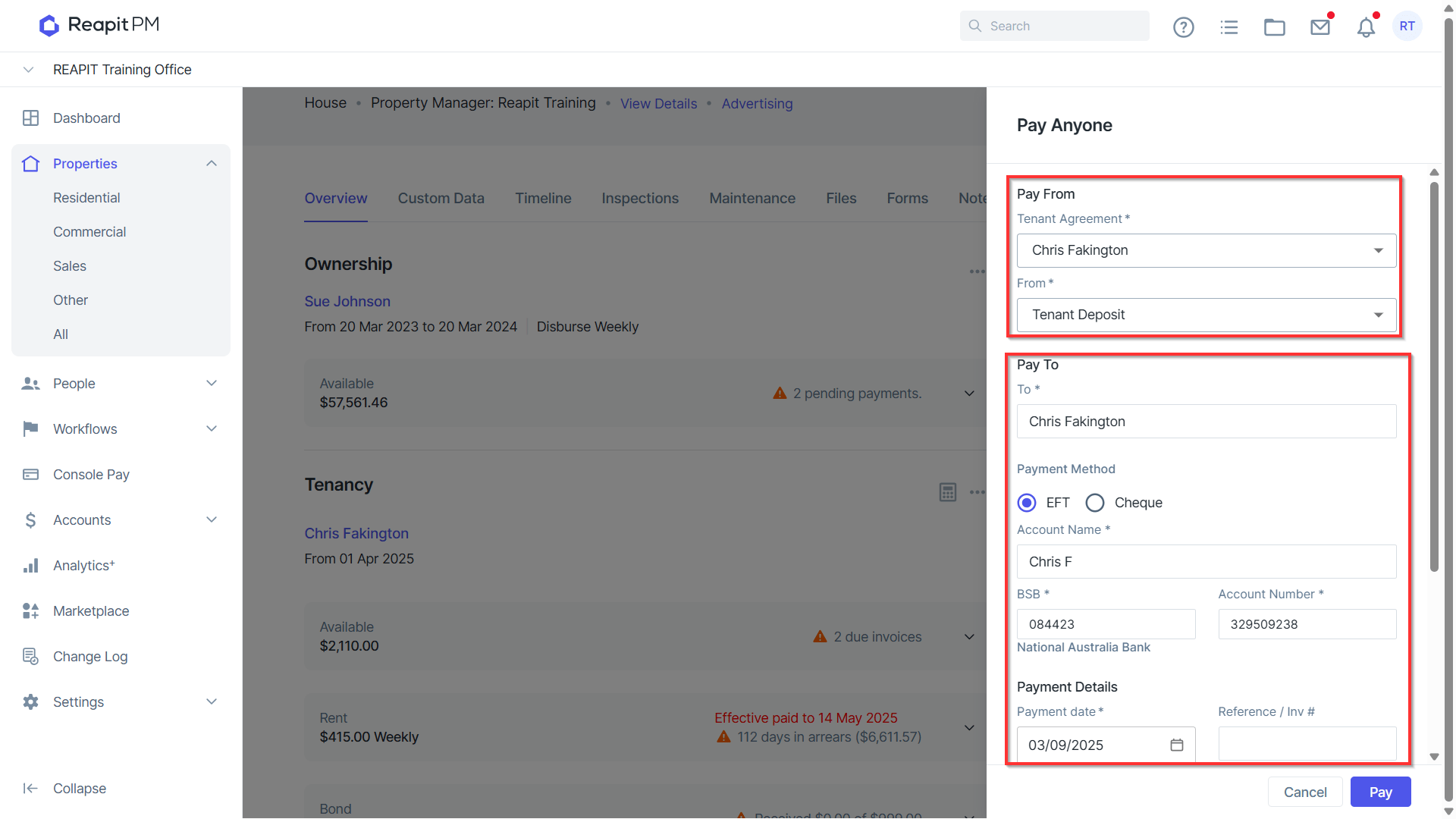
Select From - Tenant Deposit and enter the payment details of the tenant, including Account Name, BSB, Account Number and Payment Date.
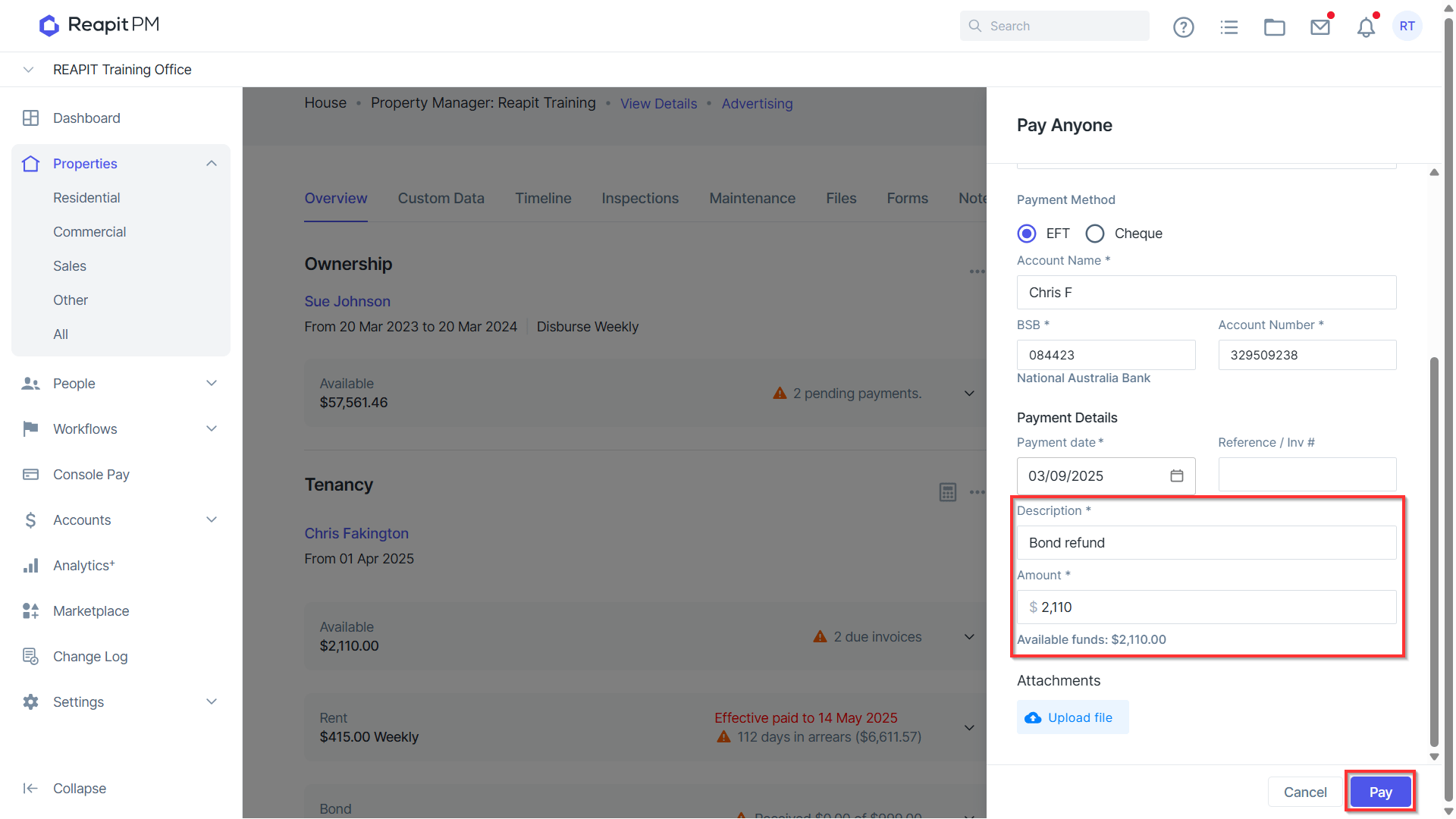
- Enter Description, Amount and any Attachments as required then click Pay.
- After processing all allocations and payments the Tenancy Balance should now be 0.