'%20d='M0%208a8%208%200%200%201%208-8h24a8%208%200%200%201%208%208v24a8%208%200%200%201-8%208H8a8%208%200%200%201-8-8V8Z'/%3e%3cpath%20fill='%23fff'%20d='M8.375%2013v14L20.5%2034l12.124-7v-7.737l-1.687-.975-2.806-1.62-1.082-.624v4.83l-.002%204.83H13.95V16.07l3.275-1.89%202.192-1.265%201.082-.625%203.275%201.877%202.192%201.256%201.083.62V9.782L20.5%206%208.376%2013Z'/%3e%3cdefs%3e%3clinearGradient%20id='reapit-pm__a'%20x1='20.702'%20x2='20.702'%20y1='.351'%20y2='31.228'%20gradientUnits='userSpaceOnUse'%3e%3cstop%20stop-color='%235573FD'/%3e%3cstop%20offset='.575'%20stop-color='%234E56EA'/%3e%3c/linearGradient%3e%3c/defs%3e%3c/svg%3e)
Rent Period Change
This article will cover changing rent period e.g., weekly to monthly, monthly to fortnightly can be done directly from a Tenancy Agreement, Lease Renewal workflow or from Rent Review. The process in this article include: Rent Period Change Lease Renewal Workflow > Rent Change Rent Reviews Payment History Report Timeline
Overview
Rent Period Change
This article will cover changing rent period e.g., weekly to monthly, monthly to fortnightly can be done directly from a Tenancy Agreement, Lease Renewal workflow or from Rent review. When changing the rent frequency, the new amount and frequency will take effect from the next rent due date (paid to date + 1).
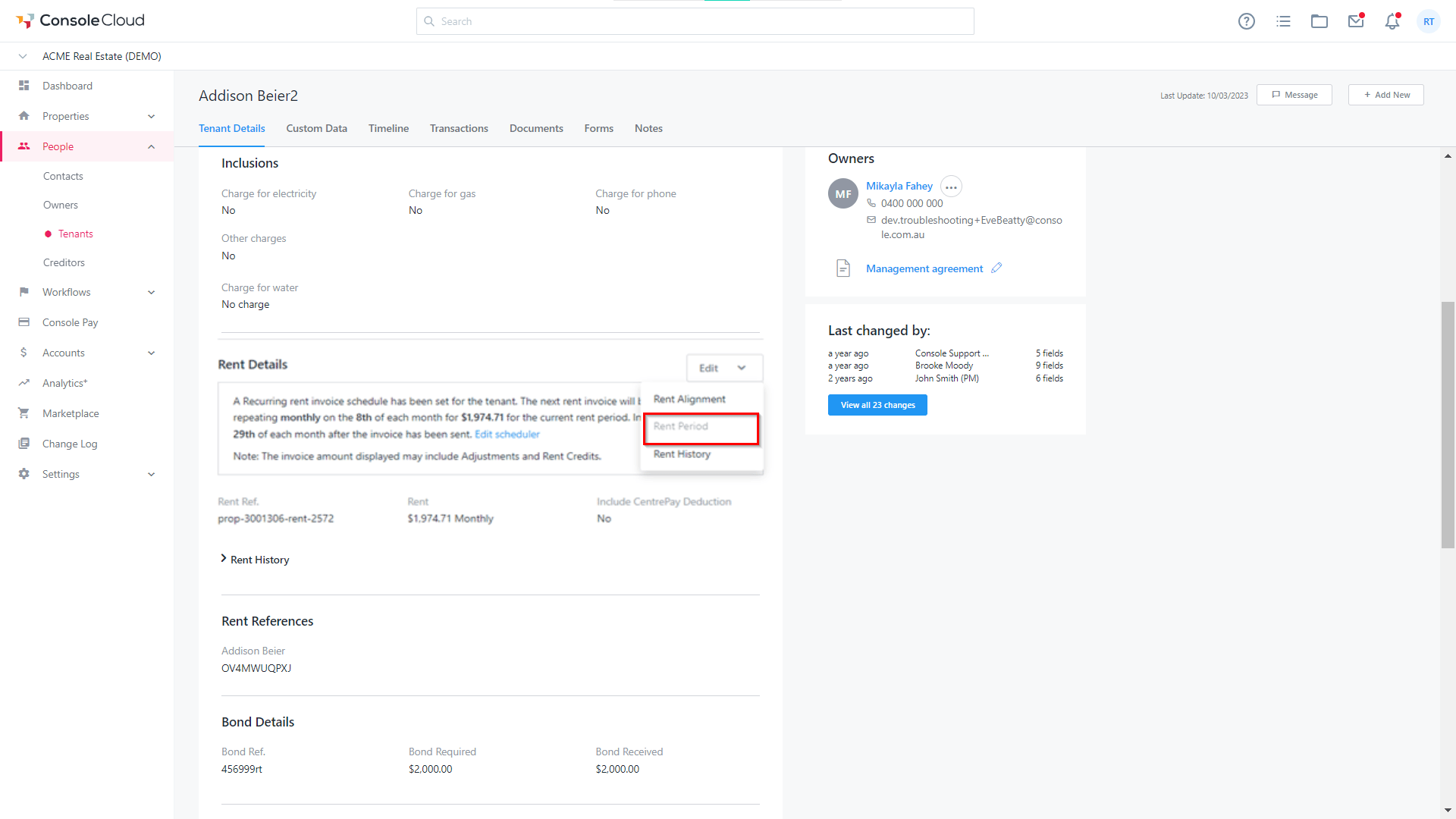
*Note: Tenants with recurring invoices set up cannot change the rent period. You will see the Rent Period greyed out and a hover state note advising of this reason.
*Note: Some functionality within this article is currently in BETA.
The process in this article include:
- Rent Period Change
- Lease Renewal Workflow > Rent Change
- Rent Reviews
- Payment History Report
- Timeline
- Navigate to Tenancy Agreement > Rent Details.
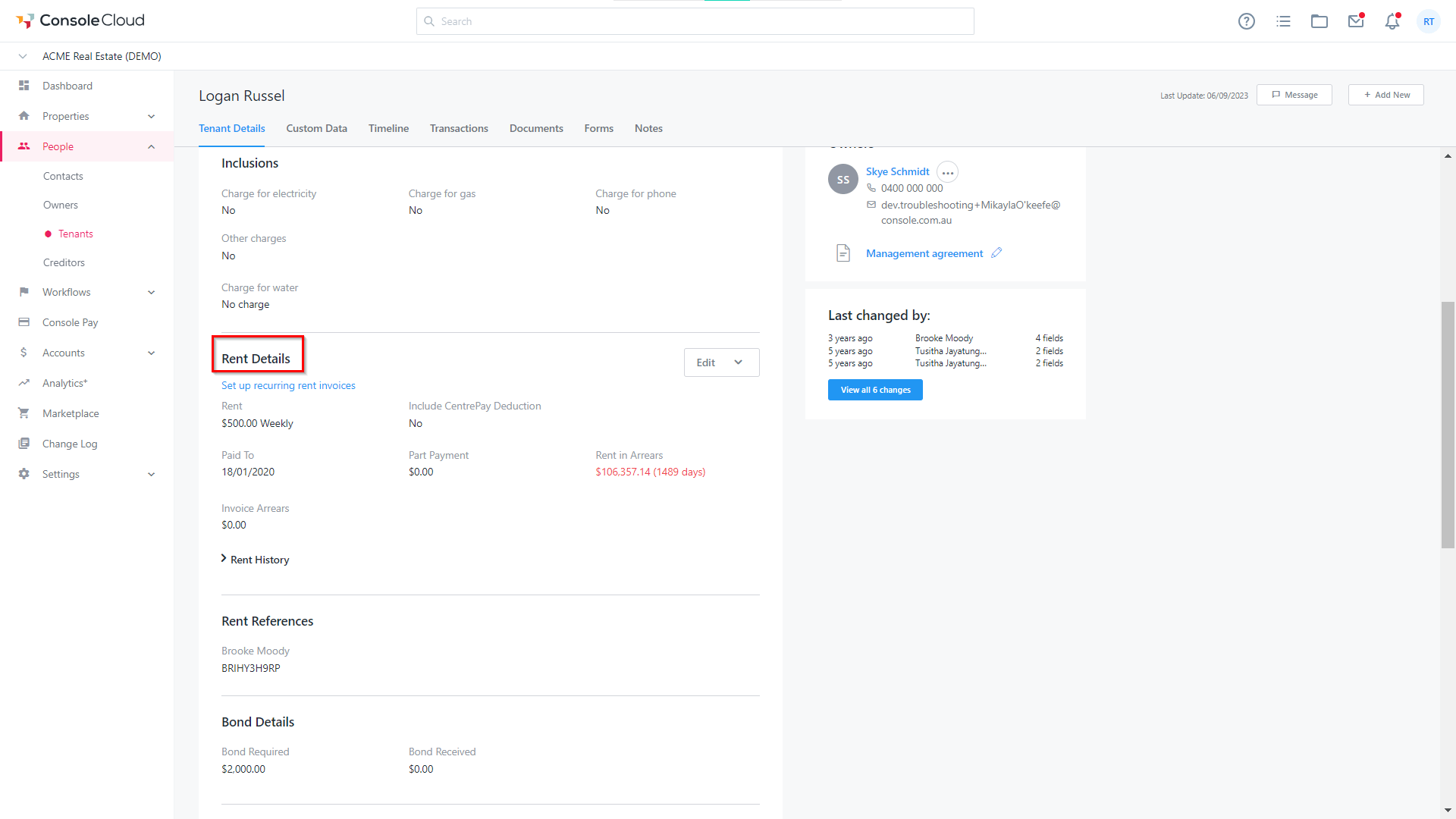
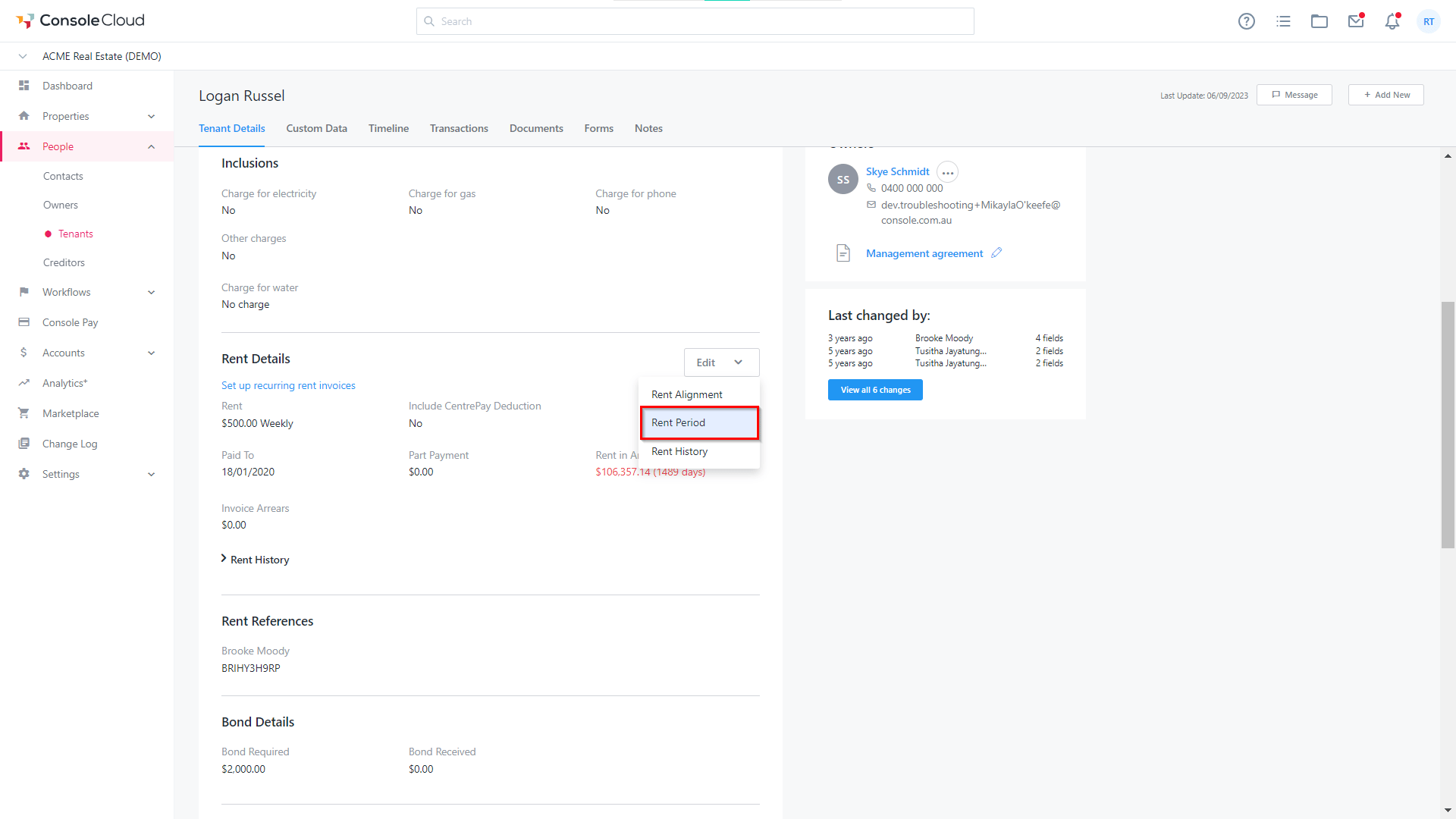
- Click Edit > Rent Period.
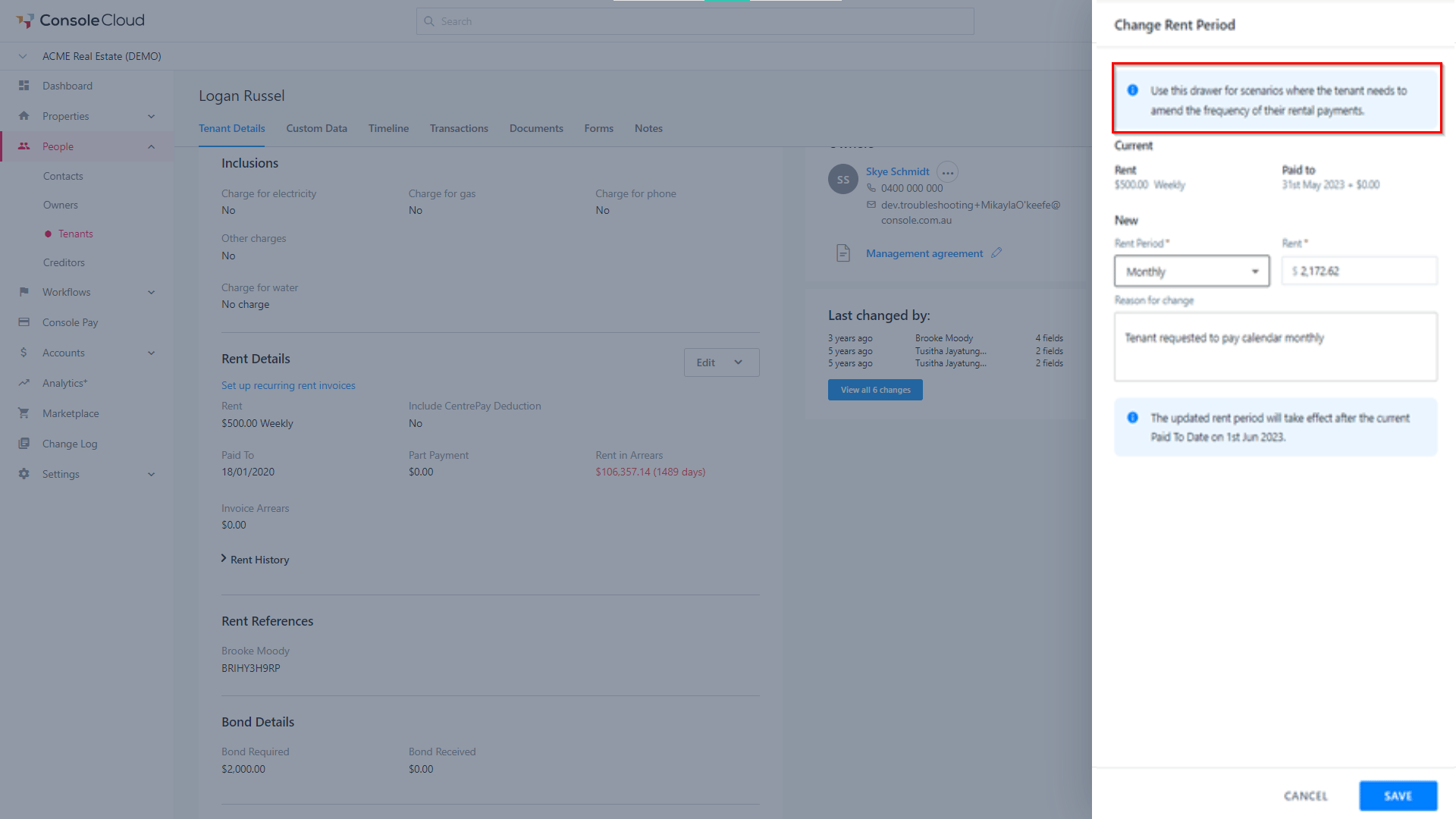
- Change Rent Period – This allows change of period only e.g., weekly to monthly from then next due date (paid to date + 1)
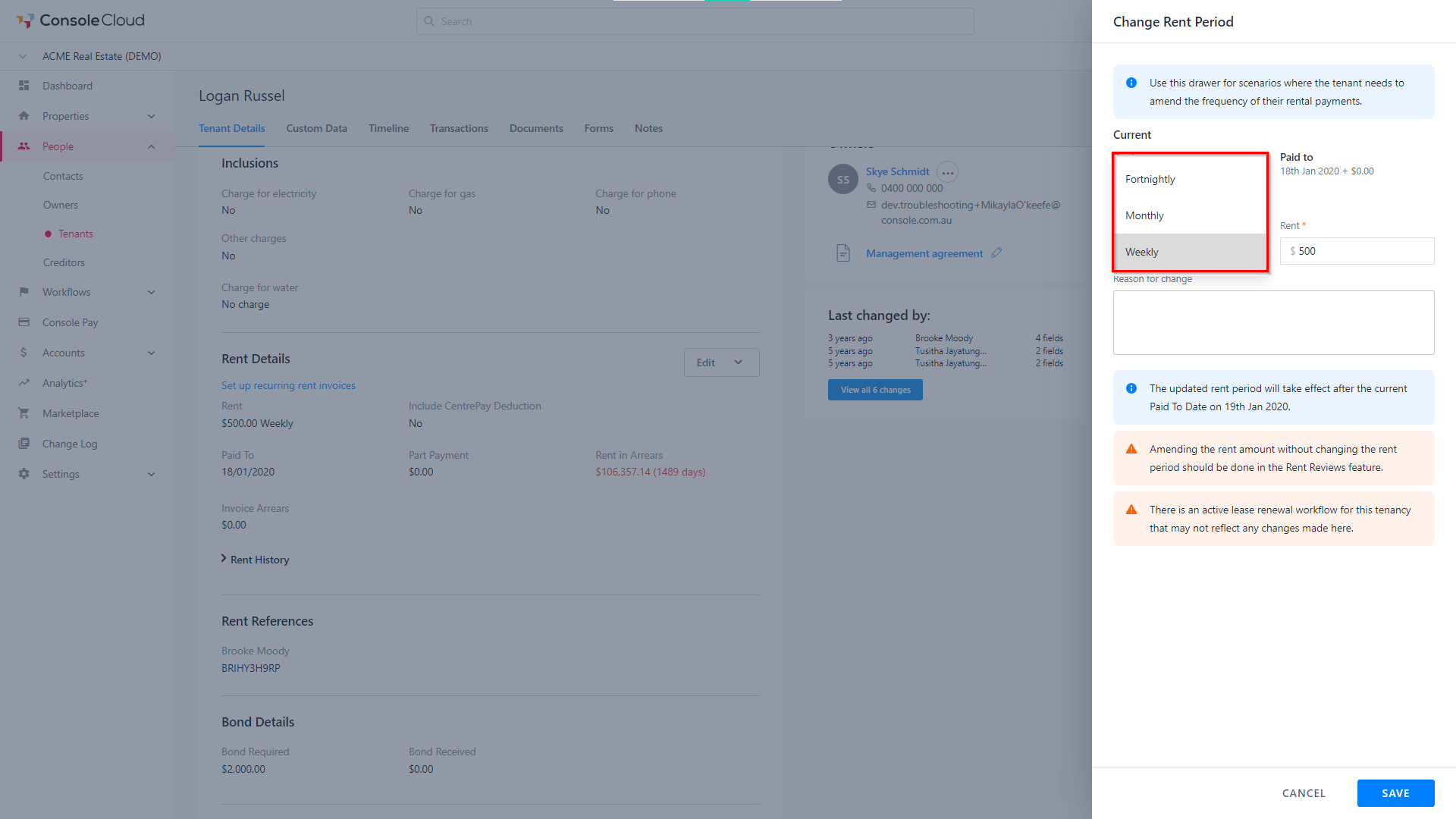
- If a tenant has active console pay schedule payments, there is no automated updates to tenancies with Console Pay schedules. A warning message will appear to advise you to manually update the payers schedule.
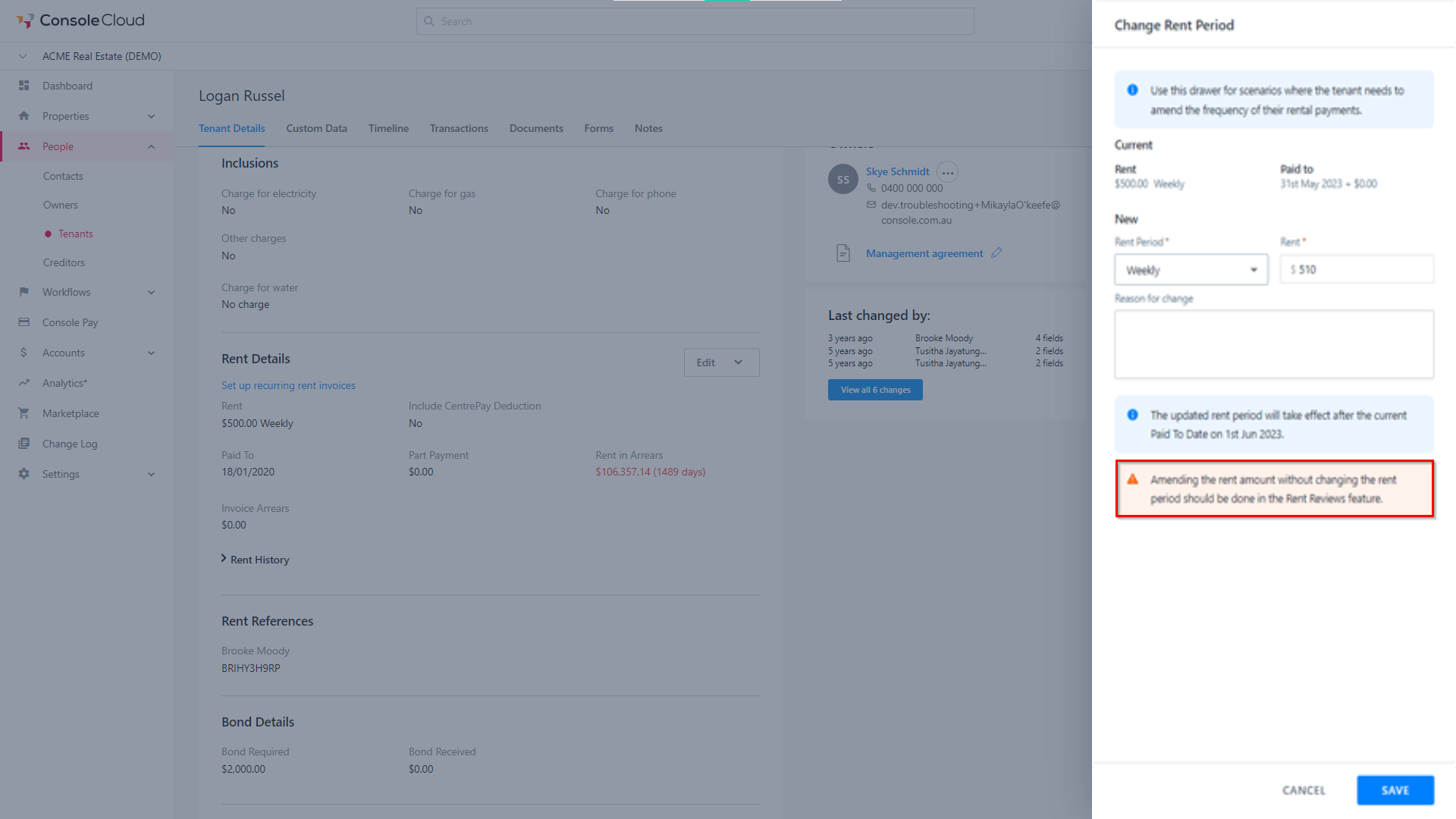
- If you try to change the rent amount ONLY and not the period, a warning message will appear to advise you that this should be done with the rent review drawer. You can change the rent amount only to fix an incorrect amount that may have been entered previously.
*Note: Tenants with recurring invoices set up cannot change the rent period. You will see the Rent Period greyed out and a hover state note advising of this reason.
Lease Renewal Workflow > Rent Change
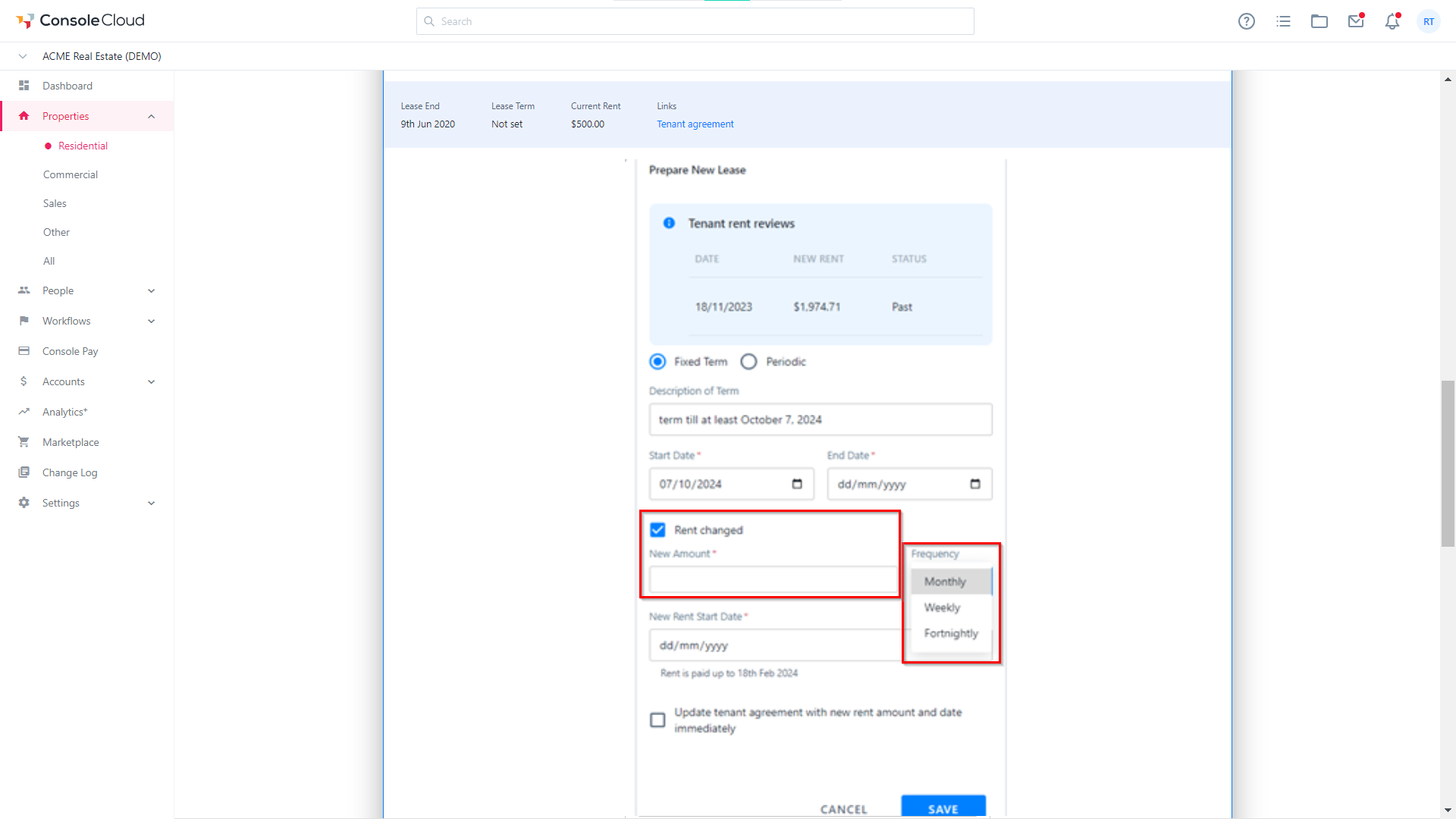
- Enter the New Amount and Frequency. It can be edited from the lease renewal “Prepare New Lease” section.
*Note: You cannot change rent frequency for Tenant agreements that have recurring invoices set up.
Rent Reviews
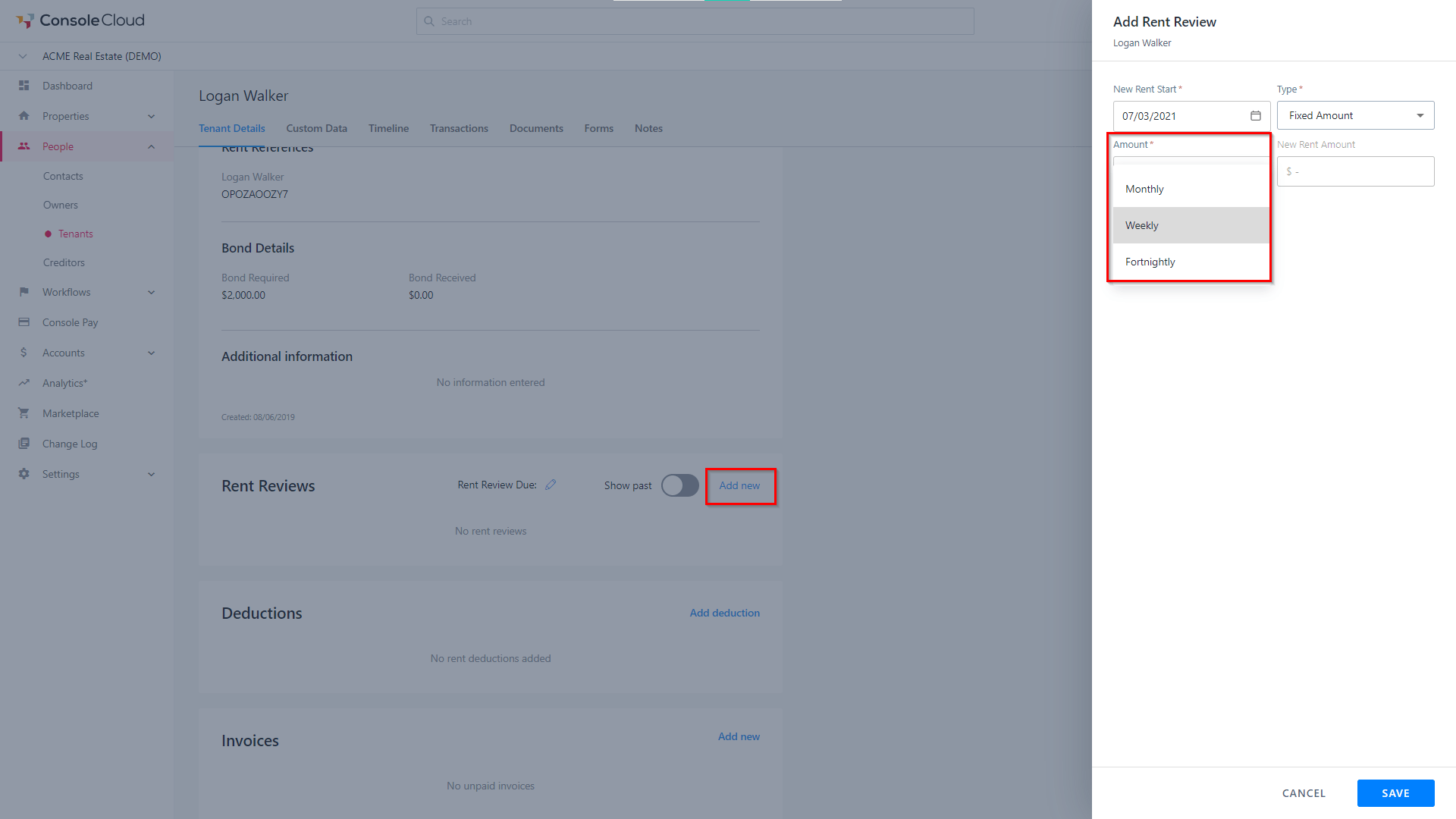
- Navigate to the Rent Reviews section and click Add New. Enter in the New Rent Amount and Frequency.
*Note: You cannot change rent frequency for tenancy's with recurring invoices.
Payment History Report
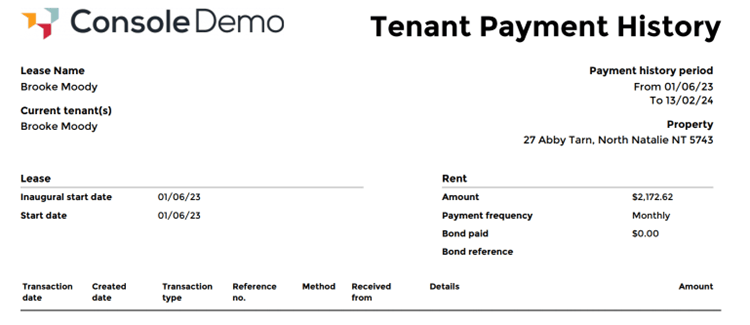
All rent period changes will be shown on the Tenants Payment History report.
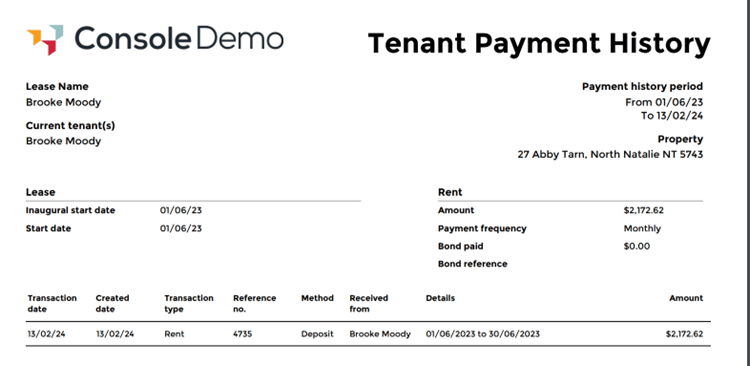
A Rent Period change transaction type will appear also in the report once funds have been receipted showing once the change took effect.
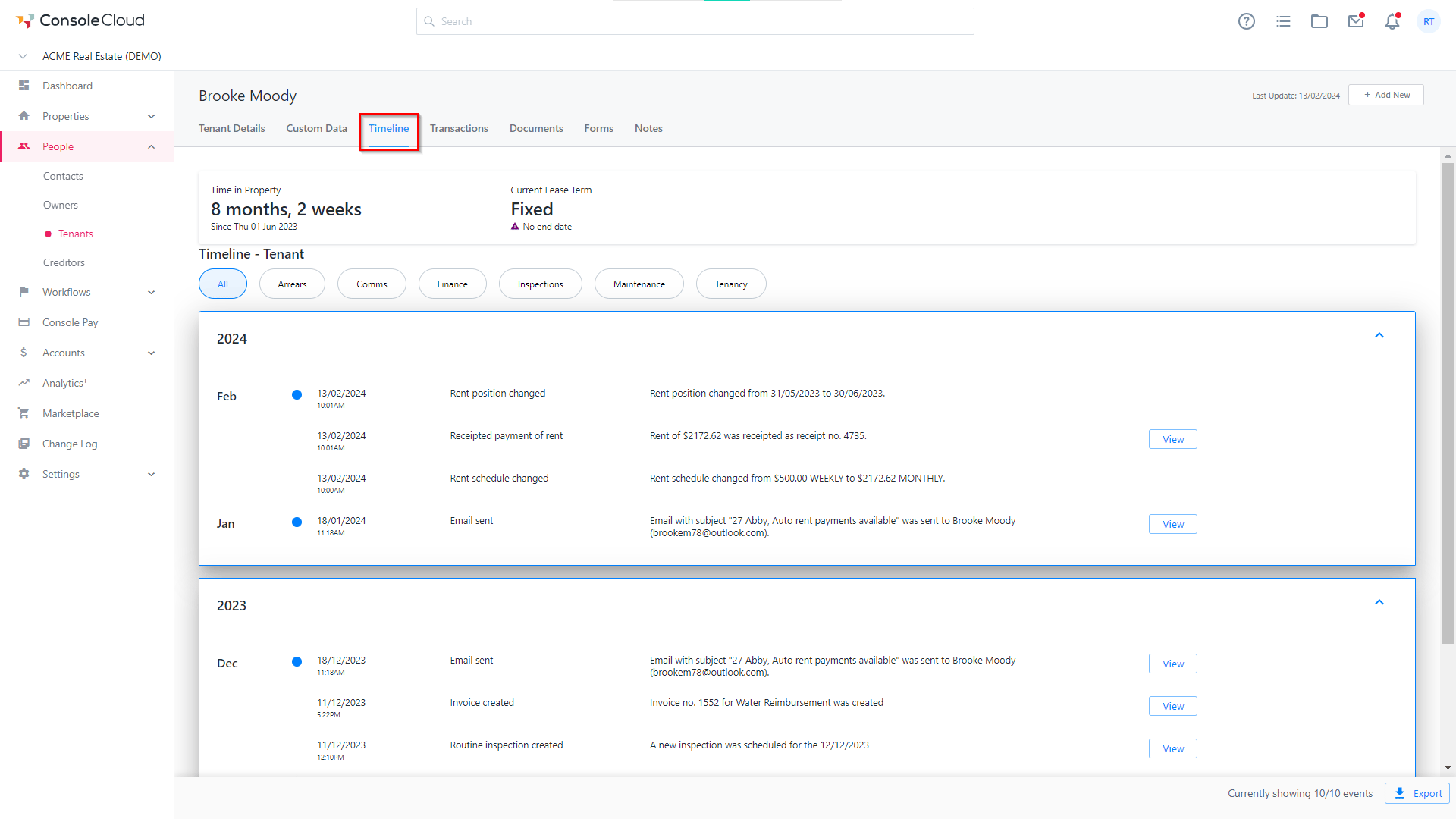
Timeline
All rent period changes will be recorded on the Tenants timeline showing the changed amount and frequency and when it was effective from.