'%20d='M0%208a8%208%200%200%201%208-8h24a8%208%200%200%201%208%208v24a8%208%200%200%201-8%208H8a8%208%200%200%201-8-8V8Z'/%3e%3cpath%20fill='%23fff'%20d='M8.375%2013v14L20.5%2034l12.124-7v-7.737l-1.687-.975-2.806-1.62-1.082-.624v4.83l-.002%204.83H13.95V16.07l3.275-1.89%202.192-1.265%201.082-.625%203.275%201.877%202.192%201.256%201.083.62V9.782L20.5%206%208.376%2013Z'/%3e%3cdefs%3e%3clinearGradient%20id='reapit-pm__a'%20x1='20.702'%20x2='20.702'%20y1='.351'%20y2='31.228'%20gradientUnits='userSpaceOnUse'%3e%3cstop%20stop-color='%235573FD'/%3e%3cstop%20offset='.575'%20stop-color='%234E56EA'/%3e%3c/linearGradient%3e%3c/defs%3e%3c/svg%3e)
Property Management Paperless Inspections
Paperless Inspections allow you to share and sign entry reports directly from Reapit PM. Tenants will receive a notification by email and will be then able to review, comment and sign via the tenant app. The process in this article include: How to Complete and Sign your Report How to Send the Report to Your Tenant
Overview
Property Management Paperless Inspections
Paperless Inspections allow you to share and sign entry reports directly from Reapit PM. Tenants will receive a notification by email and will be then able to review, comment and sign via the tenant app.
The process in this article include:
- How to Complete and Sign your Report
- How to Send the Report to Your Tenant
How to Complete and Sign your Report
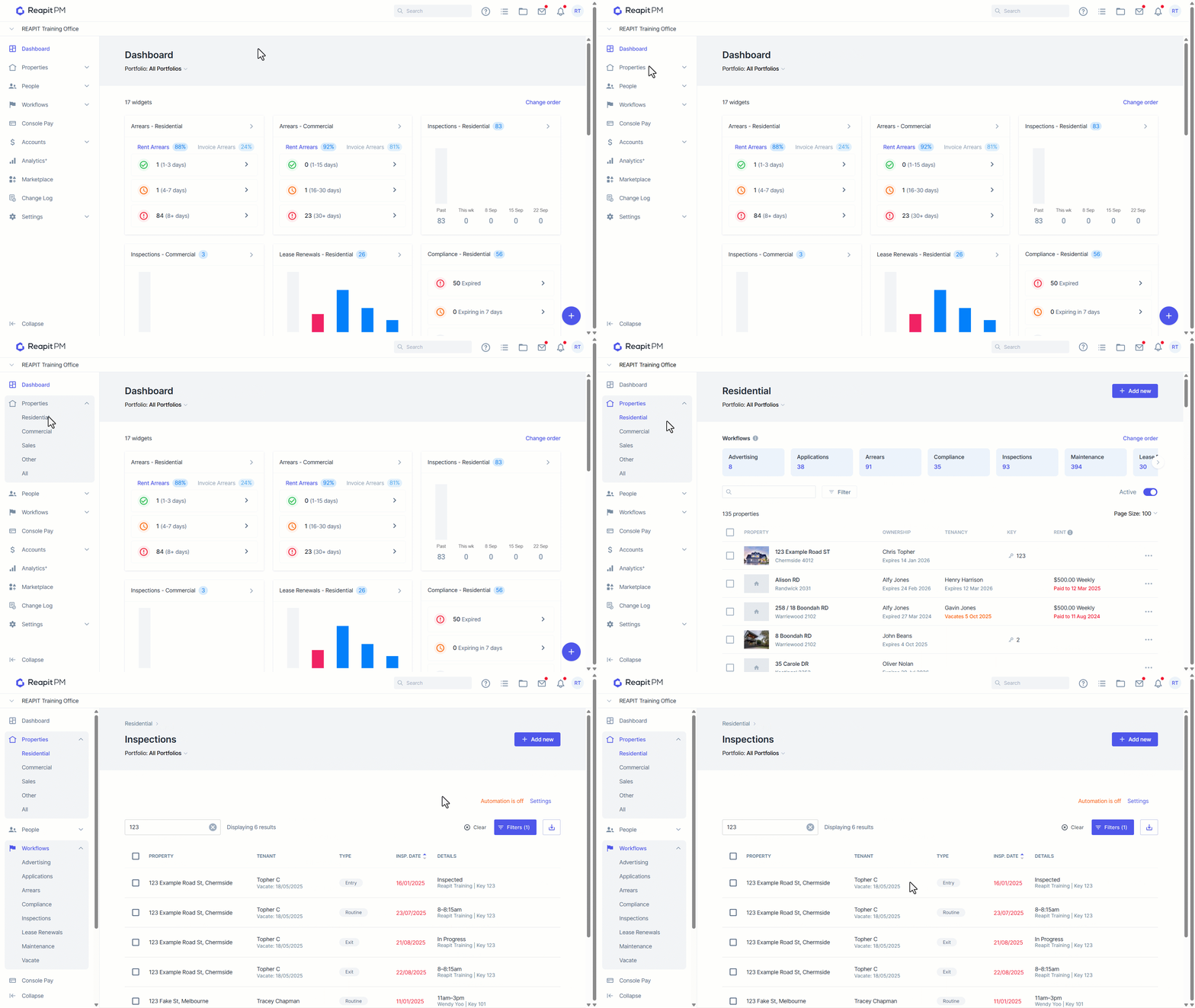
- Navigate to Properties > Residential from the drawer on the left hand side.
- Click Inspections.
- Search or select your address. Open the inspection.
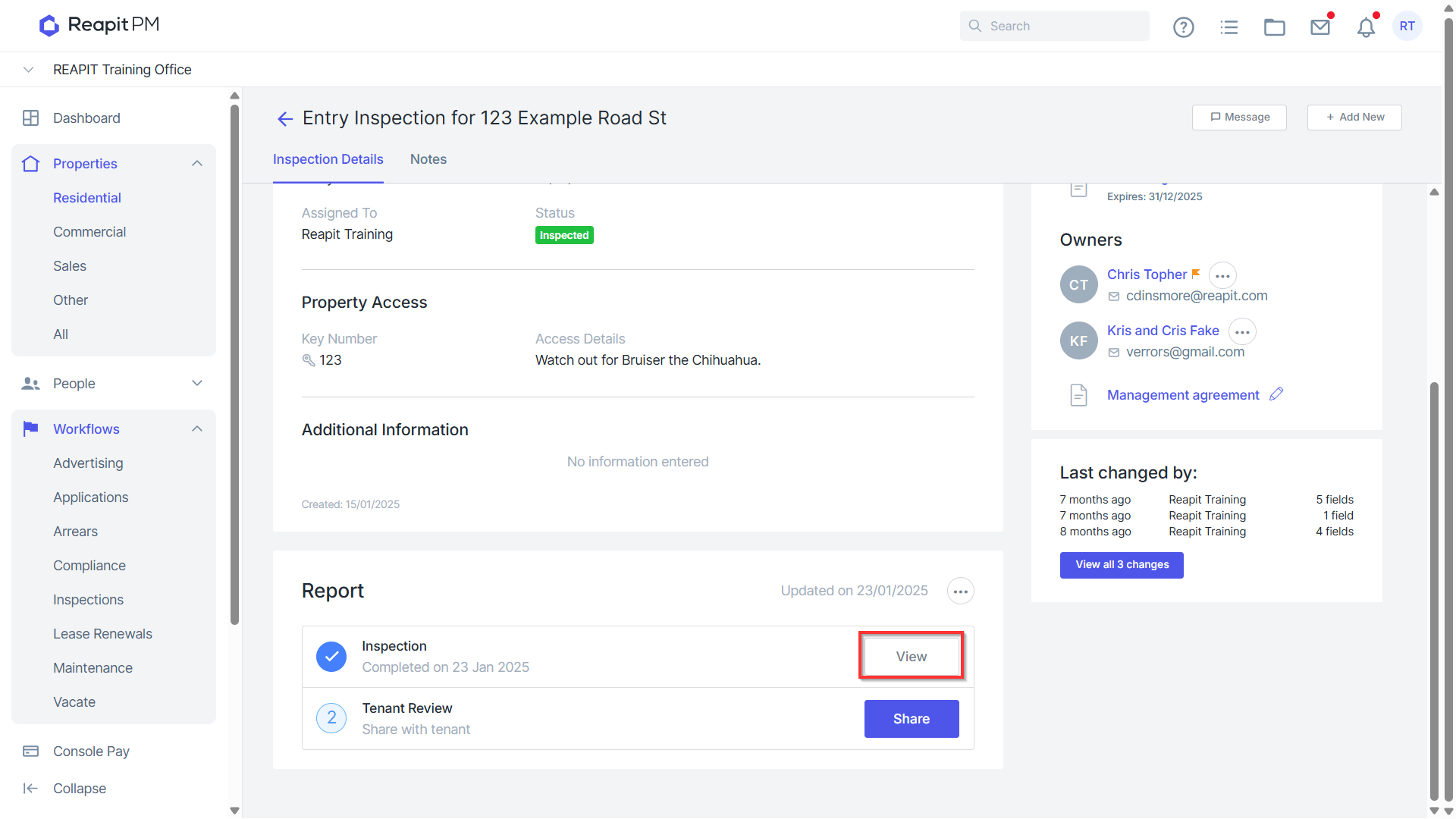
- Scroll down to the reports section and click View.
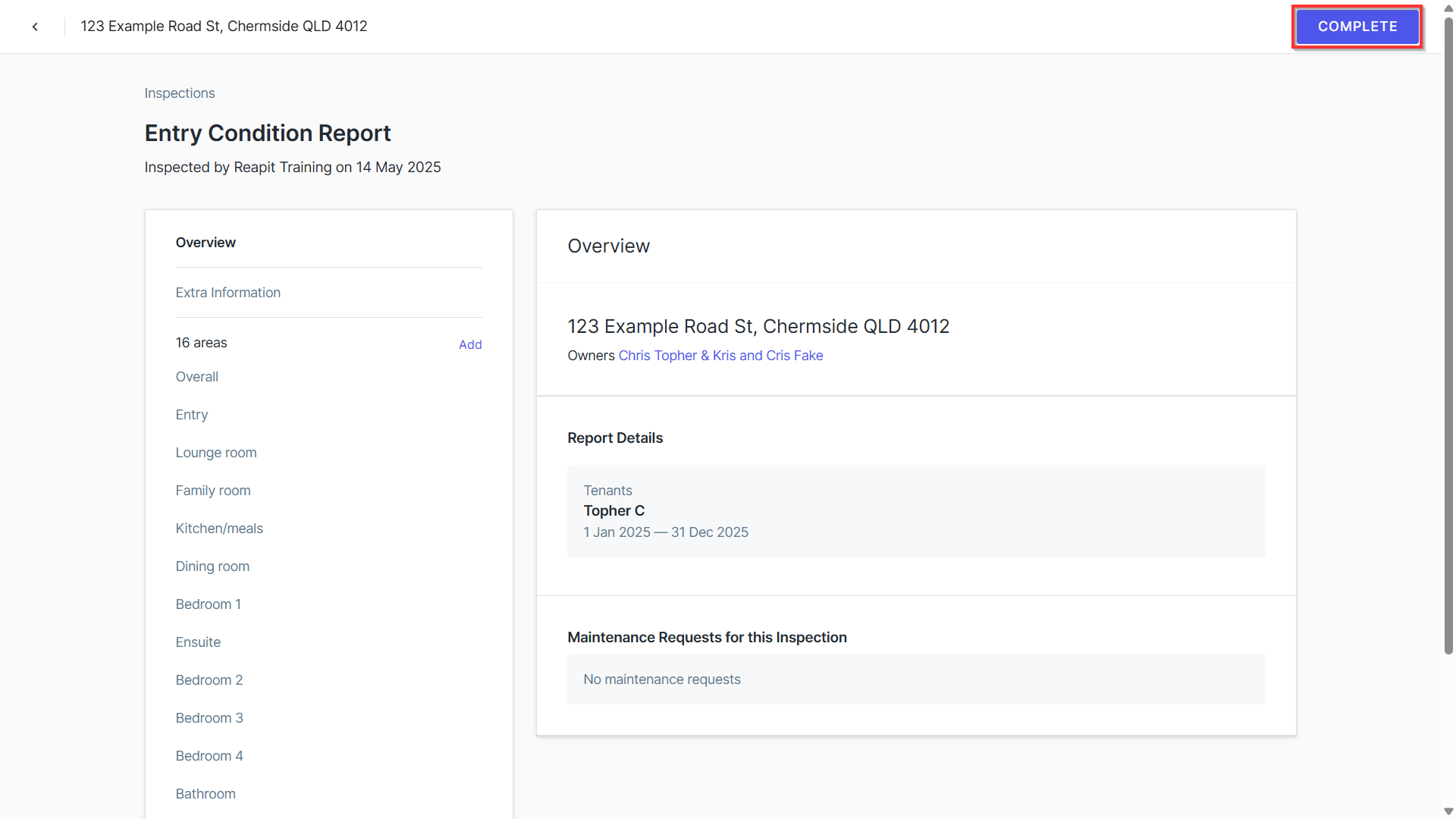
- This will open up your entry condition report. Review and make changes as required. Note: you will not be able to edit once you have signed.
- Click Complete.
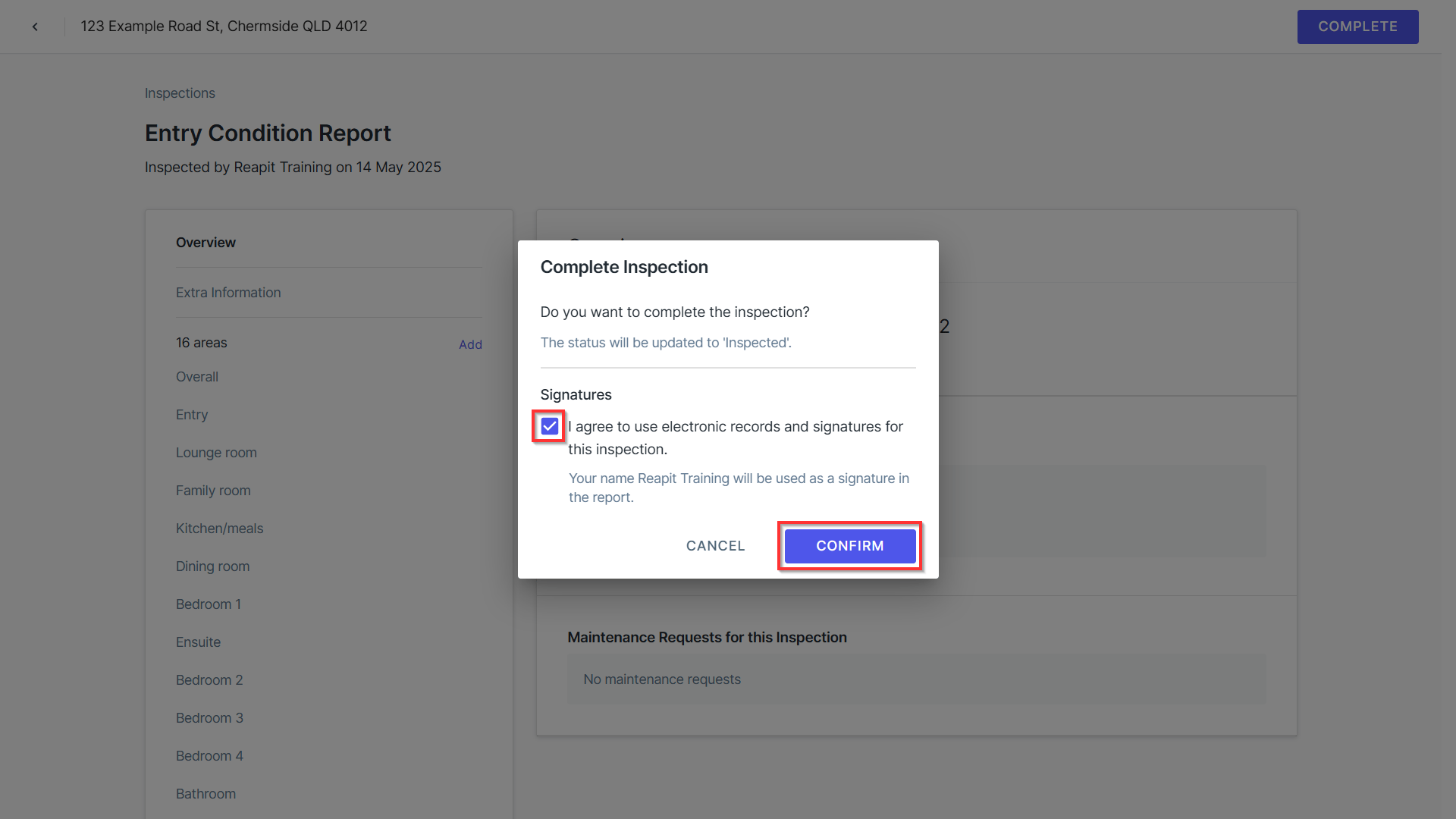
- To sign, tick the ‘I agree’ section. This will place your name on the document. Click Confirm.
How to Send the Report to Your Tenant
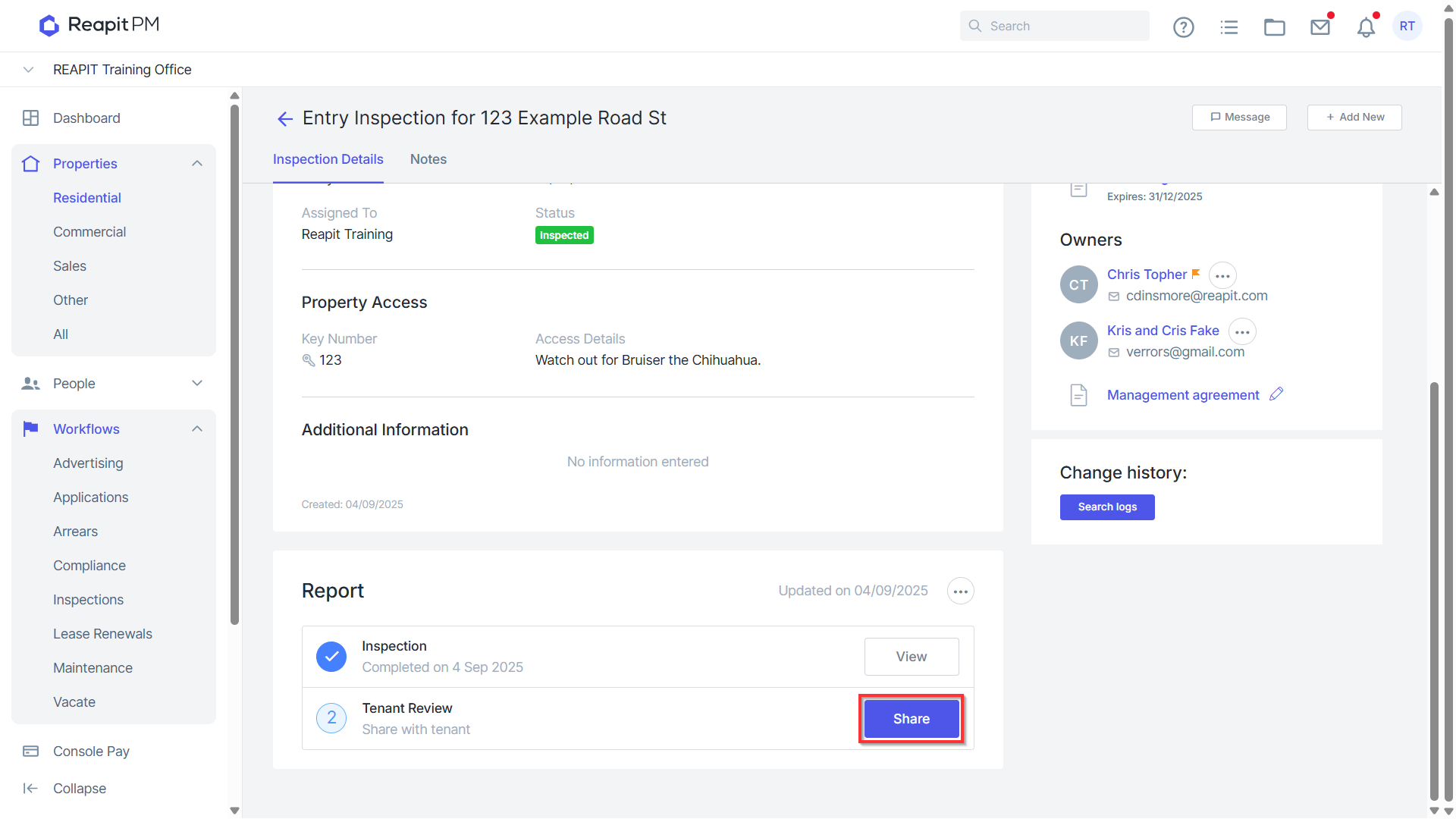
- Click Share.
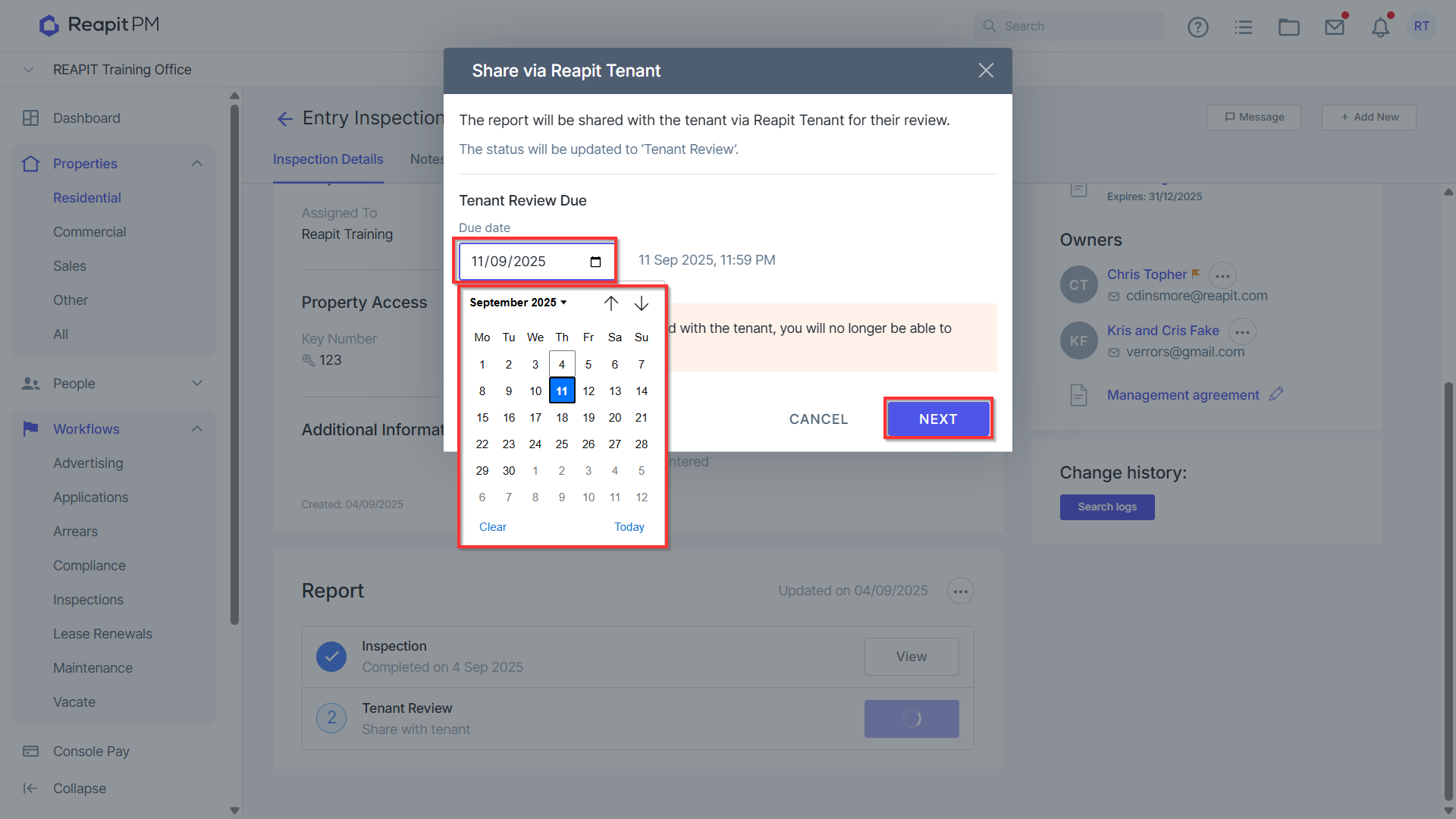
- Select the Due Date. Note: The default date is 7 days from today's work, this is the date the tenant must have this completed by, after 11:59 pm on the date, the report will no longer be accessible unless you extend the due date.
- Click Next.
- Amend the email if necessary. Click Send.
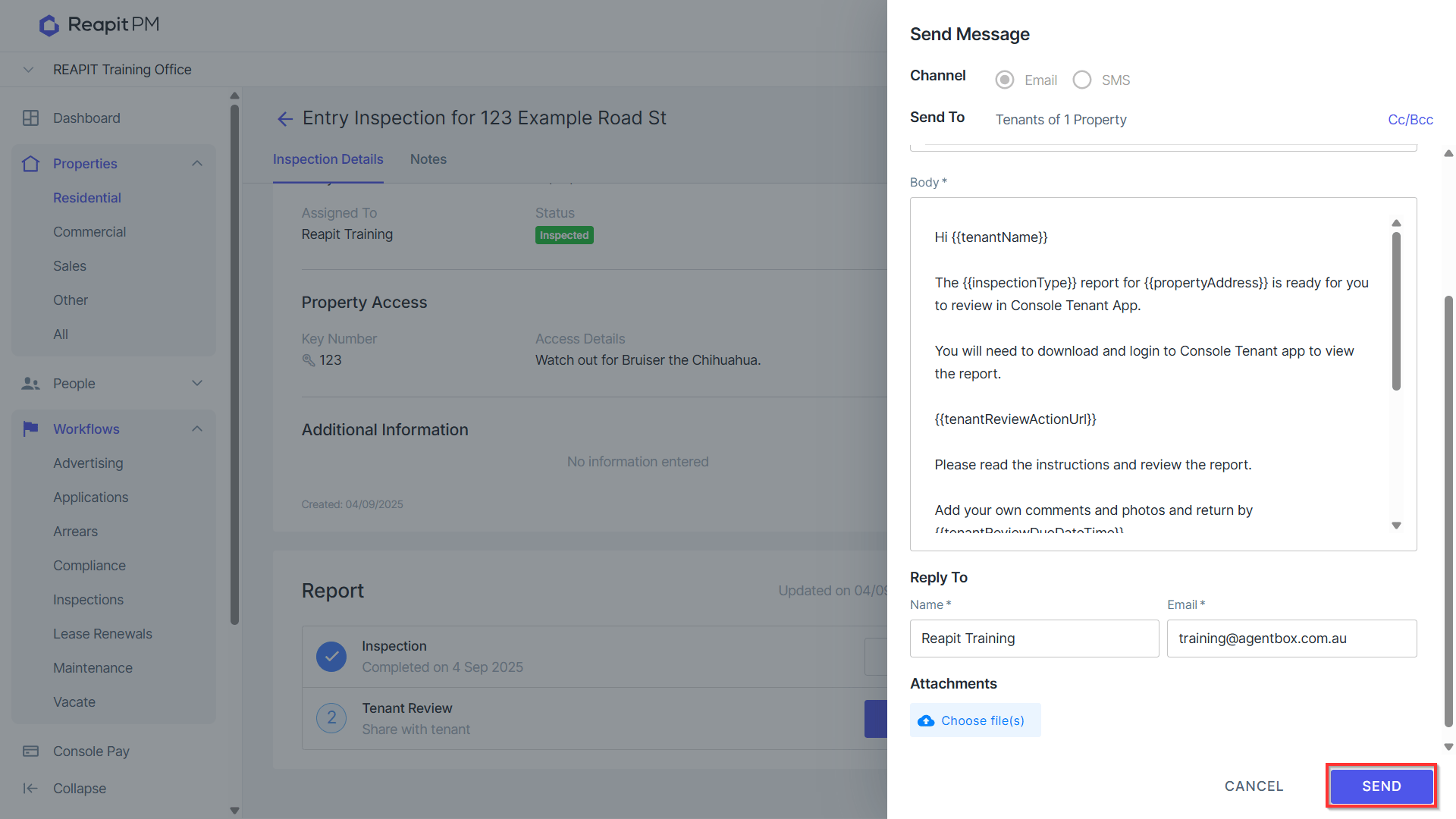
- The report will now be sent to your tenant to review and complete via the tenant app. Tenants can see how to do thishere.
- To re-share or change the due date of the report, click on the 3 dots and click the relevant button.