'%20d='M0%208a8%208%200%200%201%208-8h24a8%208%200%200%201%208%208v24a8%208%200%200%201-8%208H8a8%208%200%200%201-8-8V8Z'/%3e%3cpath%20fill='%23fff'%20d='M8.375%2013v14L20.5%2034l12.124-7v-7.737l-1.687-.975-2.806-1.62-1.082-.624v4.83l-.002%204.83H13.95V16.07l3.275-1.89%202.192-1.265%201.082-.625%203.275%201.877%202.192%201.256%201.083.62V9.782L20.5%206%208.376%2013Z'/%3e%3cdefs%3e%3clinearGradient%20id='reapit-pm__a'%20x1='20.702'%20x2='20.702'%20y1='.351'%20y2='31.228'%20gradientUnits='userSpaceOnUse'%3e%3cstop%20stop-color='%235573FD'/%3e%3cstop%20offset='.575'%20stop-color='%234E56EA'/%3e%3c/linearGradient%3e%3c/defs%3e%3c/svg%3e)
Creditor Bill Prioritisation
This article will navigate through setting up Bill Priorities on Creditors, filtering options from the Bills screen, and processing Bills in bulk based on priority within Reapit PM. Bill Prioritisation is available to Premium and Enterprise clients only. The processes in this article include: How to Set the Bill Priority Level How to Process Bill Payments
Overview
Creditor Bill Prioritisation
This article will navigate through setting up Bill Priorities on Creditors, filtering options from the Bills screen, and processing Bills in bulk based on priority within Reapit PM.
Bill Prioritisation is available to Premium and Enterprise clients only.
The processes in this article include:
- How to Set the Bill Priority Level
- How to Process Bill Payments
Set the Bill Priority Level
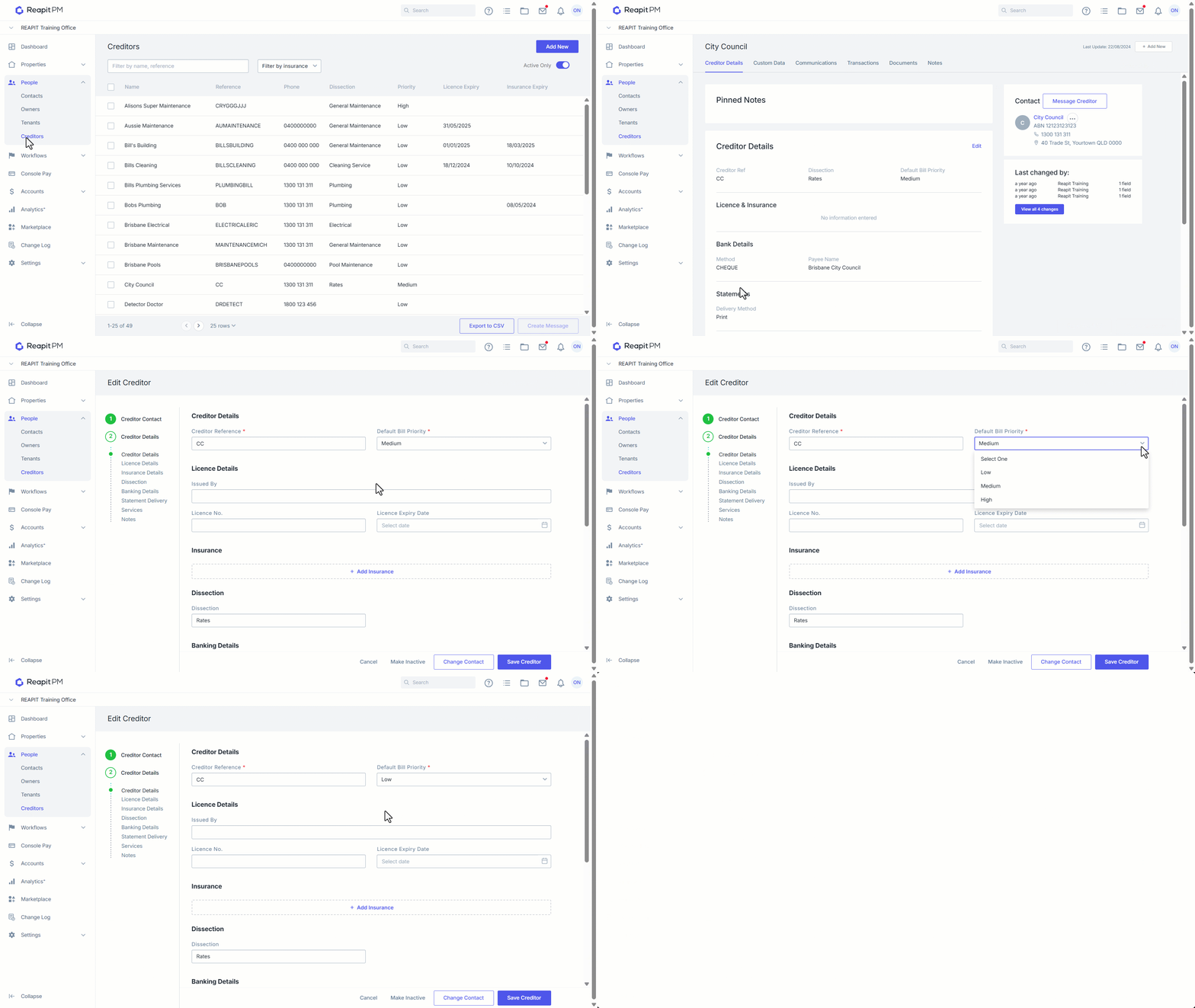
When a creditor is created in Reapit PM, their status will default to Low. This can be updated following these steps.
- Click on People.
- Click on Creditors.
- Click on the required Creditor.
- Click on Edit.
- Set the desired Bill Priority.
- Click on Save Creditor.
Processing Bill Payments
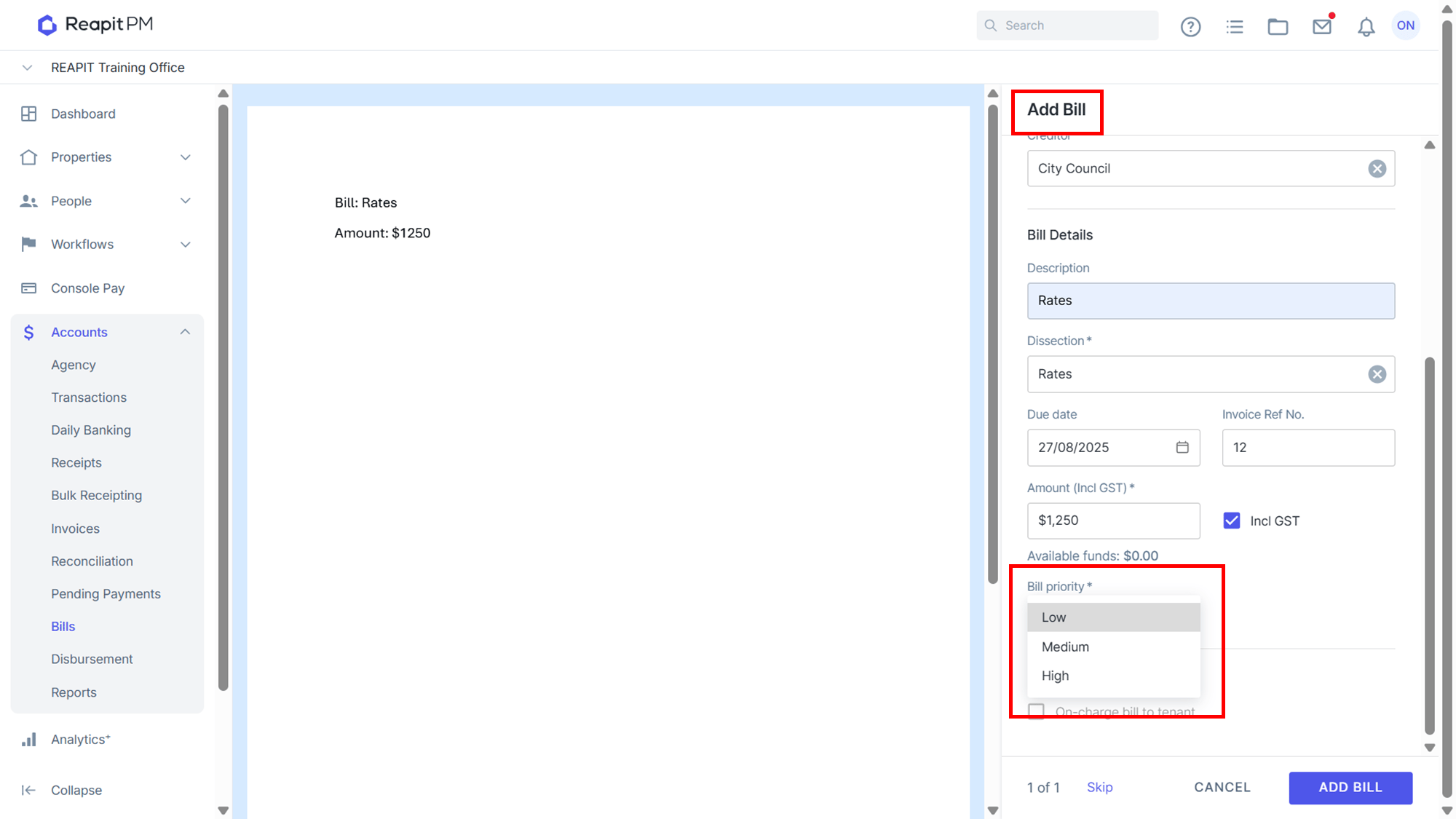
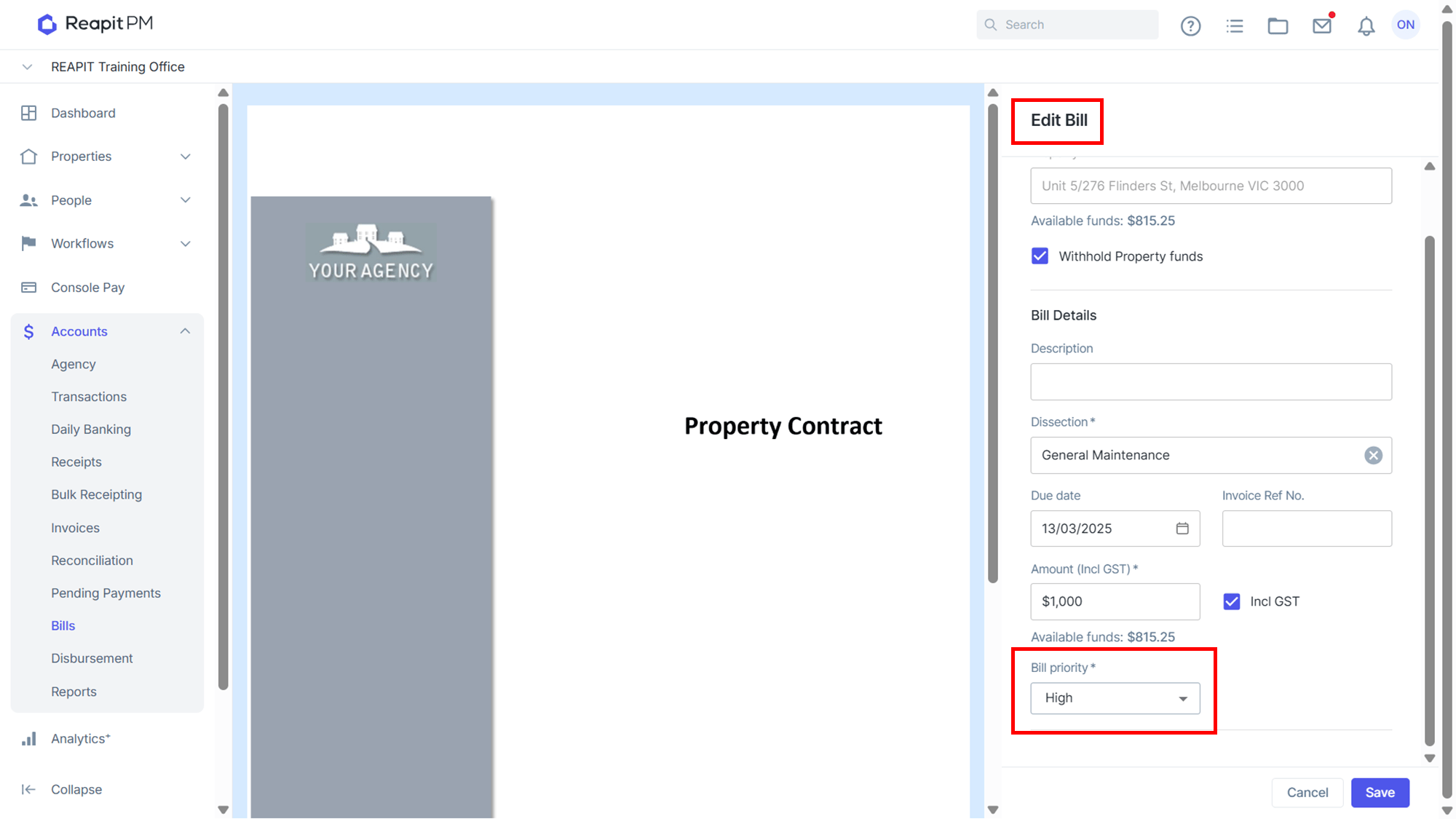
When creating a new Bill or editing an existing one, you will have the option to override the Priority level set by the Creditor selected.
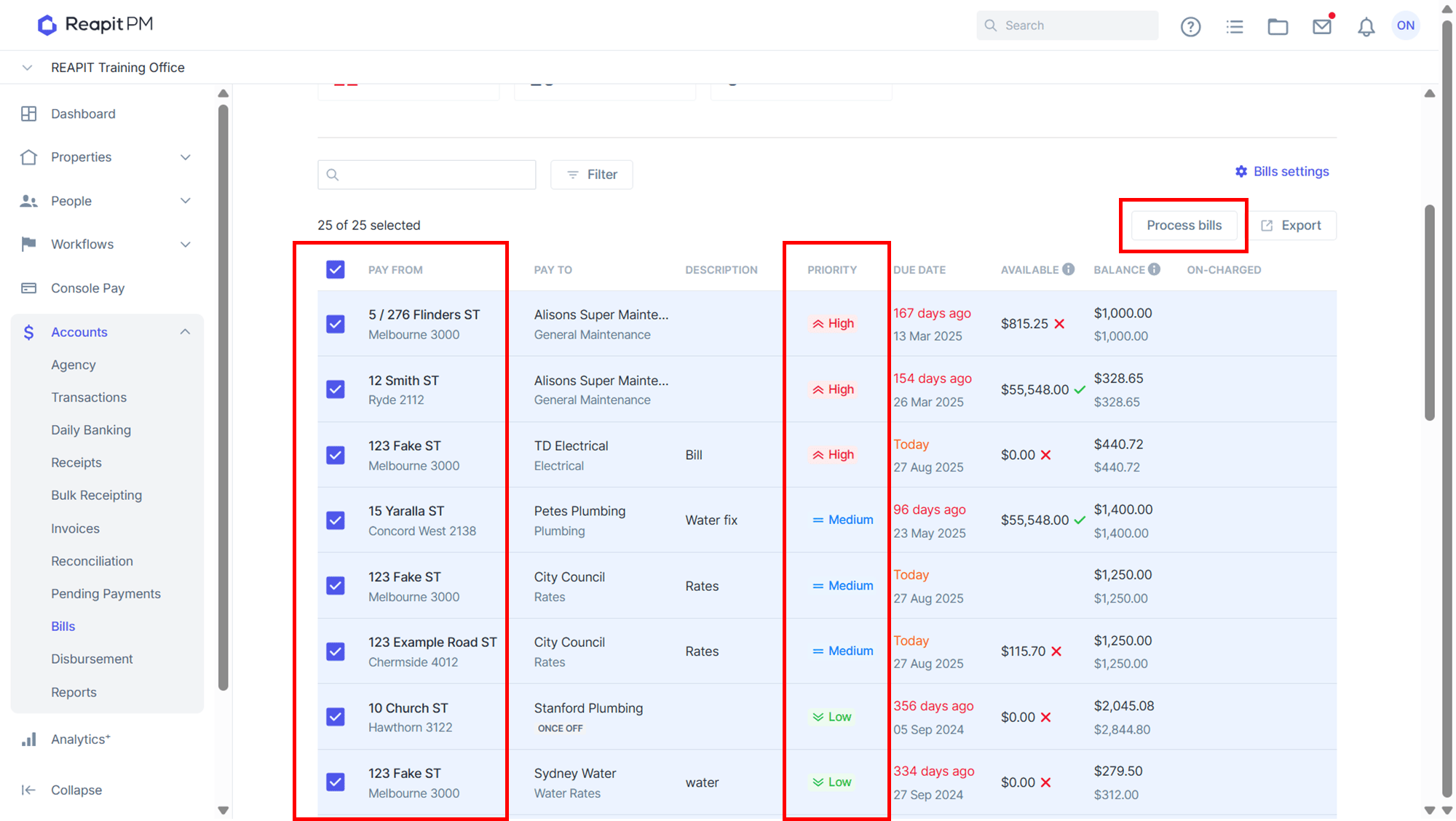
When processing bills in bulk and with multiple priority levels set, the Bill Priority will process bill in the following order:
- All High Priority processed in due date order followed by
- All Medium Priority processed in due date order followed by
- All Low Priority processed in due date order
If there are pending payments scheduled to be charged, Agency fees take priority over Bill payments, as these fees could not be charged at the time they were triggered. Therefore, the available amount displayed on the Bills screen may not accurately reflect the true balance if there are pending payments that have not yet been processed.