'%20d='M0%208a8%208%200%200%201%208-8h24a8%208%200%200%201%208%208v24a8%208%200%200%201-8%208H8a8%208%200%200%201-8-8V8Z'/%3e%3cpath%20fill='%23fff'%20d='M8.375%2013v14L20.5%2034l12.124-7v-7.737l-1.687-.975-2.806-1.62-1.082-.624v4.83l-.002%204.83H13.95V16.07l3.275-1.89%202.192-1.265%201.082-.625%203.275%201.877%202.192%201.256%201.083.62V9.782L20.5%206%208.376%2013Z'/%3e%3cdefs%3e%3clinearGradient%20id='reapit-pm__a'%20x1='20.702'%20x2='20.702'%20y1='.351'%20y2='31.228'%20gradientUnits='userSpaceOnUse'%3e%3cstop%20stop-color='%235573FD'/%3e%3cstop%20offset='.575'%20stop-color='%234E56EA'/%3e%3c/linearGradient%3e%3c/defs%3e%3c/svg%3e)
Change Of Office to a New Brand or Trading Name
This article covers suggested processes required to be completed when an office changes Band or Trading Name.
Change of Office to a New Brand or Trading Name
This article covers suggested processes required to be completed when an office changes Band or Trading Name.
The processes in this article include:
Change User Email Addresses
Update Communication Preferences
Update User Profile details
Reassign Inspections
Remove Original Users
Bank and Office Settings
Change User Email Addresses
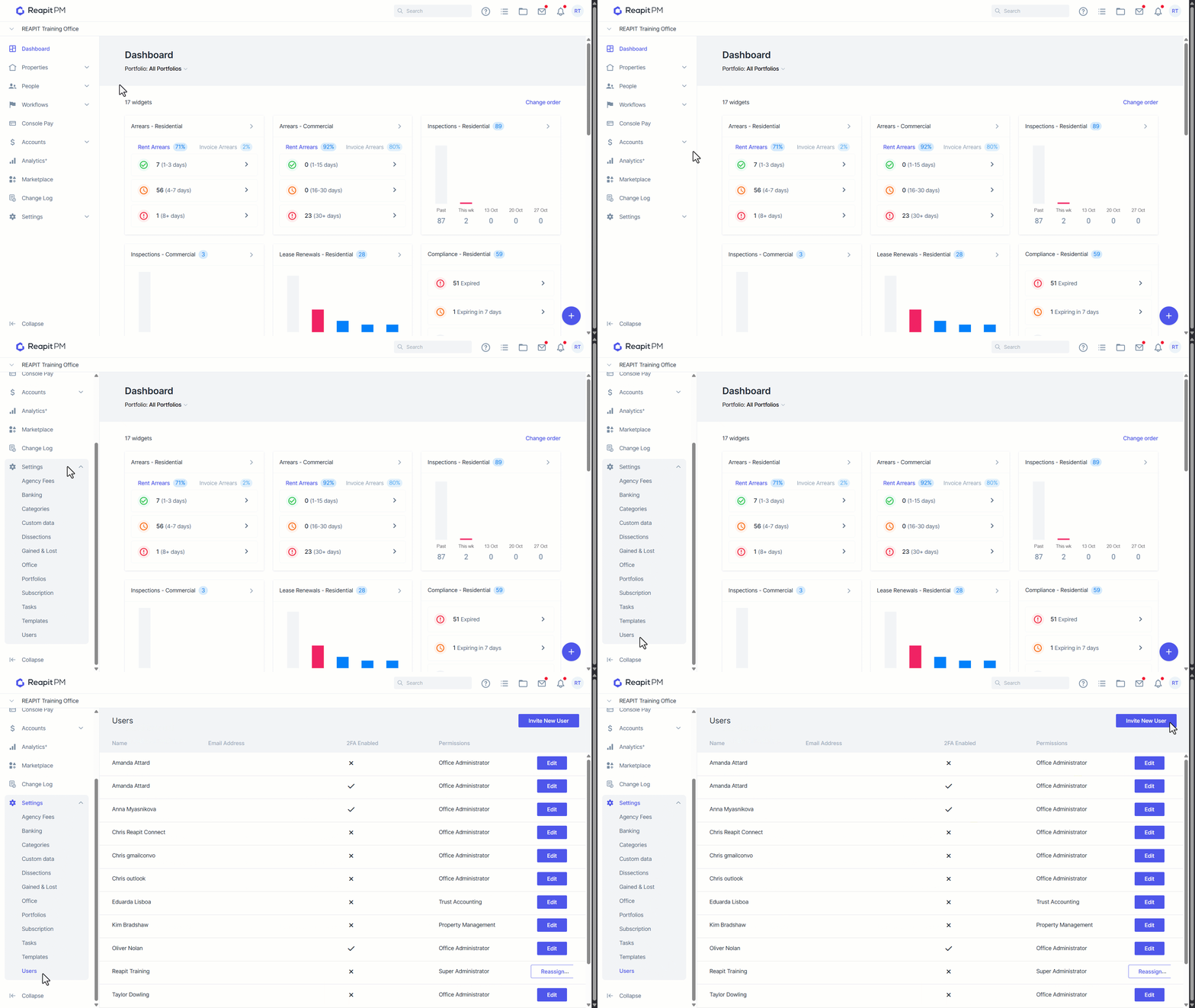
Navigate to Settings > Users. Invite the users again using their new email address - they should choose "New User" so that their login username is tied to their new email address.
Note: If your team has created accounts using their personal email address, their emails won't need to change.
Update Communication Preferences
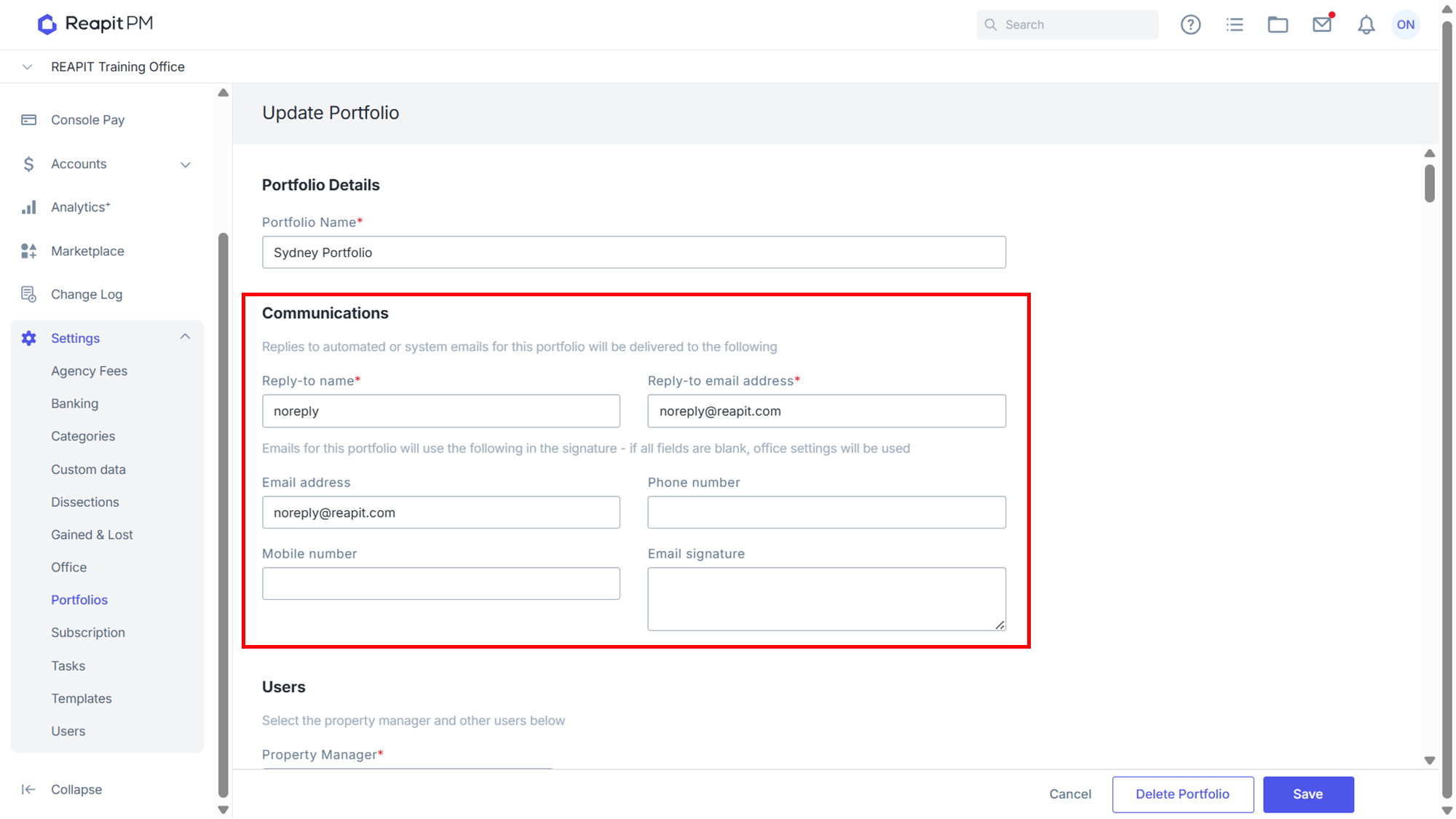
Update the Communication Preferences on each user's portfolio and assign the new user to their original portfolio - this only needs to be done once for each Portfolio. You should also check here and update any Reply-to email addresses and Email Signatures that need to align with the new brand or trading name.
Update User Profile Details
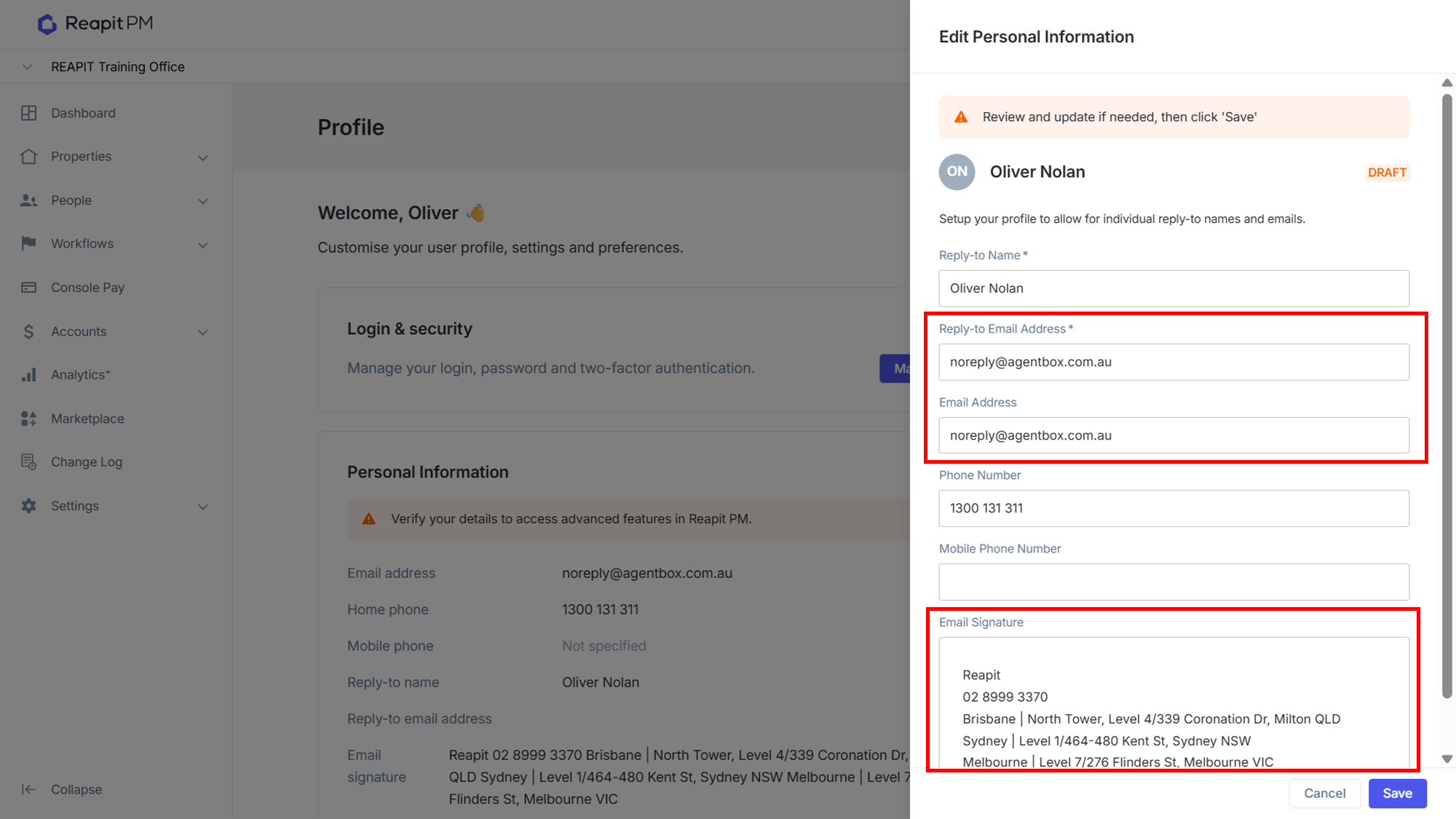
Update your User Profile, contact details and communication preferences.
Reassign Inspections
Reassign any inspections to the new user (this can be done in bulk in the Inspections Workflow).
Remove Original Users
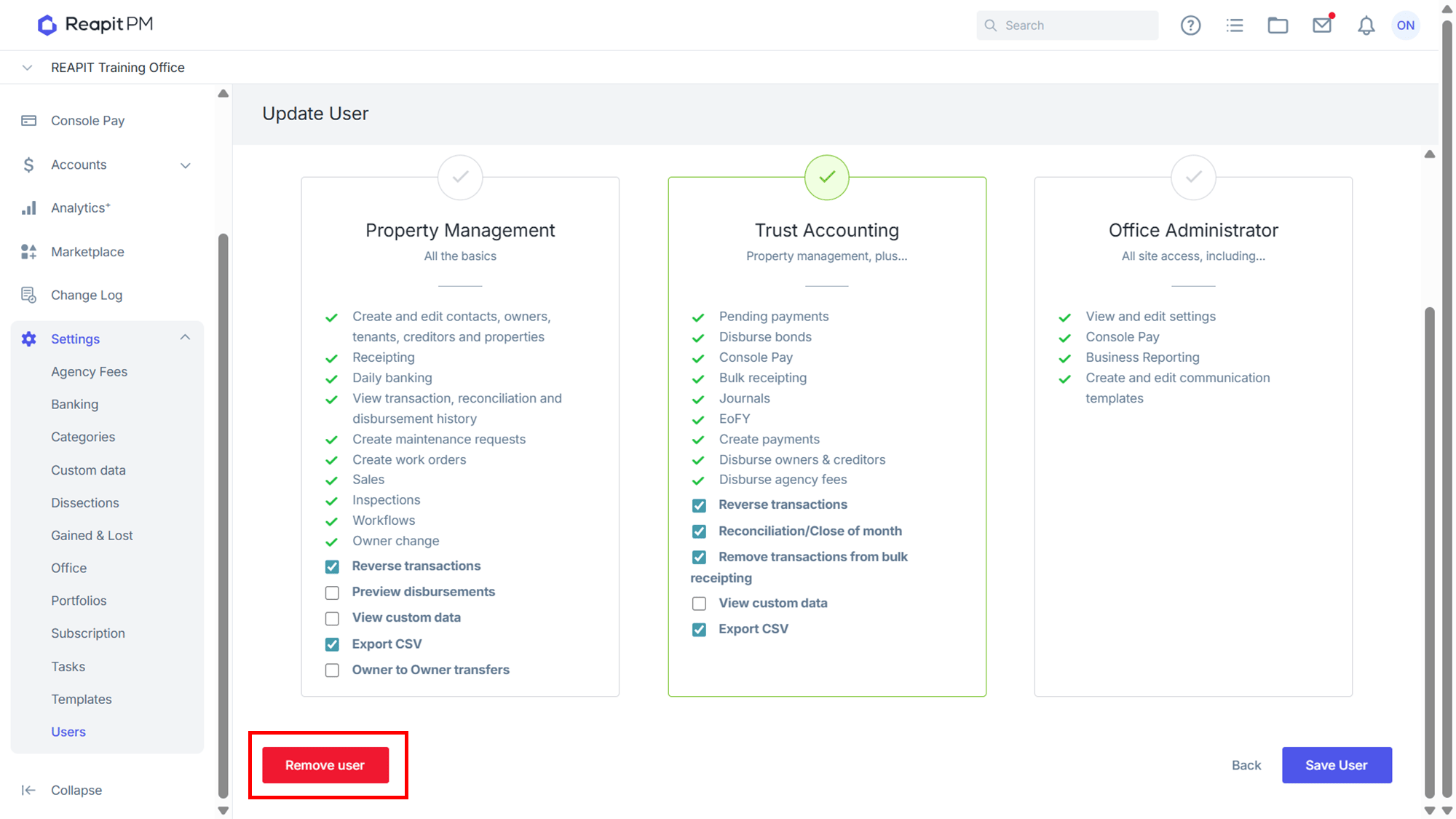
Remove the original users from your list in Settings > Users.
Bank and Office Settings
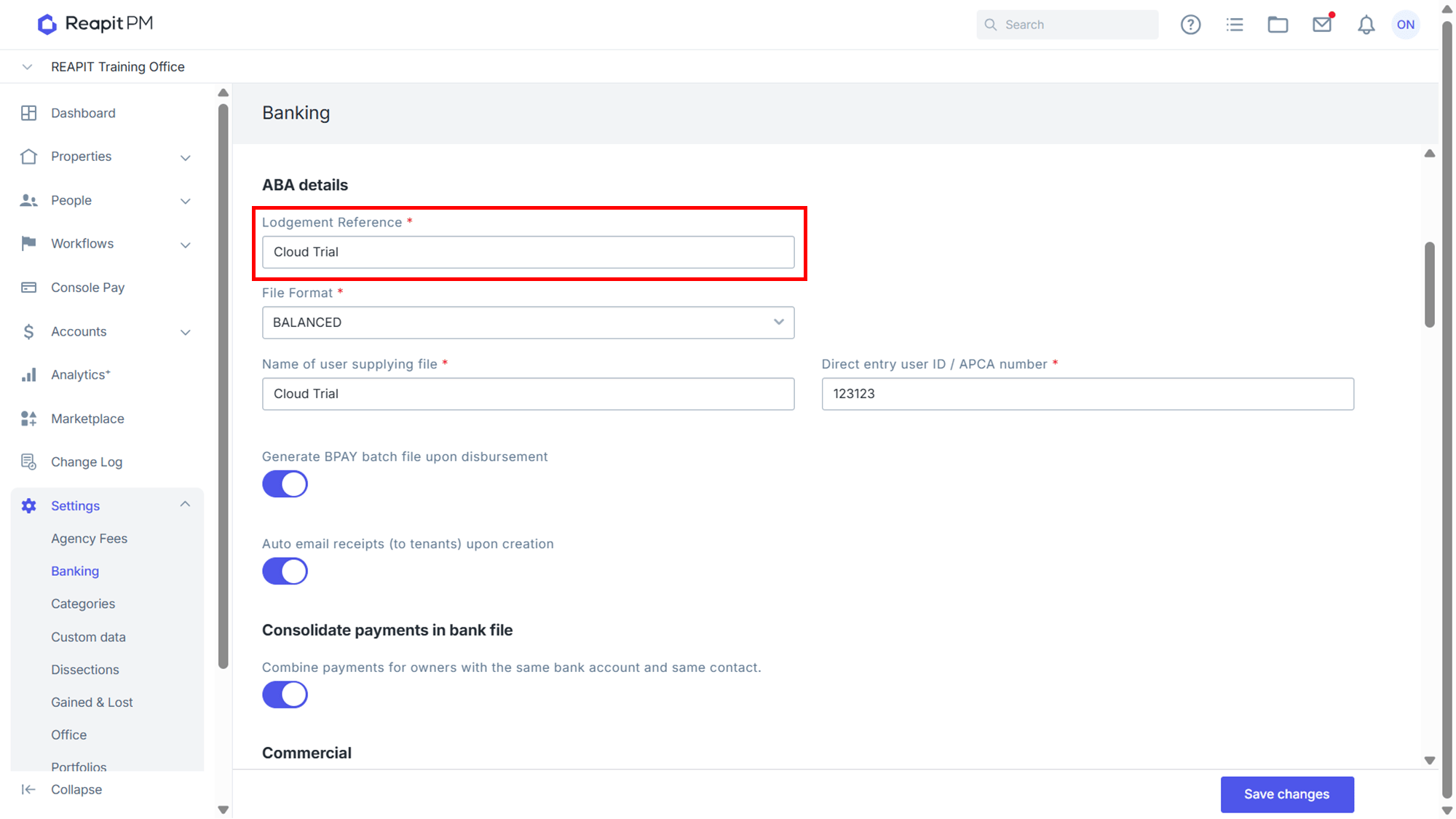
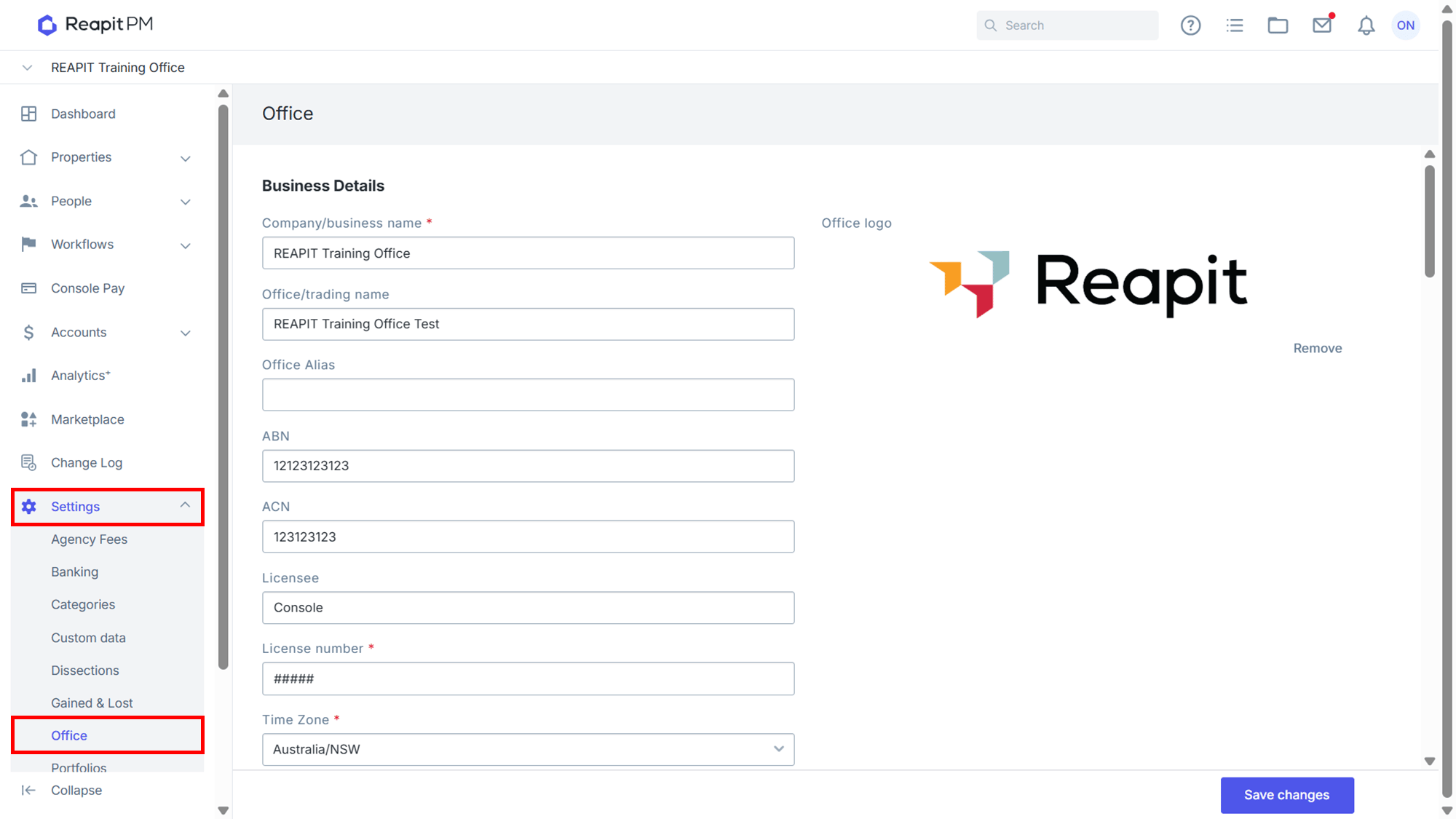
We recommend you also review the office and banking settings. In Office Settings, review and update details like your Logo, Trading Name, Reply-to email address and Email signature.
In Banking Settings, review and consider whether updates are required to the ABA Lodgement Reference, if it refers to your old business name.