'%20d='M0%208a8%208%200%200%201%208-8h24a8%208%200%200%201%208%208v24a8%208%200%200%201-8%208H8a8%208%200%200%201-8-8V8Z'/%3e%3cpath%20fill='%23fff'%20d='M8.375%2013v14L20.5%2034l12.124-7v-7.737l-1.687-.975-2.806-1.62-1.082-.624v4.83l-.002%204.83H13.95V16.07l3.275-1.89%202.192-1.265%201.082-.625%203.275%201.877%202.192%201.256%201.083.62V9.782L20.5%206%208.376%2013Z'/%3e%3cdefs%3e%3clinearGradient%20id='reapit-pm__a'%20x1='20.702'%20x2='20.702'%20y1='.351'%20y2='31.228'%20gradientUnits='userSpaceOnUse'%3e%3cstop%20stop-color='%235573FD'/%3e%3cstop%20offset='.575'%20stop-color='%234E56EA'/%3e%3c/linearGradient%3e%3c/defs%3e%3c/svg%3e)
How to Guide for Owner Portals
This article is a guide to show owners how the portal is used. The process in this article includes: Logging in to the Owner Portal Logging out of the Owner Portal Troubleshooting FAQ for the Owner Portal
This article is a guide to show owners how the portal is used.
The Owner Portal allows you to view an overview of the property and details, show any maintenance, inspections and finance that have recently been completed, display your owner statements and display documents such as inspection reports all at the touch of your fingertips.
The process in this article includes:
- Logging in to the Owner Portal
- Logging out of the Owner Portal
- Troubleshooting FAQ for the Owner Portal
Logging in to the Owner Portal
1. Navigate to https://owner.console.com.au
Note: We recommend using the Google Chrome browser.
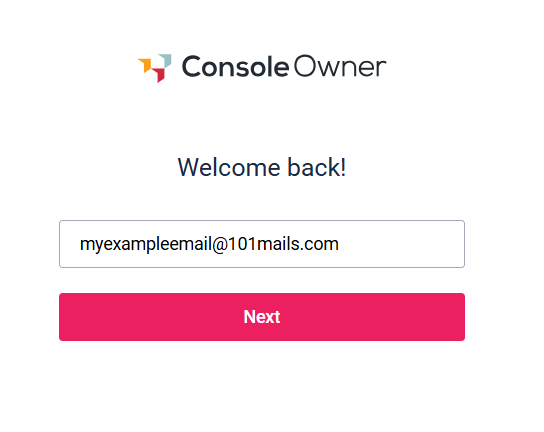
2. Enter the email address and click Next. You will be prompted to enter your password.
Note: If you have not received your invitation or set up your account, please contact your Property Manager.
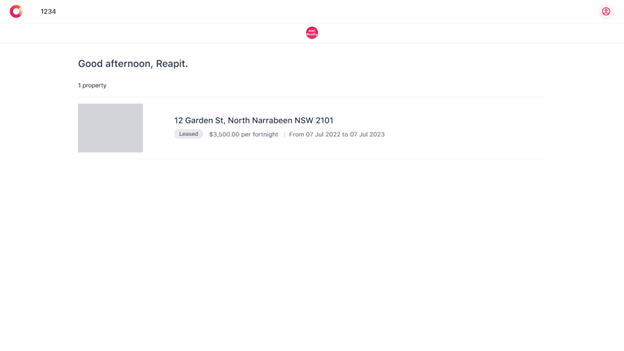
3. When you first login, you will be greeted and your property/s will display.
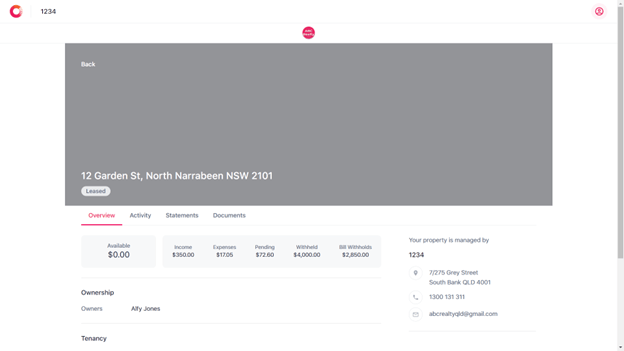
4. Click on the property. This will display the property overview and details.
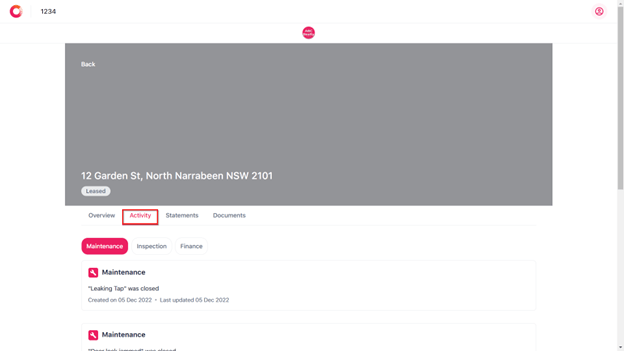
5. Click the Activity tab. This shows any maintenance, inspections, and finance that have recently been completed.
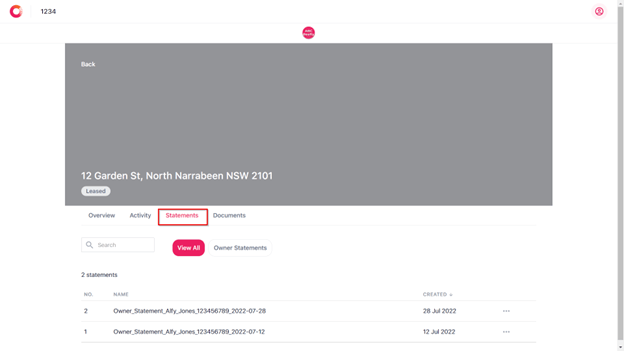
6. Click on the Statements tab. This will display your owner statements.
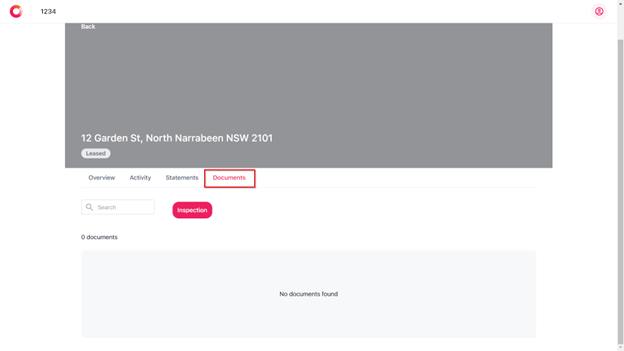
7. Click on the Documents Tab. This will display documents that have been uploaded e.g., inspection report.
Logging out of the Owner Portal
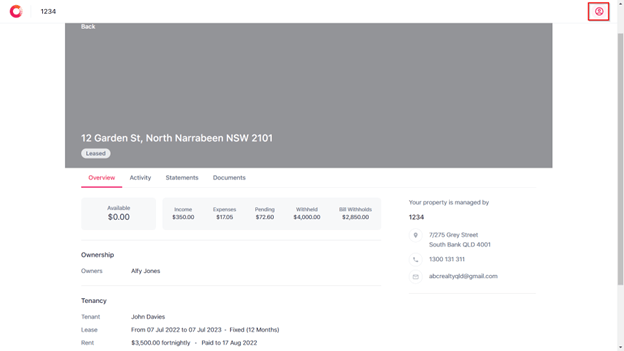
1. Navigate to the top right and click on the icon.
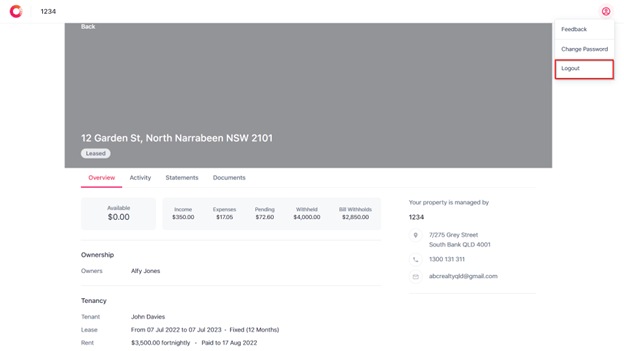
2. ClickLog out.
Troubleshooting Owner Portals
- Conflict when Reapit PM is open in the same browser:
If you need to access the Owner Portal for yourself (e.g. for testing) and you are currently logged in to Reapit PM, you will need to ensure you are using a different browser (e.g. Chrome for Reapit PM and Safari or Edge for the Owner Portal) or use an incognito window in Google Chrome. If you have Reapit PM, and try to access the Owner Portal in another standard tab - it will not let you log in.
This should not be an issue for your owners, as they will of course not have access to your agency’s Reapit PM!
- Browser Support for Owner Portal:
While we endeavor to support all web browsers, we perform our most rigorous quality checks using the latest version of Google Chrome. Therefore, we recommend to all users that they view the Owner Portal using an up to date version of Google's Chrome Web Browser.
- An Owner using a different email address to where the invitation was sent:
If the invite email is sent to an email address i.e. owner@gmail.com, but they actually sign up using a different email i.e. owner.different@gmail.com, then they need to be aware of two things:
- They will need to complete an additional "verify email" step, as a security measure.
- They will not be able to login with owner@gmail.com, they will need to use owner.different@gmail.com
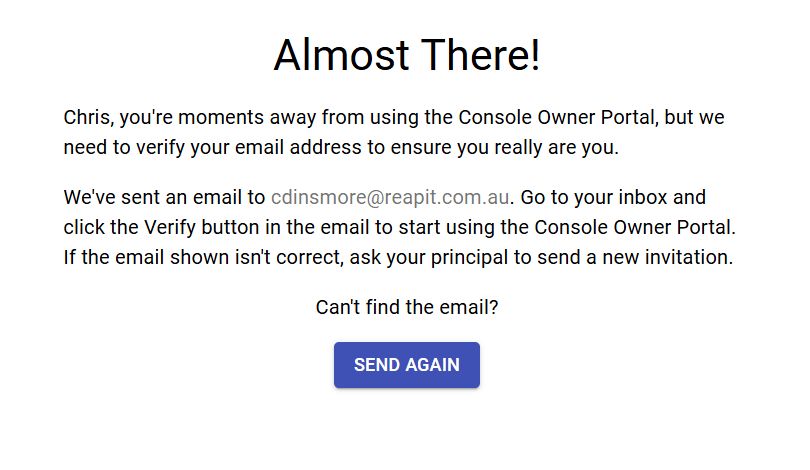
If the owner is unable to verify the account, the agency may contact the Reapit PM support team, who can arrange for the connection to be disconnected, allowing a new invite to be sent to the correct email address.