'%20d='M0%208a8%208%200%200%201%208-8h24a8%208%200%200%201%208%208v24a8%208%200%200%201-8%208H8a8%208%200%200%201-8-8V8Z'/%3e%3cpath%20fill='%23fff'%20d='M8.375%2013v14L20.5%2034l12.124-7v-7.737l-1.687-.975-2.806-1.62-1.082-.624v4.83l-.002%204.83H13.95V16.07l3.275-1.89%202.192-1.265%201.082-.625%203.275%201.877%202.192%201.256%201.083.62V9.782L20.5%206%208.376%2013Z'/%3e%3cdefs%3e%3clinearGradient%20id='reapit-pm__a'%20x1='20.702'%20x2='20.702'%20y1='.351'%20y2='31.228'%20gradientUnits='userSpaceOnUse'%3e%3cstop%20stop-color='%235573FD'/%3e%3cstop%20offset='.575'%20stop-color='%234E56EA'/%3e%3c/linearGradient%3e%3c/defs%3e%3c/svg%3e)
Console Pay when Entering a new Tenancy Agreement
Tenancies can be invited at the point of creating a tenancy or sent their invite from the individual profile. You can also setup rental payments, create bond and deposit or initial rent payments within Reapit PM.
Console Pay when Entering a new Tenancy Agreement
Tenancies can be invited at the point of creating a tenancy or sent their invite from the individual profile. You can also setup rental payments, create bond and deposit or initial rent payments within Reapit PM.
To set up a tenancy at the point of entering the Tenancy Agreement follow the below steps.
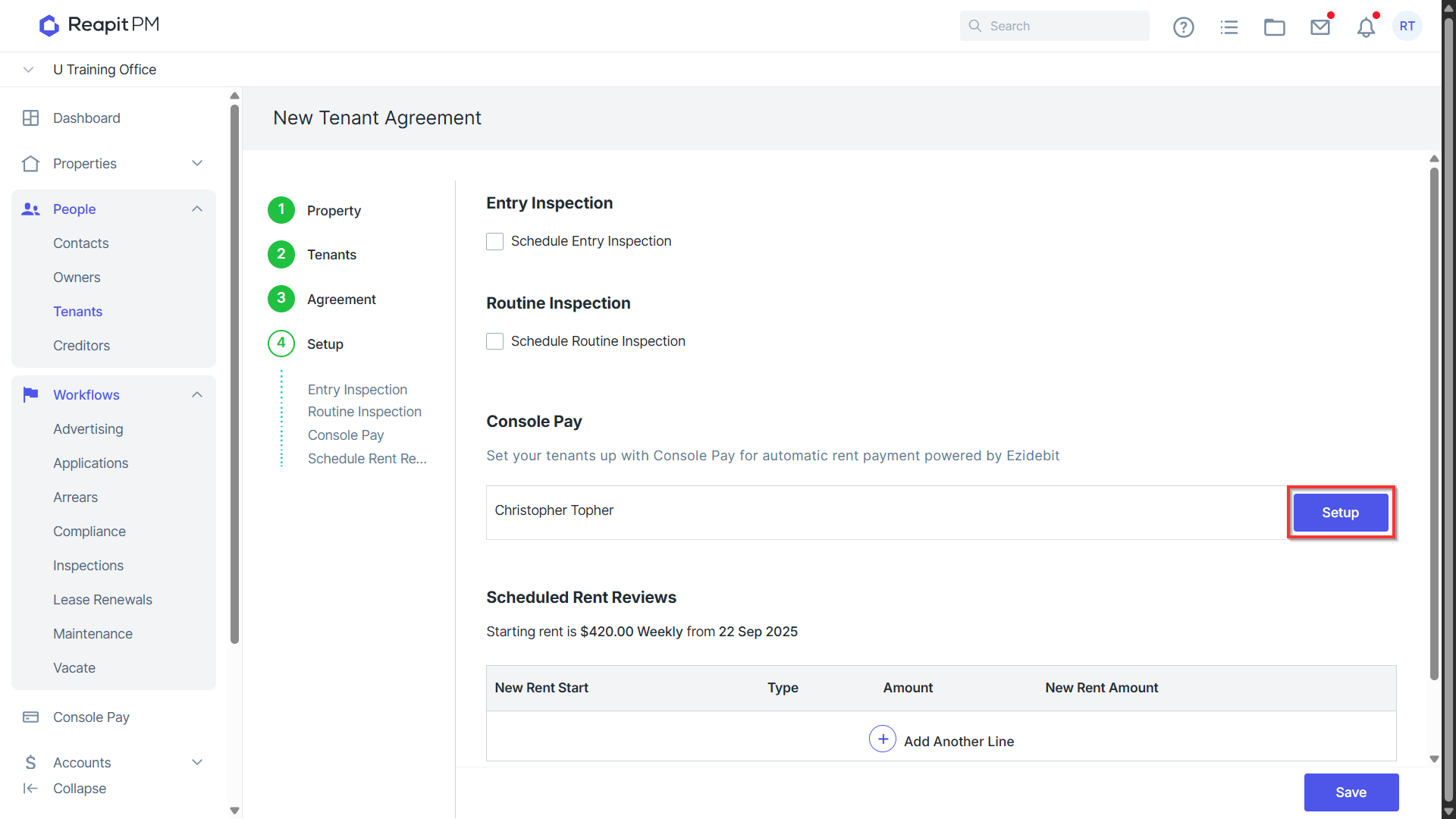
When creating a Tenancy Agreement, the final step will be to setup Console Pay. Click the Blue setup button next to the relevant Contact.
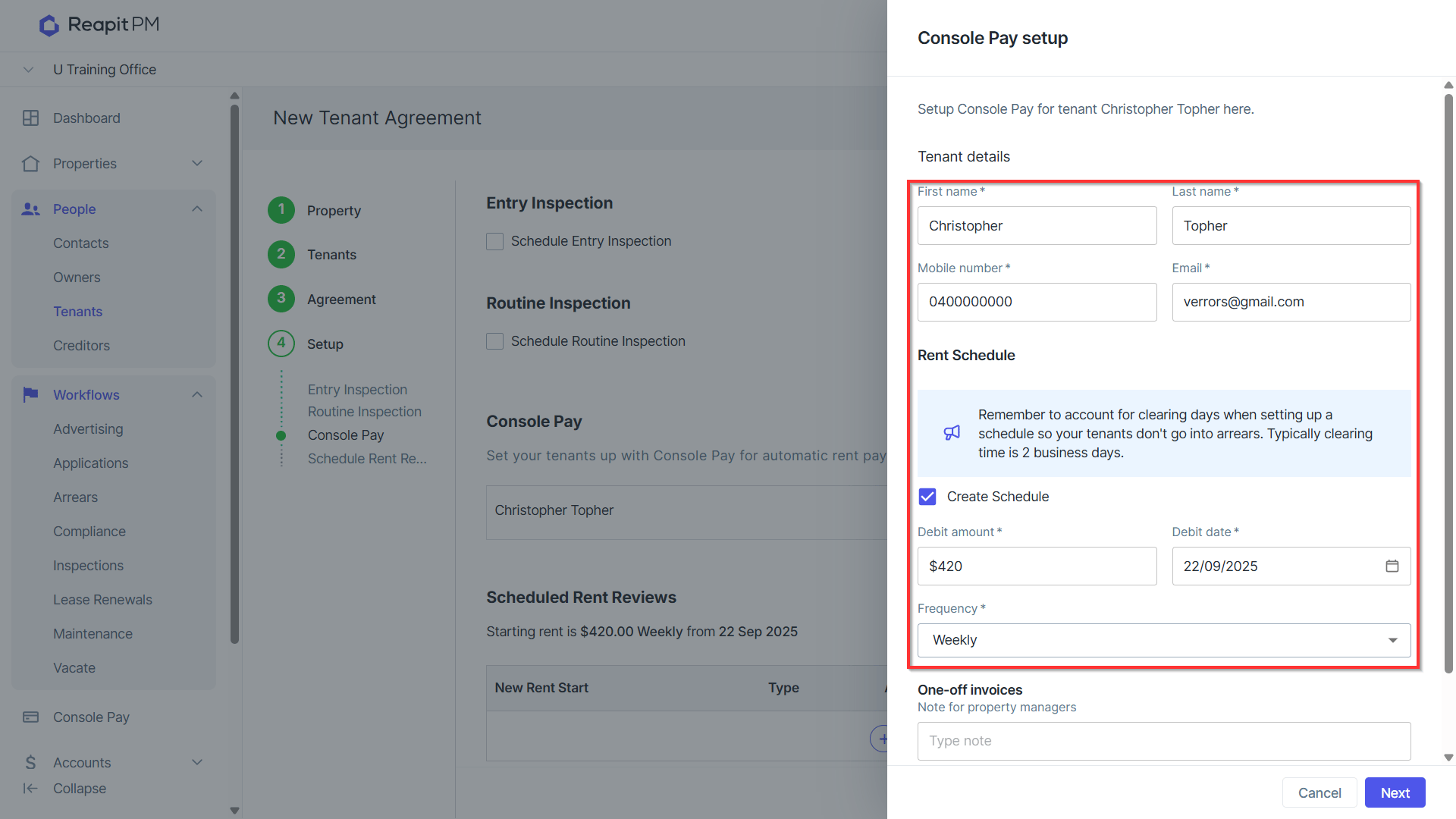
Enter/Confirm Tenant Details and select to Debit for Regular Rent Details and confirm Debit Amount, Starting date and Frequency. Note: we recommend ensuring the debit date takes into account clearance time to prevent the tenancy falling into arrears.
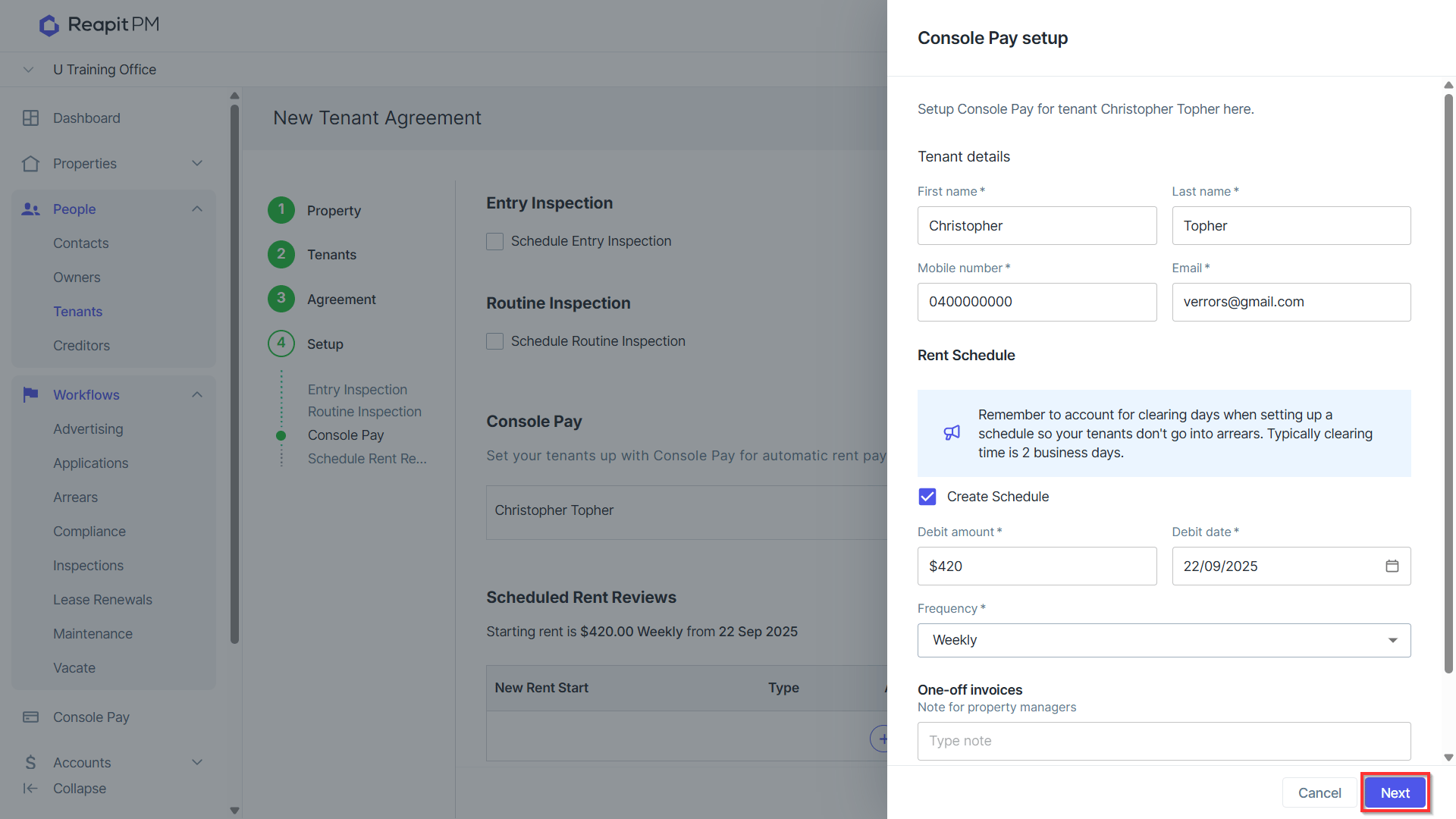
Click Next.
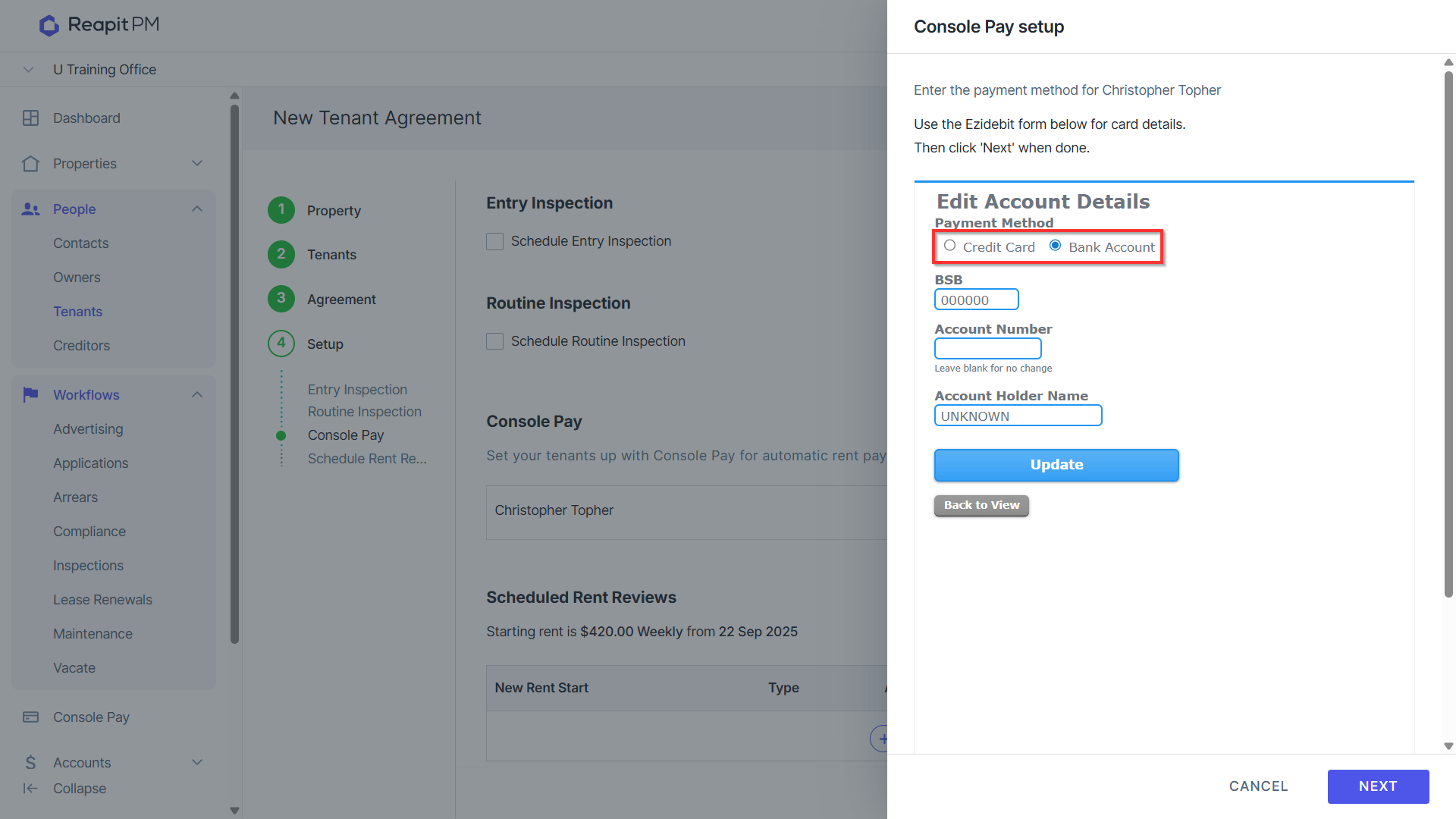
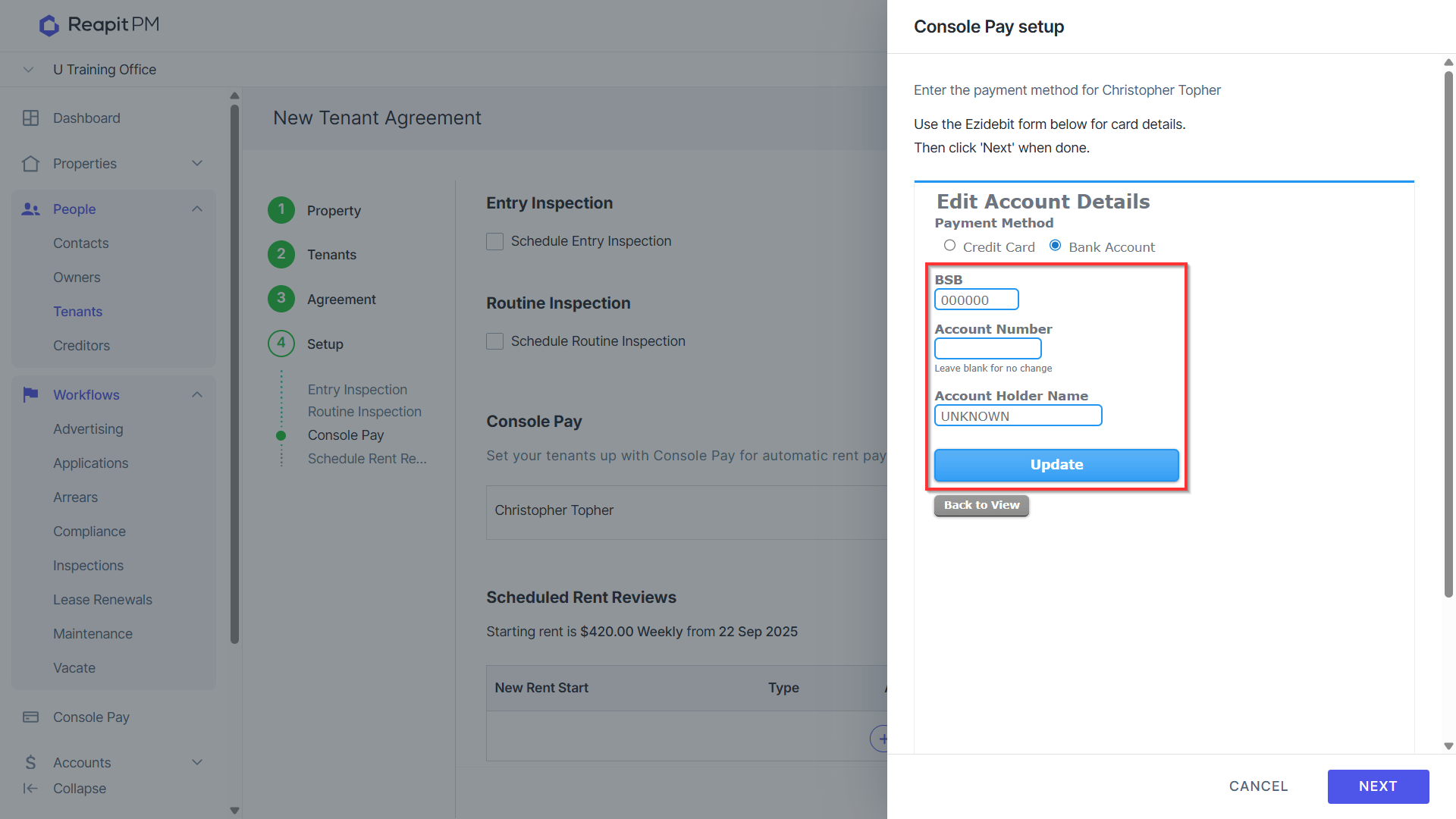
Select Payment Method of Credit Card or Bank Account.
Enter Payment details and hit Update to Save.
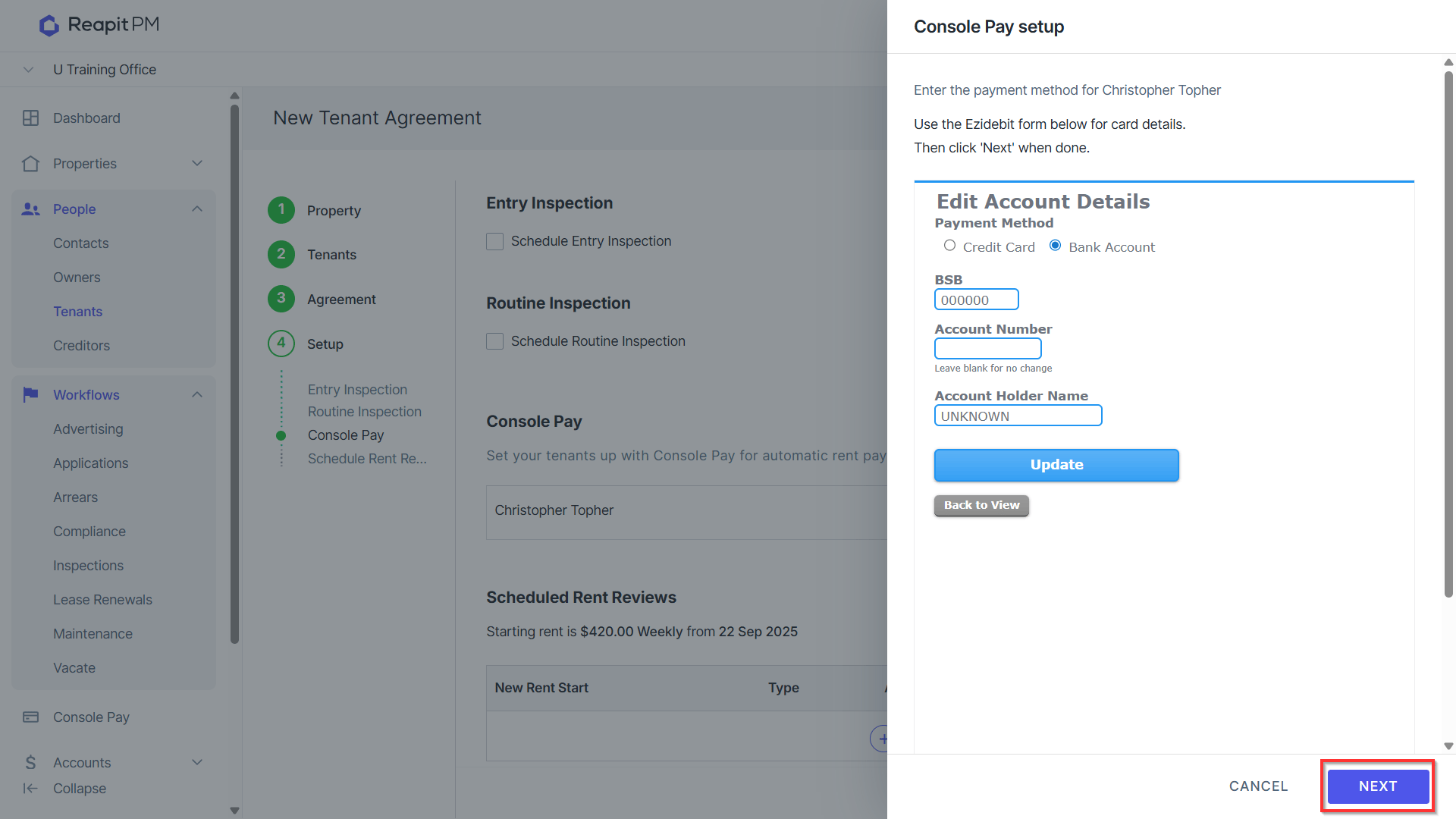
Click Next.
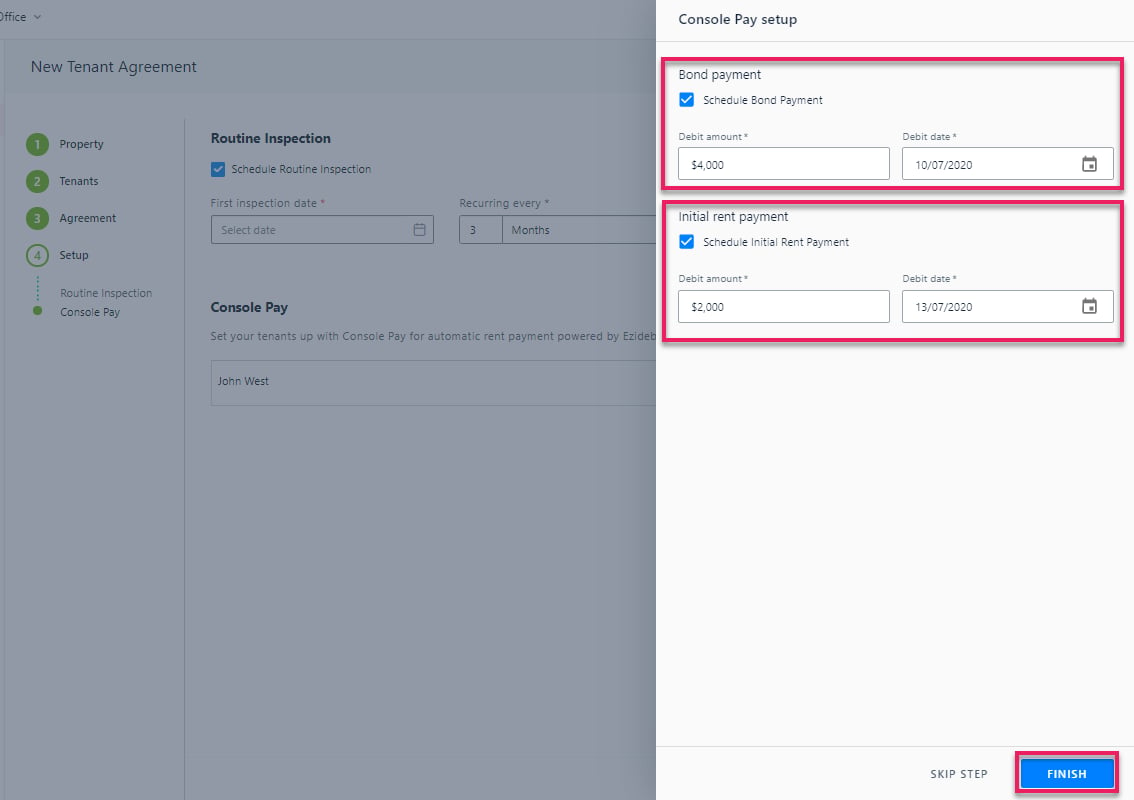
Select to Schedule Bond Payment and Initial Rent Payment if applicable, enter amount and select debit date and Click Finish.
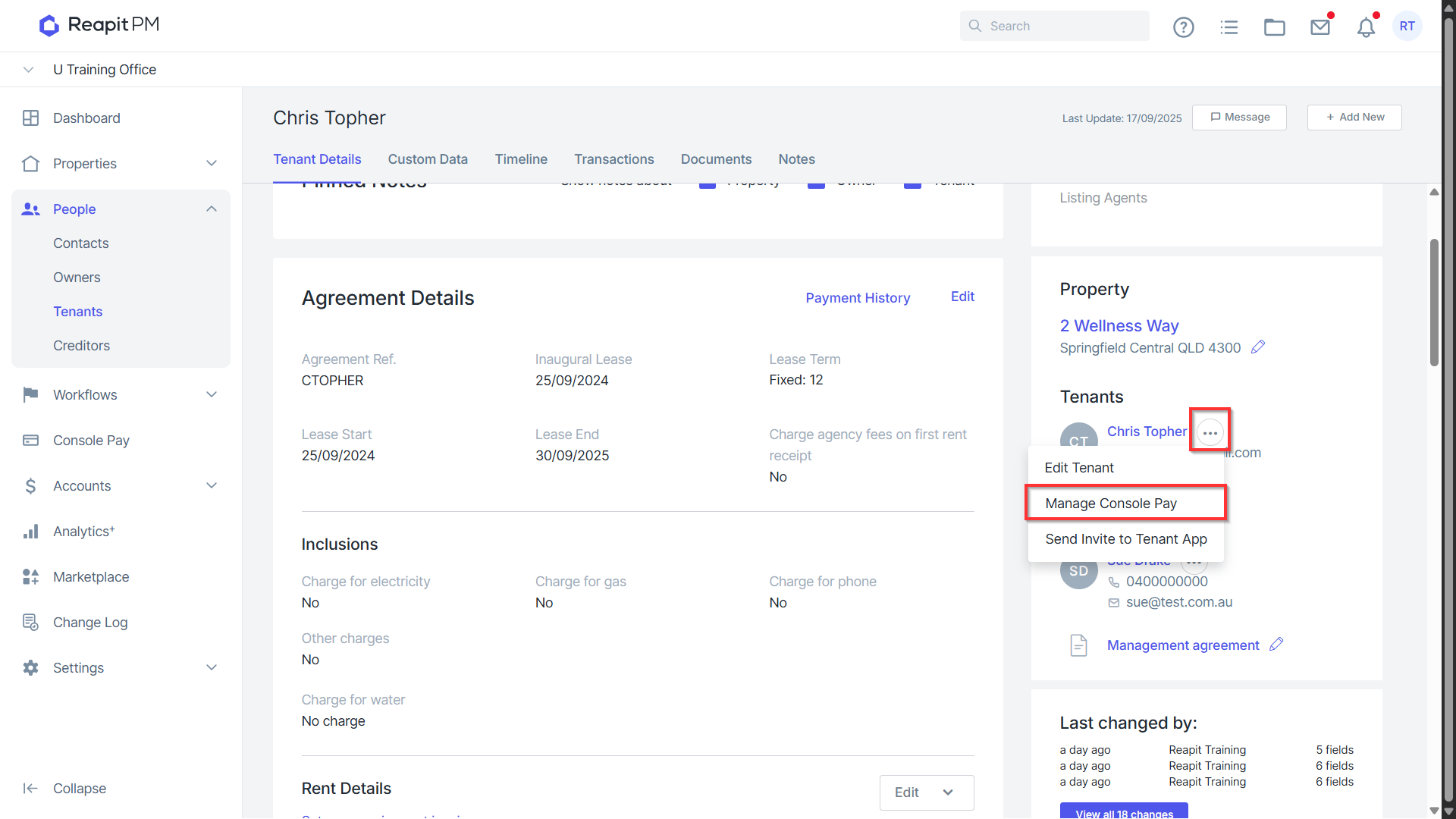
Once saved, click on the ellipses > Manage Console Pay.
Click the 3 Action Dots > Edit Preference in the Invoice Preferences section to express a preference for utilising Console Pay for direct debit transactions, including the option to schedule a direct debit for the same day and consolidate these into a single payment.
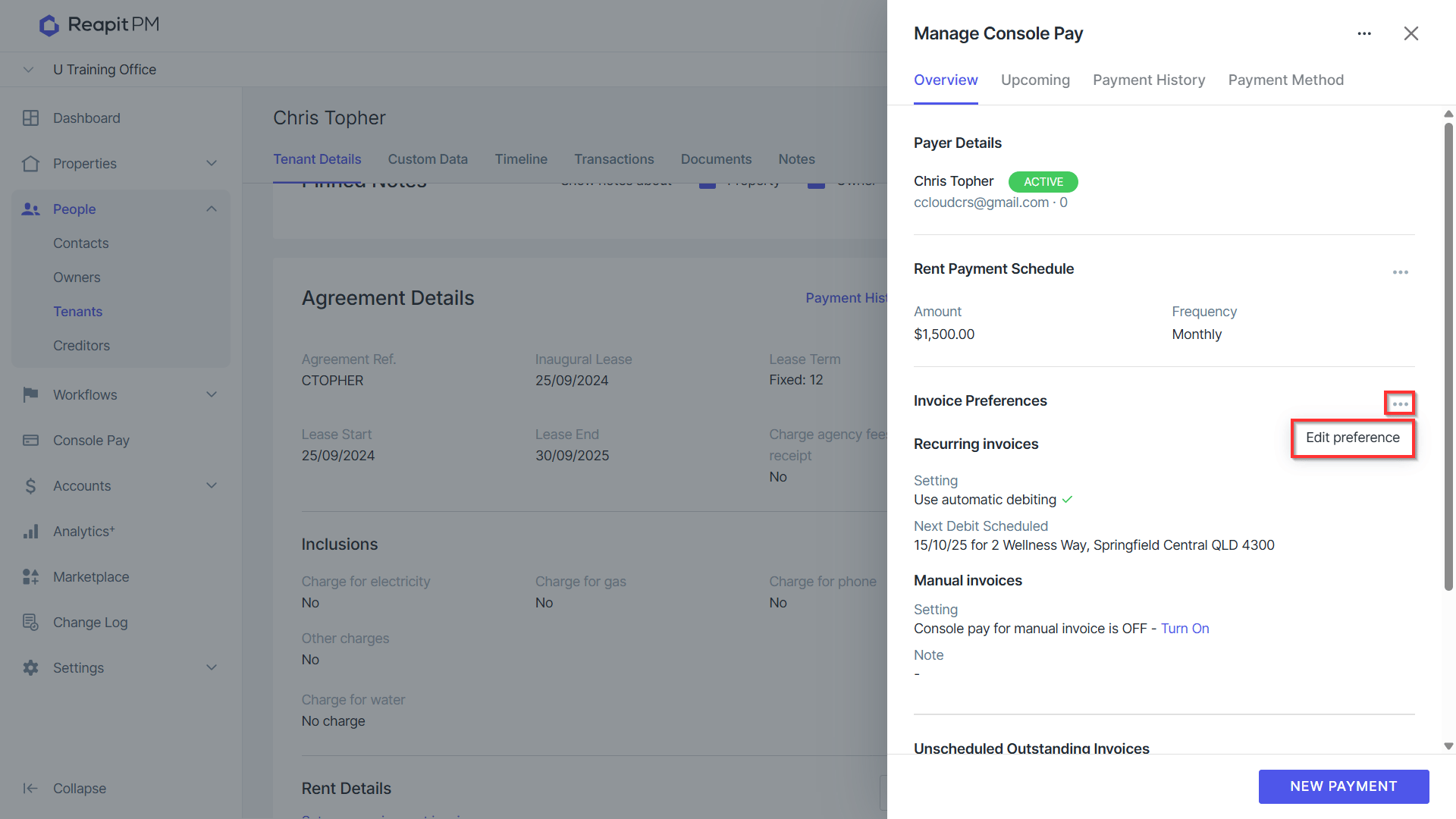
- Select the Outgoings recurring invoice checkbox, and then click Save once completed. *Note: In order to achieve a singular debit when a tenant has multiple debits due on a given day, refer to the next schedule debit date on recurring invoices and ensure it is the same as the rent [payment schedule debit date. Ay other manual payments e.g. bond top ups, when scheduled on a same day as a current debit will also form a single debit. The associated reciepting will automatically split these debits out into multiple receipts for receipt events.
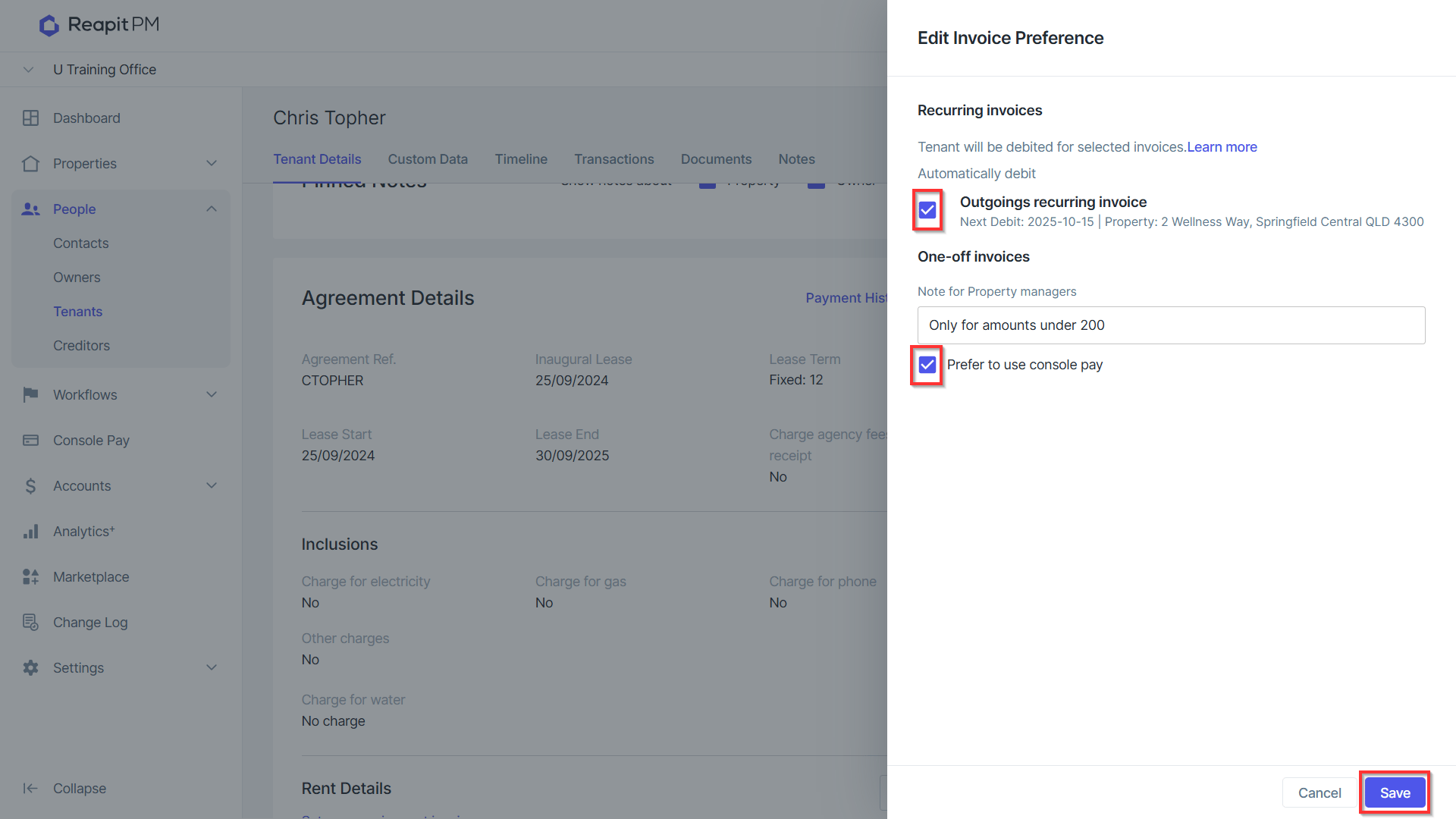
The process can be repeated for additional contacts on the tenancy if required.