'%20d='M0%208a8%208%200%200%201%208-8h24a8%208%200%200%201%208%208v24a8%208%200%200%201-8%208H8a8%208%200%200%201-8-8V8Z'/%3e%3cpath%20fill='%23fff'%20d='M8.375%2013v14L20.5%2034l12.124-7v-7.737l-1.687-.975-2.806-1.62-1.082-.624v4.83l-.002%204.83H13.95V16.07l3.275-1.89%202.192-1.265%201.082-.625%203.275%201.877%202.192%201.256%201.083.62V9.782L20.5%206%208.376%2013Z'/%3e%3cdefs%3e%3clinearGradient%20id='reapit-pm__a'%20x1='20.702'%20x2='20.702'%20y1='.351'%20y2='31.228'%20gradientUnits='userSpaceOnUse'%3e%3cstop%20stop-color='%235573FD'/%3e%3cstop%20offset='.575'%20stop-color='%234E56EA'/%3e%3c/linearGradient%3e%3c/defs%3e%3c/svg%3e)
Tenant Invoice Summary and Rent Summary
This Reapit PM article explains how to generate a Tenant Invoice Summary and Rent Schedule reports. The processes in this article include: Generating a Tenant Invoice Summary Generating a Rent Summary Report
Overview
Tenant Invoice Summary and Rent Summary
This Reapit PM article explains how to generate a Tenant Invoice Summary and Rent Schedule reports.
The processes in this article include:
- Generating a Tenant Invoice Summary
- Generating a Rent Summary Report
Generating a Tenant Invoice Summary
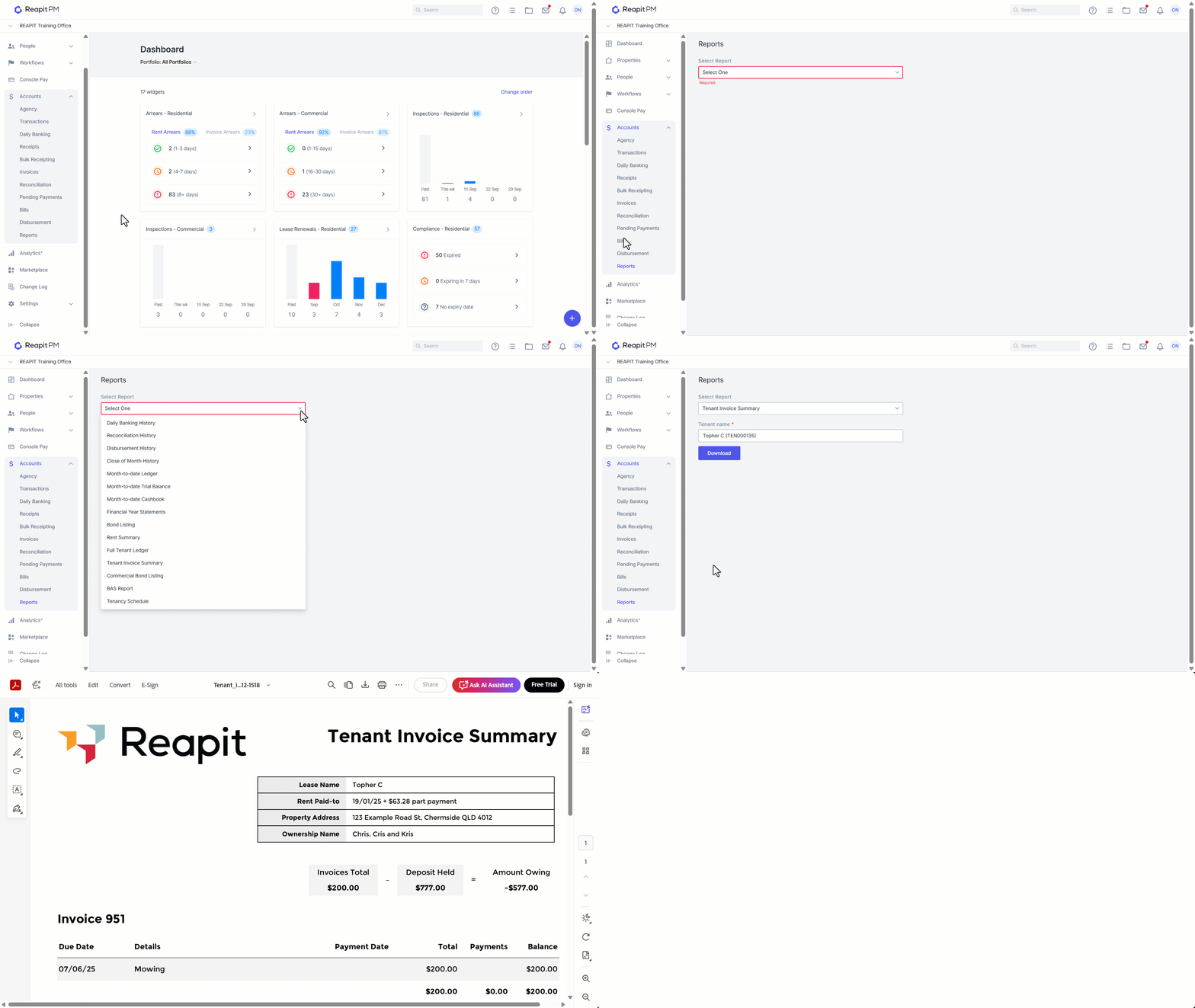
The Tenant Invoice Summary display a list of all current unpaid or partially paid invoices against the Tenant. It will display any payments made against invoices and remaining balances required to be paid in full.
- Click on Accounts.
- Click on Reports.
- Select Tenant Invoice Summary as the report type, then begin typing your tenants name to search and select.
- Click on Download. A PDF copy of the report will then be generated for you.
Generating a Rent Summary Report
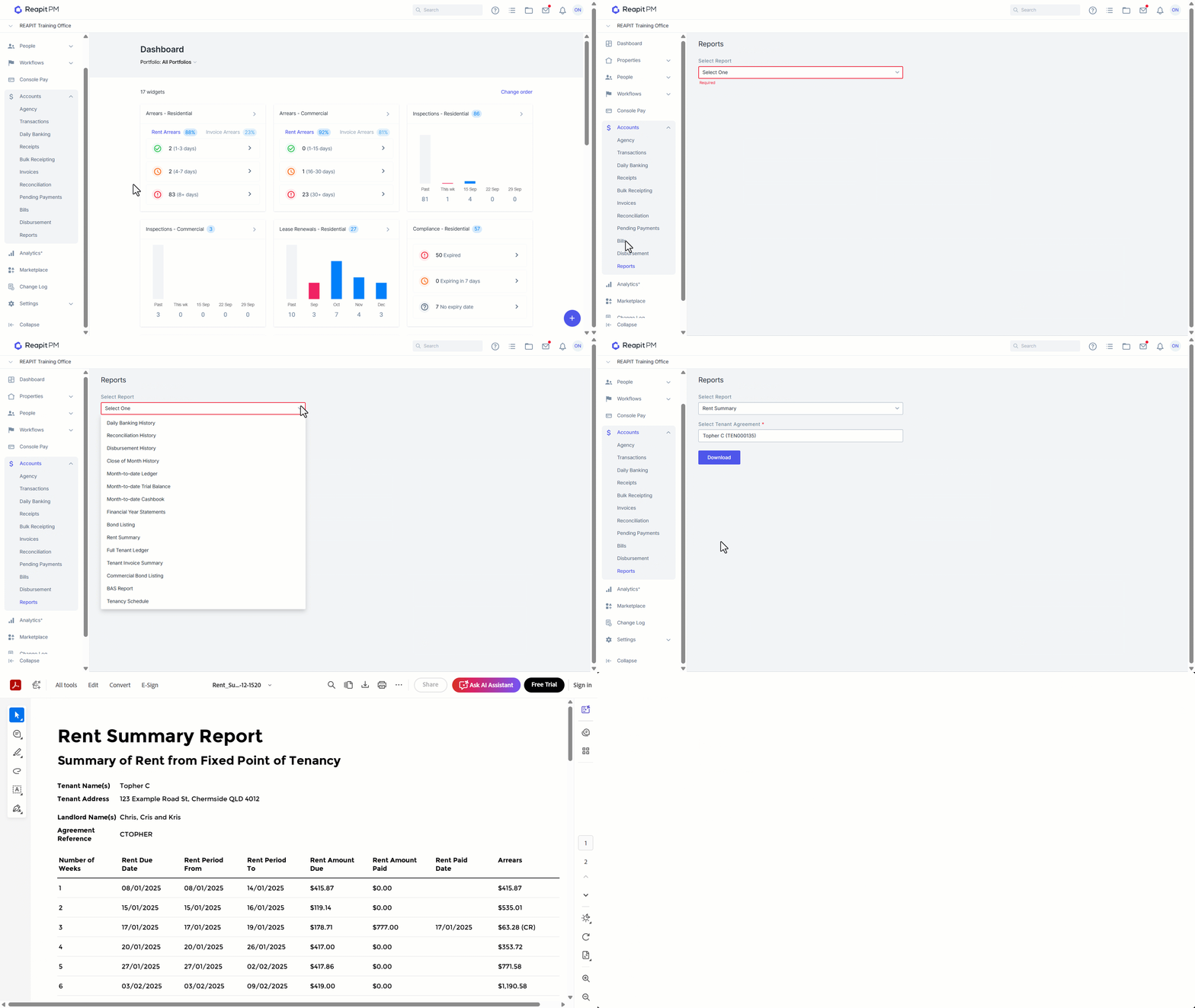
The Rent Summary Report will provide a summary of all rent payments received by the tenant including the rent period it covers, the date the rent payment was received, and any arrears (or Credit going towards their next cycle of rent) at the time of this receipt.
- Click on Accounts.
- Click on Reports.
- Select Rent Summary as the report type, then begin typing your tenants name to search and select.
- Click on Download. A PDF copy of the report will then be generated for you.