'%20d='M0%208a8%208%200%200%201%208-8h24a8%208%200%200%201%208%208v24a8%208%200%200%201-8%208H8a8%208%200%200%201-8-8V8Z'/%3e%3cpath%20fill='%23fff'%20d='M8.375%2013v14L20.5%2034l12.124-7v-7.737l-1.687-.975-2.806-1.62-1.082-.624v4.83l-.002%204.83H13.95V16.07l3.275-1.89%202.192-1.265%201.082-.625%203.275%201.877%202.192%201.256%201.083.62V9.782L20.5%206%208.376%2013Z'/%3e%3cdefs%3e%3clinearGradient%20id='reapit-pm__a'%20x1='20.702'%20x2='20.702'%20y1='.351'%20y2='31.228'%20gradientUnits='userSpaceOnUse'%3e%3cstop%20stop-color='%235573FD'/%3e%3cstop%20offset='.575'%20stop-color='%234E56EA'/%3e%3c/linearGradient%3e%3c/defs%3e%3c/svg%3e)
Commercial Arrears
This article is a guide on how to manage commercial arrears in Reapit PM.
Important information
- Must have the Reapit PM Premium activated.
- Commercial tenancies that are in arrears will appear on the Commercial Arrears list and will not be shown in the Rent Arrears workflow or be part of its automation.
The processes in this article include:
- Commercial Arrears Workflow List
- Reading the Arrears List
- Filtering & Searching
- Sending a Reminder
Commercial Arrears Workflow List
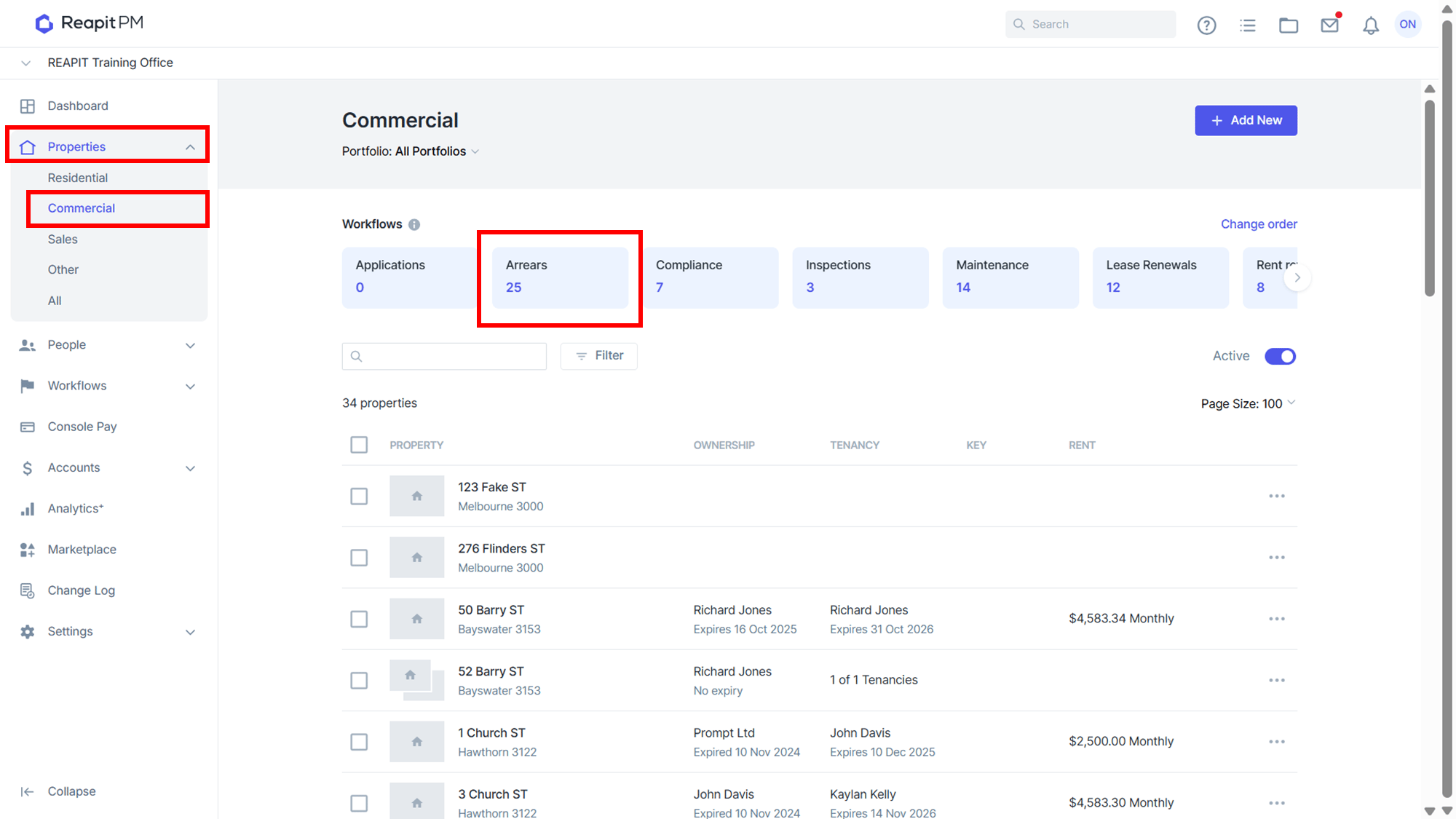
The Commercial Arrears workflow list allows you to view any commercial property that is currently in arrears.
Reading the Arrears List
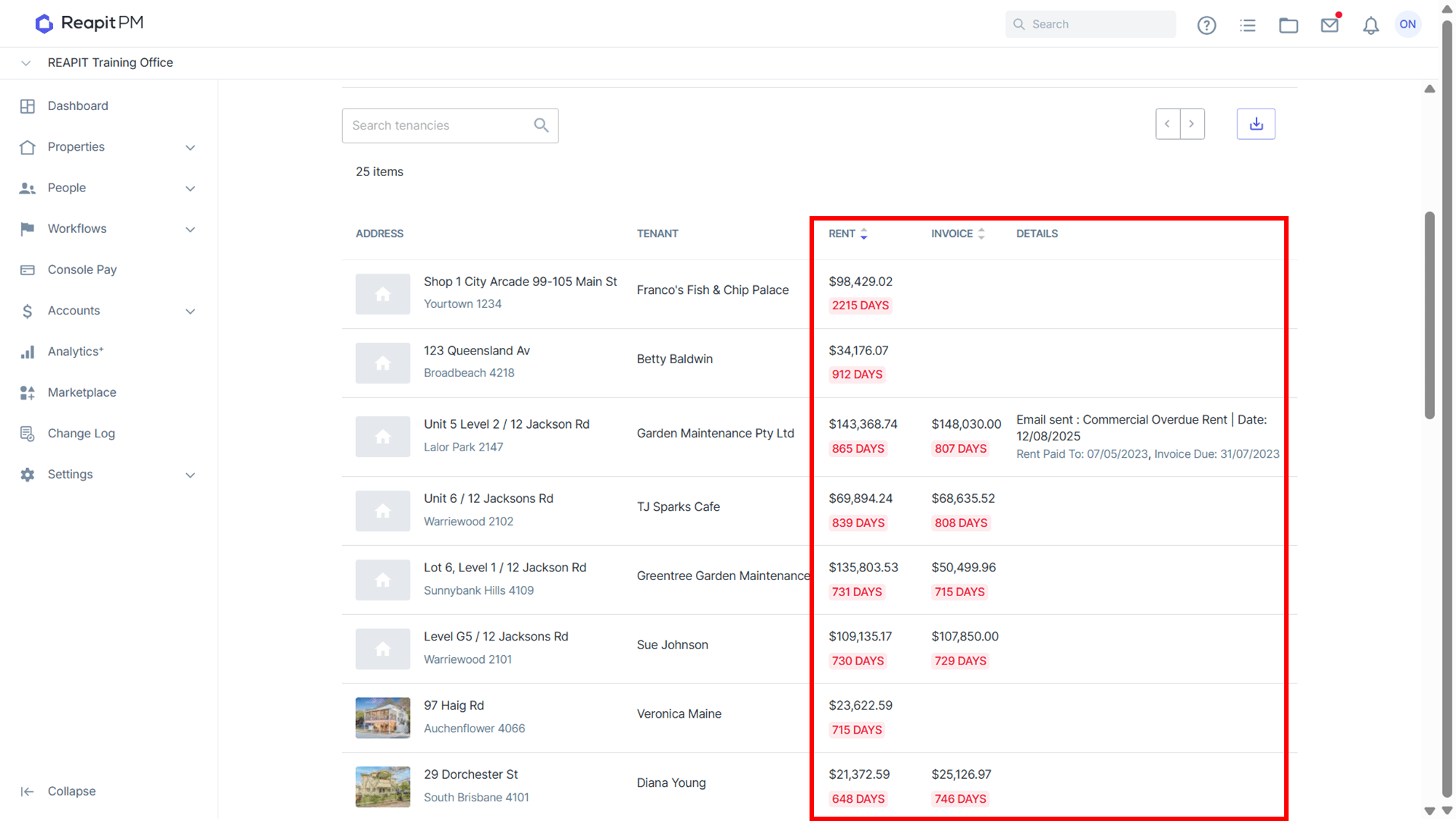
| Rent Column | The Rent Column shows if the tenancy is in rent arrears. Rent arrears are calculated based upon days in arrears. This is calculated on a daily basis, if the tenancy is 1 or more days in arrears, they will appear on the list. If the tenancy has their rent invoiced and is in arrears, they may have this indicated in both the rent and invoice arrears columns. |
| Invoice Column | Invoice arrears show any invoices that are past due. The number of days in the list indicates the most overdue invoice. The amount is a total of all outstanding invoices. |
| Details Column | The details column shows the last action that has happened on the tenancy for the arrears. |
Filtering & Searching
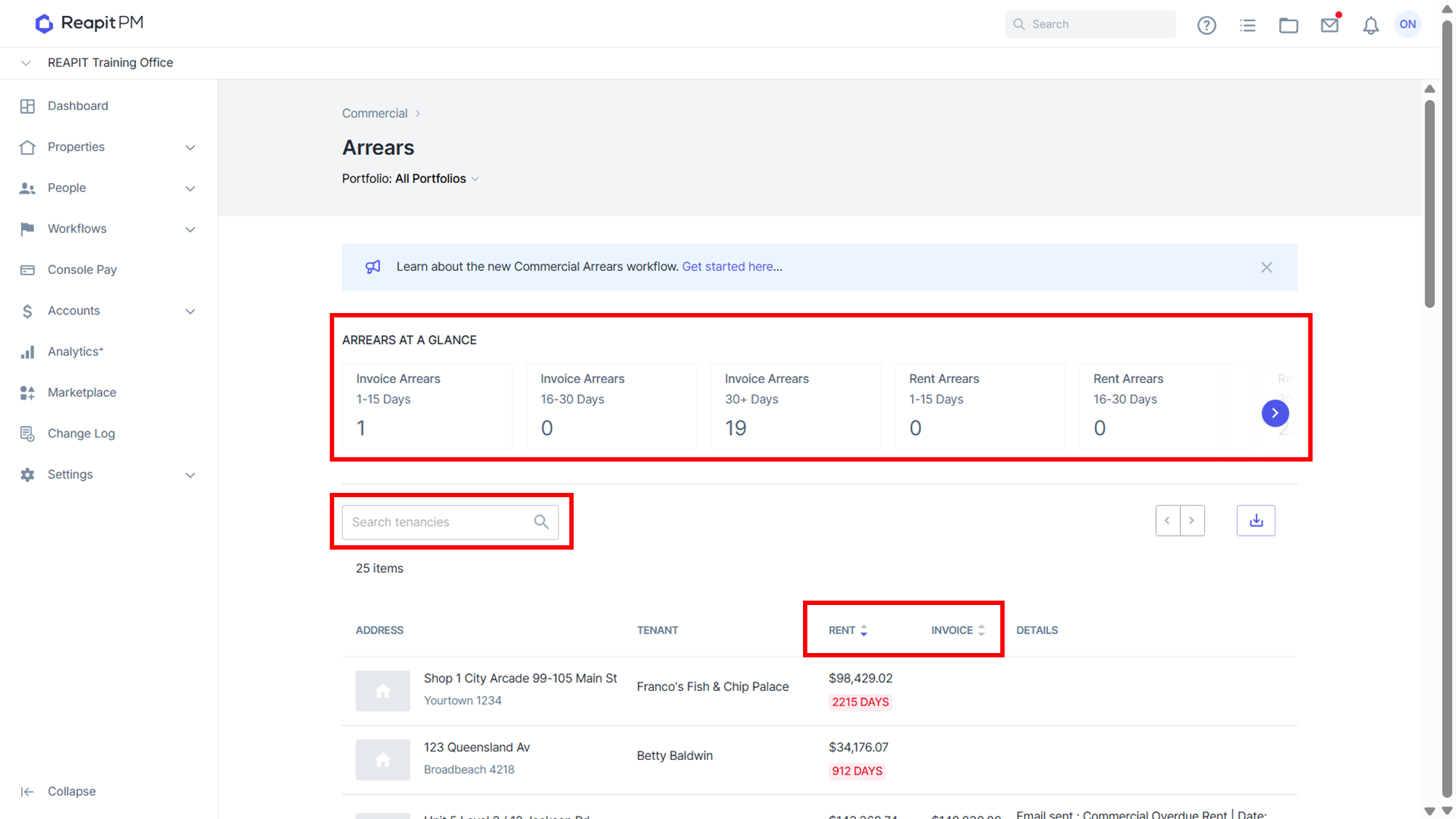
| Arrears at a Glance | At a glance give you a quick way to filter the list based on how many days in arrears the tenancy is for either Rent or Invoice arrears. Simply click on the filter to apply it and click it again to deactivate it. |
| Search | Search for an individual tenancy by using the search box. |
| Sort | Sort the records by the number of days in arrears by click on the rent or invoice arrears column. |
Sending a Reminder
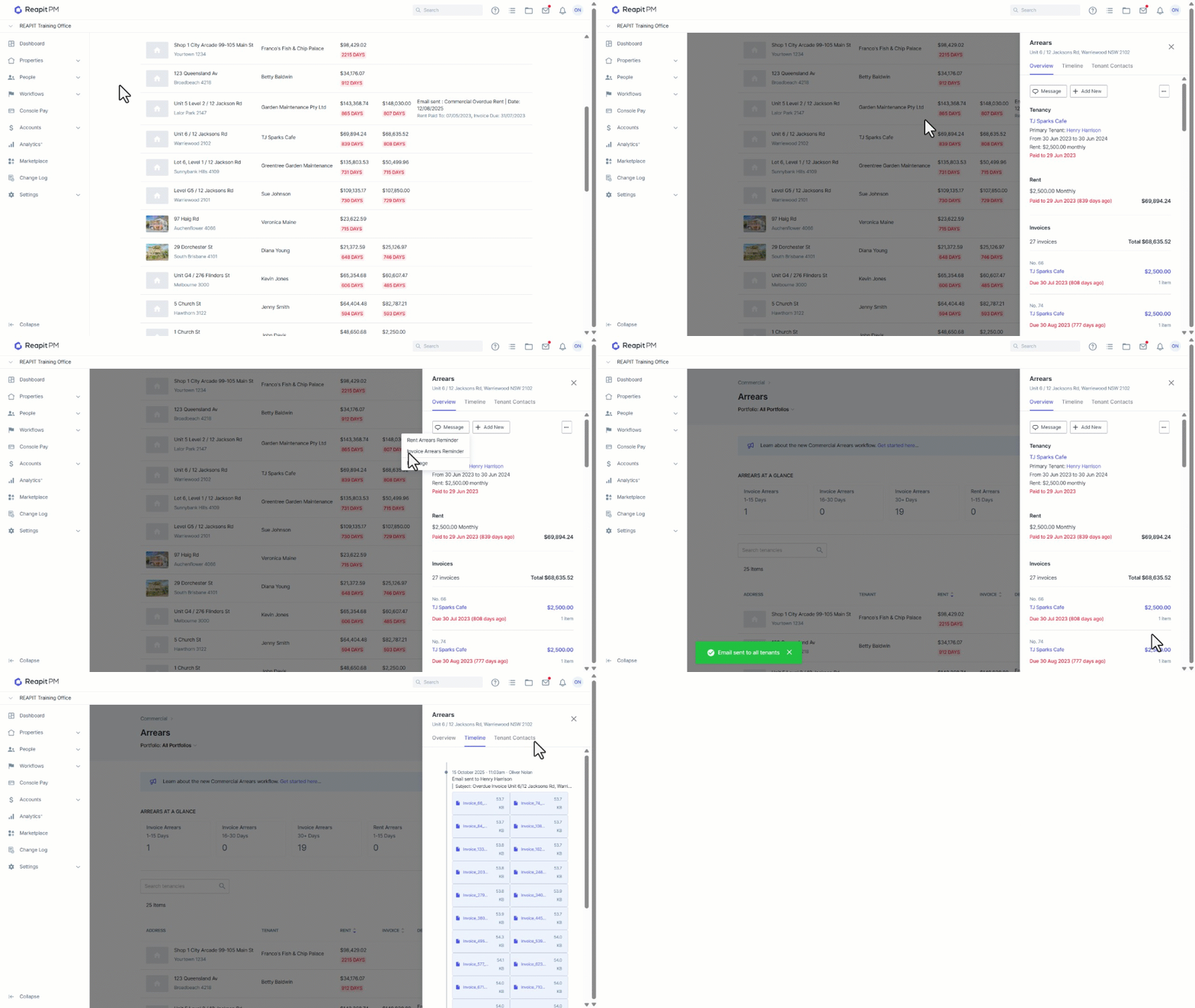
When a tenancy is in arrears you can send reminders or messages. You can send an arrears reminder for rent arrears or invoice arrears or sending a message.
- Rent arrears reminder will be a reminder based upon how many days in arrears the tenancy is. This option is only available if the tenancy is currently in rent arrears.
- Invoice arrears reminder will be a reminder based upon invoice past the due date. This option is only available if the tenancy currently has 1 or more invoices in arrears.
- Message is a free form message you can send to the tenants of the tenancy.
- Search and select a property from the Arrears workflow.
- Click on Message.
- Select the message type.
- If a template is selected, you will be shown the message that will be sent to all tenants. Modify the message as required. Each of the outstanding invoices will be attached to the message.
- Click on Send.
- A record of the message will be available in the arrears Timeline tabas well as in the tenancies timeline.
- The Tenant Contact tab will display the contacts against the agreement and clicking into the Contact name will bring up the contact summary.