'%20d='M0%208a8%208%200%200%201%208-8h24a8%208%200%200%201%208%208v24a8%208%200%200%201-8%208H8a8%208%200%200%201-8-8V8Z'/%3e%3cpath%20fill='%23fff'%20d='M8.375%2013v14L20.5%2034l12.124-7v-7.737l-1.687-.975-2.806-1.62-1.082-.624v4.83l-.002%204.83H13.95V16.07l3.275-1.89%202.192-1.265%201.082-.625%203.275%201.877%202.192%201.256%201.083.62V9.782L20.5%206%208.376%2013Z'/%3e%3cdefs%3e%3clinearGradient%20id='reapit-pm__a'%20x1='20.702'%20x2='20.702'%20y1='.351'%20y2='31.228'%20gradientUnits='userSpaceOnUse'%3e%3cstop%20stop-color='%235573FD'/%3e%3cstop%20offset='.575'%20stop-color='%234E56EA'/%3e%3c/linearGradient%3e%3c/defs%3e%3c/svg%3e)
Updating the Tenants on an agreement
This article will give you a guide to updating and making tenants inactive on an agreement within Reapit PM. The processes in this article include: Updating the Tenant on an Agreement How to make Tenants Inactive
Overview
Updating the Tenant on an Agreement
This article will give you a guide to updating and making tenants inactive on an agreement within Reapit PM.
If a tenant has moved out or in during a tenancy you may need to update the contacts on the agreement. The following process will guide you through this.
The processes in this article include:
- Updating the Tenant on an Agreement
- How to make Tenants Inactive
Updating the Tenant on an Agreement
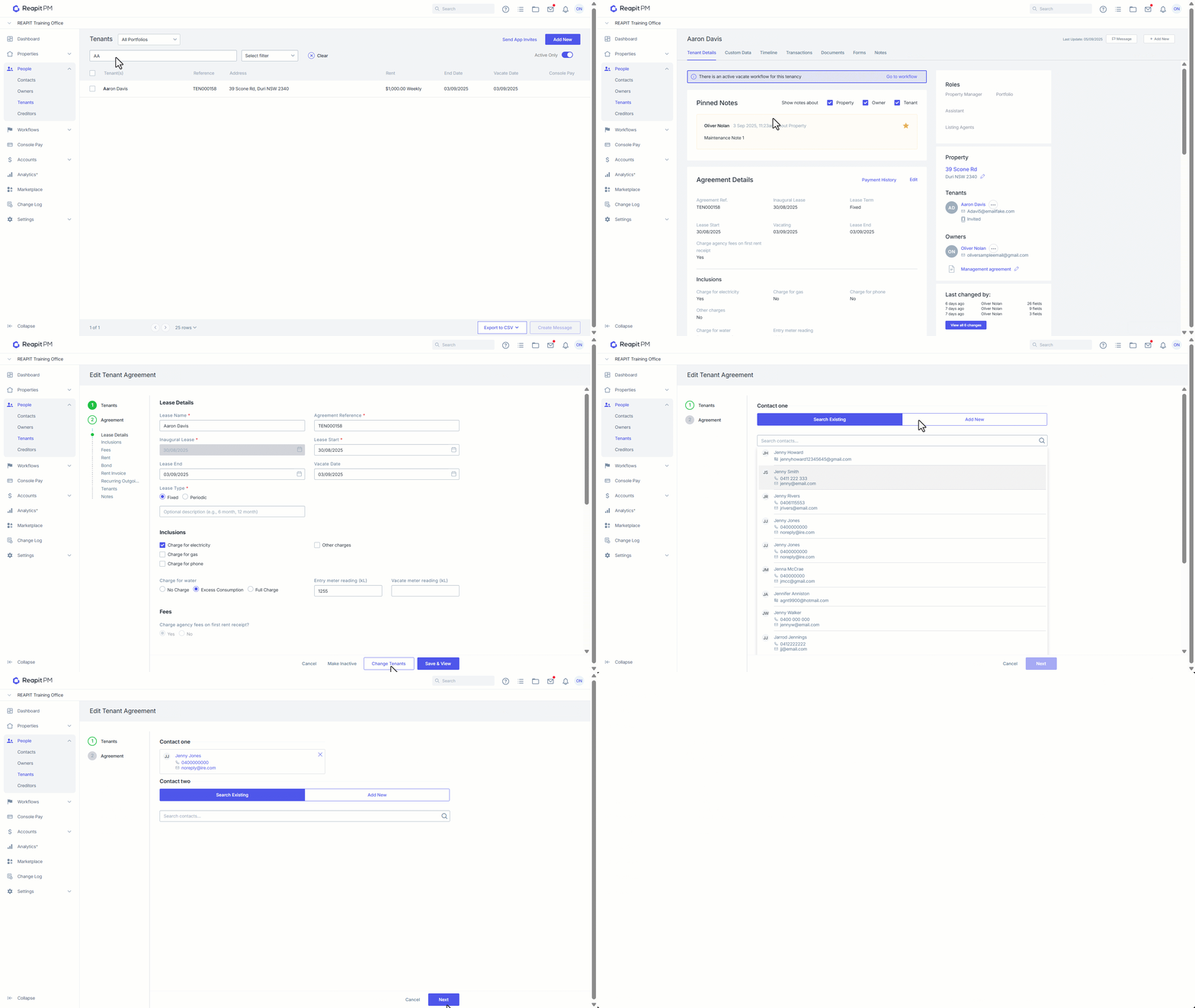
- Click on People.
- Click on Tenants.
- Search and select the Tenant
- Click on E****dit.
- Click Change Tenants.
- Remove existing contacts by selecting X.
- If you are adding a contact search for the existing contact file, or
- Select Add New ****to enter the new tenant details.
- Click on Create Contact.
- Once you have added or removed the contacts you can Select Next.
- You now have the chance to review the tenant agreement details and update anything as required.
- Once all the details have been verified you can click Save & View.
How to make Tenants Inactive
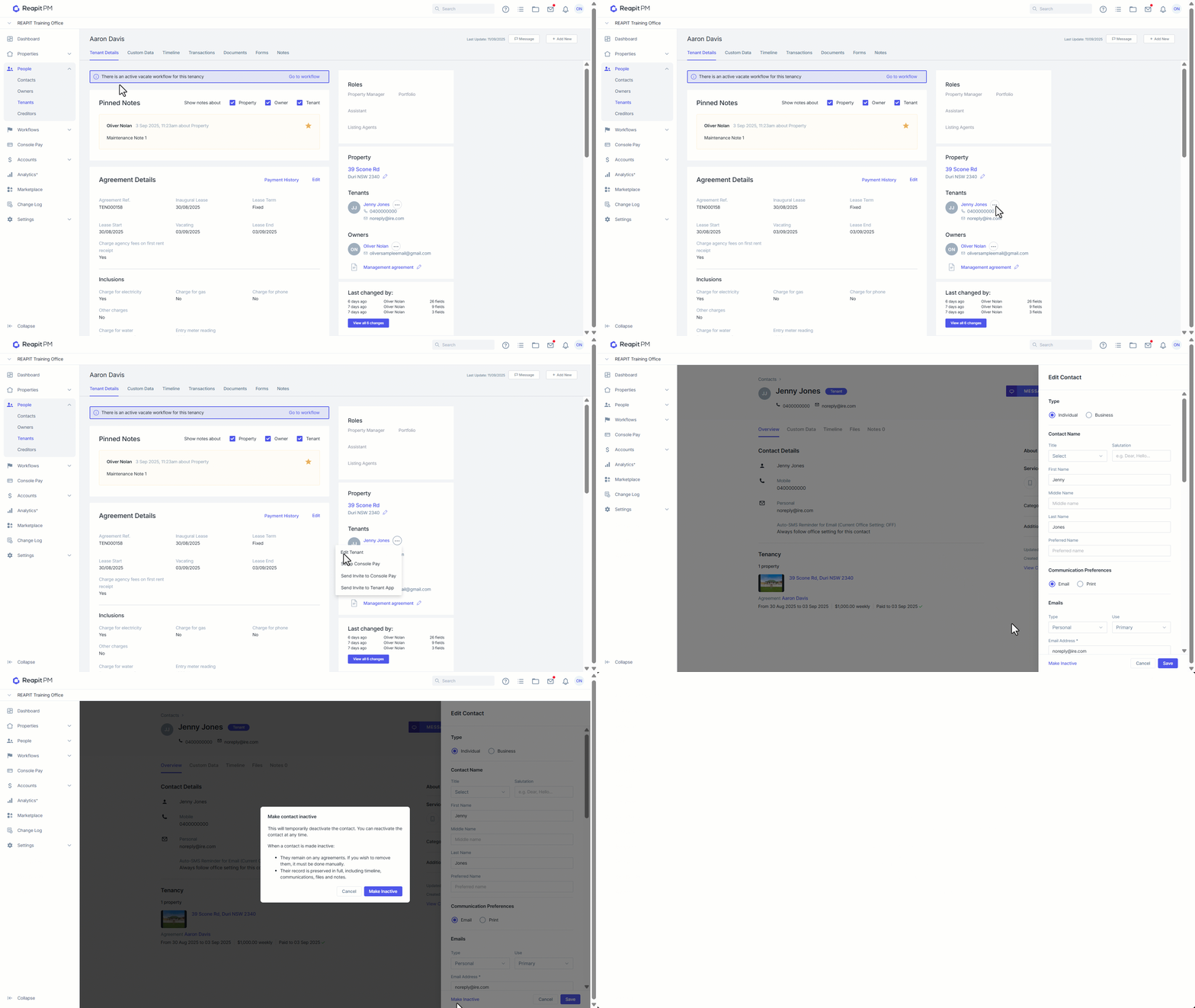
- Click on People.
- Click on Tenants.
- Search and select the Tenant
- Click on 3-dots next to the tenants name and select Edit Tenant.
- Click on Make Inactive.
- Click on Confirm.