'%20d='M0%208a8%208%200%200%201%208-8h24a8%208%200%200%201%208%208v24a8%208%200%200%201-8%208H8a8%208%200%200%201-8-8V8Z'/%3e%3cpath%20fill='%23fff'%20d='M8.375%2013v14L20.5%2034l12.124-7v-7.737l-1.687-.975-2.806-1.62-1.082-.624v4.83l-.002%204.83H13.95V16.07l3.275-1.89%202.192-1.265%201.082-.625%203.275%201.877%202.192%201.256%201.083.62V9.782L20.5%206%208.376%2013Z'/%3e%3cdefs%3e%3clinearGradient%20id='reapit-pm__a'%20x1='20.702'%20x2='20.702'%20y1='.351'%20y2='31.228'%20gradientUnits='userSpaceOnUse'%3e%3cstop%20stop-color='%235573FD'/%3e%3cstop%20offset='.575'%20stop-color='%234E56EA'/%3e%3c/linearGradient%3e%3c/defs%3e%3c/svg%3e)
Reapit PM Inspect: Activating and Logging Out
This article is a guide to activate and log out of the Reapit PM Inspect App.
Activating Reapit PM Inspect Features for your Office
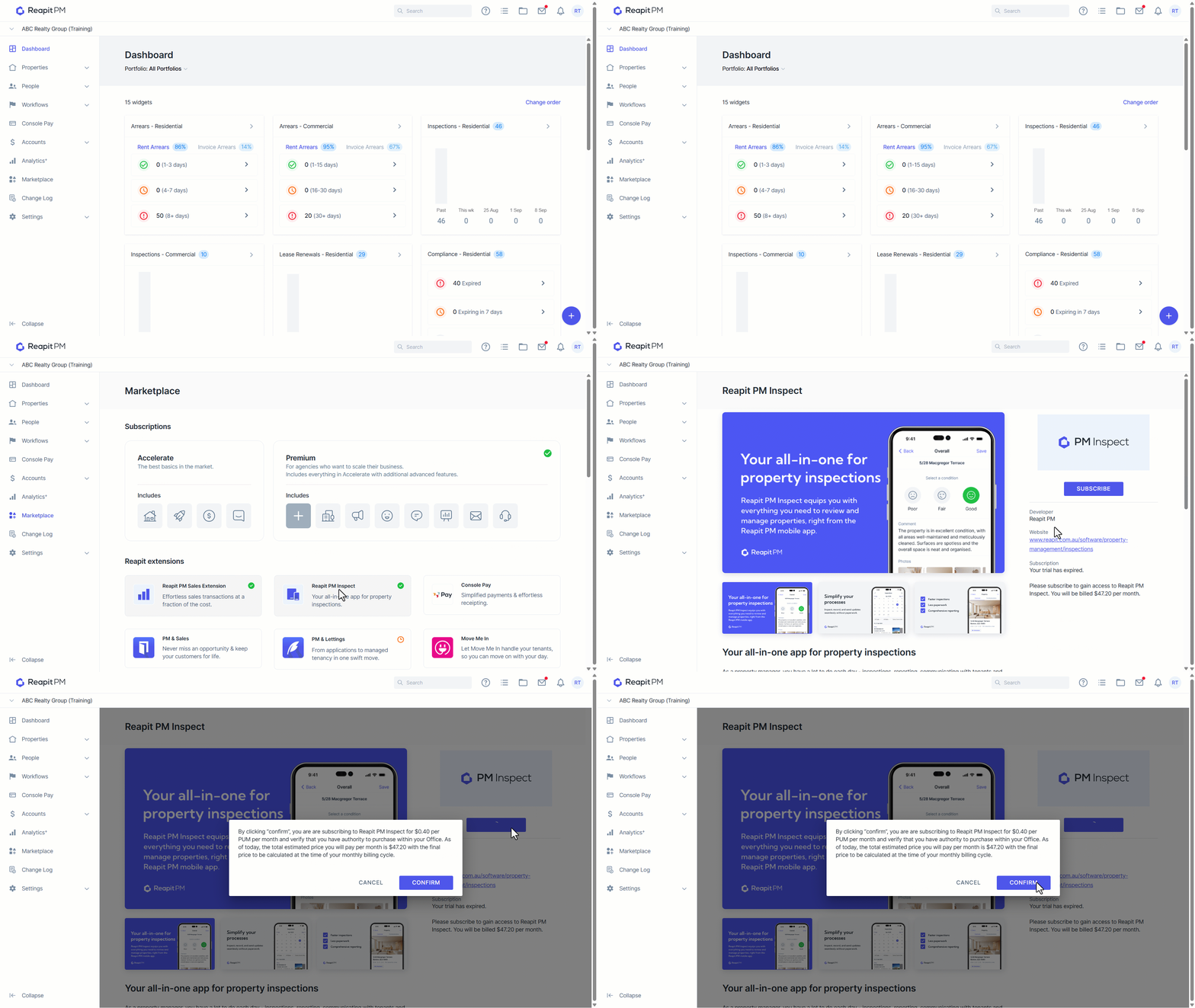
1. Navigate to Marketplace.
2. Click Reapit PM Inspect.
3. Click Subscribe.
4. Read and agree to the conditions by clicking Confirm.
Logging out of Reapit PM Inspect
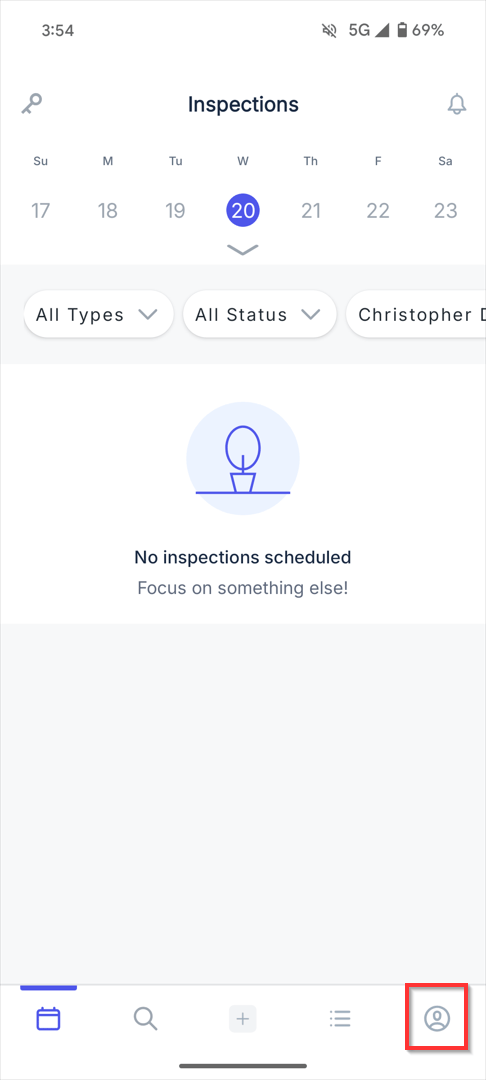
1. From the Reapit PM App, click on the user icon at the bottom of the screen.
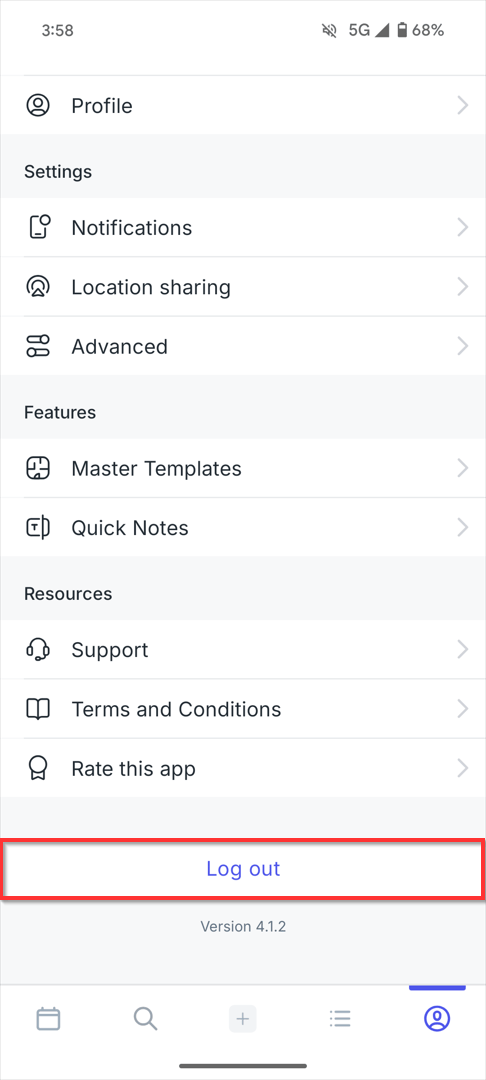
2. Click Log out.