'%20d='M0%208a8%208%200%200%201%208-8h24a8%208%200%200%201%208%208v24a8%208%200%200%201-8%208H8a8%208%200%200%201-8-8V8Z'/%3e%3cpath%20fill='%23fff'%20d='M8.375%2013v14L20.5%2034l12.124-7v-7.737l-1.687-.975-2.806-1.62-1.082-.624v4.83l-.002%204.83H13.95V16.07l3.275-1.89%202.192-1.265%201.082-.625%203.275%201.877%202.192%201.256%201.083.62V9.782L20.5%206%208.376%2013Z'/%3e%3cdefs%3e%3clinearGradient%20id='reapit-pm__a'%20x1='20.702'%20x2='20.702'%20y1='.351'%20y2='31.228'%20gradientUnits='userSpaceOnUse'%3e%3cstop%20stop-color='%235573FD'/%3e%3cstop%20offset='.575'%20stop-color='%234E56EA'/%3e%3c/linearGradient%3e%3c/defs%3e%3c/svg%3e)
Property Compliance Australia Integration
This article will cover how to enable and use the Property Compliance Australia integration in Reapit PM.
The processes in this article include:
- How to Activate the Property Compliance Australia Integration
- Using the Property Compliance Australia Integration
How to Activate the Property Compliance Australia Integration
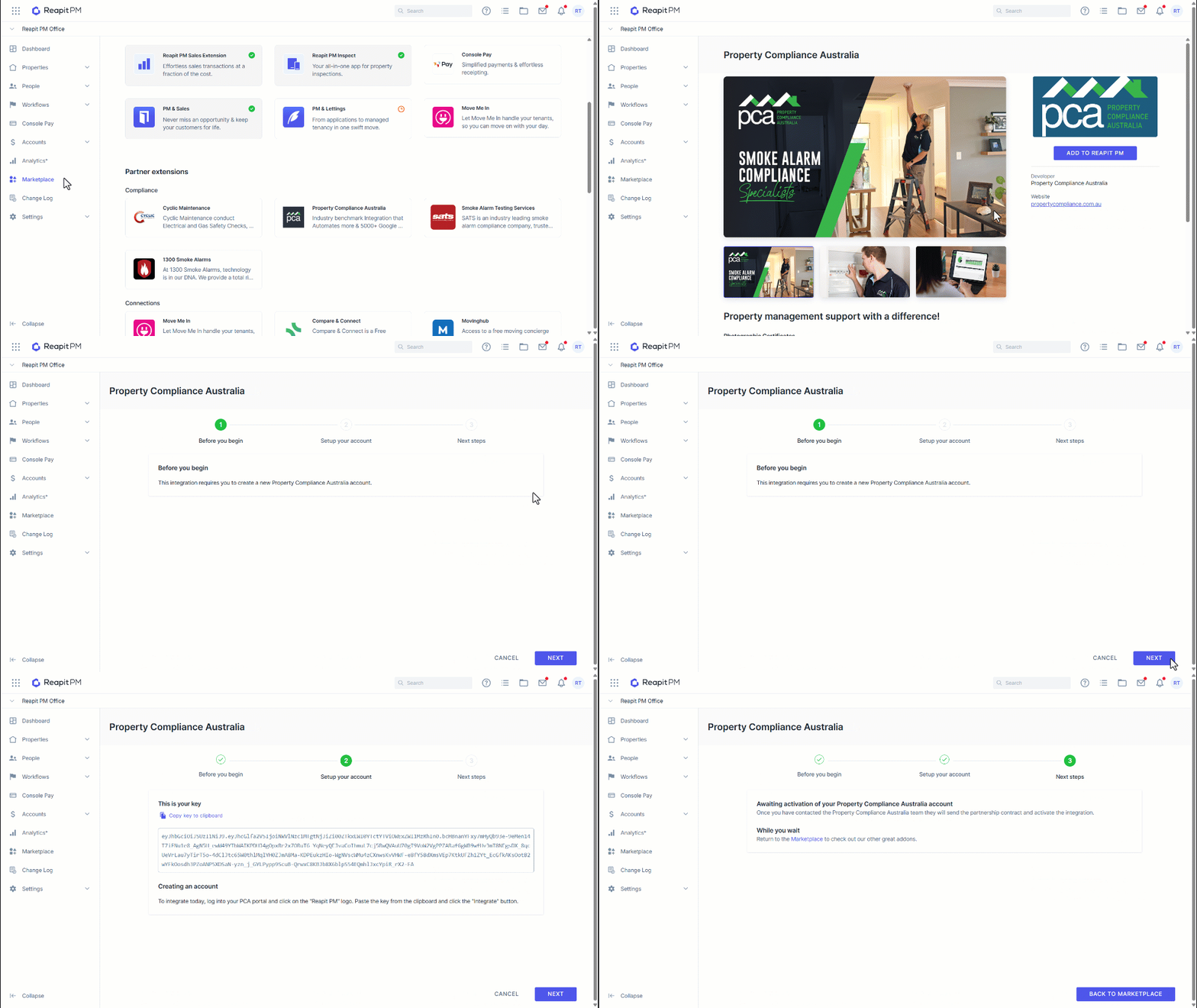
1. Navigate to Marketplace.
2. Under Partner extensions, click on the Property Compliance Australia tile.
3. Click Add to Reapit PM.
4. Click Next to begin the integration process.
5. Click Copy key to clipboard.
6. You will need to log in to your Property Compliance Australia portal and paste the key into the integration screen.
7. Property Compliance Australia will contact you shortly after to finalise the integration.
8. Click back to Marketplace.
Using the Property Compliance Australia Integration
Once the integration has been enabled, you can select Property Compliance Australia as the integration partner for compliance management.
1. Search and select the property file.
2. Click Add New.
3. Click on the compliance item drop-down.
4. Select Smoke Alarms.
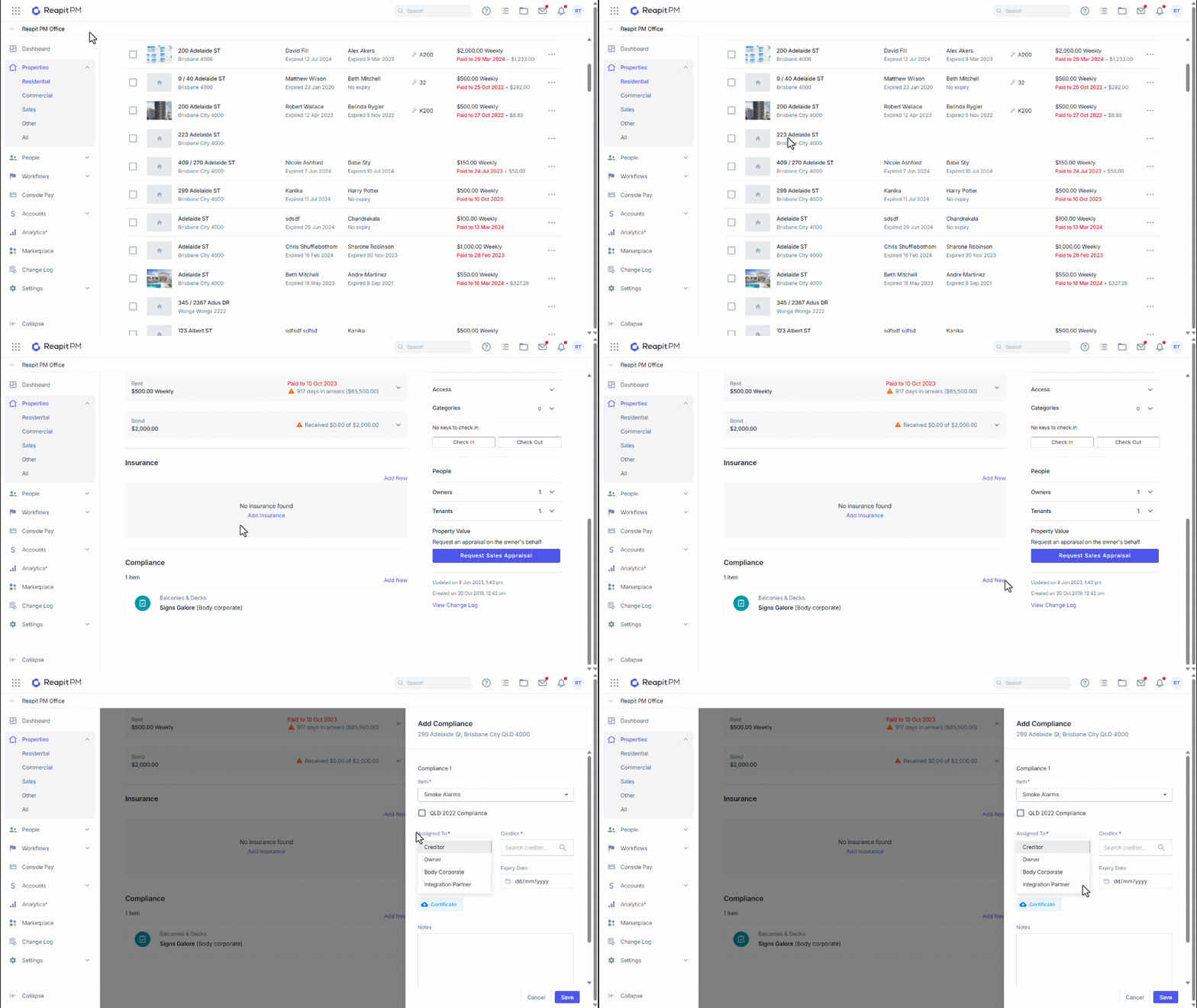
5. Click on the Assigned to drop-down
6. Click Integration Partner.
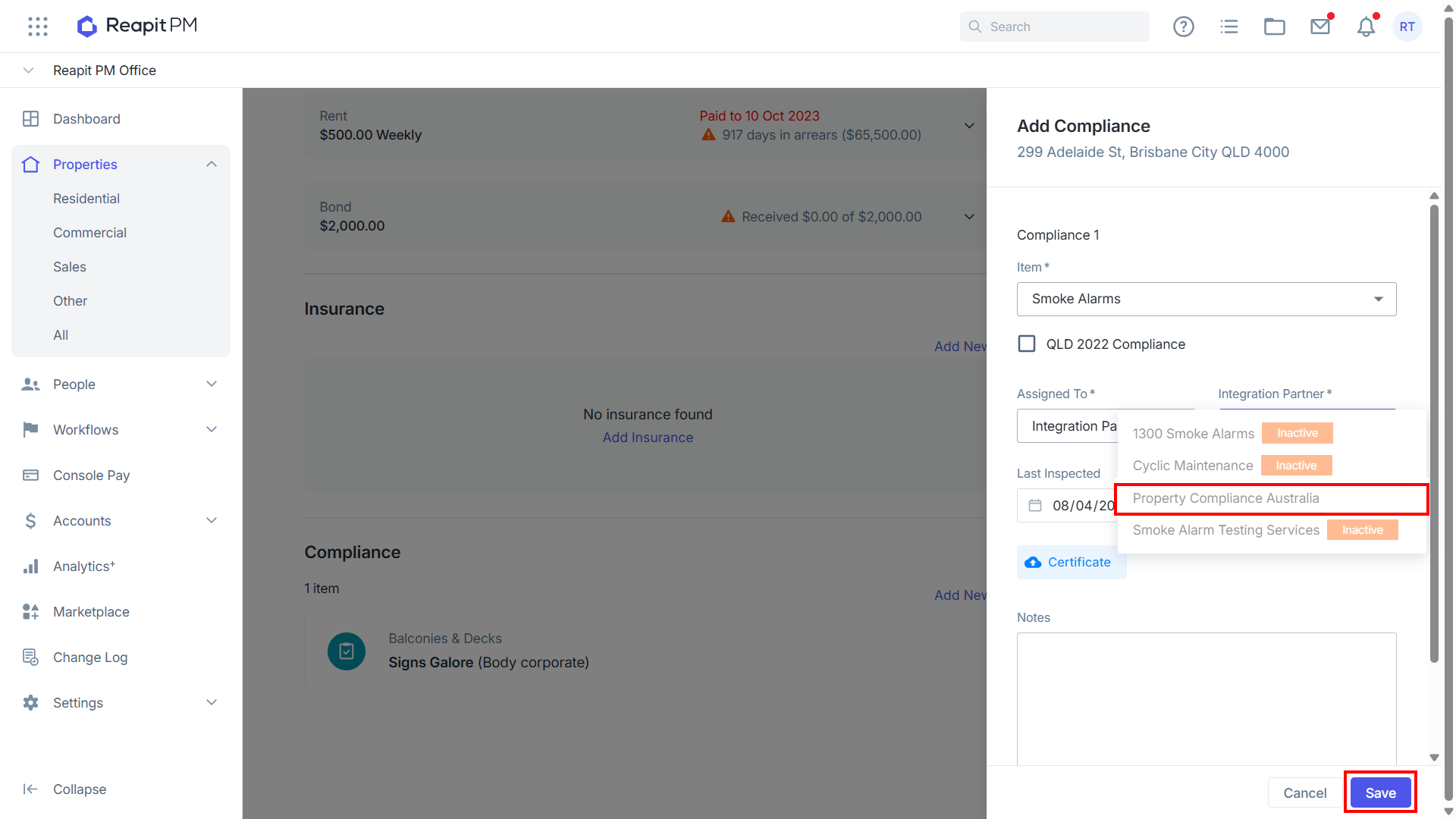
7. From the Integration Partner drop-down, select Property Compliance Australia.
8. Enter the Last Inspected and Expiry Date details for the smoke alarm compliance
9. Click Save.
A smoke alarm certificate will be provided by the compliance partner upon successful job completion.