'%20d='M0%208a8%208%200%200%201%208-8h24a8%208%200%200%201%208%208v24a8%208%200%200%201-8%208H8a8%208%200%200%201-8-8V8Z'/%3e%3cpath%20fill='%23fff'%20d='M8.375%2013v14L20.5%2034l12.124-7v-7.737l-1.687-.975-2.806-1.62-1.082-.624v4.83l-.002%204.83H13.95V16.07l3.275-1.89%202.192-1.265%201.082-.625%203.275%201.877%202.192%201.256%201.083.62V9.782L20.5%206%208.376%2013Z'/%3e%3cdefs%3e%3clinearGradient%20id='reapit-pm__a'%20x1='20.702'%20x2='20.702'%20y1='.351'%20y2='31.228'%20gradientUnits='userSpaceOnUse'%3e%3cstop%20stop-color='%235573FD'/%3e%3cstop%20offset='.575'%20stop-color='%234E56EA'/%3e%3c/linearGradient%3e%3c/defs%3e%3c/svg%3e)
Rent Calculator
This article will show how to use the Rent Calculator to find the final rental payment amounts and calculate new rent paid to date and part payments in Reapit PM. The process in this article include: Accessing the Rent Calculator Calculating Rent to a Specific Date Calculation New Paid to Date & New Part Payment
Overview
Rent Calculator
The Rent Calculator is found on the Property as part of the Overview tab. This article will show how to use the Rent Calculator to find the final rental payment amounts and calculate new rent paid to date and part payments in Reapit PM.
The process in this article include:
- Accessing the Rent Calculator
- Calculating Rent to a Specific Date
- Calculation New Paid to Date & New Part Payment
Accessing the Rent Calculator
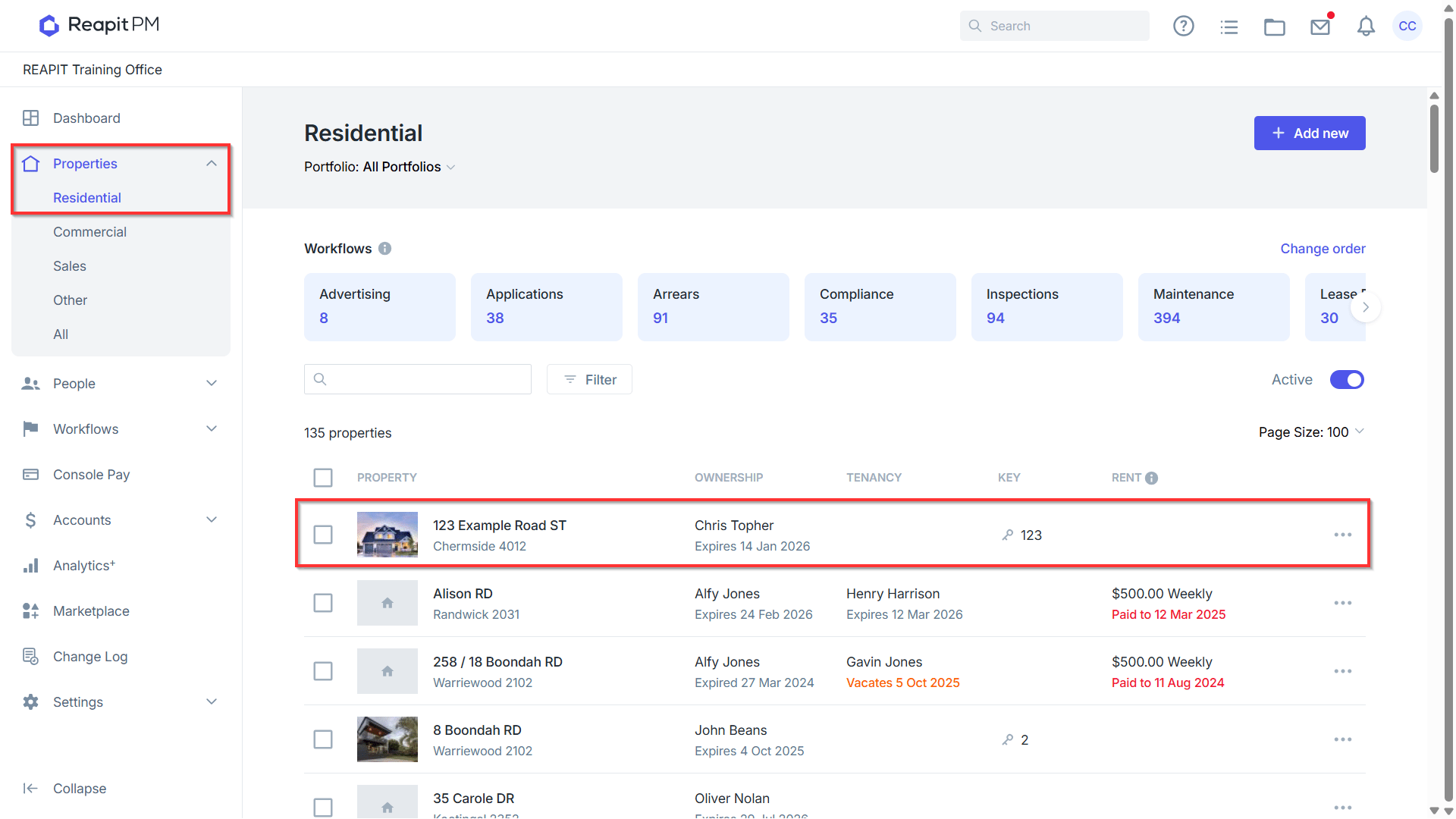
- Navigate to Properties select a Property Type and click into the Property you wish to calculate rent for.
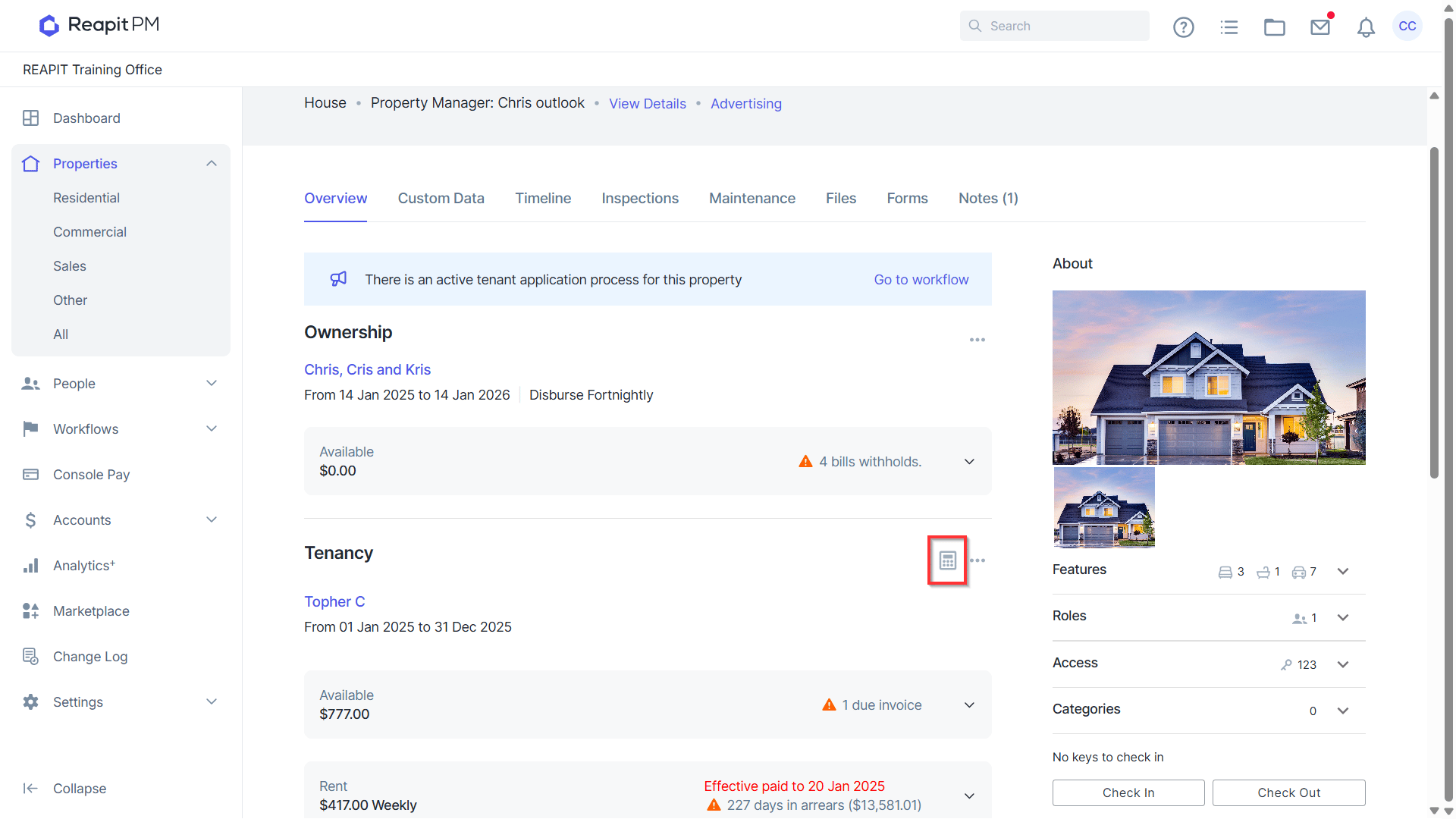
- From the Property Overview click the calculator icon to open the rent calculator drawer.
Calculating Rent to a Specific Date
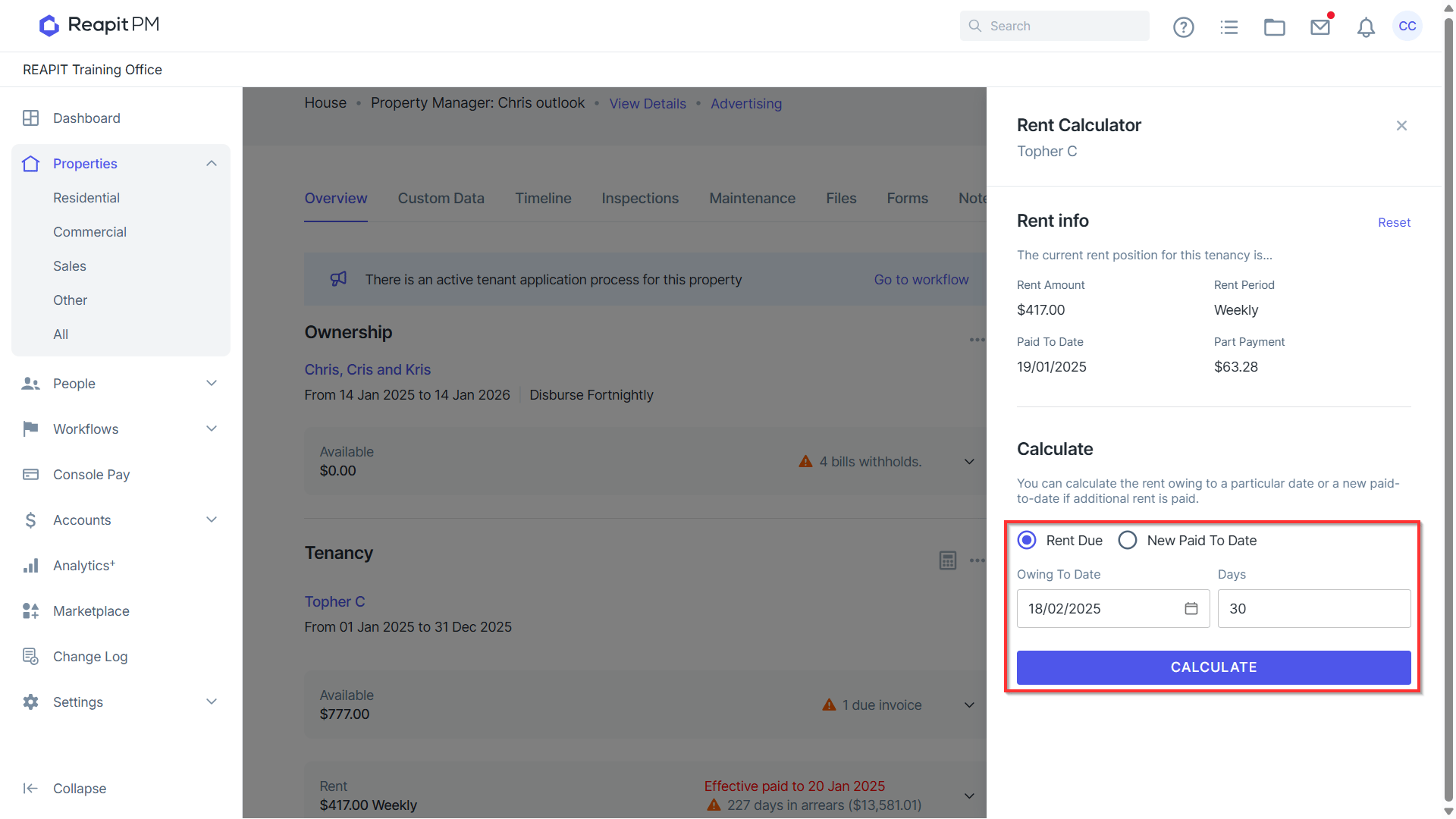
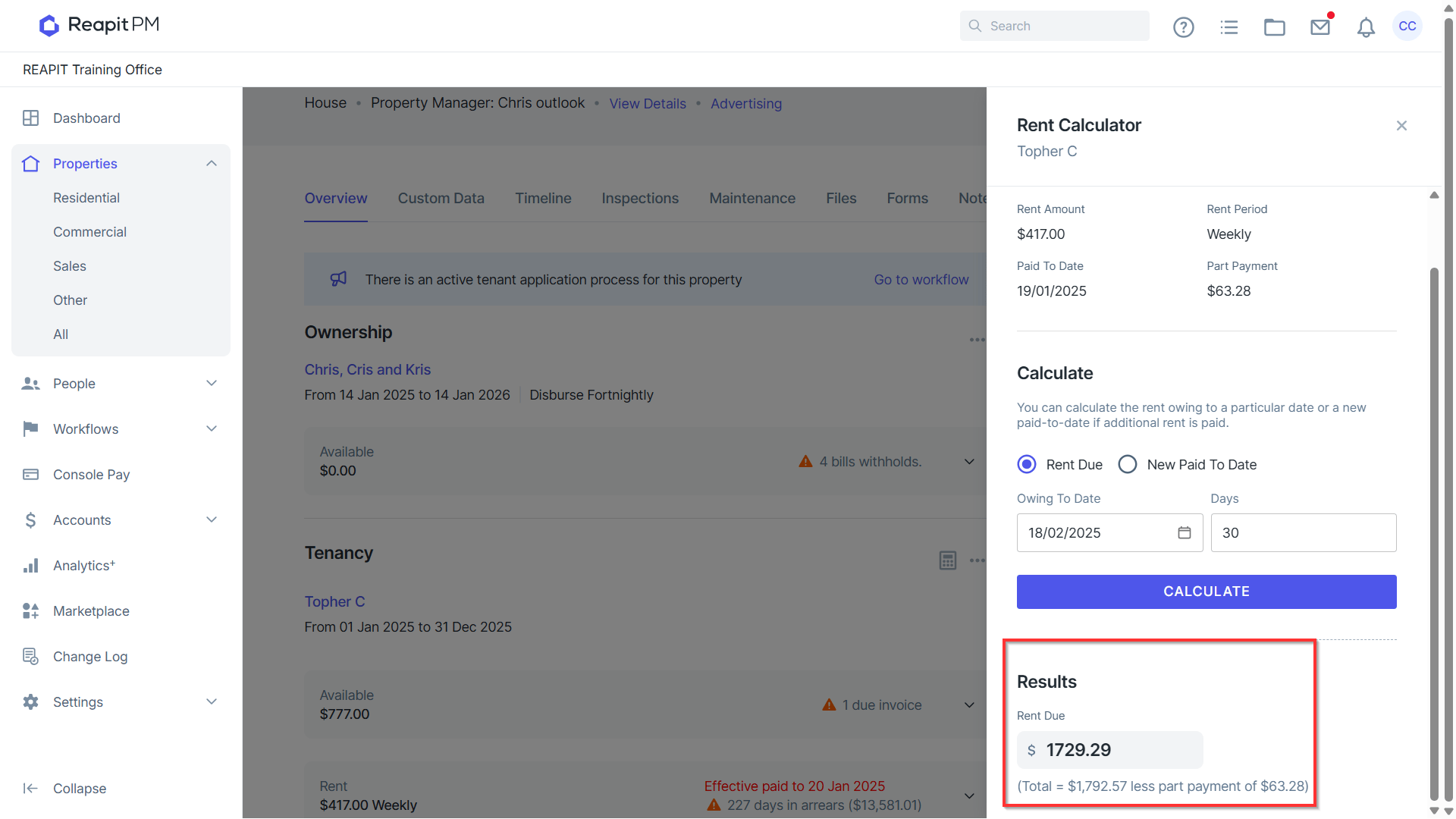
With the Rent Due option selected, enter either a date in the Owing To Date or a number in the Days field and then click Calculate.
Results will display below with the Rent Due up to either the date or days entered above.
Calculation New Paid To Date & New Part Payment
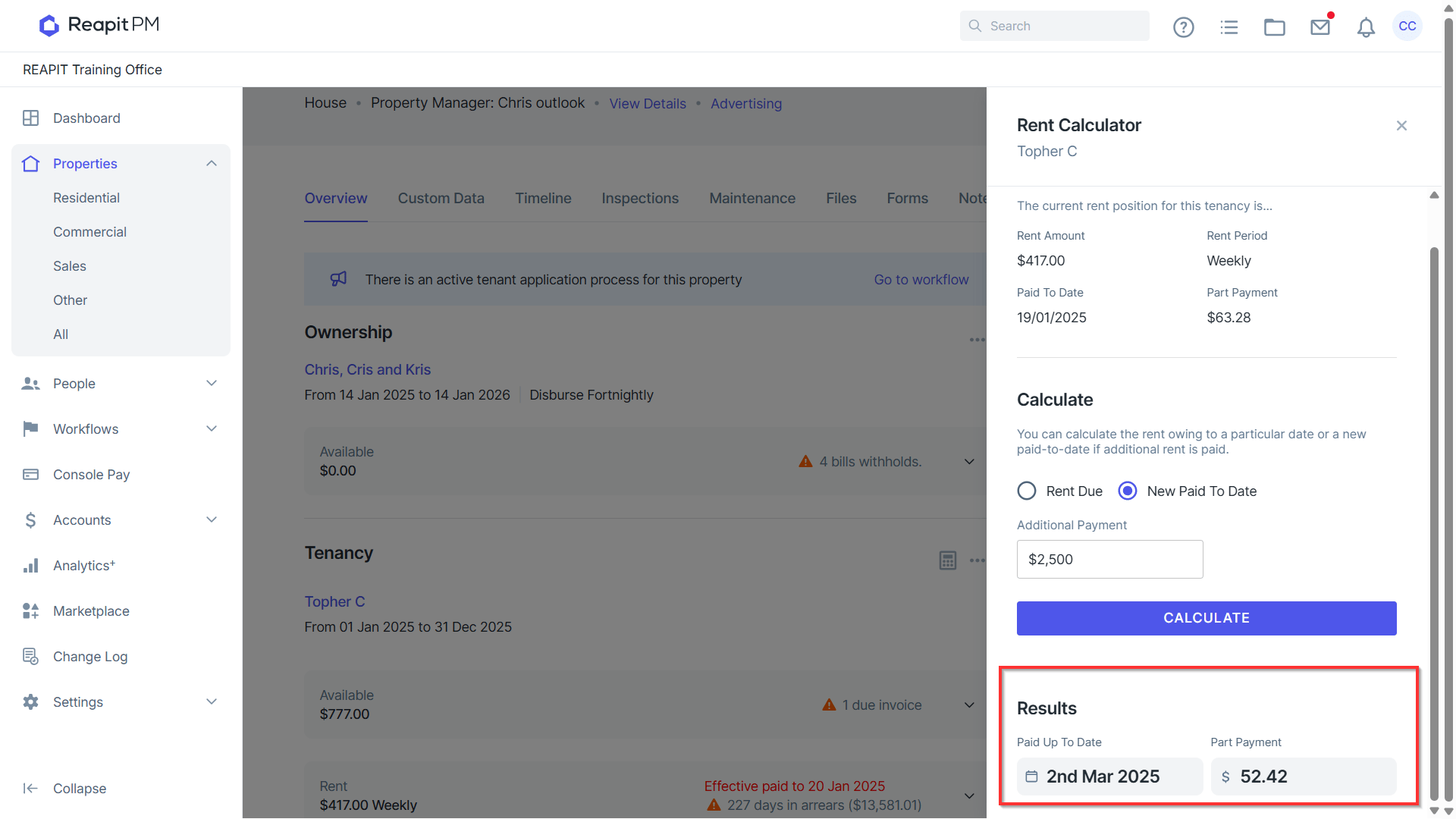
- Click New Paid To Date from the Rent Calculator drawer. Enter the Additional Payment amount and click Calculate to display the Results.
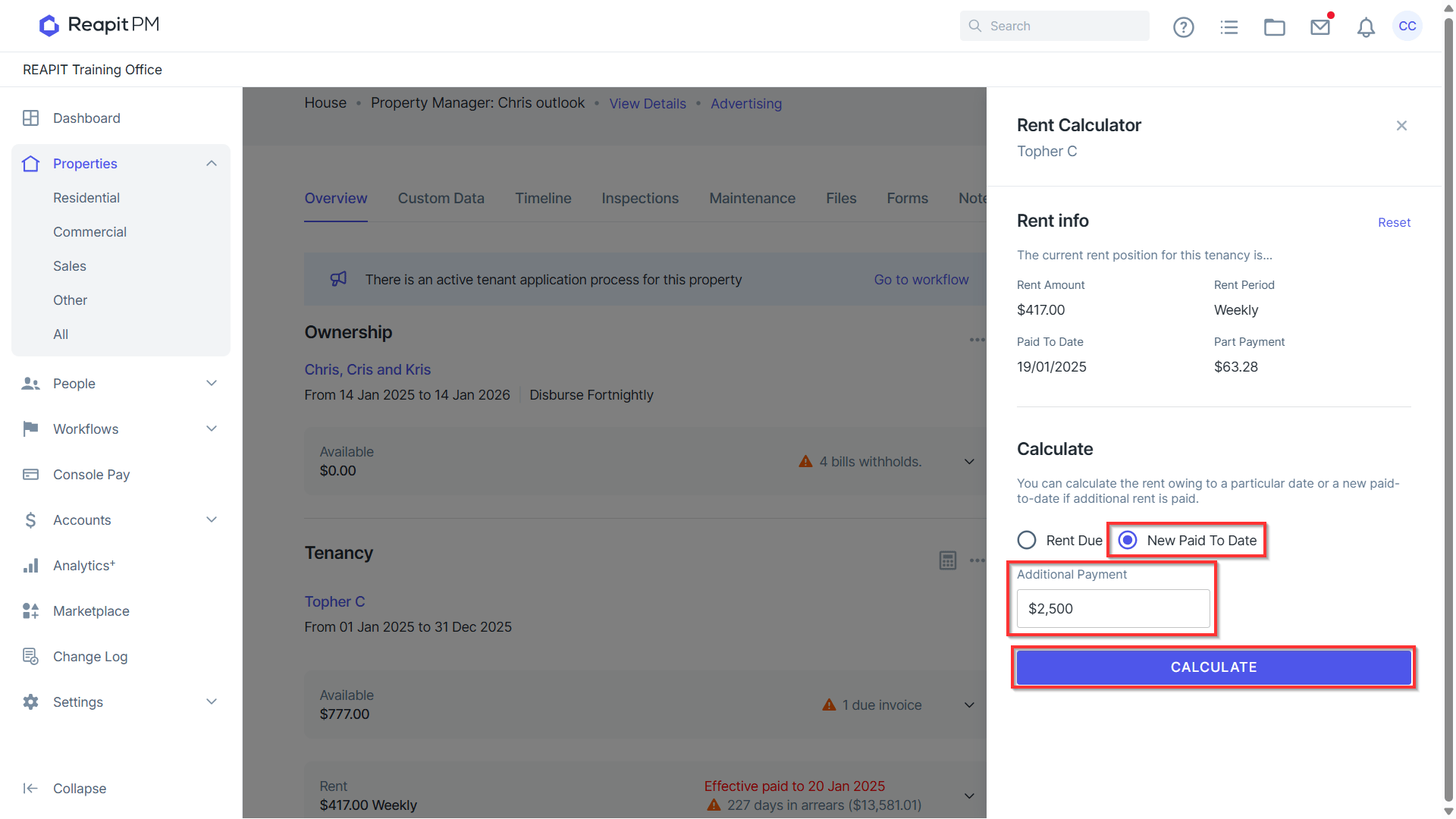
The Results will display below with the Paid Up to Date and Part Payment amount if applicable.
*Note: Part Payment - A Part Payment is a payment that is less than the whole amount owed.