'%20d='M0%208a8%208%200%200%201%208-8h24a8%208%200%200%201%208%208v24a8%208%200%200%201-8%208H8a8%208%200%200%201-8-8V8Z'/%3e%3cpath%20fill='%23fff'%20d='M8.375%2013v14L20.5%2034l12.124-7v-7.737l-1.687-.975-2.806-1.62-1.082-.624v4.83l-.002%204.83H13.95V16.07l3.275-1.89%202.192-1.265%201.082-.625%203.275%201.877%202.192%201.256%201.083.62V9.782L20.5%206%208.376%2013Z'/%3e%3cdefs%3e%3clinearGradient%20id='reapit-pm__a'%20x1='20.702'%20x2='20.702'%20y1='.351'%20y2='31.228'%20gradientUnits='userSpaceOnUse'%3e%3cstop%20stop-color='%235573FD'/%3e%3cstop%20offset='.575'%20stop-color='%234E56EA'/%3e%3c/linearGradient%3e%3c/defs%3e%3c/svg%3e)
Reapit PM + Reapit Sales Integration: Activation & Sales Appraisals Requests
This article explains how to activate the Reapit PM Integration with Reapit Sales and push a Sales Appraisal request from PM to Sales.
Overview
Reapit PM + Reapit Sales Integration: Activation & Sales Appraisals Requests
This article explains hot to activate the Reapit PM Integration with Reapit Sales. The integration allows you to push a Sales Appraisal Request from PM to Sales.
The processes in this article include:
- Integration Activation
- Request an Appraisal - Owner
- Request an Appraisal - Property Manager
Activation
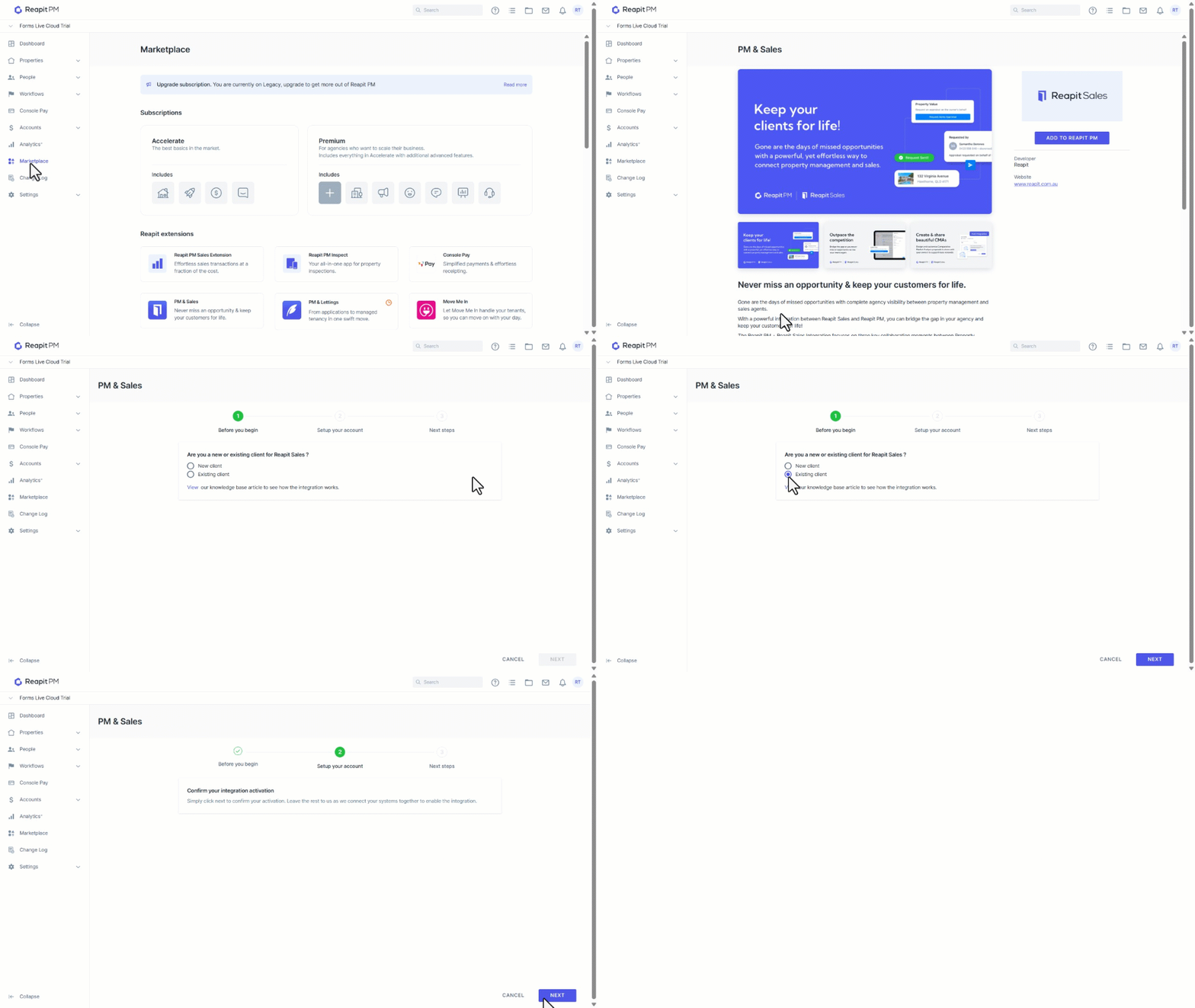
- Click on Marketplace.
- Navigate to Reapit Extensions and select PM & Sales.
- Click on Add to Reapit PM.
- Select New or Existing Client.
- Click on Next.
- Click on Next to proceed with the activation.
- Await Activation. A team member will be in contact.
- To ensure Appraisal Request are followed up, the activation setup must be completed within Reapit Sales. Please refer to this article here.
Request an Appraisal - Owner
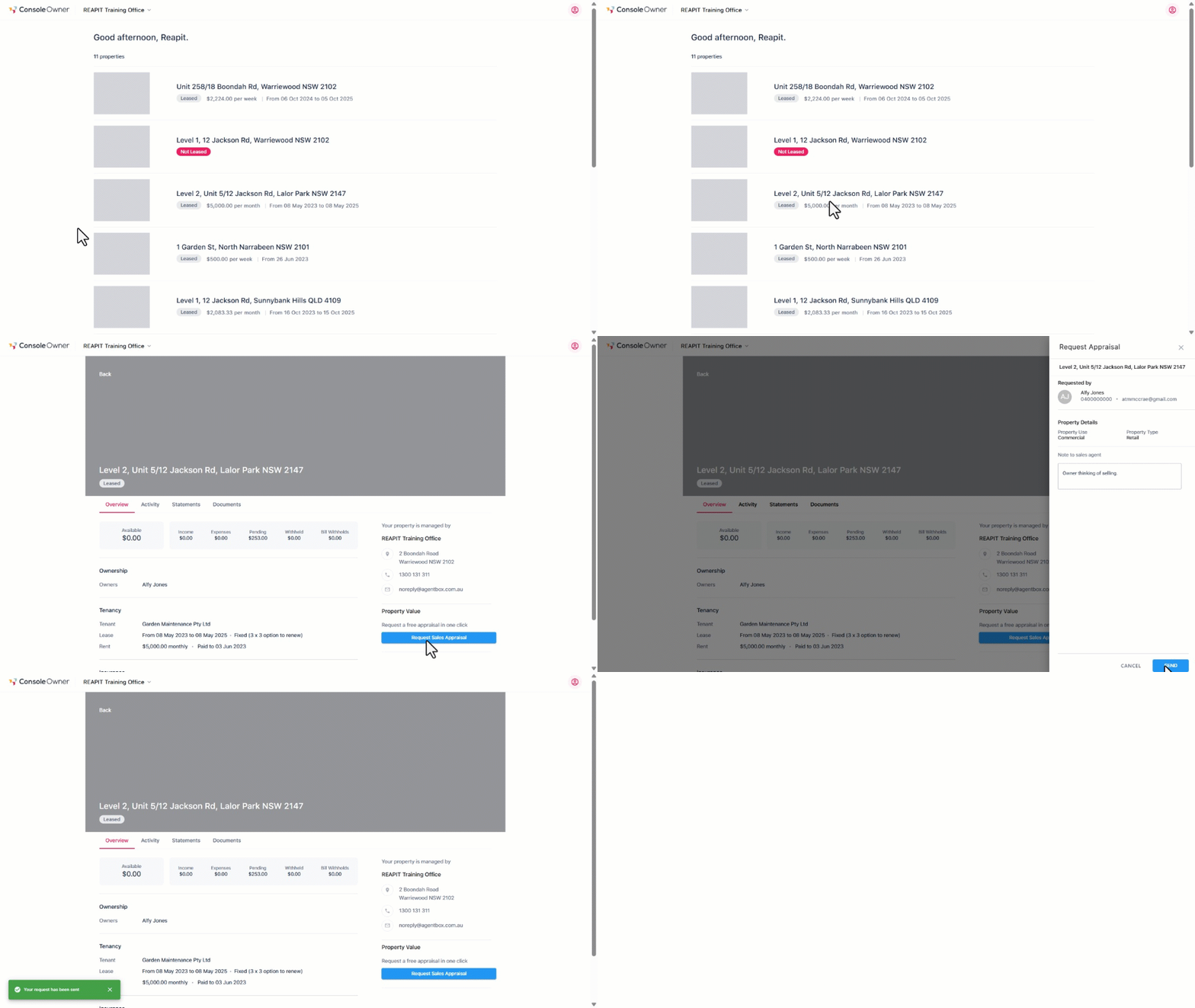
From the Owner Portal, an owner can request a Sales Appraisal. Once completed, the request will be generated against the nominated salesperson. A copy of the request will also be added to the properties timeline within PM.
- Click on Request Sales Appraisal.
- Add notes to send to the Sales Agent and click on Send.
- A green confirmation banner will appear when the request has been sent.
Request an Appraisal - Property Manager
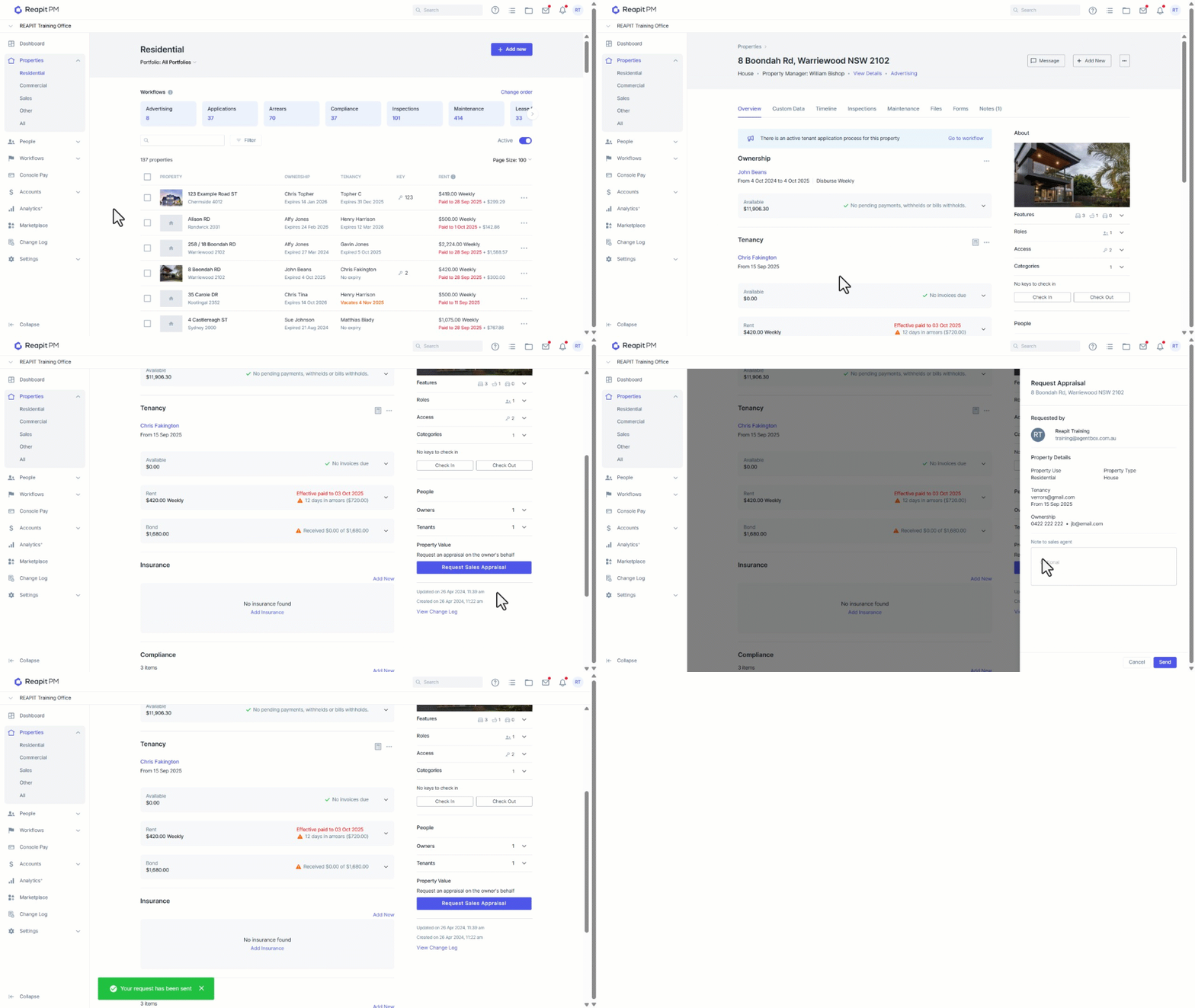
From the property record, a sales appraisal request can be sent on the owners behalf. The request will be generated to the nominated salesperson. A copy of the request will be added to the properties timeline within PM. The request will also be recorded under the change log.
- Click on Properties.
- Click on Residential.
- Search and select a property.
- Navigate to Property Value and click on Request Sales Appraisal.
- Add a note if required, click on Send.