'%20d='M0%208a8%208%200%200%201%208-8h24a8%208%200%200%201%208%208v24a8%208%200%200%201-8%208H8a8%208%200%200%201-8-8V8Z'/%3e%3cpath%20fill='%23fff'%20d='M8.375%2013v14L20.5%2034l12.124-7v-7.737l-1.687-.975-2.806-1.62-1.082-.624v4.83l-.002%204.83H13.95V16.07l3.275-1.89%202.192-1.265%201.082-.625%203.275%201.877%202.192%201.256%201.083.62V9.782L20.5%206%208.376%2013Z'/%3e%3cdefs%3e%3clinearGradient%20id='reapit-pm__a'%20x1='20.702'%20x2='20.702'%20y1='.351'%20y2='31.228'%20gradientUnits='userSpaceOnUse'%3e%3cstop%20stop-color='%235573FD'/%3e%3cstop%20offset='.575'%20stop-color='%234E56EA'/%3e%3c/linearGradient%3e%3c/defs%3e%3c/svg%3e)
Console Pay: Bulk Receipting
This article will take you through the process to manage bulk receipting with Console Pay in Reapit PM. The process in this article include: Completing Receipting with Console Pay
Overview
Console Pay: Bulk Receipting
Console Pay transactions will appear in the Bulk Receipting for you to complete your receipting.
It is important to ensure that you filter to the previous business day as transactions dated to the current day may still be clearing and not yet appear on your bank statement.
The process in this article include:
- Completing Receipting with Console Pay
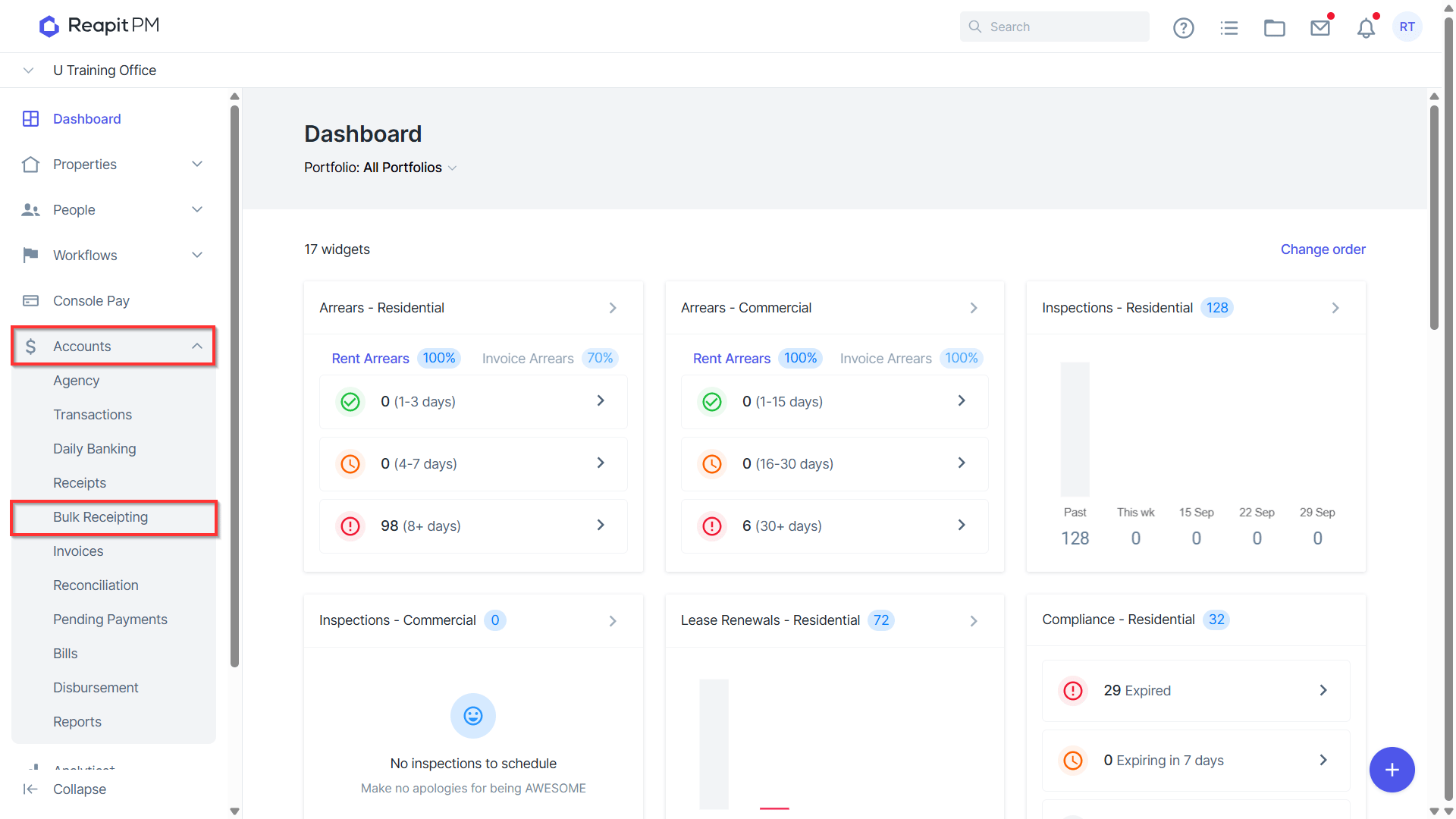
Navigate to Accounts > Bulk Receipting.*
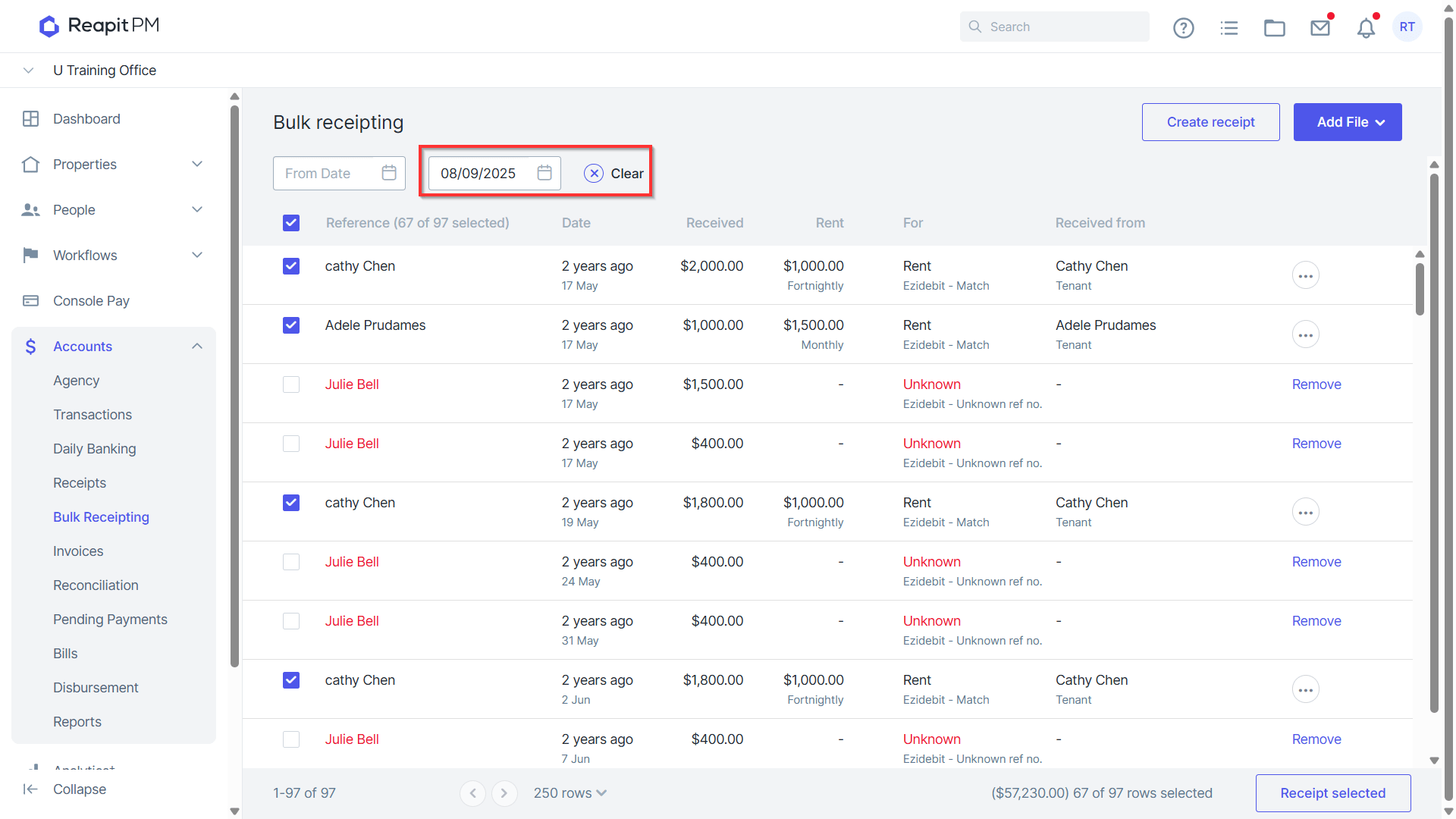
Filter to the previous business day.
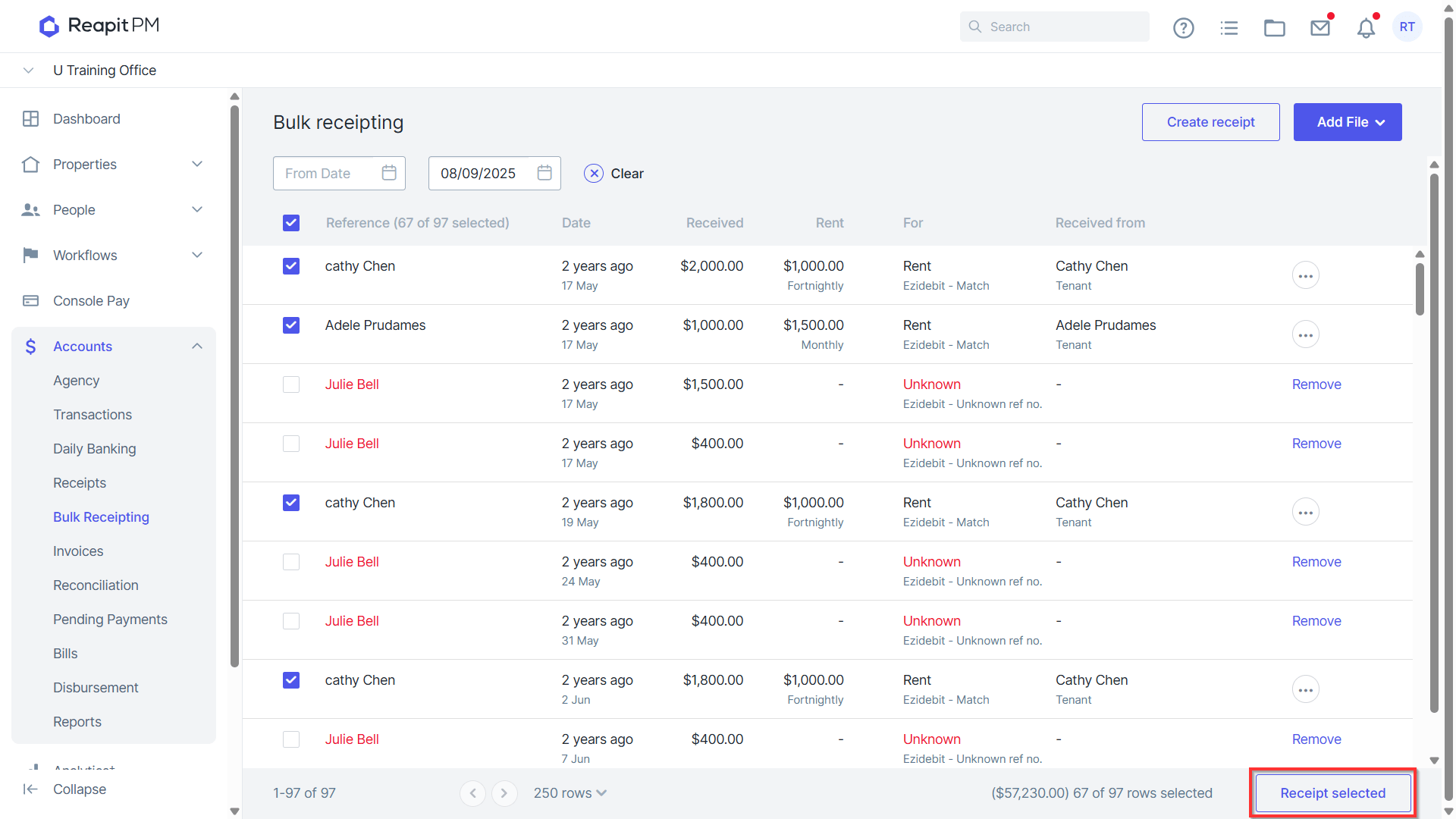
Residential rent transactions will automatically be selected, and you can proceed to click Receipt Selected.
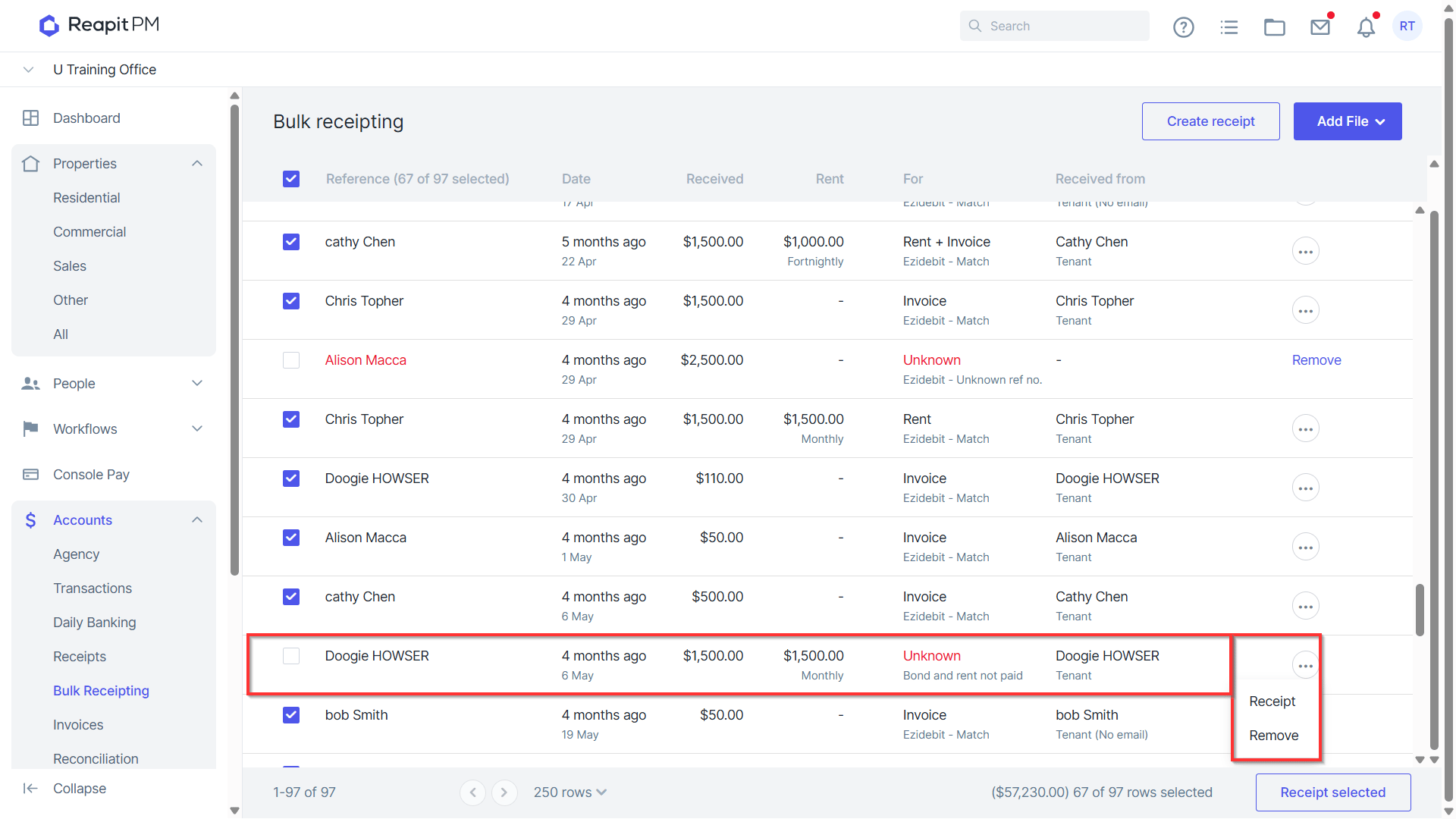
Commercial and unmatched transactions will need to be matched manually by clicking into the transaction and then proceeding to manually receipt. For further information on manually receipting, access our bulk receipting article.