'%20d='M0%208a8%208%200%200%201%208-8h24a8%208%200%200%201%208%208v24a8%208%200%200%201-8%208H8a8%208%200%200%201-8-8V8Z'/%3e%3cpath%20fill='%23fff'%20d='M8.375%2013v14L20.5%2034l12.124-7v-7.737l-1.687-.975-2.806-1.62-1.082-.624v4.83l-.002%204.83H13.95V16.07l3.275-1.89%202.192-1.265%201.082-.625%203.275%201.877%202.192%201.256%201.083.62V9.782L20.5%206%208.376%2013Z'/%3e%3cdefs%3e%3clinearGradient%20id='reapit-pm__a'%20x1='20.702'%20x2='20.702'%20y1='.351'%20y2='31.228'%20gradientUnits='userSpaceOnUse'%3e%3cstop%20stop-color='%235573FD'/%3e%3cstop%20offset='.575'%20stop-color='%234E56EA'/%3e%3c/linearGradient%3e%3c/defs%3e%3c/svg%3e)
Owner to Owner Transfer
This article will guide you through the process of performing an owner-to-owner transfer from a management agreement and the bills screen in Reapit PM. The processes in this article include: How to Transfer From a Management Agreement How to Transfer From the Bills Screen
Overview
Owner to Owner Transfer
This article will guide you through the process of performing an owner-to-owner transfer from a management agreement and the bills screen in Reapit PM.
The processes in this article include:
How to Transfer From a Management Agreement
How to Transfer From the Bills Screen
Note: Owner to owner transfers will appear on the EOFY statement of the paying owner as an expense, and on the EOFY statement of the receiving owner as an income. The expense dissection used will be Money Paid to Owner - Transfer, and the income dissection used will be Money Received from Owner - Transfer.
From Management Agreement
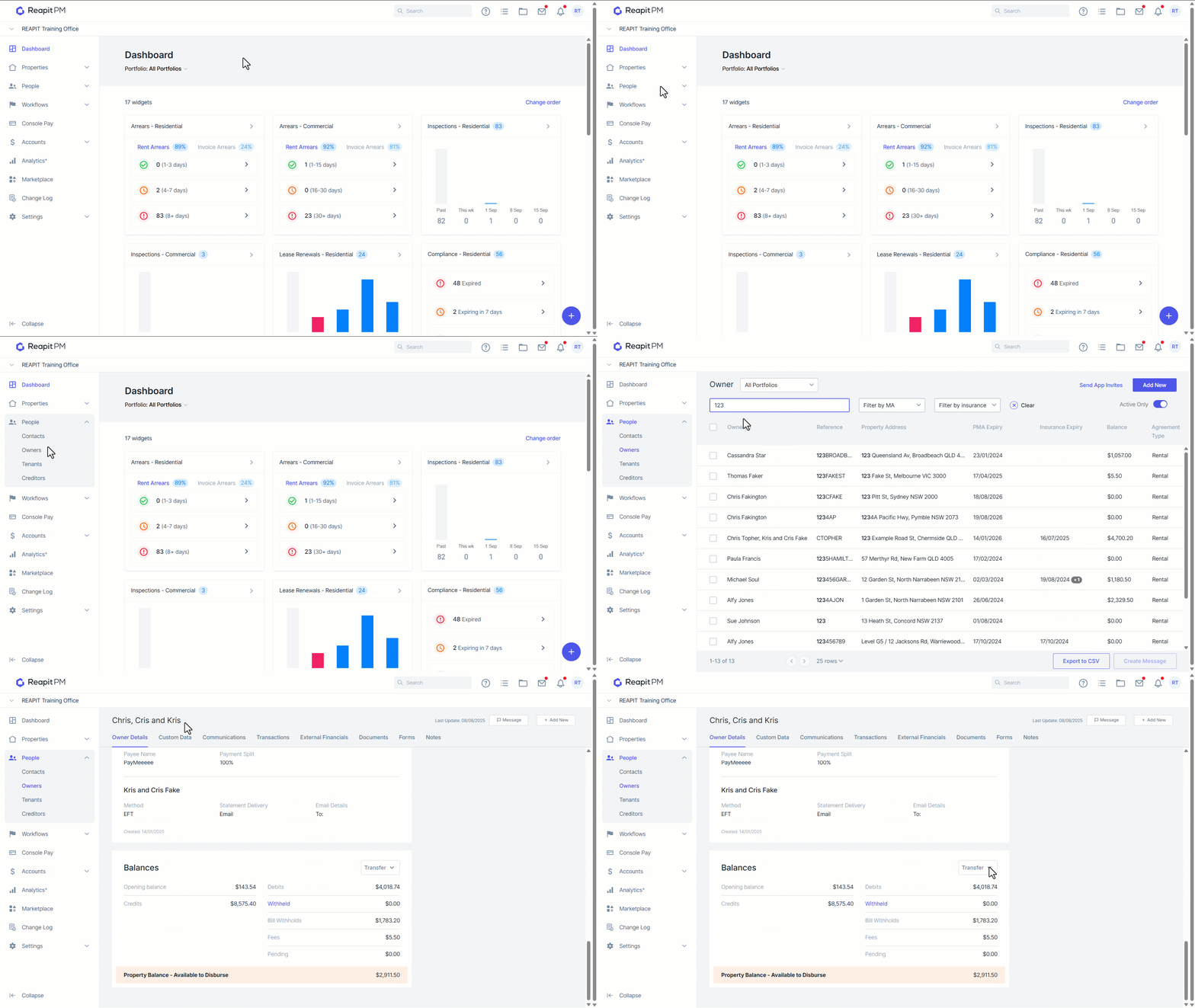
- Navigate to People > Owners.
- Select your owner.
- Navigate to the balances section.
- Select the Transfer drop down > Transfer from property.
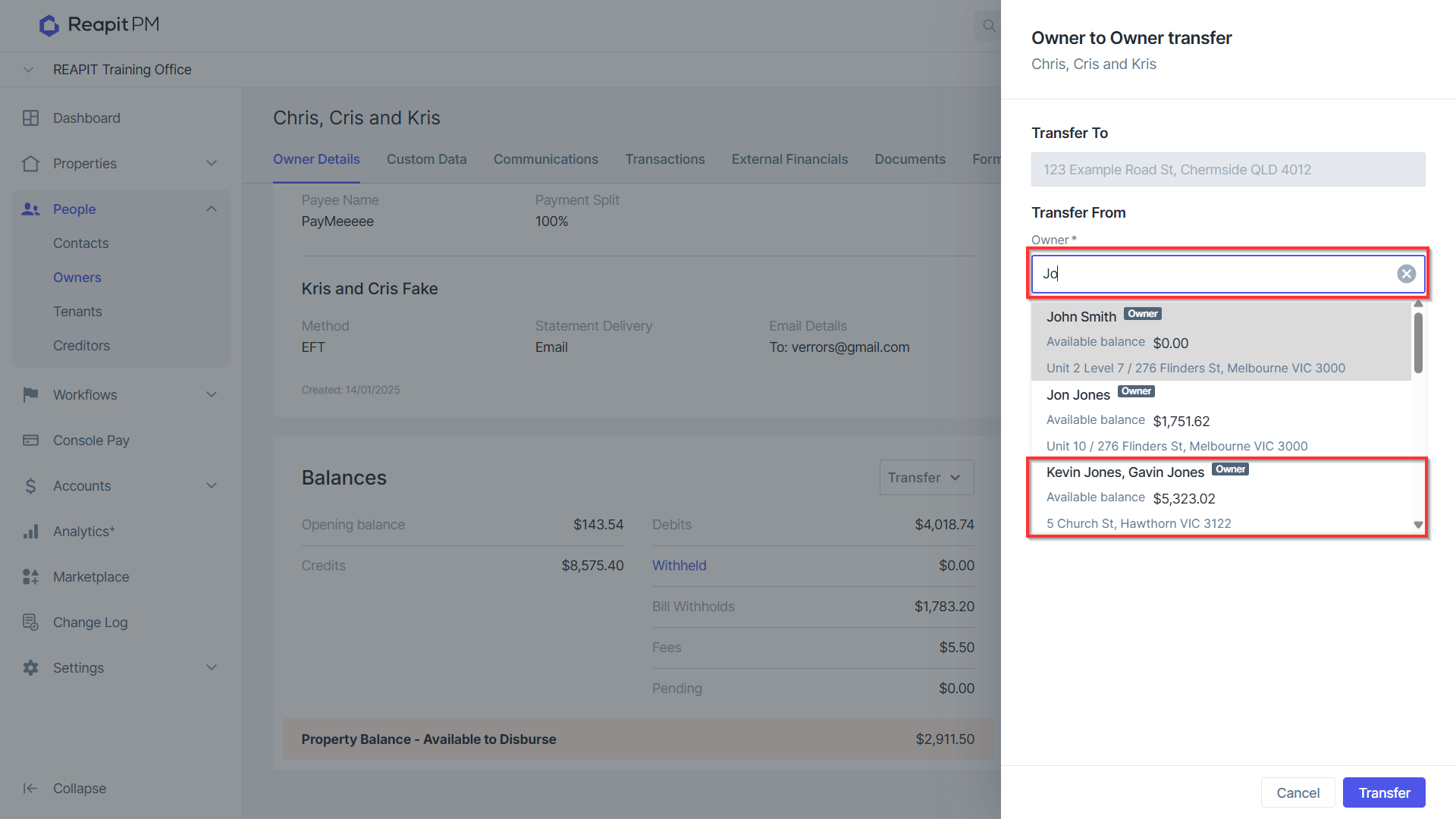
- Type and select the owner you wish to transfer funds from.
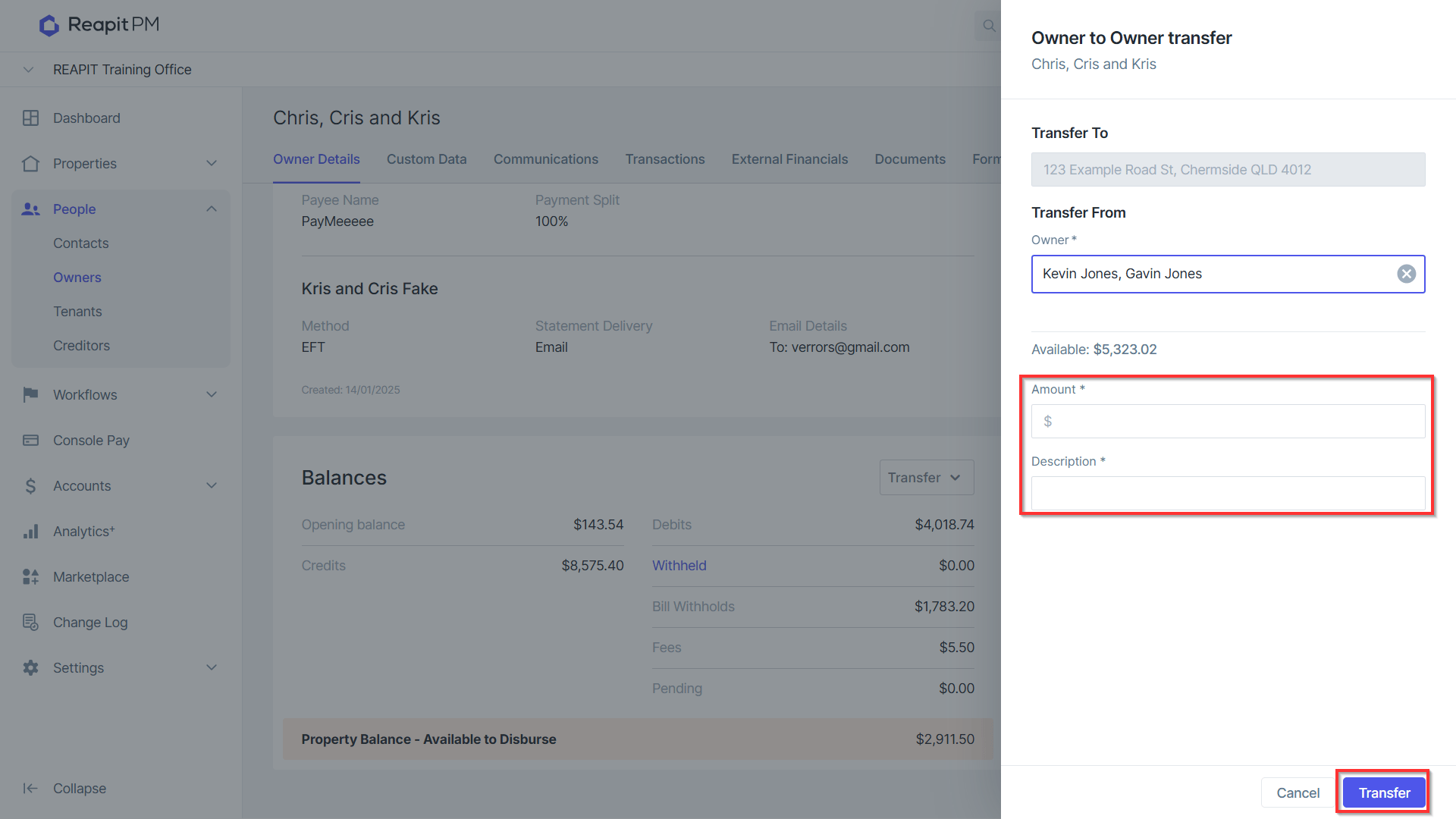
- Enter the amount and description > click Transfer.
From the Bills Screen
This functionality allows you to transfer between separate ownerships. 1 ownership to another.
- After selecting the Bill, click Transfer.
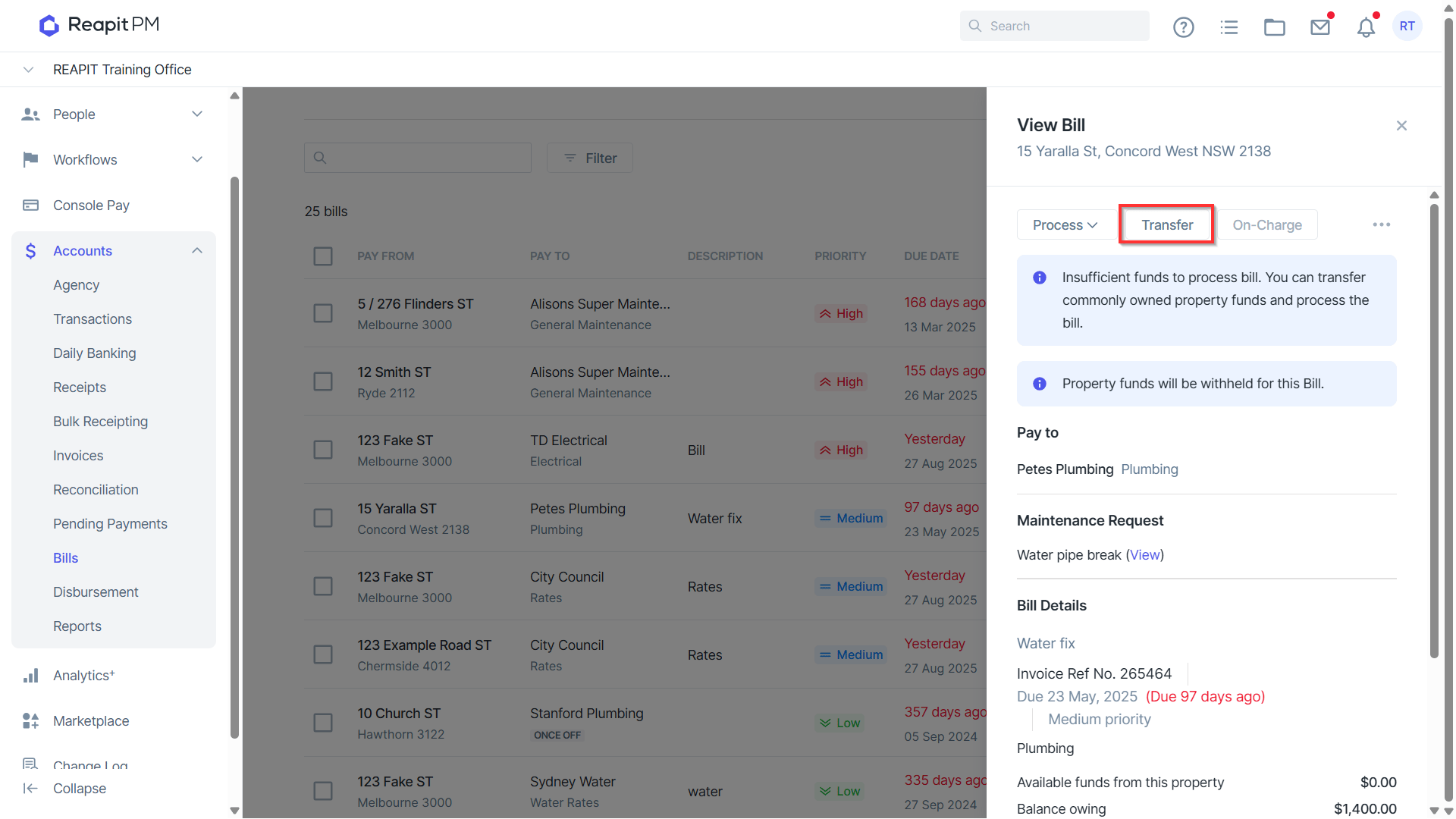
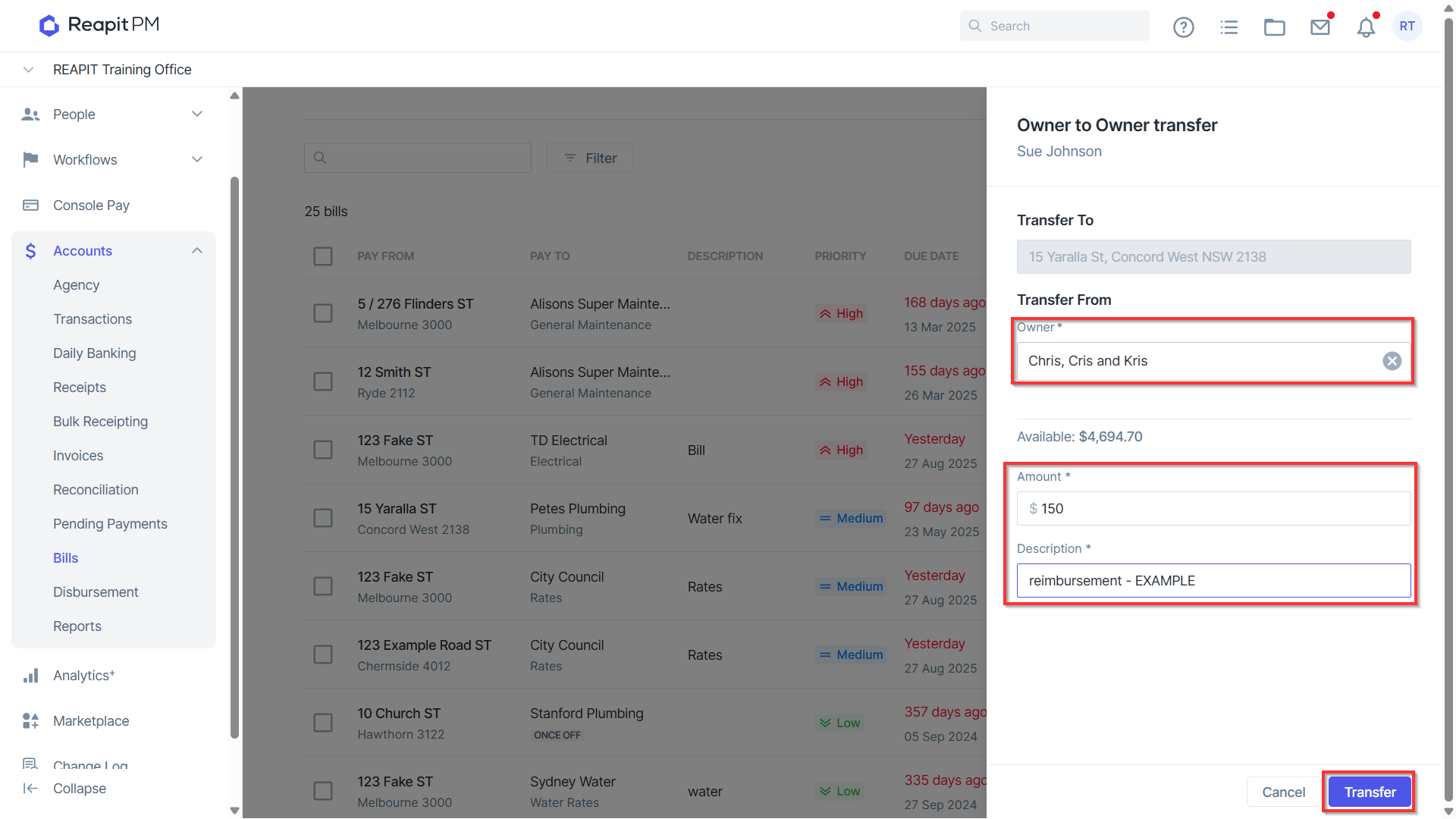
Search for your new owner you wish to transfer funds from.
Enter an amount & description.
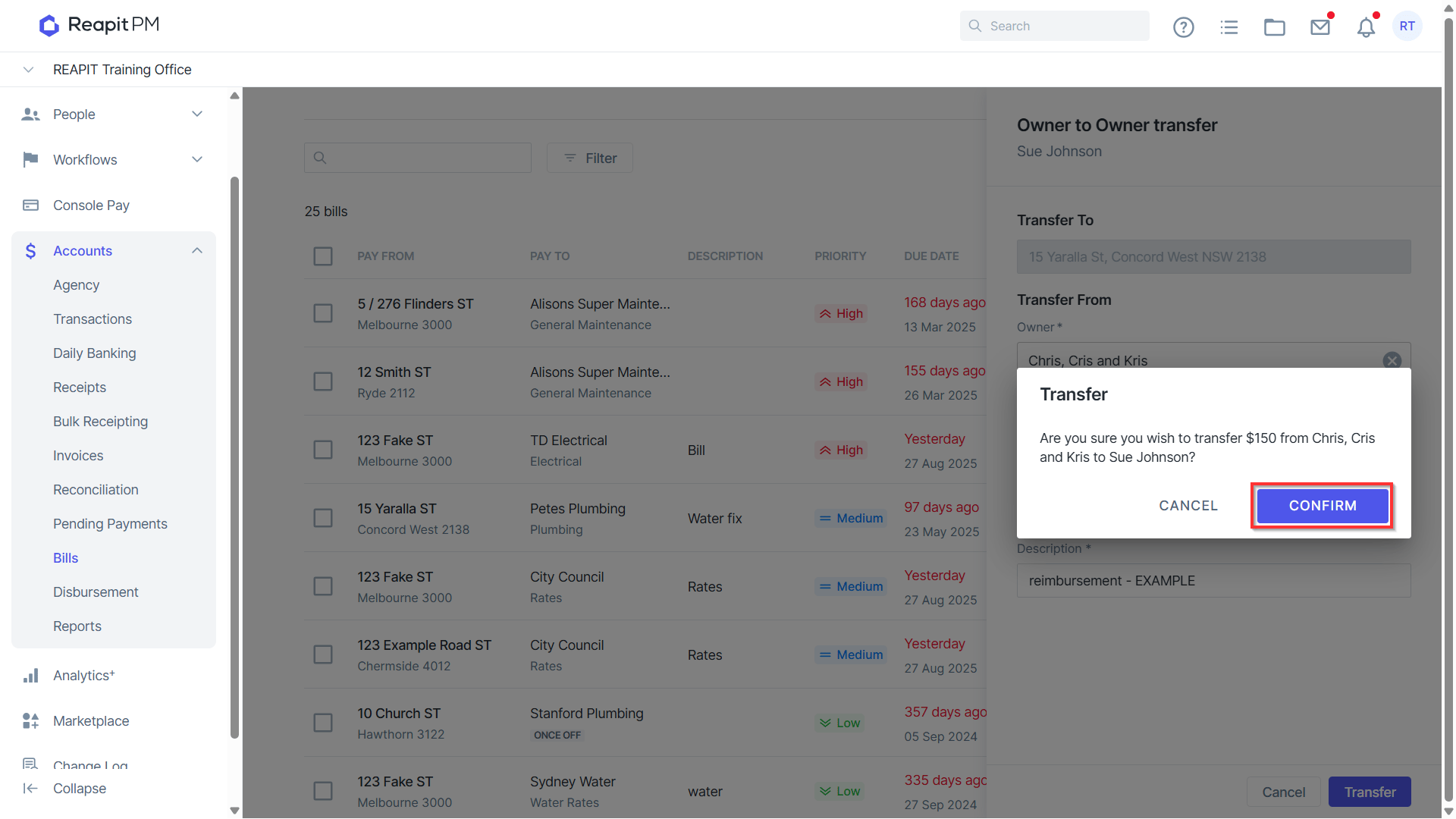
Click Transfer.
- Select Confirm.