'%20d='M0%208a8%208%200%200%201%208-8h24a8%208%200%200%201%208%208v24a8%208%200%200%201-8%208H8a8%208%200%200%201-8-8V8Z'/%3e%3cpath%20fill='%23fff'%20d='M8.375%2013v14L20.5%2034l12.124-7v-7.737l-1.687-.975-2.806-1.62-1.082-.624v4.83l-.002%204.83H13.95V16.07l3.275-1.89%202.192-1.265%201.082-.625%203.275%201.877%202.192%201.256%201.083.62V9.782L20.5%206%208.376%2013Z'/%3e%3cdefs%3e%3clinearGradient%20id='reapit-pm__a'%20x1='20.702'%20x2='20.702'%20y1='.351'%20y2='31.228'%20gradientUnits='userSpaceOnUse'%3e%3cstop%20stop-color='%235573FD'/%3e%3cstop%20offset='.575'%20stop-color='%234E56EA'/%3e%3c/linearGradient%3e%3c/defs%3e%3c/svg%3e)
Understanding Financial Year Statements
This article will help you understand how your FY statements are presented to your owners.
Overview
Understanding Financial Year Statements
Financial Year statements are statements that summarise owner expenses and income for the financial year.
Financial Year statements can be produced at any time; however, it is generally done once you complete your final close month for the last month of the financial year.
Australian Financial Year - July 1 to June 30
New Zealand Financial Year - April 1 to March 31
Owner statement settings will determine how your statements display & delivered, including lodgement reference display.
Page 1
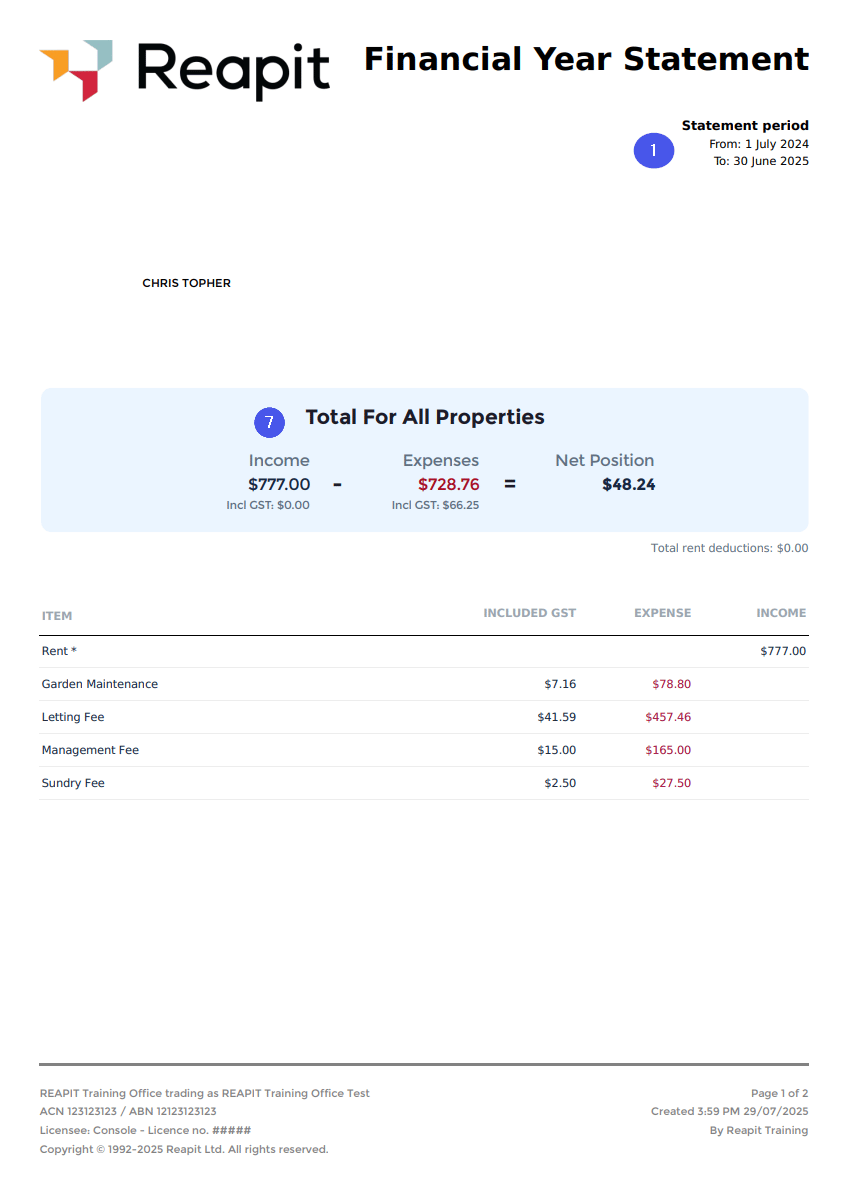
Statement period
The statement period & correlating financial year.
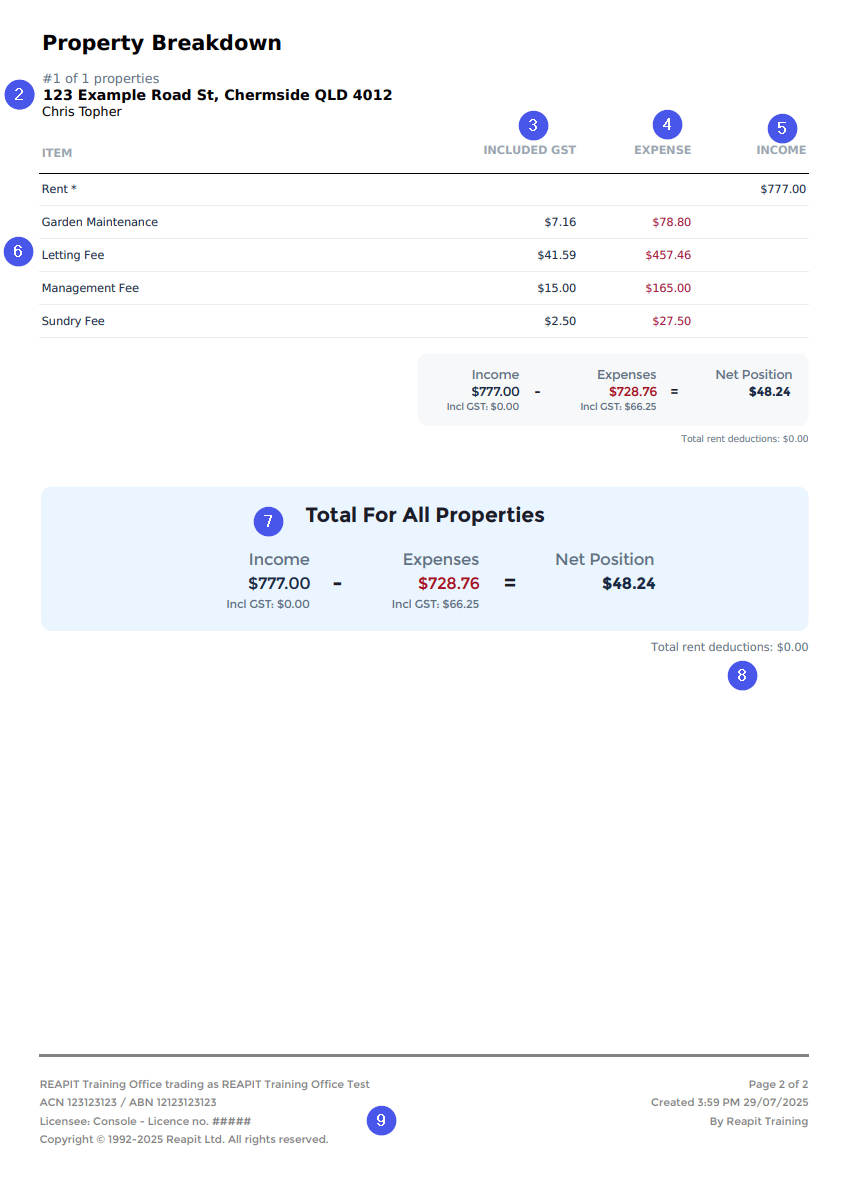
Property
Shows the property address. Financial Year statements are produced for each individual property.
GST column
Shows the GST portion paid for each expense type.
Expense column
Itemises the total of each expense item (expense dissection) for the year. This can include fees, repairs, and other expenses incurred throughout the statement period.
Income column
Itemises the total of each income item (income dissection) for the year. This can include rental income, tenant reimbursements & other income items received throughout the statement period.
Statement details
Details of the income & expense items. Income and expenses are identified in financial year statements by the assigned dissection.
Net position
The net position at the end of the statement period after expenses are subtracted from income.
Deductions note
Any rend deductions applied during the statement period will display here, including if it was removed during the period. Owner statements will also show deductions and further information.
Agency details
All statements will display the agency’s name, trading name, ABN, ACN, licensee details, and other important information.
Sending & Printing (including re-sending) Financial Year Statements
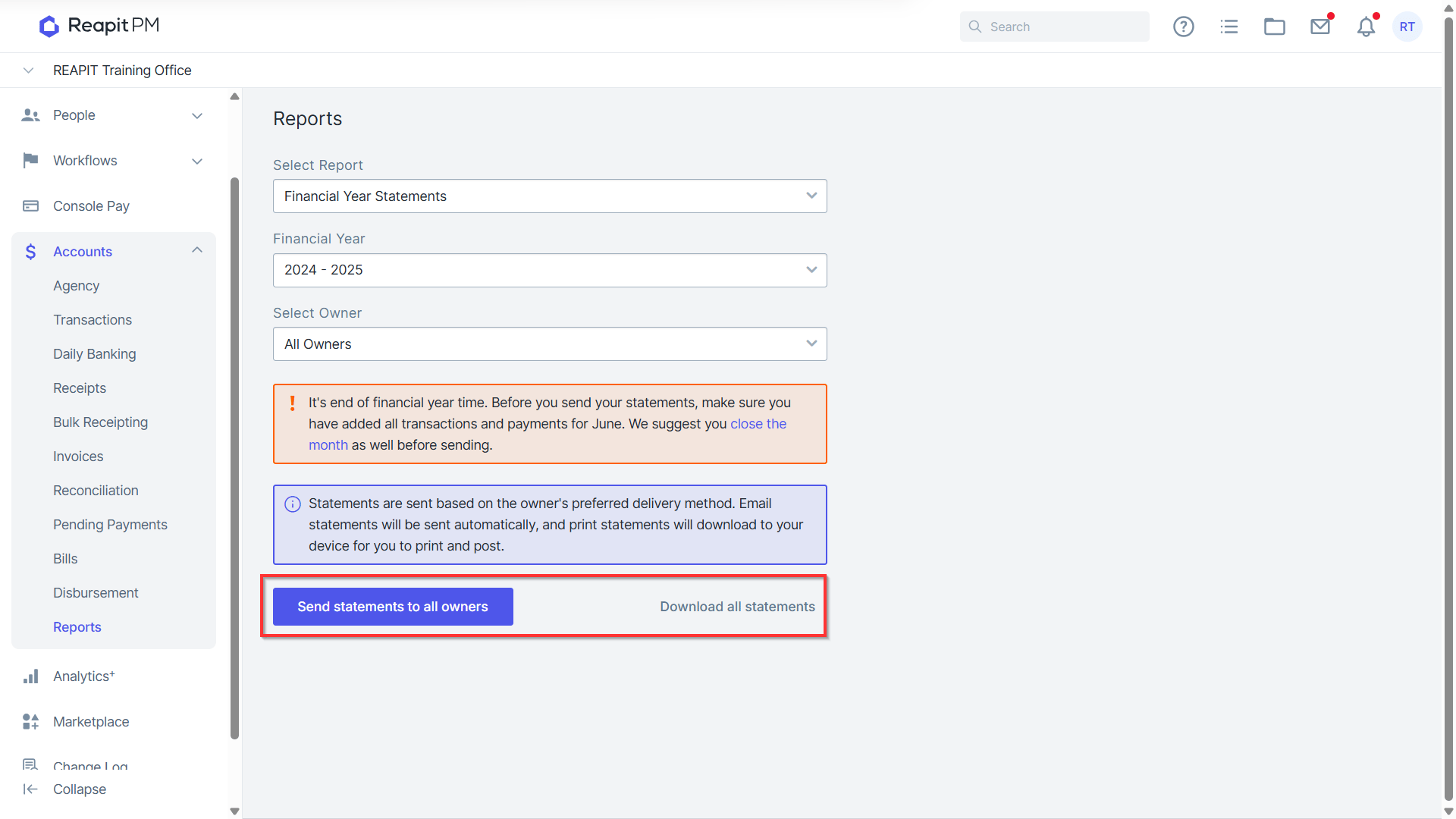
- Financial year statements can be sent or downloaded at any time via the Accounts > Reports menu. This also included reprinting or resending previous financial year statements.
To send or print a statement, including resending, follow these steps:
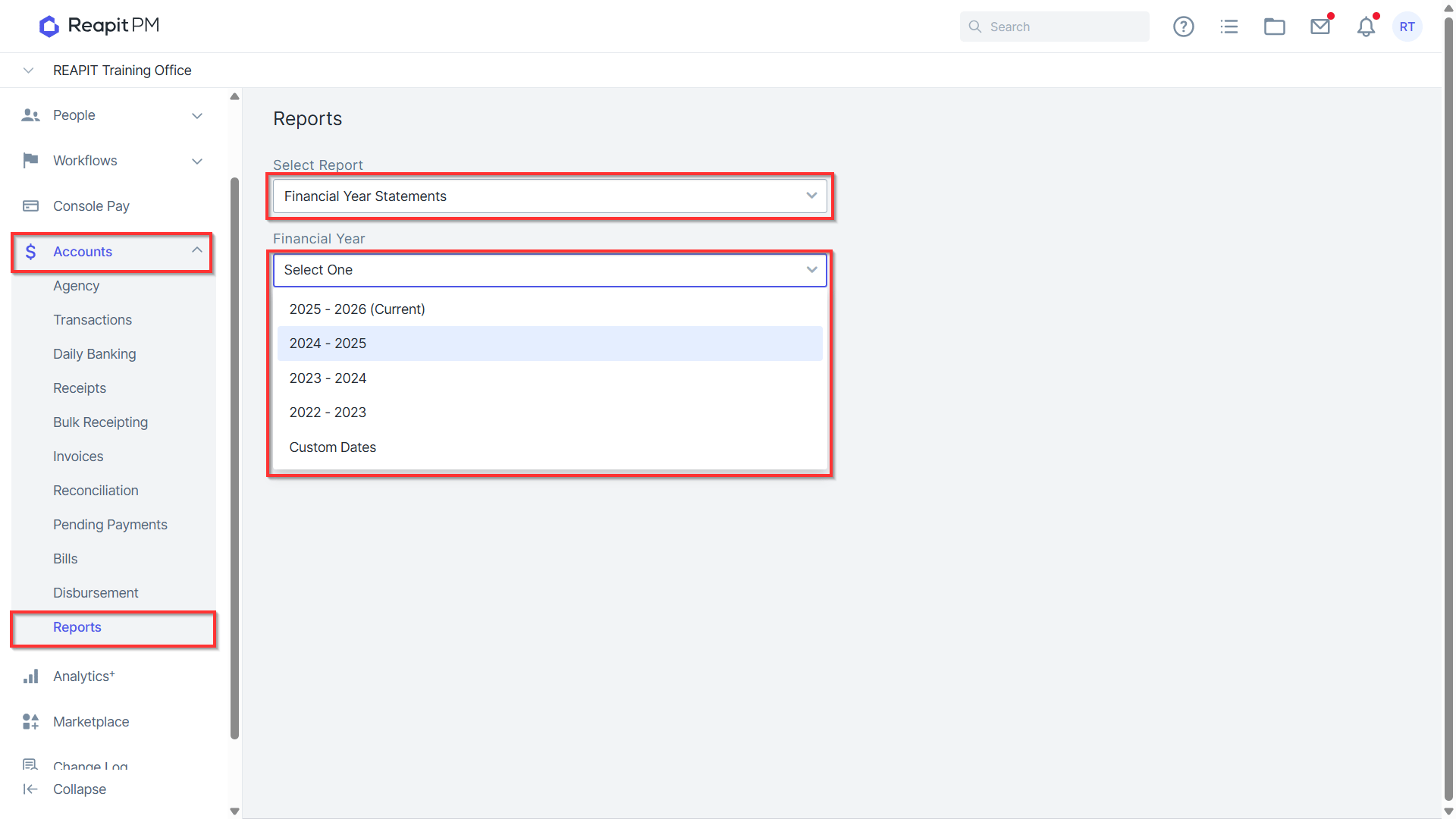
Go to the Accounts menu & click Reports .
Select Financial Year Statements from the report dropdown.
Select the financial year.
Select All Owners OR Specific Owner to search for an individual owner.
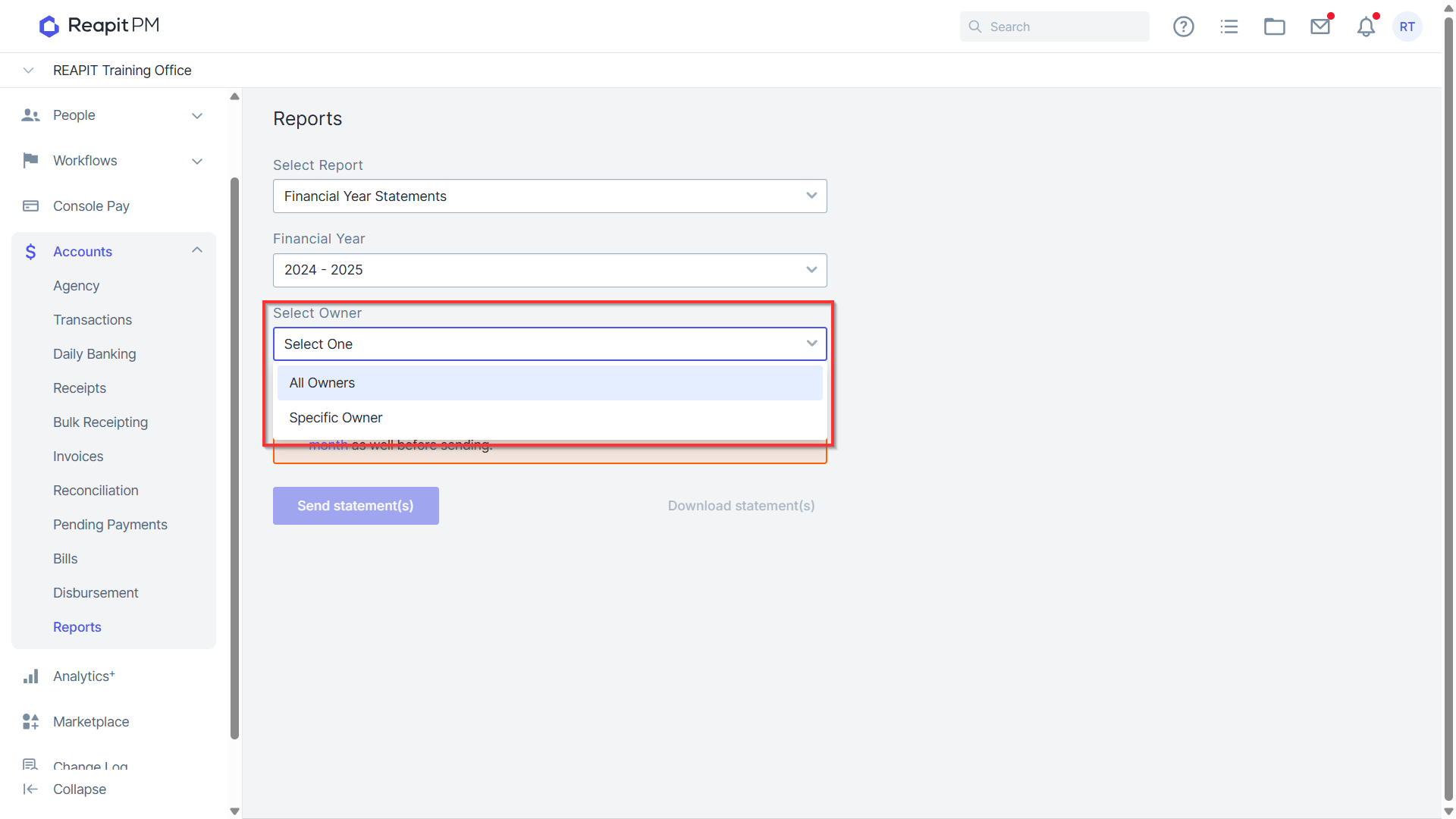
Select Send statements or Download statements
If you select Send statements, only owners who and email as their preferred delivery method set in the management agreement
If you have recently changed the delivery method, you can change this option and then repeat these steps as required.
For more information about completing your end of financial year in Reapit PM, please refer to the EOFY user guide article
External Financials & Combined Financial Year Statements
The external financial feature allows clients that have moved to Reapit PM from Console Gateway to produce a single financial year statement for their owners.
External financials also allow you to correct any mistakes that may have come over during this process to ensure statements represent transactions correctly.
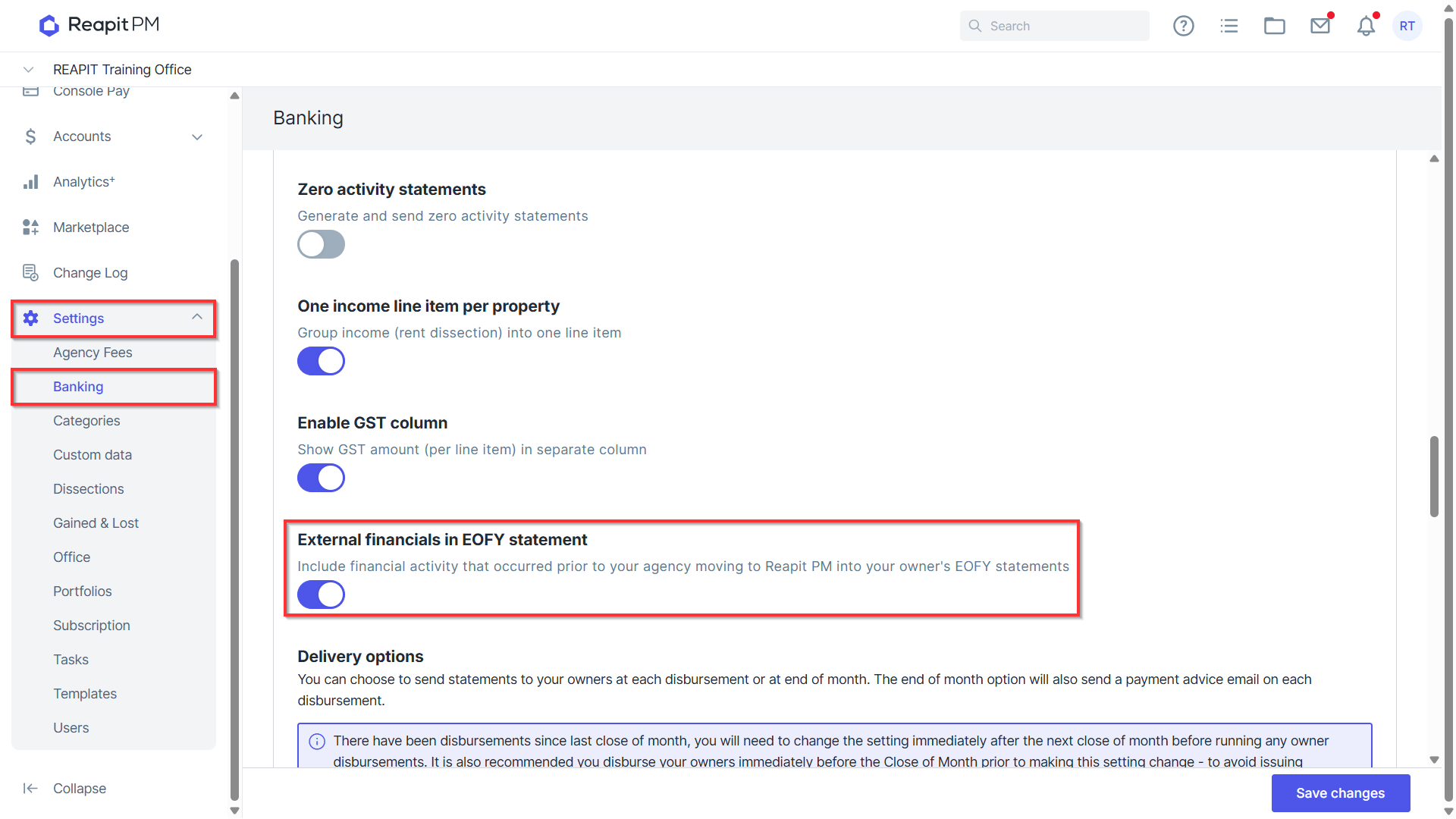
To enable external financials:
Go to the Settings menu and then click Banking.
Under the External financials in EOFY statement setting, move the slider to the right until blue.
Your external financials will now be included in your financial year statements & appear under the external financials in the owner management agreement.
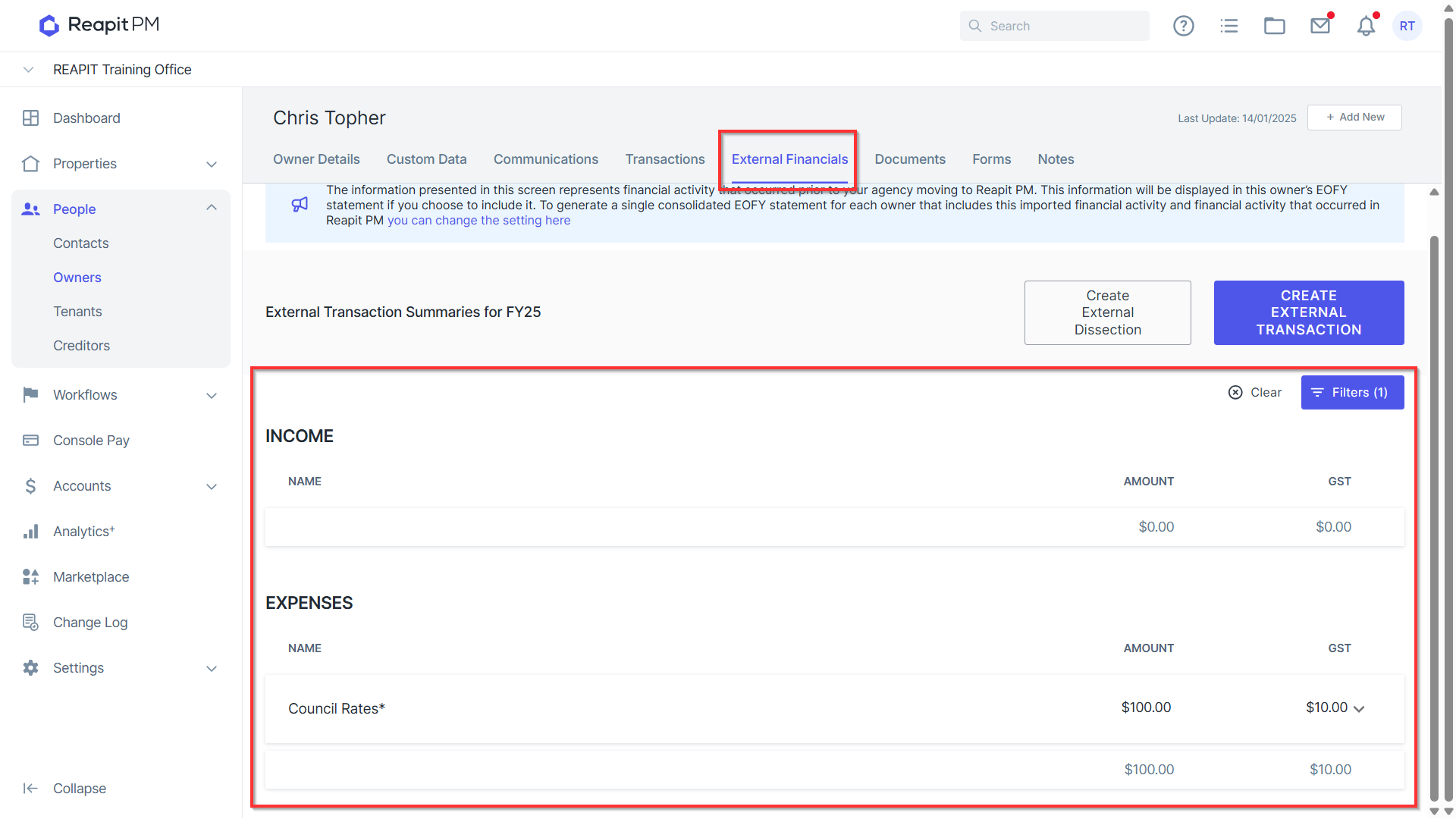
Viewing external financials & transactions:
Open the relevant owner management agreement.
Click on the External Financials tab.
All transactions will displayed .
For more information about using the external financials feature, please view the Managing External Financials article.