'%20d='M0%208a8%208%200%200%201%208-8h24a8%208%200%200%201%208%208v24a8%208%200%200%201-8%208H8a8%208%200%200%201-8-8V8Z'/%3e%3cpath%20fill='%23fff'%20d='M8.375%2013v14L20.5%2034l12.124-7v-7.737l-1.687-.975-2.806-1.62-1.082-.624v4.83l-.002%204.83H13.95V16.07l3.275-1.89%202.192-1.265%201.082-.625%203.275%201.877%202.192%201.256%201.083.62V9.782L20.5%206%208.376%2013Z'/%3e%3cdefs%3e%3clinearGradient%20id='reapit-pm__a'%20x1='20.702'%20x2='20.702'%20y1='.351'%20y2='31.228'%20gradientUnits='userSpaceOnUse'%3e%3cstop%20stop-color='%235573FD'/%3e%3cstop%20offset='.575'%20stop-color='%234E56EA'/%3e%3c/linearGradient%3e%3c/defs%3e%3c/svg%3e)
Editing, Writing off or Deleting Bills
This article will take you through how to edit, write off and delete bills in Reapit PM.
Overview
Editing, Writing off and Deleting Bills
This article will take you through how to edit, write off and delete bills in Reapit PM.
Bills are a list of all owner expense invoices that need to be processed and disbursed (paid to a creditor). Admin and Trust Account users can access and configure Bills settings in the Bills page and the Banking Settings page.
Note: For further information on Bills see our articles on adding bills, processing bills and bill settings.
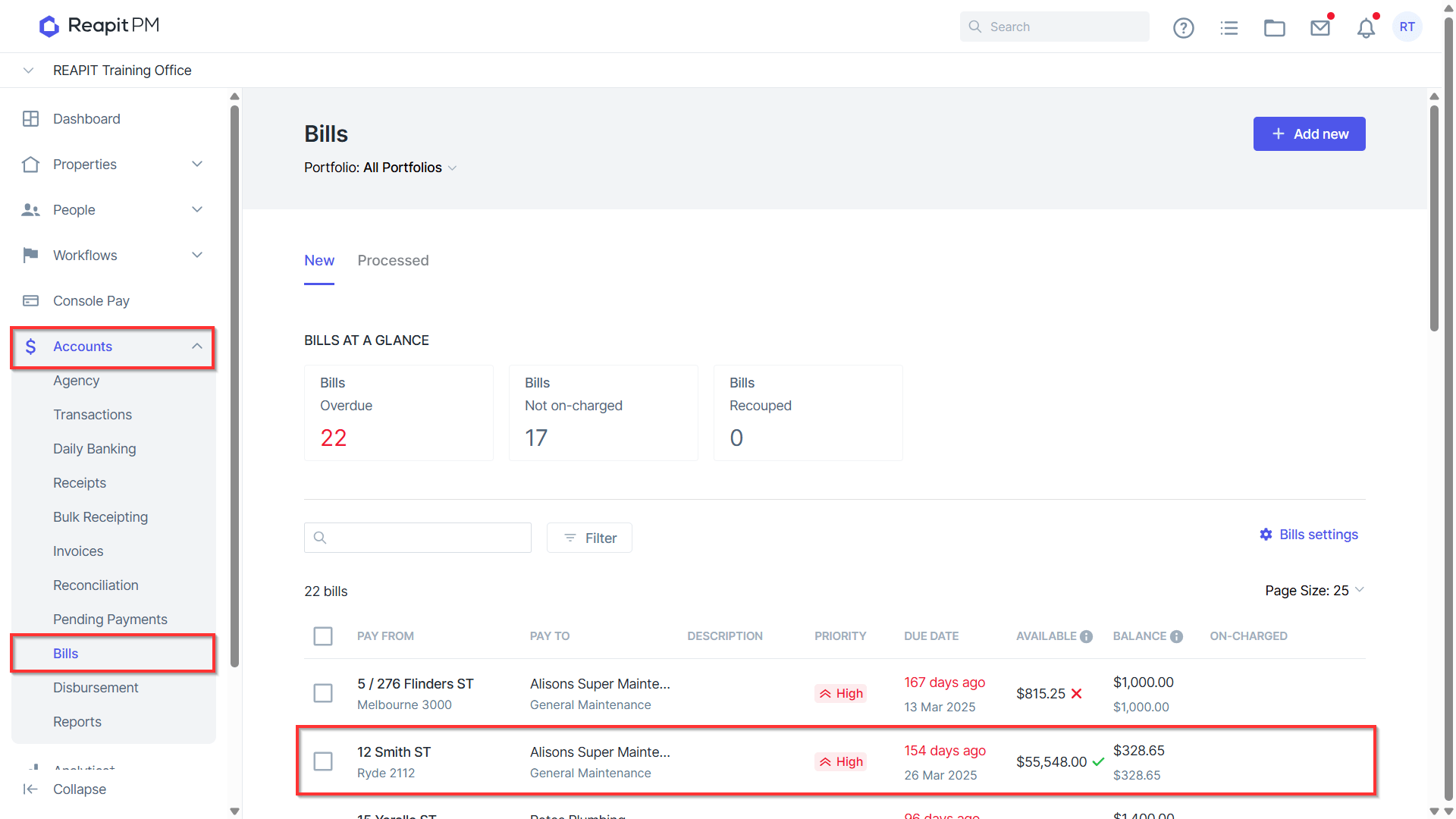
- Navigate to Accounts > Bills and click on the Bill you wish to update.
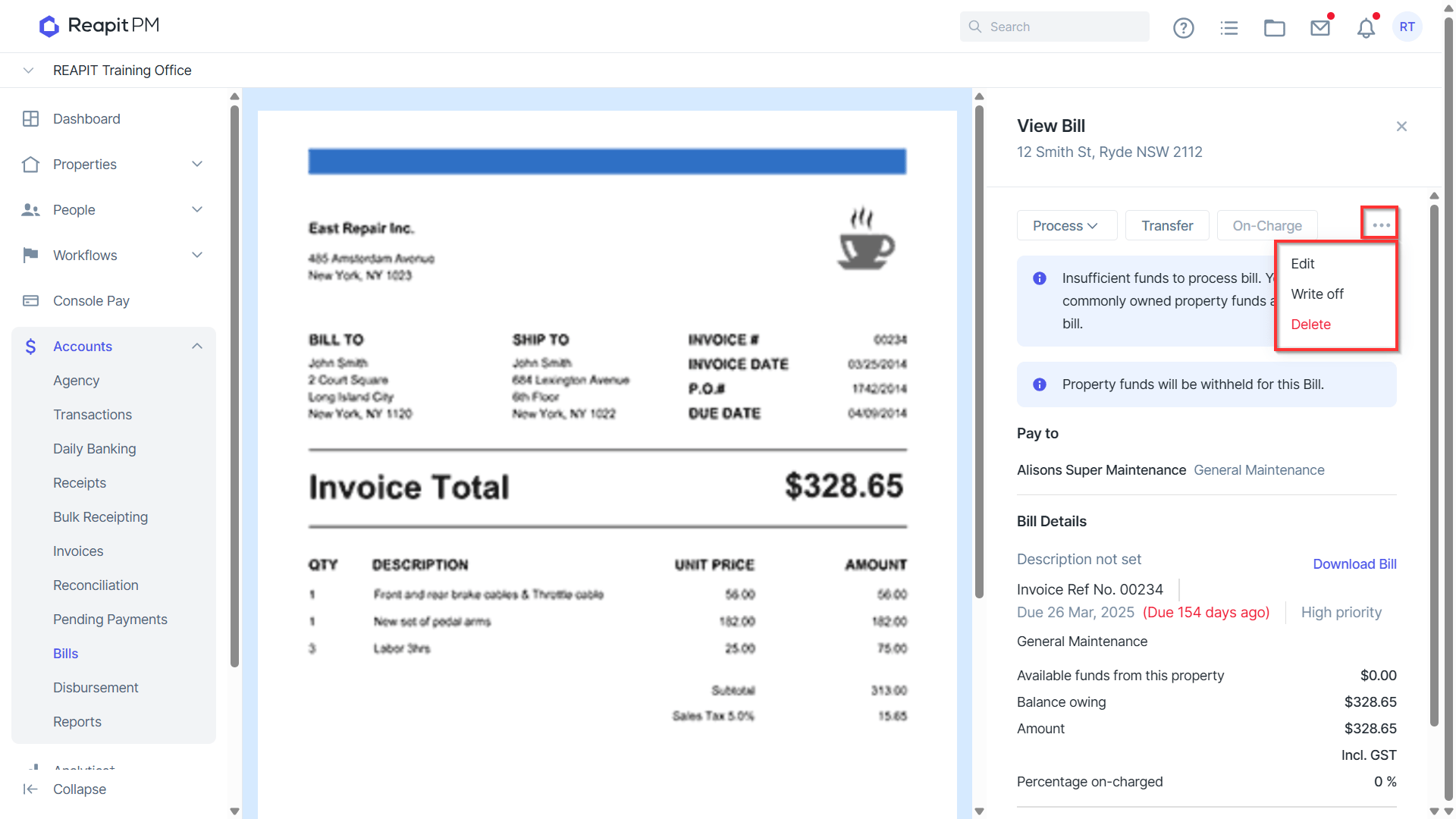
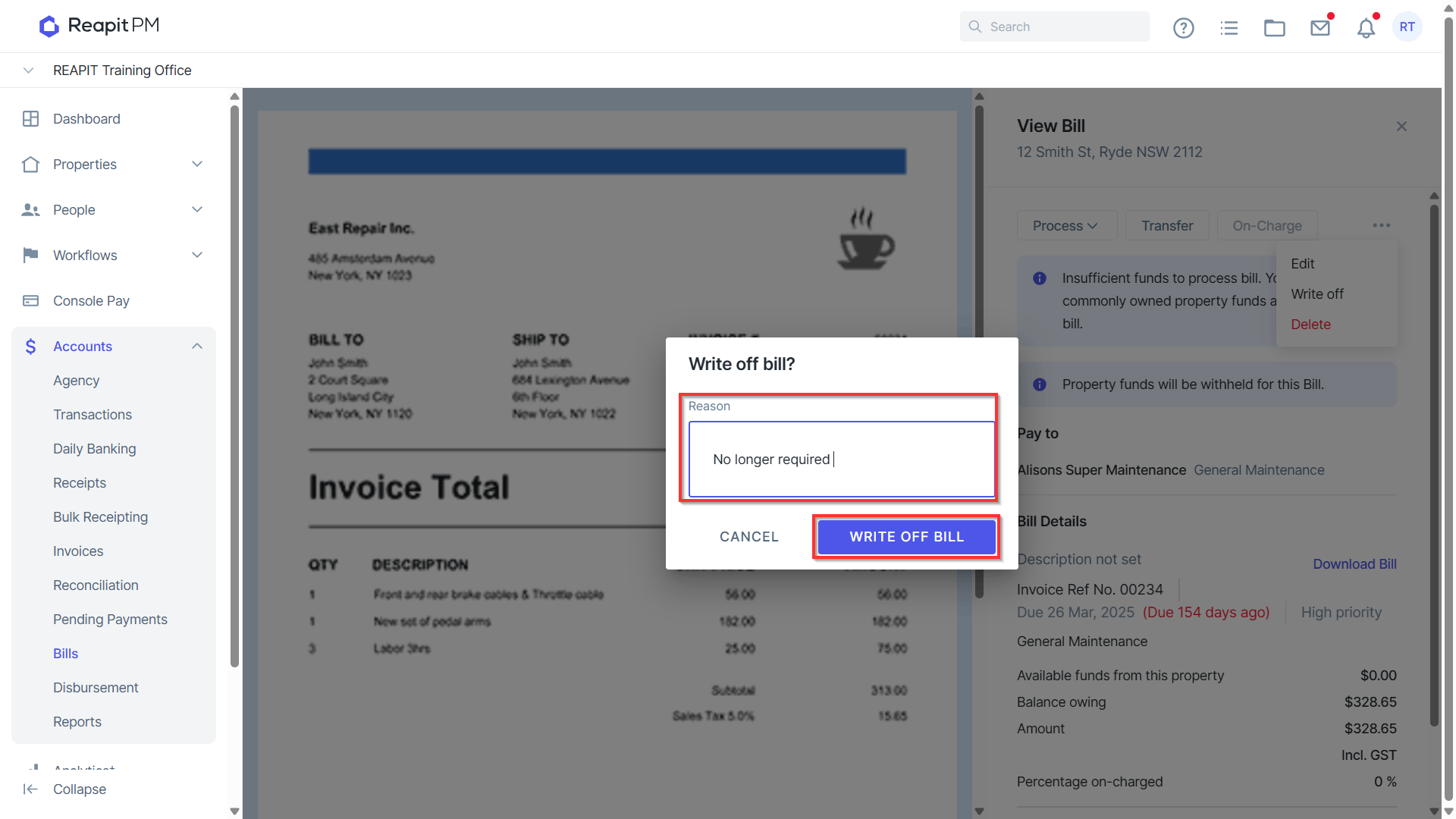
- Click on the 3 dots to Edit, Write off or Delete a Bill.
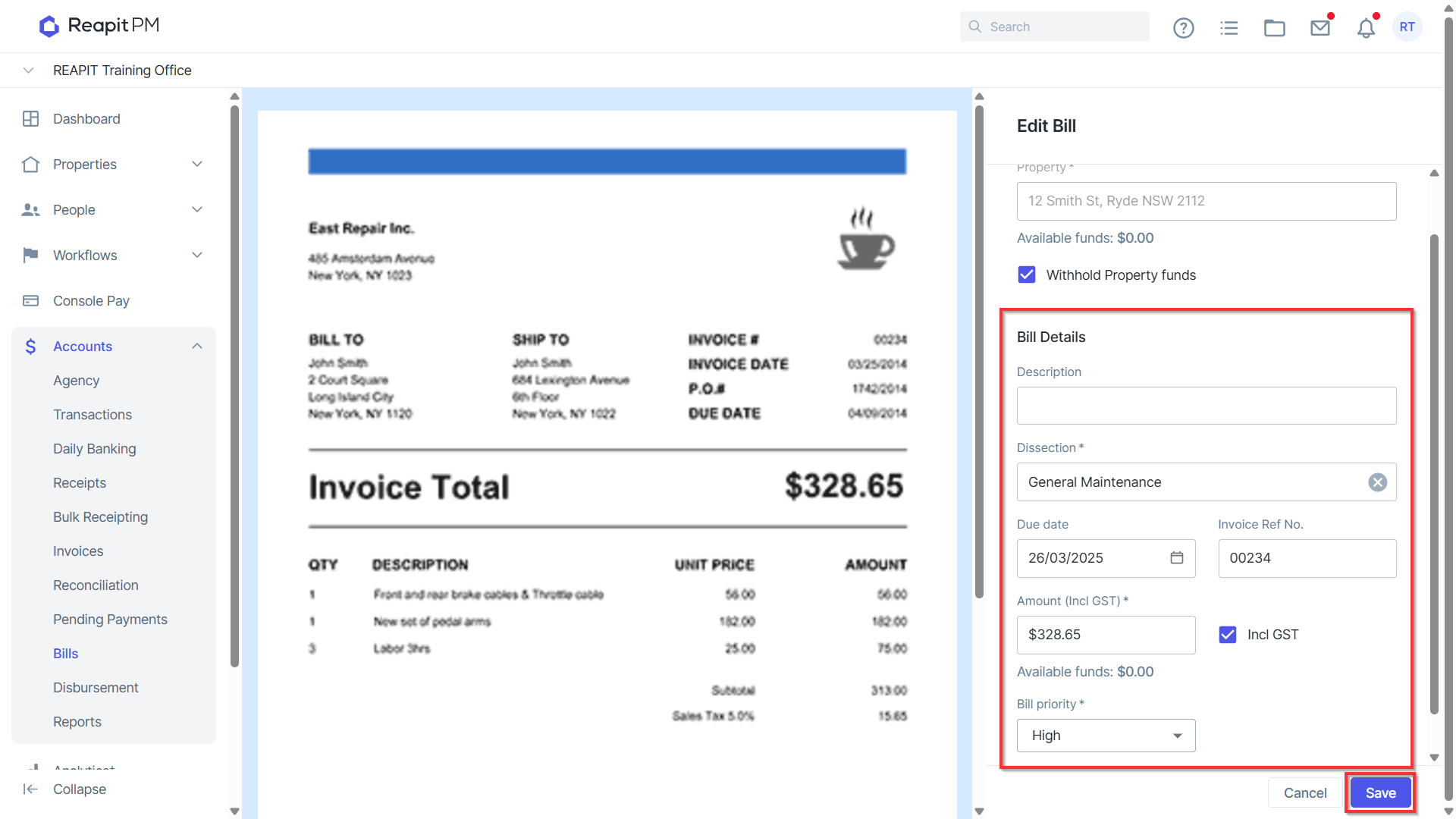
Edit allows you to increase or decrease the Bill amount, change the due date, description, dissection, and Bill priority. Click Save to update any changes.
Note:
- If part payments have been processed, the amount cannot be reduced below the part payment, nor can the creditor be amended.
- Bill Priority is available to Premium and Enterprise clients.
Write off will allow you to write off the balance of a Bill that is unpaid. This will retain the information against the Owner Transactions. A reason for write off must be entered.
Delete will allow you to delete unpaid bills, removing all reference to the bill against the ledger.