'%20d='M0%208a8%208%200%200%201%208-8h24a8%208%200%200%201%208%208v24a8%208%200%200%201-8%208H8a8%208%200%200%201-8-8V8Z'/%3e%3cpath%20fill='%23fff'%20d='M8.375%2013v14L20.5%2034l12.124-7v-7.737l-1.687-.975-2.806-1.62-1.082-.624v4.83l-.002%204.83H13.95V16.07l3.275-1.89%202.192-1.265%201.082-.625%203.275%201.877%202.192%201.256%201.083.62V9.782L20.5%206%208.376%2013Z'/%3e%3cdefs%3e%3clinearGradient%20id='reapit-pm__a'%20x1='20.702'%20x2='20.702'%20y1='.351'%20y2='31.228'%20gradientUnits='userSpaceOnUse'%3e%3cstop%20stop-color='%235573FD'/%3e%3cstop%20offset='.575'%20stop-color='%234E56EA'/%3e%3c/linearGradient%3e%3c/defs%3e%3c/svg%3e)
Editing, Applying and Deleting Fees
Reapit PM allows you to configure and default apply fees to management agreements. Fees can be edited or deleted after they are created, and the default will then be applied to all management agreements.
Overview
Editing, Applying and Deleting Fees
Reapit PM allows you to configure and default apply fees to management agreements. Fees can be edited or deleted after they are created, and the default will then be applied to all management agreements.
Once a fee is created, you can apply the fee to all agreements, edit, or delete the fee.
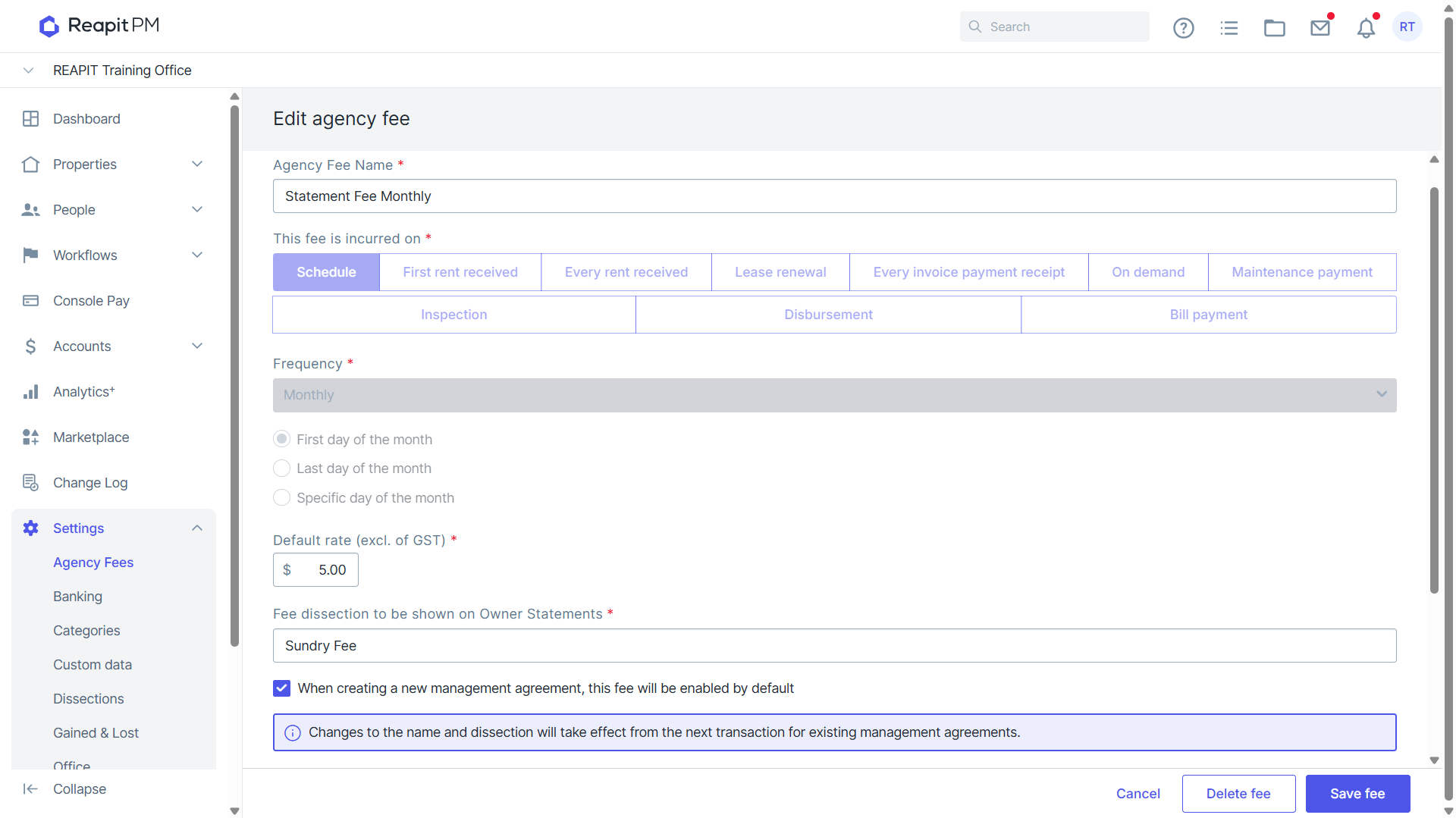
- Click into the relevant fee. You will be able to update the Name, Default rate, Dissection and whether it applies to all new agreements.
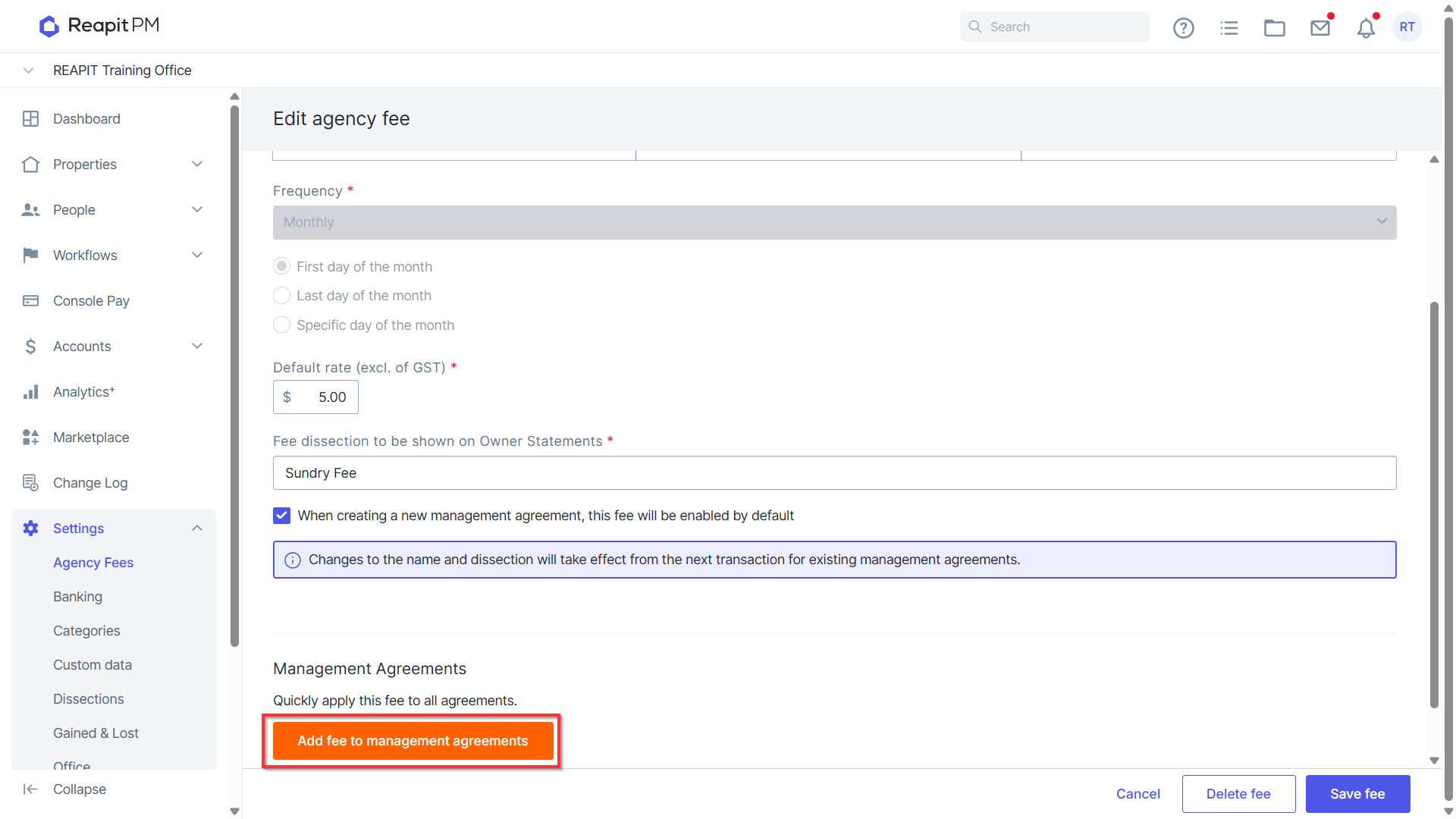
- Click to Add fee to management agreements to apply it to all existing agreements.
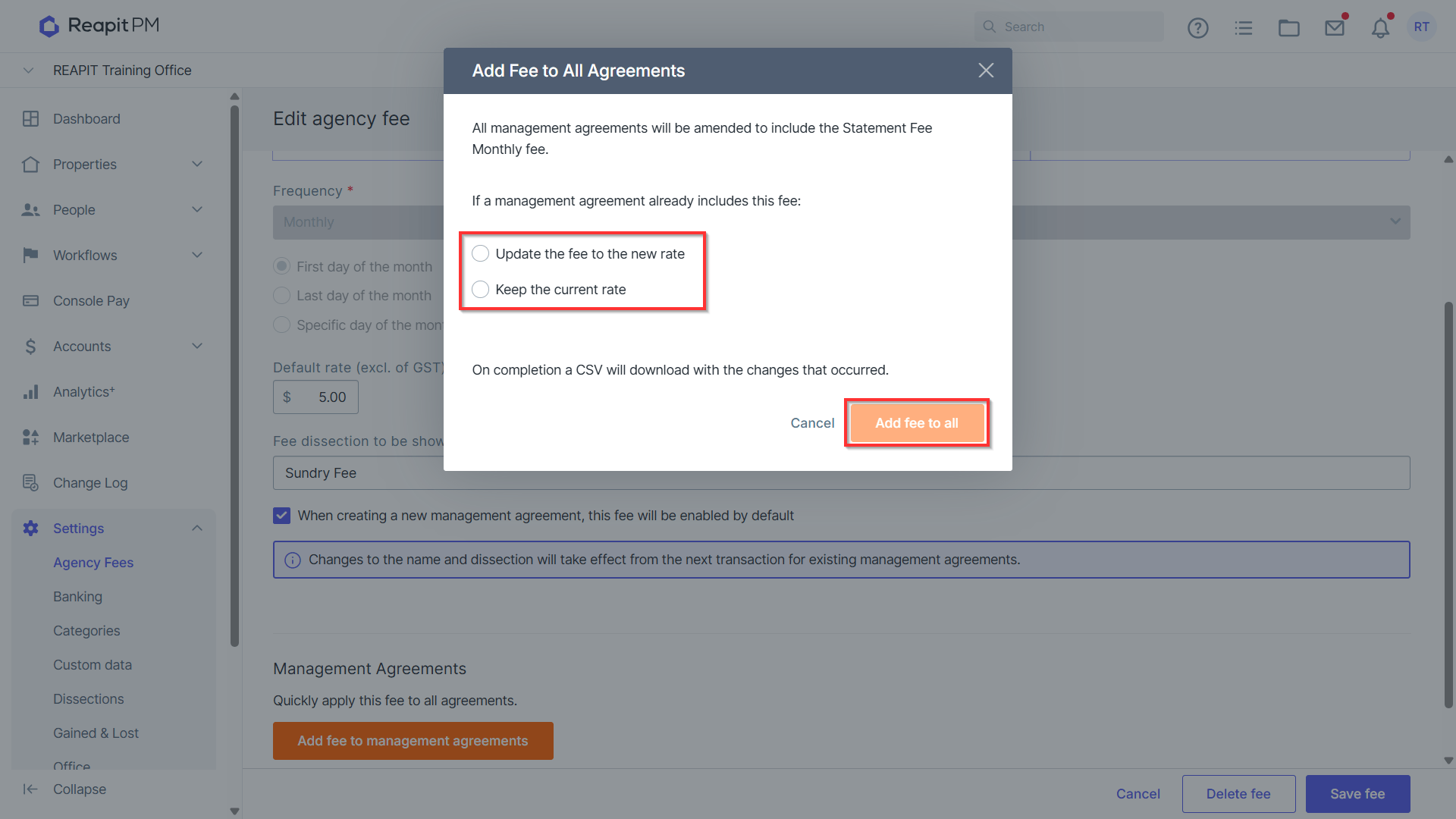
- Select for existing agreements whether to update the fee to the new rate or keep the current rate and select Add fee to all.
Click to Save, or Delete fee to remove from Reapit PM. Note: When deleting an existing management agreements that currently have this fee, will continue to use this fee, it needs to be manually removed.