Rent Alignment
This article will cover changing the rent paid to date in Reapit PM.
Reapit PMUpdated 2025-09-04
Overview
Rent Alignment
This article will cover changing the rent paid to date in Reapit PM.
The process in this article include:
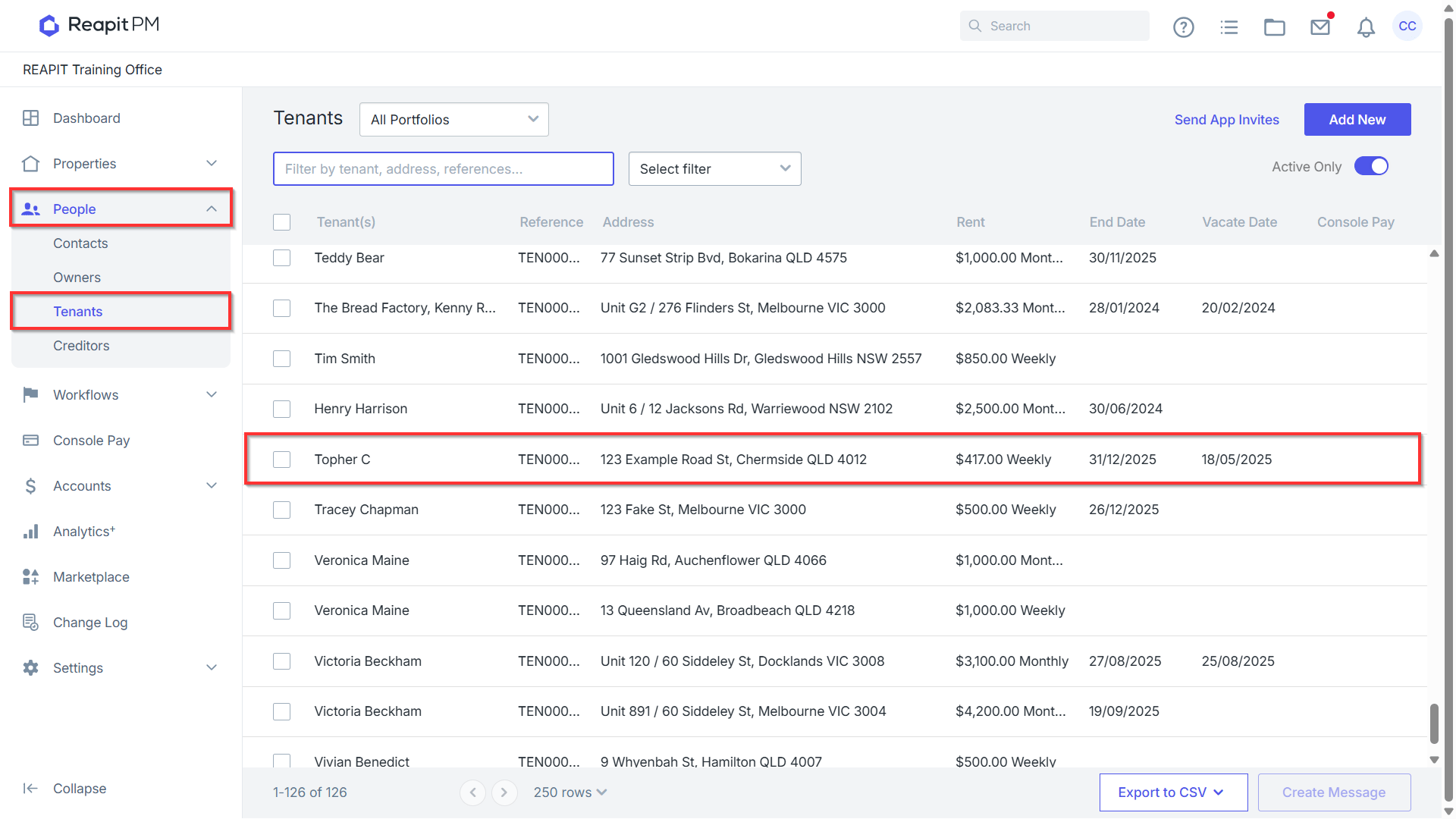
Navigate to People > Tenants.
Search or select on the tenants name to open the agreement.
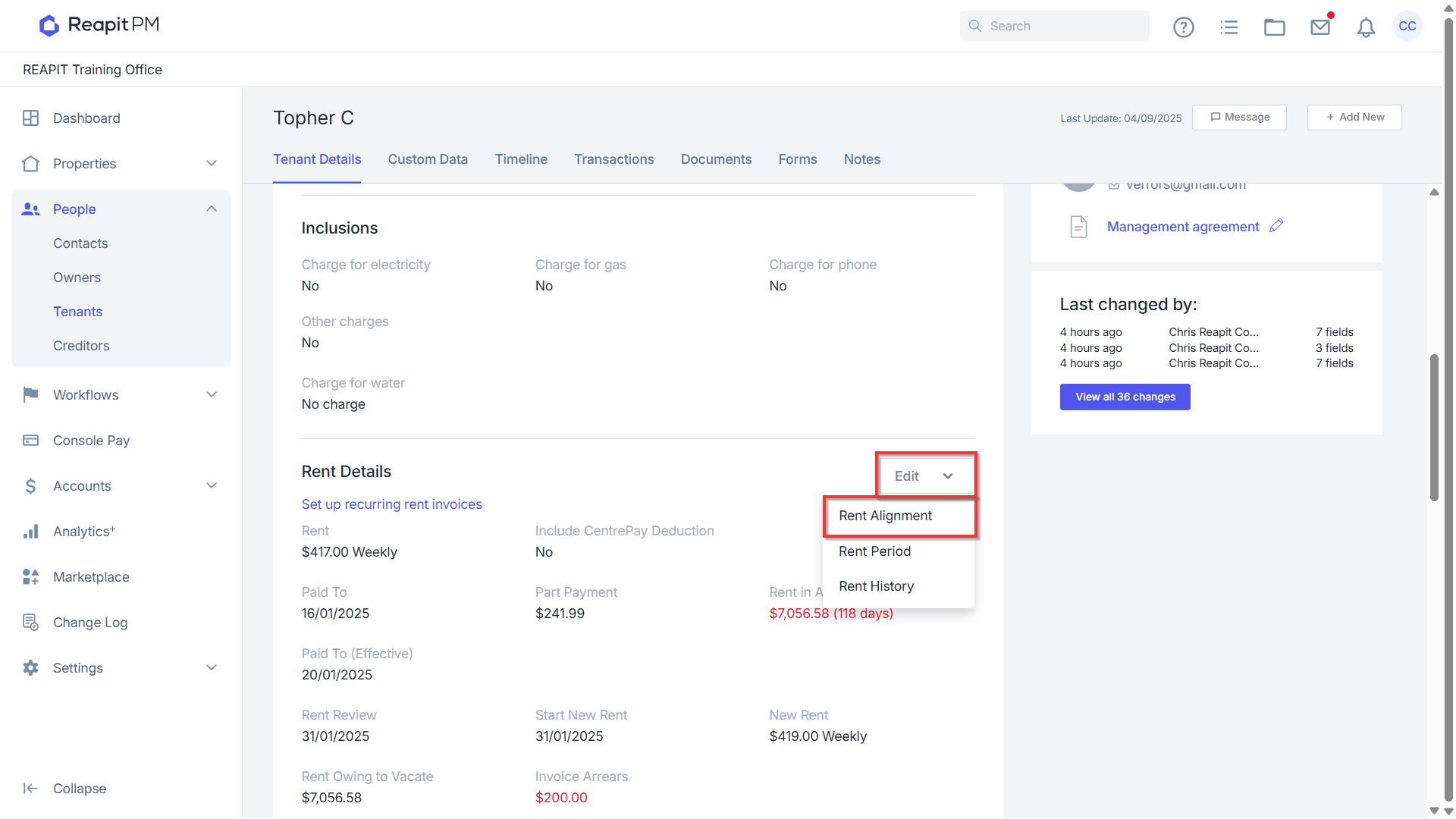
Under Rent Details, click Edit > Rent Alignment.
Enter the new paid to date.
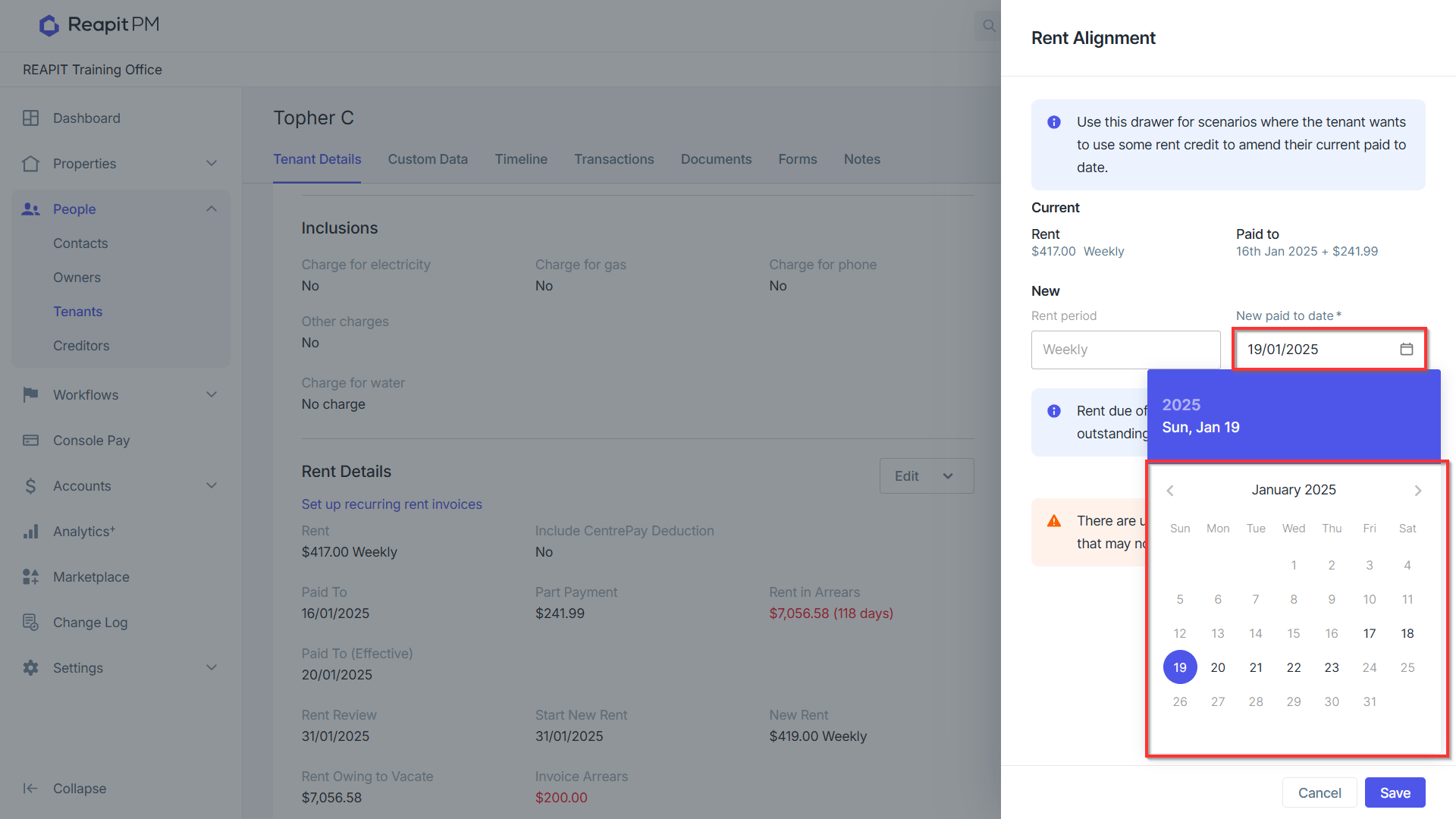
Note: You can only select a new paid to date within the current period.
The amount of rent due amount to change to the new paid to date will be displayed in the blue box.
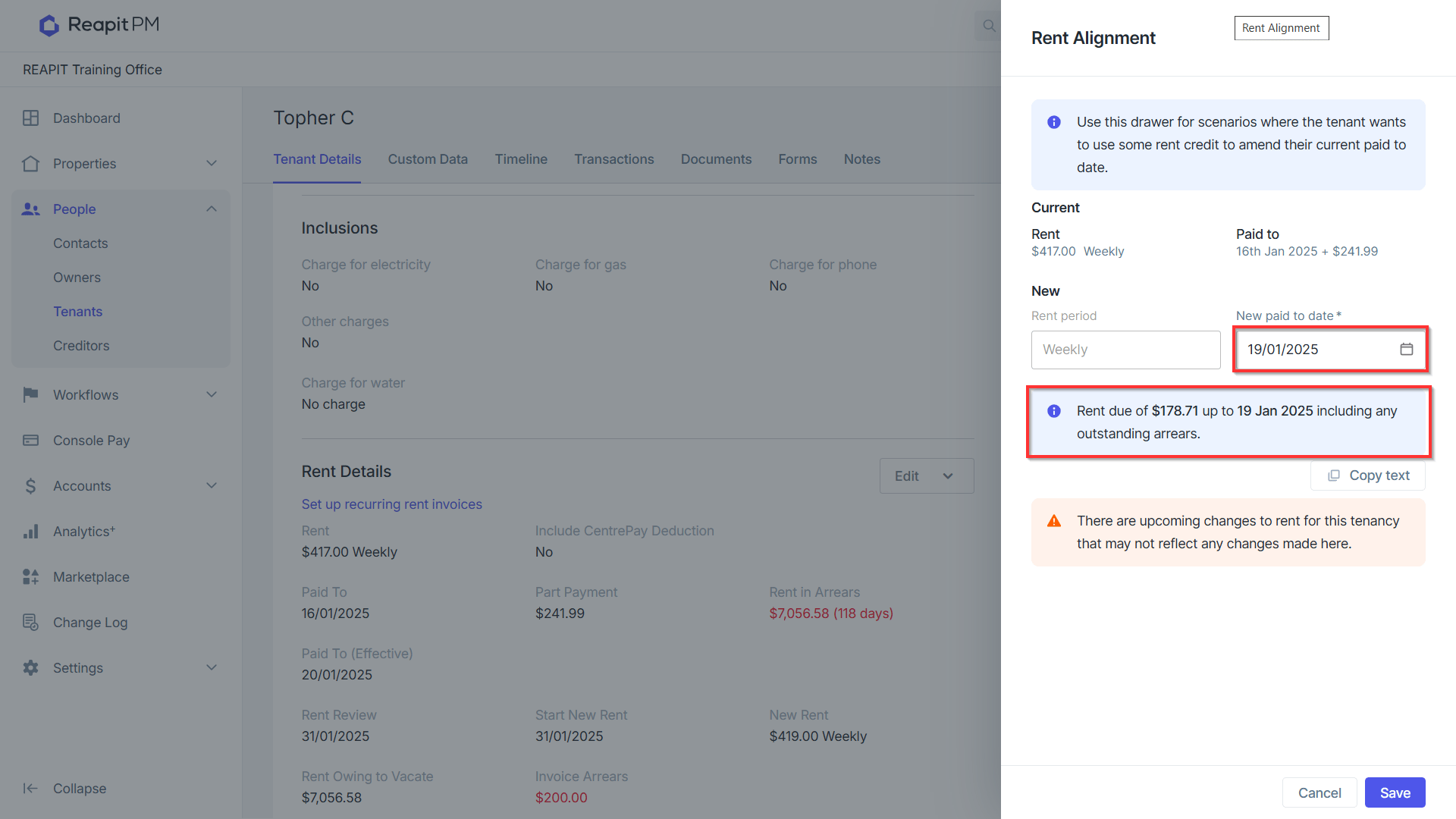
Note: This will include any outstanding arrears and may be dependant on client paid to dates.
Click Copy Text if you would like to save this text to your clipboard so you can paste this in your communication to the tenant
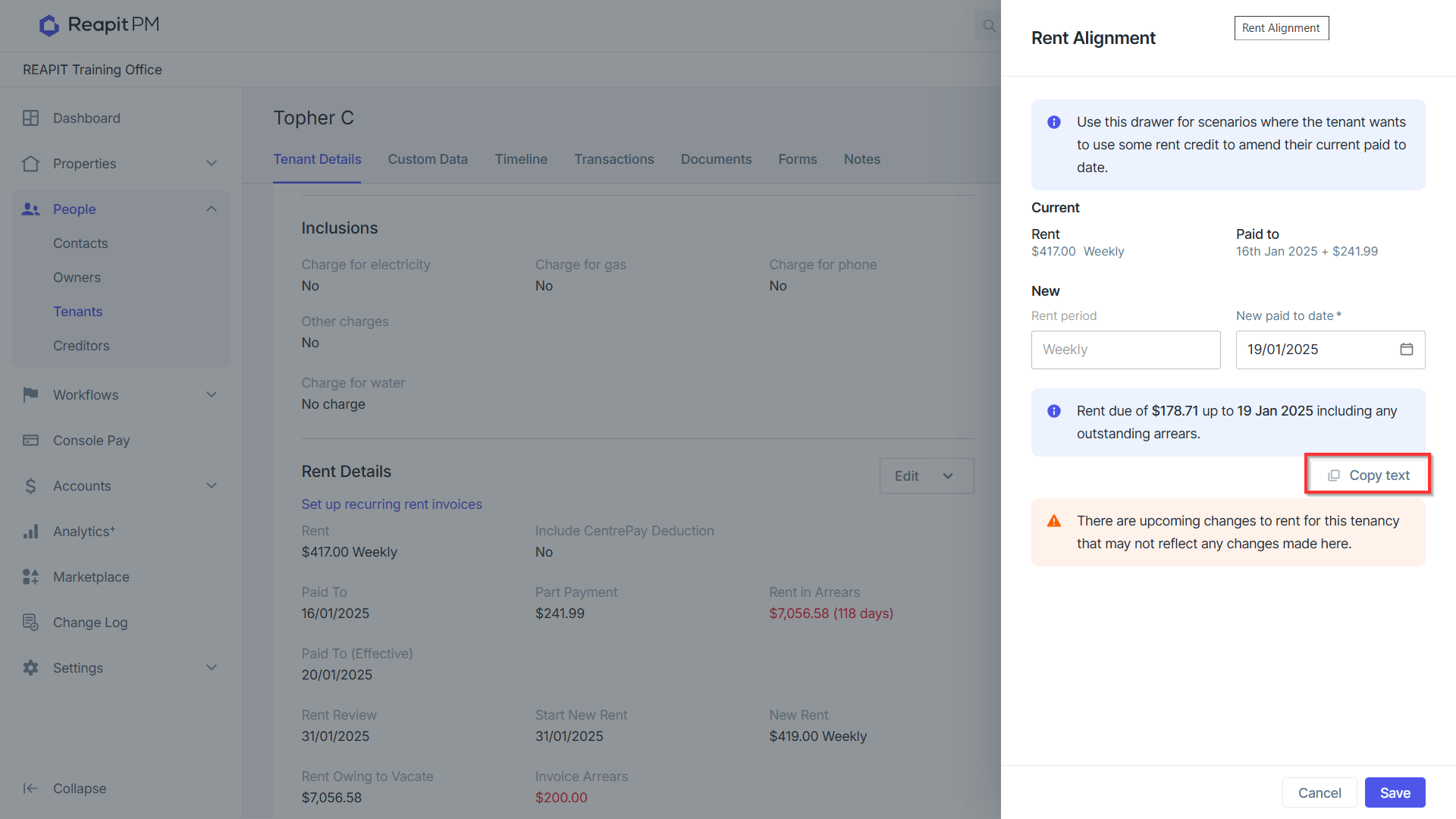
Note: If your tenant has enough credit to cover this period, you don’t need to copy this text.
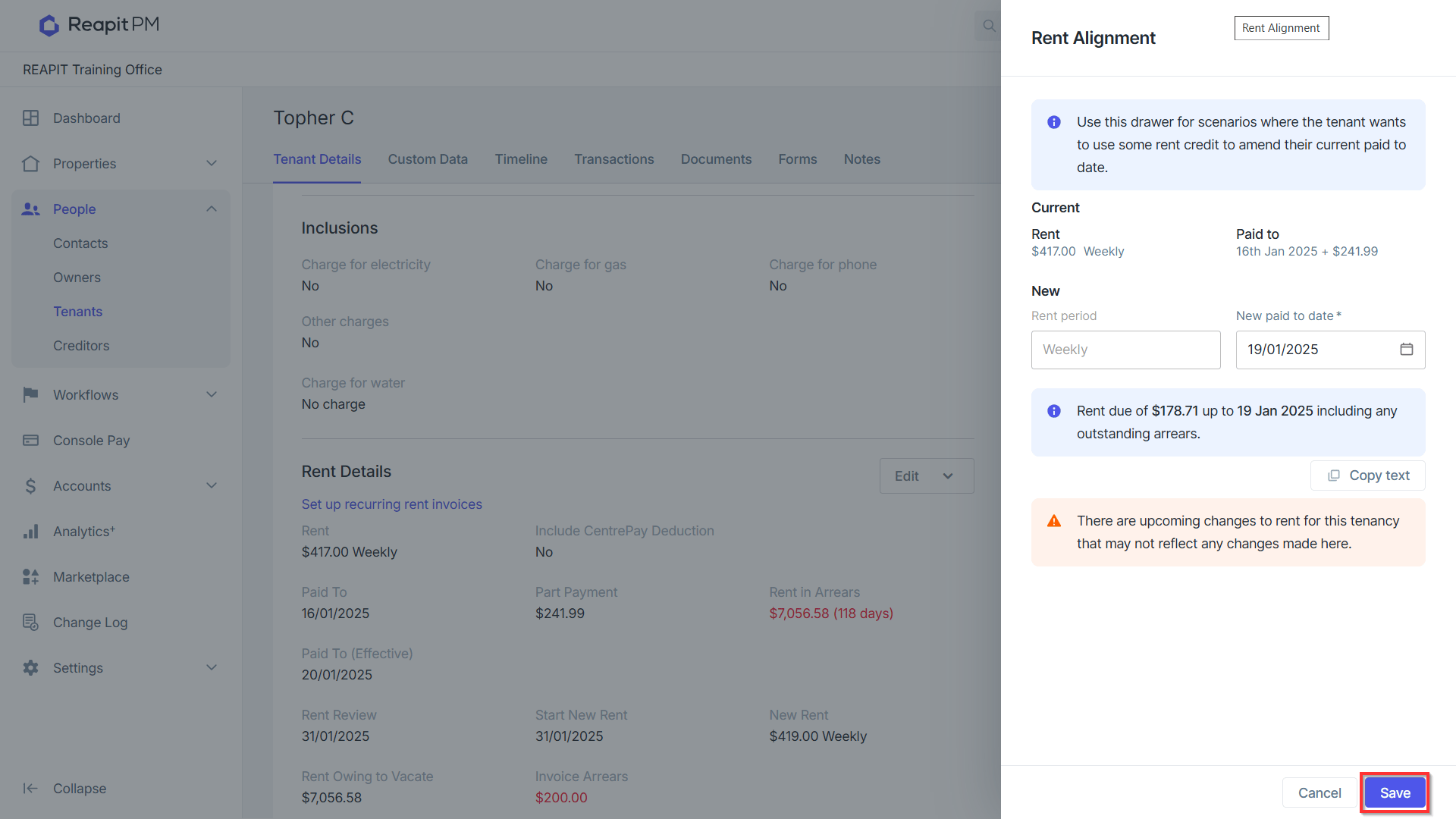
Click Save.
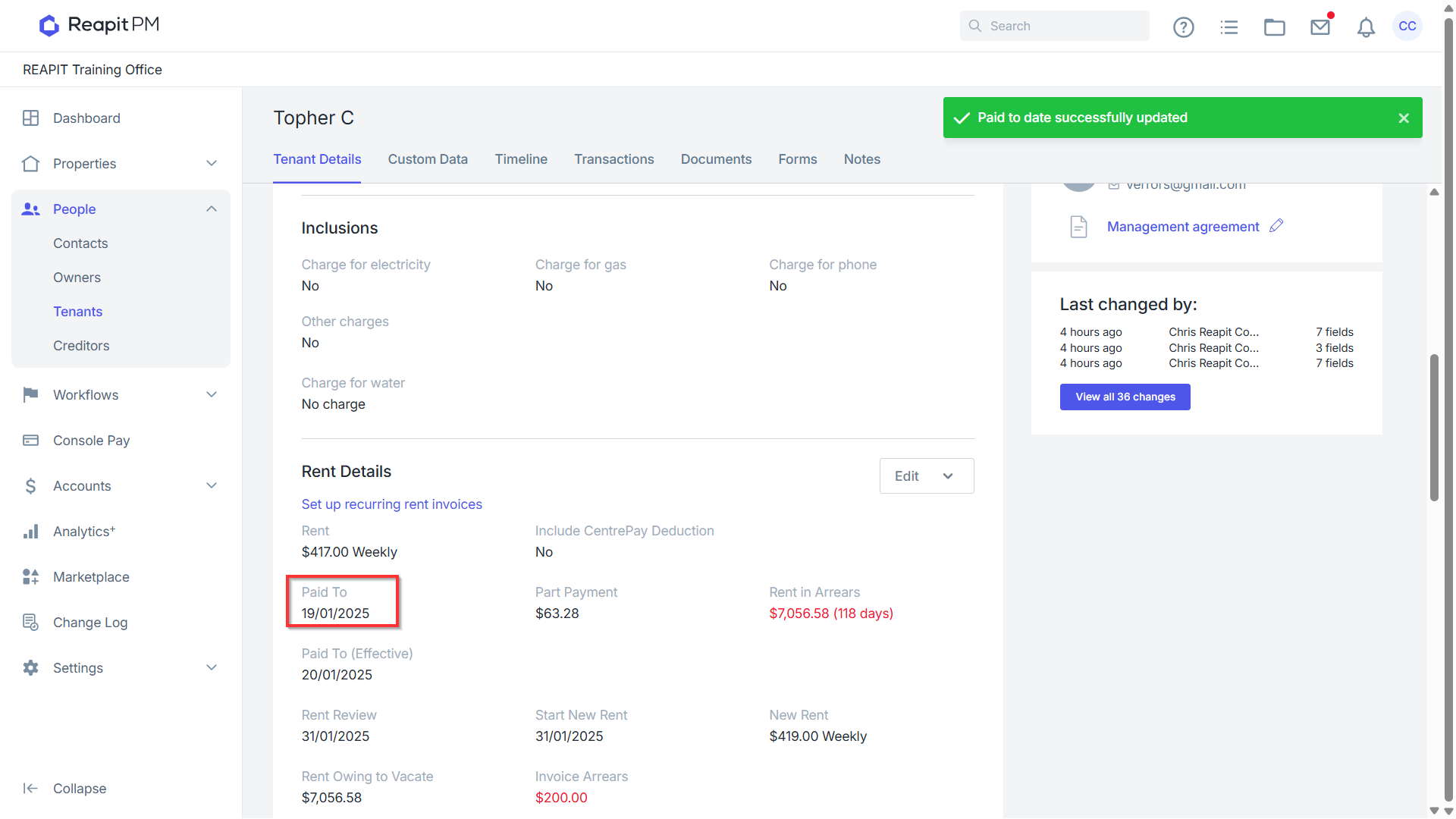
Your tenant paid to date and schedule has now been updated.
Note: The new rent due date will be the following day from the new Paid To Date.
'%20d='M0%208a8%208%200%200%201%208-8h24a8%208%200%200%201%208%208v24a8%208%200%200%201-8%208H8a8%208%200%200%201-8-8V8Z'/%3e%3cpath%20fill='%23fff'%20d='M8.375%2013v14L20.5%2034l12.124-7v-7.737l-1.687-.975-2.806-1.62-1.082-.624v4.83l-.002%204.83H13.95V16.07l3.275-1.89%202.192-1.265%201.082-.625%203.275%201.877%202.192%201.256%201.083.62V9.782L20.5%206%208.376%2013Z'/%3e%3cdefs%3e%3clinearGradient%20id='reapit-pm__a'%20x1='20.702'%20x2='20.702'%20y1='.351'%20y2='31.228'%20gradientUnits='userSpaceOnUse'%3e%3cstop%20stop-color='%235573FD'/%3e%3cstop%20offset='.575'%20stop-color='%234E56EA'/%3e%3c/linearGradient%3e%3c/defs%3e%3c/svg%3e) Reapit PMProduct docsProperty management with service at its core
Reapit PMProduct docsProperty management with service at its core